
The Ultimate Guide to AI Chat Tools That Actually Save You Hours Every Week

We’ve all been there. You’re staring at a 90 page PDF report, knowing the answer to your question is buried somewhere in those dense paragraphs. Or maybe you’re watching potential customers bounce off your website because they couldn’t find what they needed fast enough. Either way, you’re losing time and money.
The good news? AI powered chat tools have evolved dramatically over the past two years. What started as clunky, frustrating experiences have transformed into genuinely useful solutions that feel almost like talking to a knowledgeable colleague. These tools now understand context, remember previous questions, and deliver answers that actually make sense.
But here’s the challenge: the market is flooded with options. Everyone claims to have the “best” AI chat solution, and separating marketing hype from genuine capability takes serious effort. Some tools excel at parsing documents while others shine when embedded on websites. A few manage to do both remarkably well.
This guide cuts through the noise. We’ve evaluated the leading options based on real world performance, not just feature lists. You’ll discover which tools genuinely deliver on their promises and which ones might leave you frustrated. Whether you need something for personal productivity or a solution to transform how your business handles customer inquiries, there’s an option here worth your attention.
The criteria we focused on? Speed, accuracy, ease of setup, pricing transparency, and that often overlooked factor: how natural the conversations actually feel. Nobody wants to interact with a bot that sounds like it’s reading from a script written in 1995.
Let’s explore the tools that are genuinely changing how people work with information.
Chapters
Understanding the Two Main Categories of AI Chat Tools

Before jumping into specific tools, it helps to understand what you’re actually looking for. AI chat solutions generally fall into two camps, though the lines are increasingly blurring.
Document chat tools focus on letting you upload files and have conversations about their contents. Think PDFs, Word documents, spreadsheets, and research papers. You upload your material, and the AI becomes an instant expert on that specific content. Need to find every mention of quarterly revenue across a 200 page annual report? These tools handle that in seconds.
Website chat solutions take a different approach. They live on your site, interact with visitors, answer questions, and guide people toward what they need. The sophisticated ones learn from your existing content and can handle surprisingly complex queries without human intervention.
The magic happens when a tool combines both capabilities effectively. That’s where you start seeing real productivity gains and business impact.
Top Tools for Chatting With Your Documents
Denser
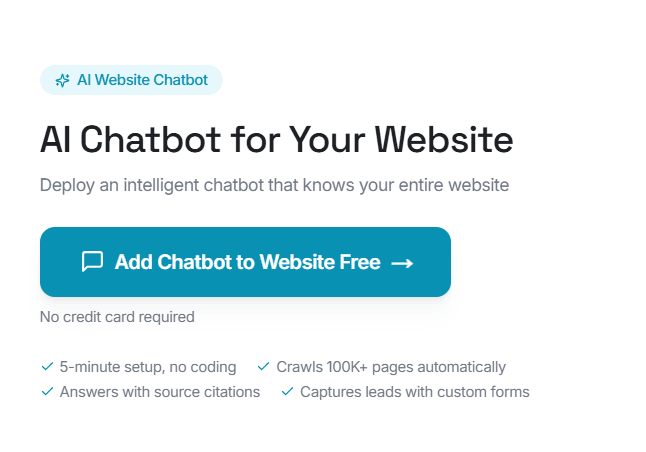
Here’s where things get interesting. Denser Studio positions itself as an all in one solution that handles both document interactions and website deployment. The platform lets you create AI assistants trained on your specific content, whether that’s internal documentation, product information, or customer resources.
What sets Denser apart is the flexibility. You can build a knowledge base from various sources, then deploy that intelligence wherever it’s needed. The same AI that helps your team find information in dense technical documents can power a website chatbot that assists customers around the clock.
The setup process takes minutes rather than hours, which matters for teams without dedicated technical resources. You upload your content, customize the behavior, and embed the solution wherever it needs to live. The AI handles the rest, learning from your materials and responding to queries with information pulled directly from your approved sources.
Pricing stays reasonable for small teams, with options that scale as needs grow. The analytics dashboard shows you what questions people are asking, which helps identify gaps in your documentation or training materials.
ChatPDF
This tool does exactly what the name suggests, and it does it well. Upload a PDF, start asking questions, and get answers pulled directly from your document. The interface stays refreshingly simple, which matters when you just need quick answers without a learning curve.
ChatPDF handles academic papers particularly well. Students and researchers appreciate how it can summarize complex sections, explain technical jargon, and locate specific information across lengthy documents. The free tier offers enough functionality for casual users, while paid plans unlock longer documents and more queries.
Where it falls short: the tool focuses exclusively on PDFs. If your workflow involves multiple file formats, you’ll need additional solutions.
Claude (Anthropic)
Claude has earned a reputation for nuanced, thoughtful responses that often feel more natural than competing AI assistants. When it comes to document analysis, Claude excels at understanding context and providing detailed explanations rather than surface level summaries.
Upload a document and Claude can discuss it in depth, draw connections between different sections, and answer follow up questions that build on previous responses. The conversation flows naturally, which makes extended research sessions more productive and less tedious.
The downside? Claude works as a general purpose assistant rather than a dedicated document tool. This means the interface isn’t specifically optimized for document heavy workflows.
PDF.ai
Another strong contender in the document chat space, PDF.ai offers solid performance with a clean interface. The tool handles multiple documents simultaneously, which proves useful when you need to cross reference information across several files.
The summarization features work well for quickly getting the gist of lengthy reports. You can ask for bullet point summaries, detailed explanations, or specific data extraction. The AI usually delivers relevant responses, though accuracy occasionally dips with heavily formatted documents or complex tables.
Choosing the Right Website Chat Solution

Moving beyond document analysis, let’s talk about tools designed to interact with your website visitors. This category has exploded recently, with options ranging from simple FAQ bots to sophisticated AI assistants that can handle complex conversations.
What Makes a Great Website Chat Tool?
The best solutions share several characteristics. They understand natural language rather than requiring visitors to use specific keywords. They learn from your existing content rather than demanding you write hundreds of predefined responses. They integrate smoothly with your existing systems. And perhaps most importantly, they know when to escalate to a human.
Nobody wants to argue with a bot that keeps misunderstanding their question. The tools worth your money recognize their limitations and hand off gracefully when needed.
Intercom
A veteran in the customer communication space, Intercom has added AI capabilities to its already robust platform. The tool combines live chat, chatbot functionality, and help desk features into a unified system.
Intercom’s AI component, Fin, draws from your knowledge base to answer customer questions automatically. The responses generally feel natural, and the system learns over time which answers work best. Setup requires more effort than some alternatives, but the depth of customization justifies that investment for many teams.
The pricing sits at the higher end, making Intercom more suitable for established businesses with real budgets. Startups and small teams might find better value elsewhere.
Drift
Focused heavily on B2B sales conversations, Drift uses AI to qualify leads and book meetings without requiring human intervention. The chatbot engages visitors, asks qualifying questions, and routes hot prospects to the right salespeople.
The tool integrates well with popular CRM systems, keeping your sales data synchronized and your team informed. The conversational flows feel polished, though they lean heavily toward sales oriented interactions.
Companies not focused on lead generation might find Drift’s strengths misaligned with their needs. The platform is built for sales first, support second.
Tidio
For smaller businesses and e-commerce stores, Tidio offers accessible AI chat without enterprise pricing. The platform combines live chat, chatbot building, and email integration in a package designed for teams without technical expertise.
The AI assistant handles common questions automatically while allowing seamless handoff to human agents when needed. Template flows help you get started quickly, though customization options feel somewhat limited compared to more expensive alternatives.
Making Your Decision: Key Questions to Ask
Selecting the right tool depends entirely on your specific situation. Before committing to any solution, work through these considerations.
What’s your primary use case? Document analysis and website chat serve different purposes. Some tools try to do both, but many specialize. Match the tool to your actual needs rather than being swayed by features you’ll never use.
How technical is your team? Some platforms require development resources to implement properly. Others offer genuine no code setup. Be honest about your capabilities and choose accordingly.
What’s your budget flexibility? Pricing models vary wildly in this space. Some tools charge per conversation, others per seat, and some offer flat monthly rates. Calculate the actual cost based on your expected usage before committing.
How important is customization? Off the shelf solutions work fine for basic needs. If you require deep integration with existing systems or highly specific conversational flows, you’ll need platforms that offer that flexibility.
Implementation Tips That Actually Work
Getting value from these tools requires more than just signing up and hoping for the best. A few practices separate successful implementations from abandoned experiments.
Start with quality content. AI chat tools are only as good as the information they’re trained on. Garbage in, garbage out applies here more than anywhere. Invest time in organizing and cleaning your source materials before feeding them to any system.
Set realistic expectations. These tools augment human capability rather than replacing it entirely. They handle routine queries brilliantly and free up your team for complex situations. Expecting perfection from day one leads to disappointment.
Monitor and iterate. Every platform offers some form of analytics. Use them. See what questions the AI struggles with. Identify patterns in failed conversations. Improve your knowledge base based on actual user behavior.
Train your team. Even automated systems require human oversight. Make sure your people understand how the tools work, when to intervene, and how to provide feedback that improves performance over time.
The Bottom Line
AI chat tools have matured dramatically. What felt gimmicky two years ago now delivers genuine productivity gains and improved customer experiences. The key is matching the right solution to your specific situation rather than chasing the flashiest features.
For document heavy workflows, options like ChatPDF, Claude, and Denser Studio offer powerful capabilities without overwhelming complexity. Each brings different strengths, so consider whether you need pure document analysis or a platform that extends to website deployment.
For customer facing applications, the choice depends on your scale, budget, and technical resources. Enterprise teams might appreciate Intercom’s depth. Smaller operations often find Tidio’s accessibility more appropriate. Sales focused organizations gravitate toward Drift’s specialized approach.
Whatever you choose, remember that implementation matters as much as the tool itself. Start small, learn what works, and expand from there. The productivity gains are real, but they come from thoughtful deployment rather than simply buying software.
Your documents and your website visitors deserve better than the status quo. These tools make that improvement surprisingly achievable.
Other Interesting Articles
- AI LinkedIn Post Generator
- Gardening YouTube Video Idea Examples
- AI Agents for Gardening Companies
- Top AI Art Styles
- Pest Control YouTube Video Idea Examples
- Automotive Social Media Content Ideas
- AI Agent for Plumbing Business
- Plumber YouTube Video Idea Examples
- AI Agents for Pest Control Companies
- Electrician YouTube Video Idea Examples
- AI Agent for Electricians
- How Pest Control Companies Can Get More Leads
- AI Google Ads for Home Services
- Phone Editing That Feels Studio Ready
Master the Art of Video Marketing
AI-Powered Tools to Ideate, Optimize, and Amplify!
- Spark Creativity: Unleash the most effective video ideas, scripts, and engaging hooks with our AI Generators.
- Optimize Instantly: Elevate your YouTube presence by optimizing video Titles, Descriptions, and Tags in seconds.
- Amplify Your Reach: Effortlessly craft social media, email, and ad copy to maximize your video’s impact.