
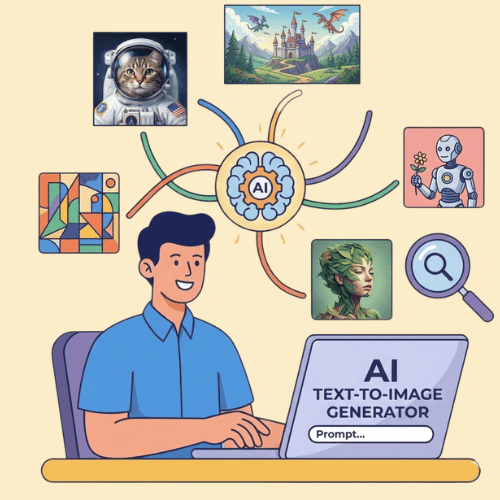
What Is StoryLab.ai’s AI Text-to-Image Generator?
Sometimes you know what you want… you just can’t draw it.
StoryLab.ai’s AI Text to Image Generator lets you type what you’re imagining and get image options back in seconds. It’s great for quick concept art, social visuals, blog graphics, ad creatives, thumbnails, and mood boards.
Write a clear prompt, pick a style, generate a few variations, then refine the best one. That’s the whole game.
Next to our Marketing Copy Generators, we also offer a powerful AI Text-to-Image Generator to create breathtaking images for your social media posts, blog posts, ebooks, and more.
Get started for free with the AI Text-to-Image Generator.
More than just an AI Text-to-Image Generator
StoryLab.ai is a complete Content Creation Platform. Create Ads, Blog Posts, Social Media Posts, and more in seconds. Check out the video intro to learn more.
Benefits of the AI-Powered Text-to-Image Generator
We all need visuals to capture people’s attention and get our message across. It’s not always easy to find great Stock Images for your projects. Luckily, you can simply describe what your image should look like and our powerful AI Text-to-Image Generator will create it for you in seconds.
Top benefits of the AI Text-to-Image Generator
 AI modes AI modes |
11 image styles |
 Improves Improves |
creativity, and more |
 Support Support |
17+ Languages |
 Price Price |
Free and Premium |
Chapters
- What Is StoryLab.ai’s AI Text-to-Image Generator?
- Benefits of the AI-Powered Text-to-Image Generator
- How to start with the AI Text-to-Image Generator
- AI Text-to-Image Generator Styles
- AI Text-to-Image Generator Examples
- AI Text-to-Image Generator Pricing
- What you can generate with the AI Text to Image Generator
- Text-to-image prompt template (copy, fill, generate)
- Prompt Playbook: copy-paste prompts for better images
- Style selector (what to ask for)
- Fix common text-to-image problems
- Creative brief → prompt builder (fast)
- FAQ
How to start with the AI Text-to-Image Generator
Here’s a walkthrough of how to get started with the AI Image Generator and how to create breathtaking images.
First, set up a free account at StoryLab.ai and select the AI Text-to-Image Generator. You get 3 free runs every month and can upgrade if you need more.
Second, describe what the image is about, your image style, and image size, and click inspire me.
For this example, we used the following prompt:
Professional young man, in casual clothing, creating content on his laptop in a modern room. The sun is shining gentely through the window. The young man is happy that he can create beautiful images with the help of AI
For the image style, we chose ‘digital art’
Here’s what the AI Image Creator came up with:
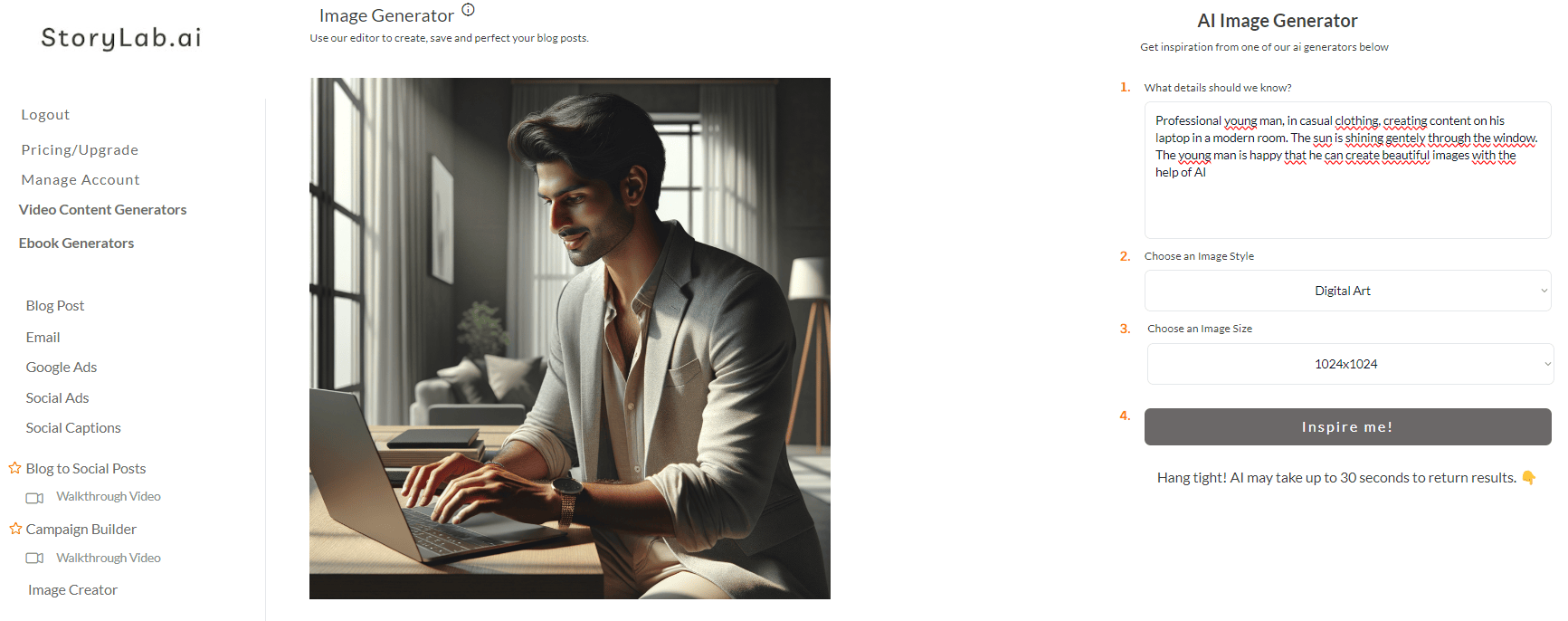
I can now change my input (text-to-image prompt), change the style, or simply re-run the AI Text-to-Image Creator with the same inputs to get more ideas.
AI Text-to-Image Generator Styles
At the moment we have 11 image styles you can select in the dropdown menu. You can also leave it blank and add your own style to the text-to-image prompt
AI Text-to-Image Generator Styles:
- Digital Art
- Cartoon
- Drawing
- Realistic
- Minimalism
- Retro/Vintage
- Lettering
- Vector
- Flat Art
- 3D Illustration
- Surrealism
AI Text-to-Image Generator Examples
Let’s go over a couple of AI Image Examples created with our AI Text-to-Image Maker in different styles.
We started with an open style input; ferrofluid style
We used the same prompt for all the images:
Beautiful lion looking over the savanna from a cliff
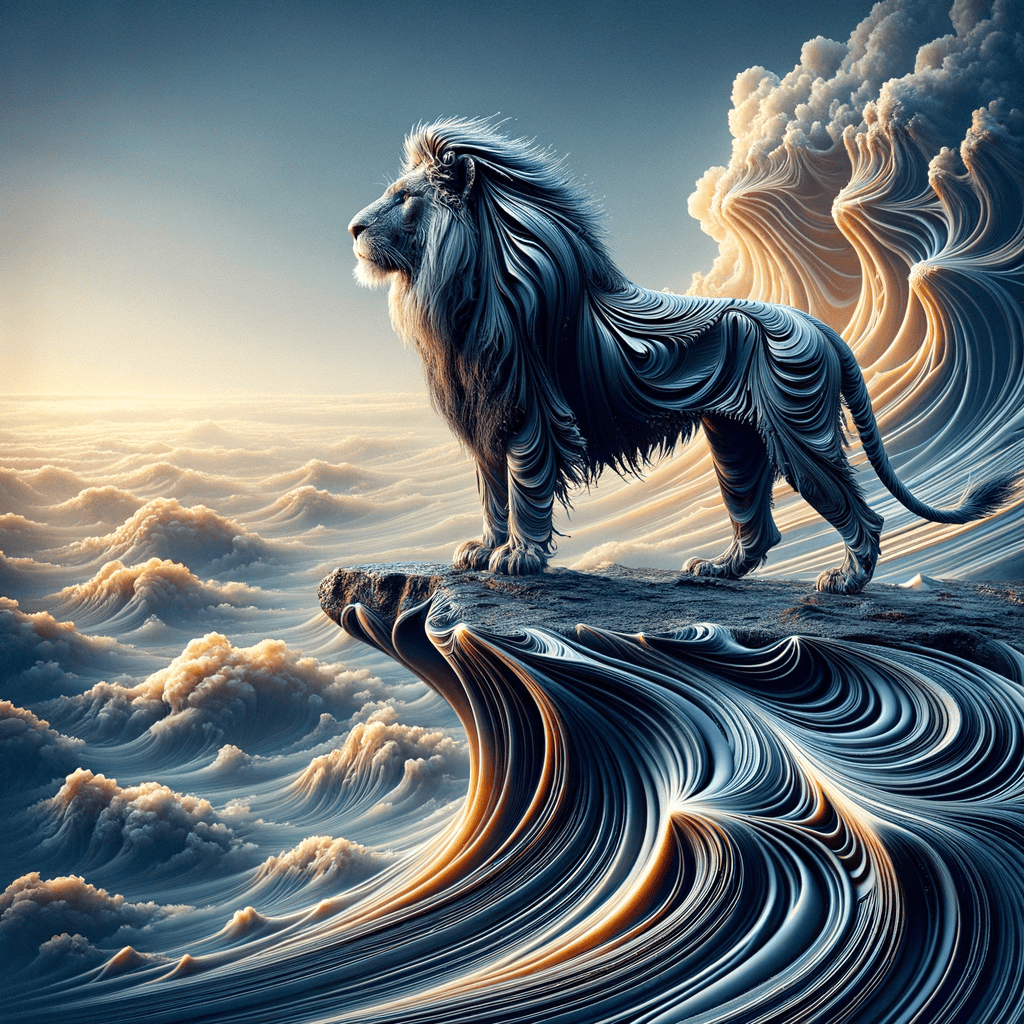
Text-to-Image Prompt:
Beautiful lion looking over the savanna from a cliff, ferrofluid style
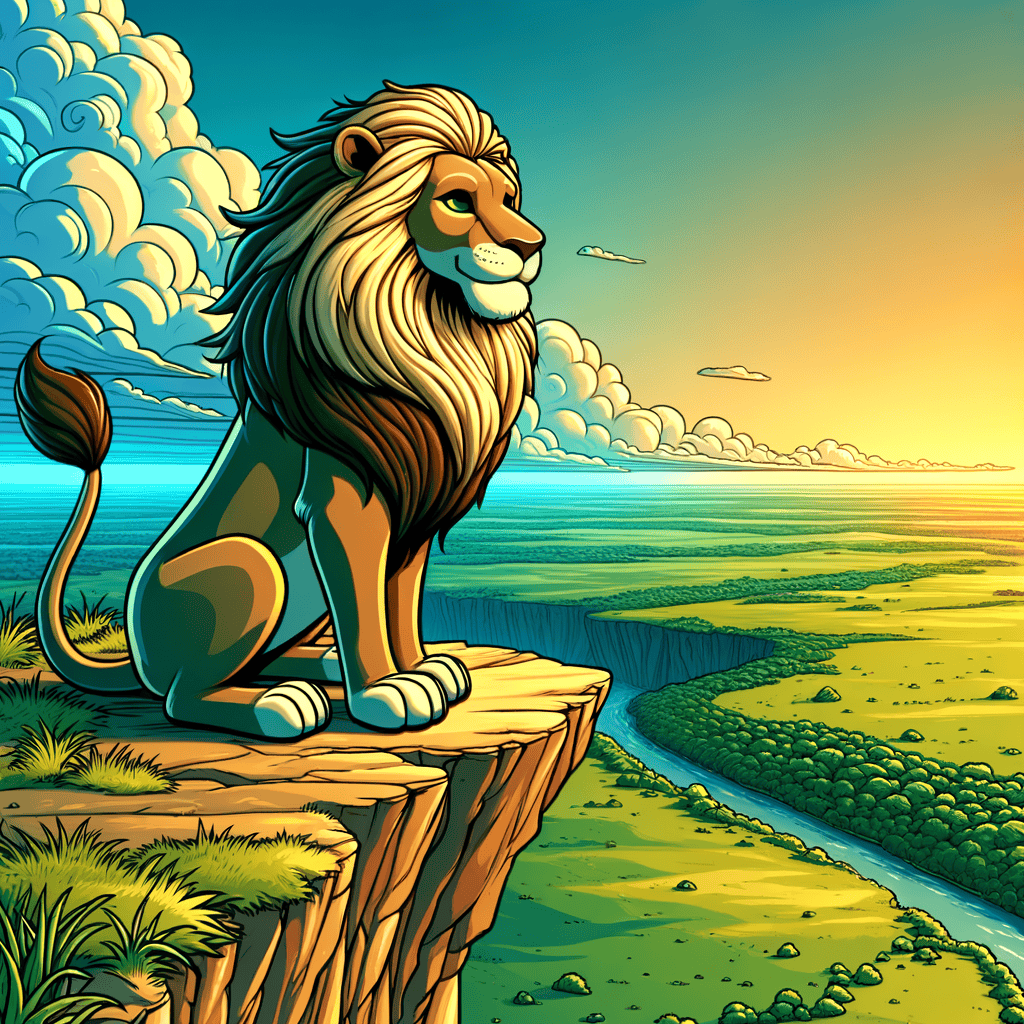
Text-to-Image Prompt:
Beautiful lion looking over the savanna from a cliff, cartoon style (selected)
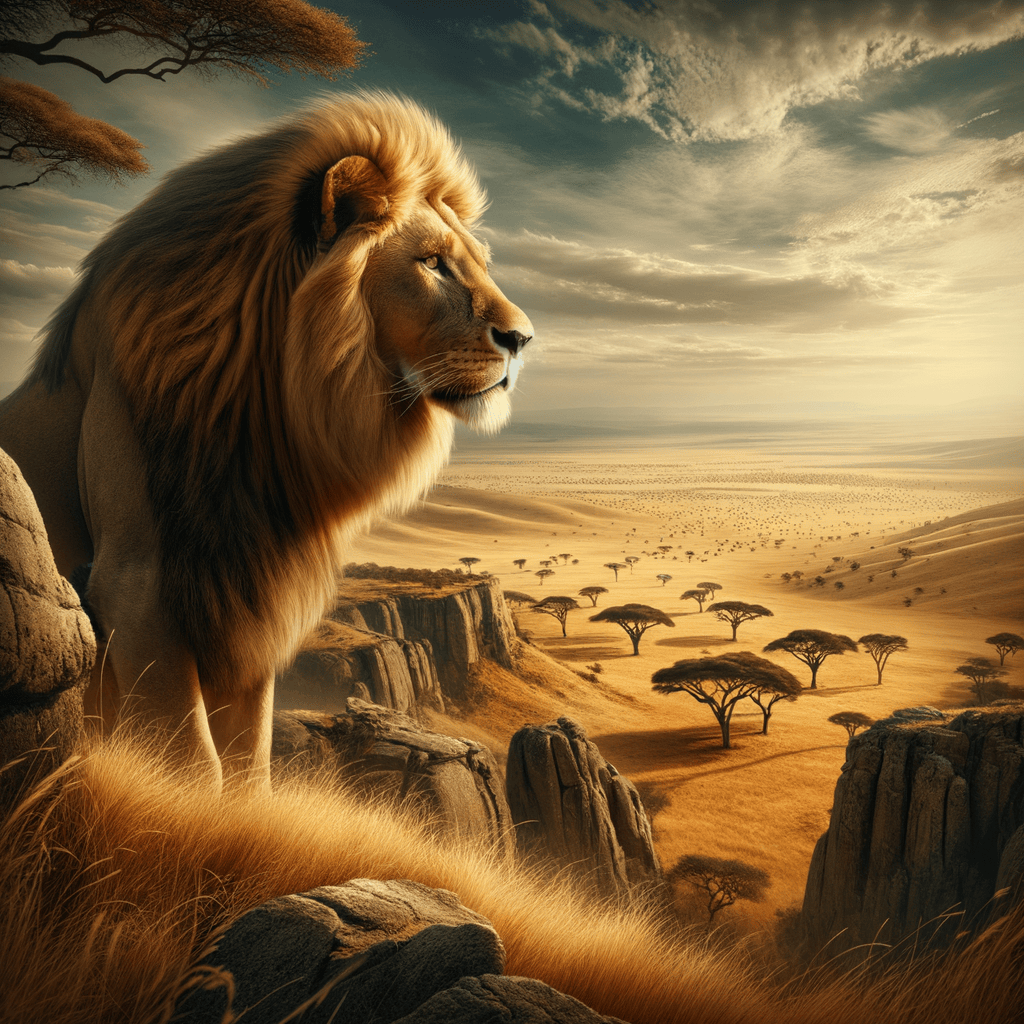
Text-to-Image Prompt:
Beautiful lion looking over the savanna from a cliff, realistic style (selected)
AI Text-to-Image Generator Pricing
Our pricing is set up as followed:
- Free – get 3 runs a month to try our tools out for free;
- Pro – $15 a month – 100 runs a month;
- Unlimited – $19 a month – unlimited runs a month;
You can also opt-in for the yearly membership and receive a 20% price reduction.
You can check out our full pricing here.
What you can generate with the AI Text to Image Generator
- Social media graphics and post visuals
- Blog header images and featured images
- Ad creative concepts and variations
- Illustrations, icons, and background images
- Product mockups and lifestyle scenes
- Mood boards and style exploration
Text-to-image prompt template (copy, fill, generate)
| Prompt part | What to include | Example |
|---|---|---|
| Subject | Main thing in the image | “A cozy coffee shop corner with a laptop” |
| Setting | Where it takes place | “By a rainy window in a modern cafe” |
| Style | Photo, illustration, 3D, watercolor, etc. | “Cinematic photo, shallow depth of field” |
| Lighting | Mood and light type | “Warm ambient lighting, soft shadows” |
| Colors | Palette guidance | “Earth tones, muted greens and browns” |
| Composition | Angle and framing | “Close-up, rule of thirds, foreground bokeh” |
| Output | Aspect ratio or use-case | “16:9 YouTube thumbnail background” |
| Negative prompts | What to avoid | “No text, no watermark, no extra hands” |
Prompt Playbook: copy-paste prompts for better images
| Goal | Copy-paste prompt template |
|---|---|
| Blog header image | “Create a clean blog header image for an article about [topic]. Style: modern editorial photo. Mood: [mood]. Colors: [palette]. Composition: wide 16:9 with empty space for headline text. No text, no watermark.” |
| Social post visual | “Generate a bold social media visual for [topic]. Style: minimal illustration. Colors: [brand colors]. Simple shapes, high contrast, 1 central subject. No text.” |
| Product lifestyle mockup | “Create a lifestyle scene featuring [product] in use by [audience]. Setting: [place]. Style: realistic photo. Lighting: natural. No logos, no text.” |
| YouTube thumbnail background | “Generate a high-contrast YouTube thumbnail background for [topic]. Style: cinematic, sharp subject, blurred background. Composition: leave empty space on the left for text. 16:9. No text.” |
| Ad creative variations | “Create 6 image variations for an ad about [offer]. Each variation should use a different visual metaphor for [benefit]. Style: [photo/illustration/3D]. Keep background uncluttered. No text.” |
| Icon set | “Generate a consistent icon set of 12 icons for [industry]. Style: simple line icons, rounded corners, consistent stroke width, monochrome. Transparent background if possible. No text.” |
| Brand mood board | “Create a mood board style image for a brand that feels [adjectives]. Include 6–9 elements: textures, objects, colors, and environments. Style: collage aesthetic. No text.” |
Style selector (what to ask for)
| Style | Best for | Prompt words to use |
|---|---|---|
| Realistic photo | Ads, lifestyle, product scenes | “realistic photo, natural lighting, shallow depth of field” |
| Editorial | Blog headers, websites | “modern editorial, clean composition, soft light” |
| 3D render | Product mockups, abstract visuals | “3D render, soft shadows, studio lighting” |
| Flat illustration | Social visuals, explainer graphics | “flat vector illustration, minimal, bold shapes” |
| Watercolor | Soft, artsy visuals | “watercolor, paper texture, gentle gradients” |
| Sketch / line art | Icons, concept drafts | “line art, monochrome, clean strokes” |
Fix common text-to-image problems
| Problem | Why it happens | Fix in your prompt |
|---|---|---|
| Too busy / cluttered | Prompt includes too many elements | Remove extras, ask for “minimal background, 1 subject” |
| Wrong style | No style guidance | Add “realistic photo” or “flat vector illustration” |
| Faces/hands look odd | Complex anatomy | Use “hands out of frame” or focus on objects |
| Text appears in the image | Model adds signage/logos | Add “no text, no watermark, no logo” |
| Brand colors off | Palette isn’t specified | Add exact colors: “#0F172A, #22C55E, #F8FAFC” |
| Composition not usable | No layout constraints | Specify “negative space on left/right, 16:9, centered subject” |
Creative brief → prompt builder (fast)
| Creative brief input | Turn it into prompt language |
|---|---|
| Audience | “for [audience]” + include relatable setting |
| Benefit | Use a visual metaphor for the benefit |
| Brand | Specify palette + vibe words (modern, playful, premium) |
| Channel | “Instagram post 1:1” or “YouTube thumbnail 16:9” |
| CTA | Keep CTA out of the image, add negative space for text overlay |
FAQ
What is an AI text to image generator?
An AI text to image generator creates images based on written prompts. You describe the subject, style, and mood, and the tool generates visual options.
How do I write a good text-to-image prompt?
Be specific about the subject, setting, style, lighting, and composition. Add what to avoid (like “no text” or “no watermark”) to reduce unwanted artifacts.
Can I generate images for ads and social media?
Yes. Generate multiple variations, keep layouts simple, and leave space where you’ll place text overlays in your design tool.
Why does the generator add random text or logos?
Some models try to mimic real-world posters and packaging. Add “no text, no logo, no watermark” to your prompt to reduce it.
Which styles work best for website headers?
Clean editorial photos, minimal 3D renders, or flat illustrations tend to work well because they leave space for headline text.
Can I use these images commercially?
In many cases, yes, but rules depend on the specific tool and license. Review the terms for your chosen generator before using images in paid campaigns.
How many variations should I generate?
Start with 4–8 variations, pick the best one, then refine the prompt to improve composition, colors, and details.
How do I get consistent brand visuals?
Use the same prompt structure, repeat your brand palette, specify a consistent style (like “flat vector illustration”), and keep composition rules consistent.
YouTube Video Title Generator
Create catchy titles for your next videos.
YouTube Description Generator
Write great descriptions in half the time.
AI eBook Generator
Create full eBooks
Social Media Caption Generator
Get the most out of your Social Marketing.
Instagram Caption Generator
Stand out on Insta with great captions.
LinkedIn Caption Generator
Awesome captions in half the time
YouTube Video Idea Generator
Effective Video ideas
YouTube Video Script Generator
Engaging Videos
AI Video Hook Generator
Create Engaging Videos
All Marketing Copy Generator
See all our AI Geenrators