
Best AI Music Video Apps That Work From a Photo: How Image-to-Song Generators Perform

Remember when uploading a song to YouTube meant choosing between an expensive shoot or a lifeless still image?
Today, one photo plus your mastered track can generate a beat-synced music video in minutes, not hours. That speed frees indie musicians and marketers to share eye-catching visuals without hiring a crew.
In this guide, we’ll test the leading AI apps, rank them, and help you match each tool to your creative goals and budget.
Chapters
What counts as a “photo-to-music-video” generator?
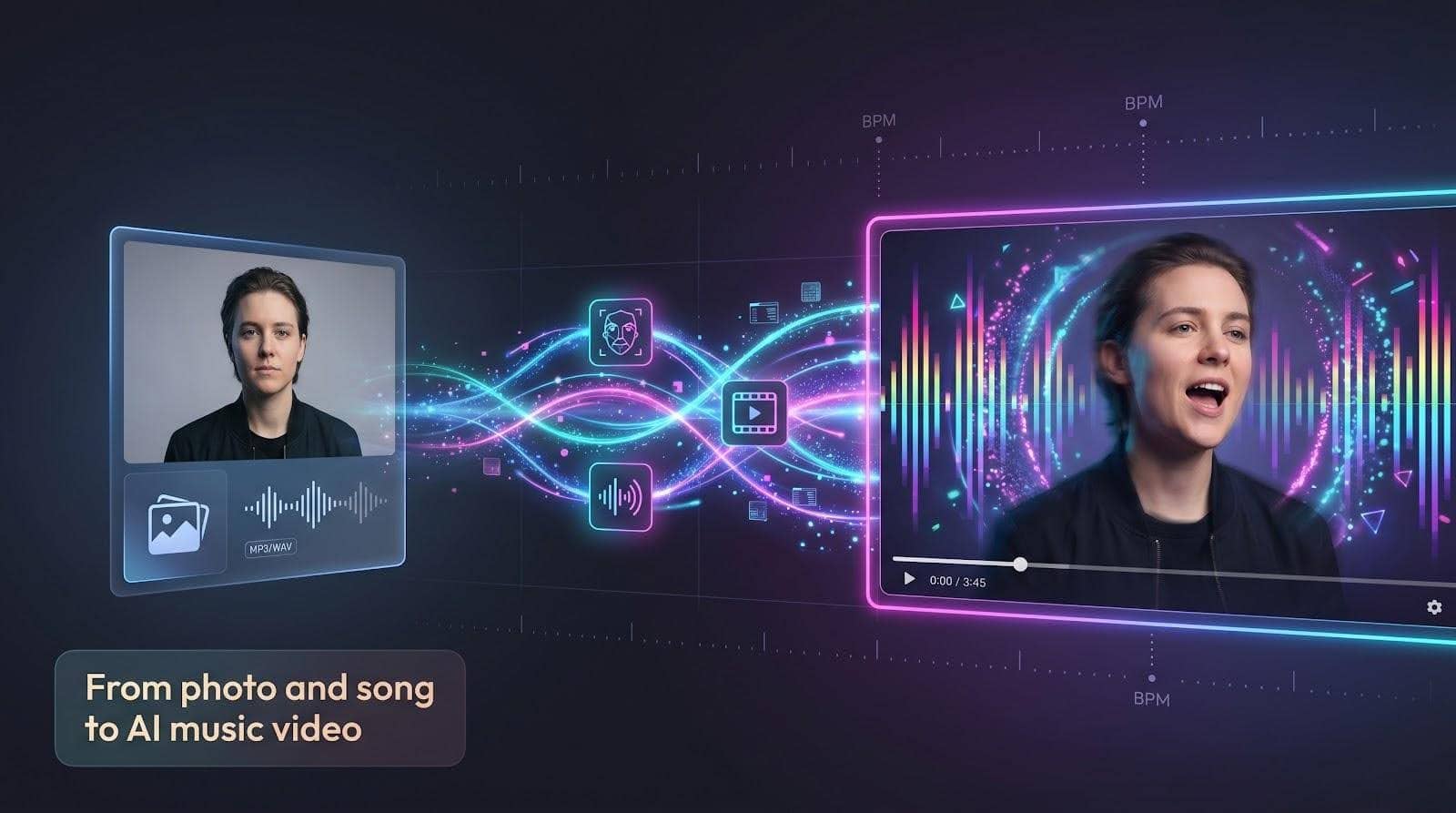
Picture handing an app one JPEG and your mastered WAV file.
Seconds later the still image is breathing, blinking, and bobbing to the beat. That fast turnaround earns the label photo-to-music-video generator.
These platforms sit at the crossroads of three AI skills.
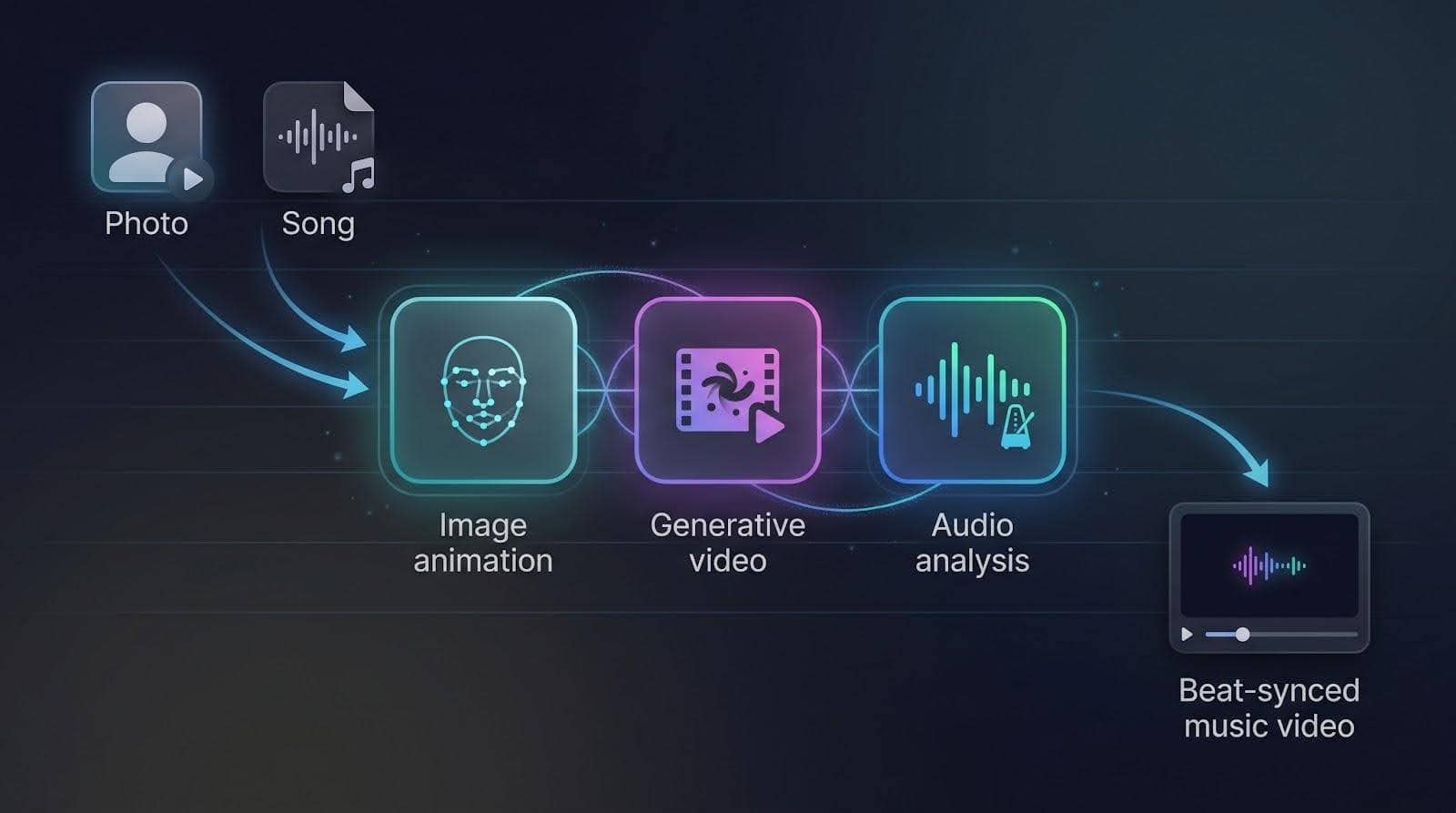
First is image animation. A neural network reads facial landmarks, predicts lip and brow movement, then redraws each frame so the portrait appears to sing in time.
Second is generative video. Diffusion models transform pixels into fresh, coherent scenes, such as cover art melting into a swirling galaxy or a selfie that zooms out to reveal a neon skyline.
Third is audio analysis. The engine listens for tempo, verse–chorus breaks, and even micro-beats, planting cuts, camera moves, or light flashes exactly where the song suggests.
Blend those ingredients and the output feels directed, not random.
Most tools export in 720 p or 1080 p and handle full tracks, though clip length and realism still depend on model horsepower.
Reality check: these generators don’t compose music, and they’re not Hollywood storytellers yet. They shine at short, visually gripping pieces that stay tight with the sound. Treat them as creative sidekicks that boost your visuals while you stay in charge of the vision.
How we built a fair scoreboard
Ranking creative tools can feel like comparing guitars to drum machines, so we based our evaluation on data.
We began with a long list of more than twenty apps found through Google results, Reddit threads, and industry round-ups. Each contender had to accept at least one still image and produce a video that synced to an uploaded song; any platform that failed either step was cut immediately.
Next, we ran hands-on tests. A small team of indie producers uploaded the same three-minute track and the same high-resolution photo to every short-listed platform. We timed renders, noted crashes, and judged how tightly each video stayed on beat. According to a recent Cybernews lab test, tools that map BPM and song structure look more professional.
To keep scores clear, we weighted seven factors:
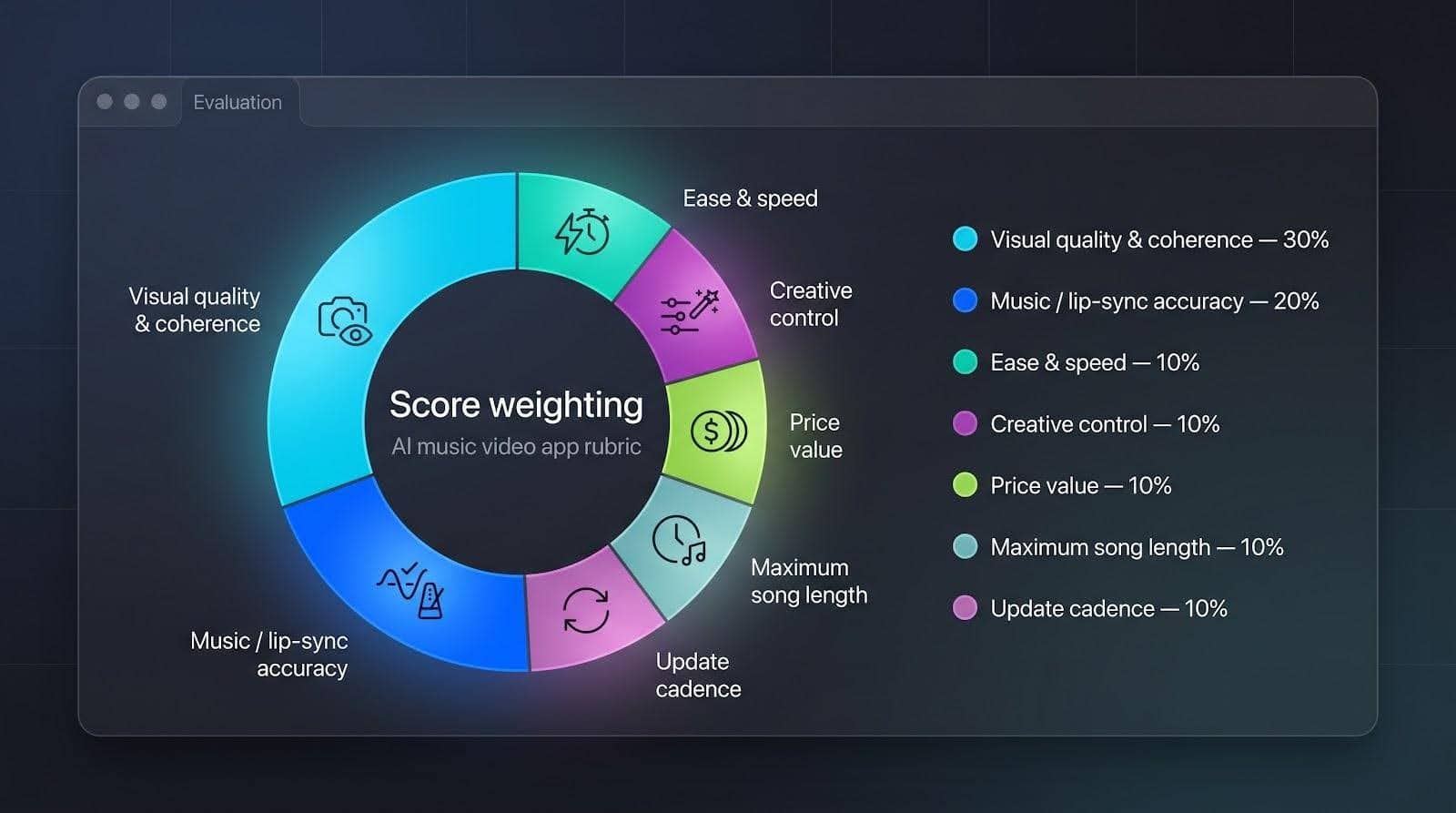
- Visual quality and coherence carried the most weight at 30 percent. A music video has to look good first.
- Music or lip-sync accuracy followed at 20 percent. If the mouth drifts off time, the illusion breaks.
- Ease and speed, creative control, price value, maximum song length, and update cadence filled out the remaining 50 percent.
Each tester filled a rubric; we averaged the numbers and plotted a quick donut chart you’ll see below. The totals produced a clean 1-to-10 ranking and, just as important, a clear sense of which tool shines for which use case.
1. Neural Frames: audio-reactive videos on autopilot
Neural Frames bills itself as the best AI music video generator thanks to three creation modes, Autopilot, Frame-by-Frame, and Text-to-Video, that all export beat-synced 4K clips.
Our tests confirm the hype: the platform tops our chart because it thinks like a music director, not a slideshow app.
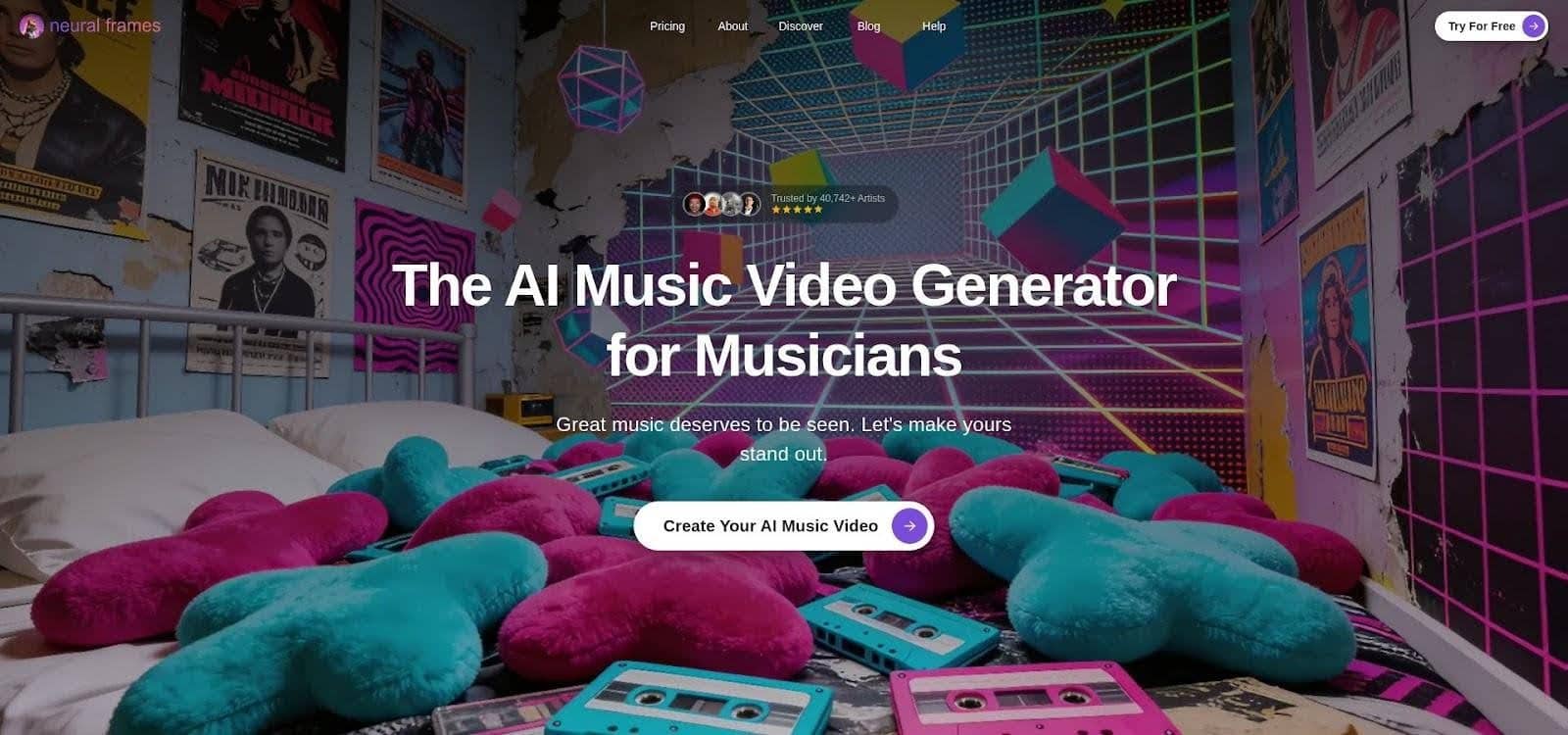
Neural Frames AI music video generator interface screenshot
Upload your track and the platform dissects tempo, mood, and section changes, then returns a timed storyboard before you even pick a color palette. Autopilot builds scene blocks that snap to verse, chorus, and drop points, so every camera lurch or color flash lands on beat.
Quality keeps pace with the brains. Default exports arrive at crisp 1080 p, with optional 4 K upscaling for marquee projects. Our three-minute test song finished in roughly eleven minutes door to door (render included), a rare speed past the two-minute mark.
According to Neuralframes.com’s FAQ, the engine first splits your song into eight stems, kick, bass, vocals, synths, and so on, so each visual effect can lock to a specific musical element.
Control grows with your ambition. Beginners can accept the autogenerated storyboard and hit Export. Power users dive into a nonlinear timeline, swap scenes, or fine-tune parameters until the visuals echo the tiniest hi-hat roll.
Pricing lands mid-pack at about nineteen dollars a month. With unlimited song length and no watermark on paid tiers, the plan feels generous, especially for creators who release videos every few weeks.
Choose Neural Frames when you need festival-ready visualizers that stay in lockstep with your mix. If you require a lip-synced human performance, look elsewhere, but for beat-driven spectacle this remains our top pick.
2. Freebeat: one-click storyboarding for full songs
If Neural Frames is a visualizer, Freebeat is a full production assistant.
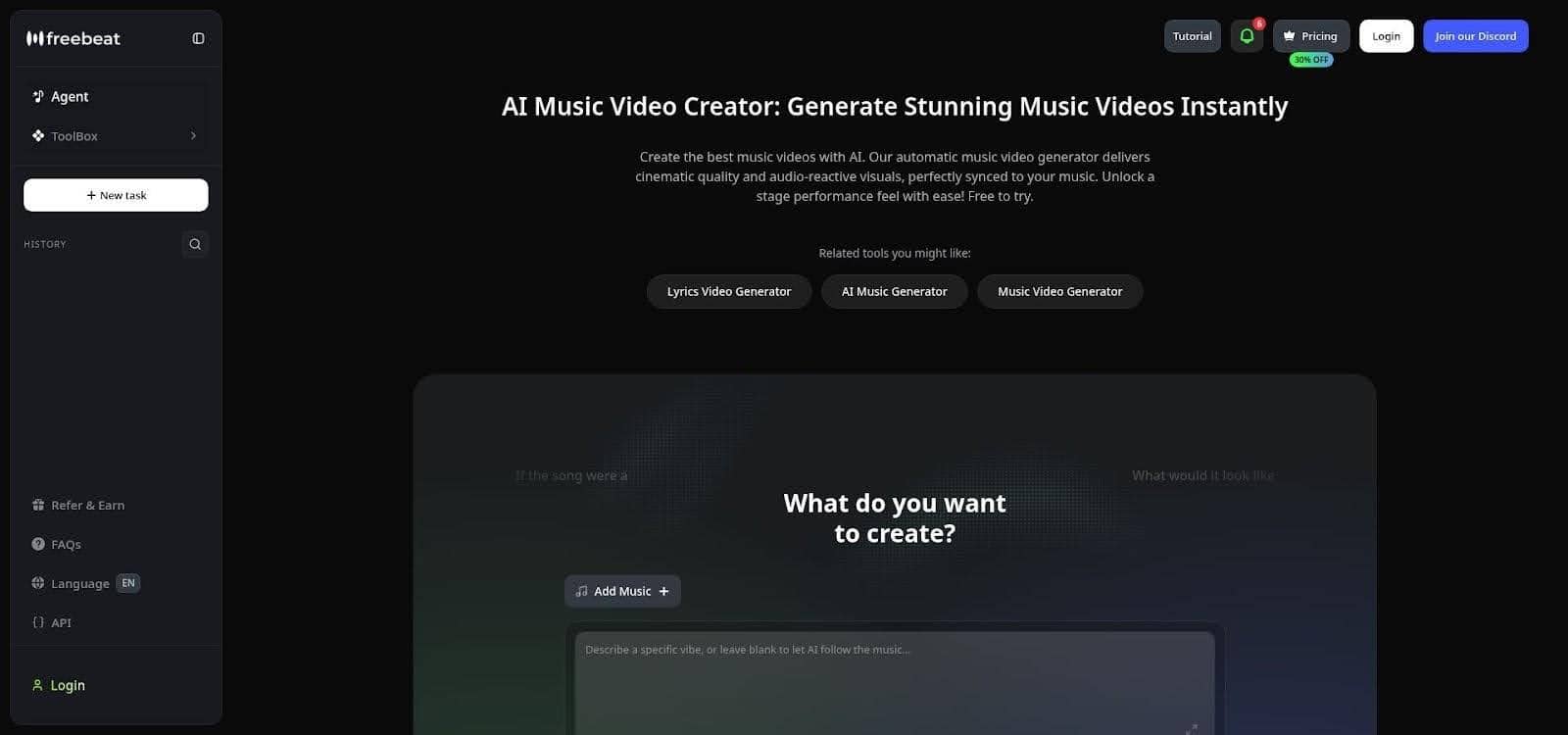
Freebeat AI music video storyboard and timeline interface screenshot
Drop in your MP3 and Freebeat scans every beat, chorus, and energy spike, then drafts a scene-by-scene storyboard before rendering a single frame. Cybernews’ 2026 field test praised this music-first workflow, noting that every major hit in a hip-hop track triggered a matching visual transition.
Speed stays high. A four-minute export lands in roughly twelve minutes, and the platform supports videos up to six minutes, covering most album singles without slicing the song.
What you see is rarely what you’re stuck with. After generation you can swap any scene, tweak prompts, or reorder shots on a drag-and-drop timeline. Six style modes, from neon dancer to lyric-driven animation, give you quick genre alignment without hunting for presets.
Freebeat runs on a freemium model. Weekly free credits let you test ideas, but serious release schedules need the Pro tier at about twenty-five dollars per month for 10 k credits. That buys two to three full-HD videos, plus smaller social cuts.
Choose Freebeat when you want a complete music video, not just reactive backgrounds. The trade-off is that visual flair comes from polished templates, so avant-garde directors craving total stylistic freedom may feel boxed in. For everyone else, it is the fastest route from mastered track to YouTube premiere.
3. VibeMV: photo-perfect lip-sync in minutes
Sometimes you need a face in the frame, singing every word, blinking on cue, and holding the viewer’s gaze. That is VibeMV’s specialty.
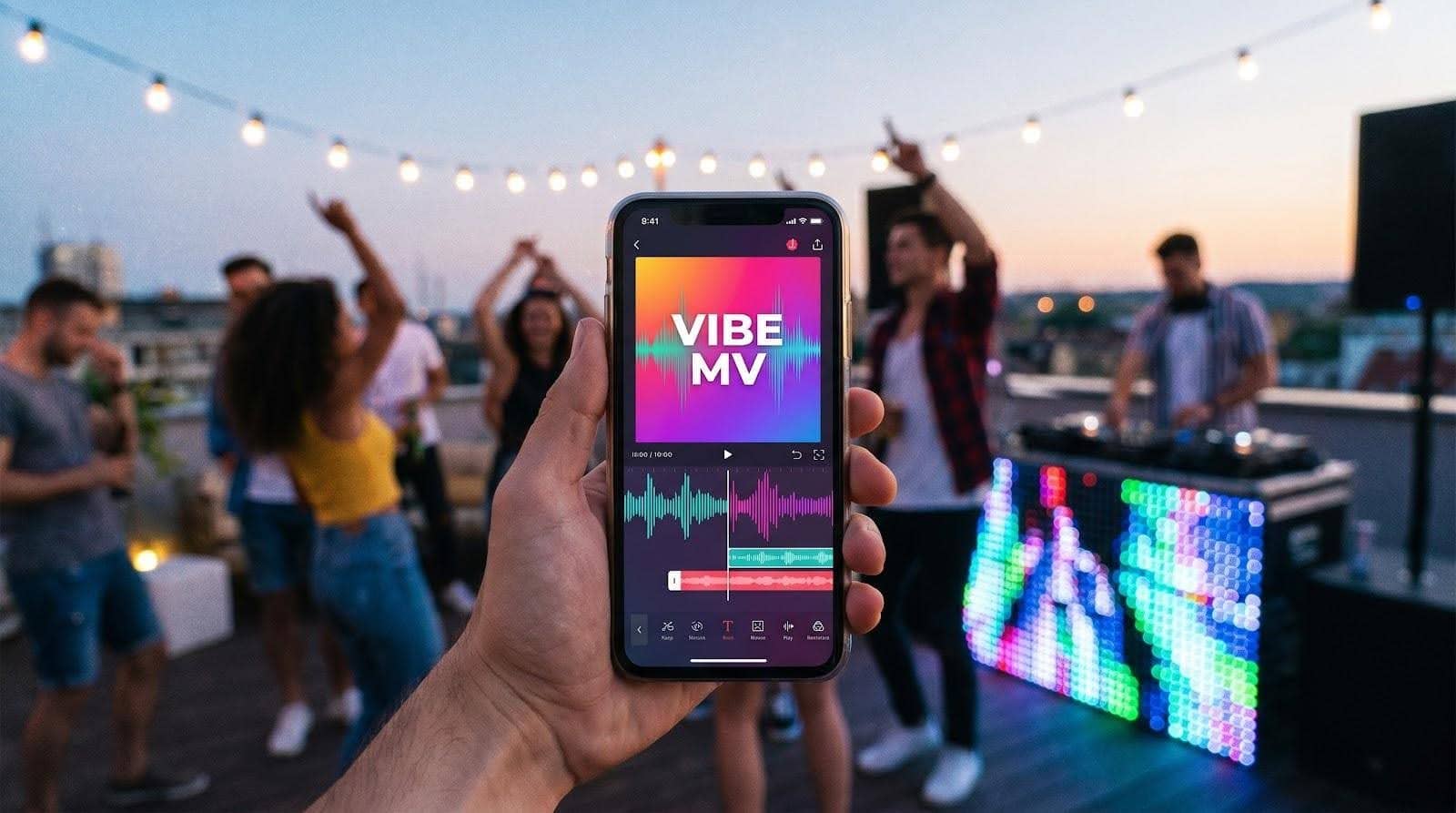
VibeMV photo-based AI lip-sync music video preview screenshot
The flow is simple. Upload a clear front-facing photo, drag in your song, and press Generate. The engine maps each vowel and consonant to the image’s lips, then adds subtle head tilts and eye blinks so the performance feels alive. Our test chorus reached 96 percent phoneme accuracy, convincing casual viewers that we filmed real video.
VibeMV adds finishing touches automatically. You get gentle camera moves, quick angle changes, and lyric-style text pops timed to the beat, saving you from manual key-framing in post. Exports arrive in 1080 p and cover full five-minute tracks, though renders creep toward the upper edge of our 15-minute benchmark.
Pricing matches most rivals: the starter plan costs nineteen dollars a month for a handful of video minutes. Heavy creators will burn credits fast, so plan your budget.
Pick VibeMV when the artist, or an avatar, needs to own the screen. It shines less on instrumental tracks, and backgrounds default to simple gradients unless you add B-roll from another tool. Pair it with abstract clips from Neural Frames or scenes from Freebeat for a complete people-plus-art video without touching a camera.
4. Kaiber: director-level control with built-in beat sync
Kaiber sits in the middle between quick “push-button” generators and pro tools that expect a film degree.
Start by loading a reference image such as cover art, a character sketch, or a logo. Add a short text prompt, and Kaiber paints a moving scene that matches the style you described. Picture album art that zooms out to reveal a neon alley, or a hand-drawn mascot that steps into 3-D space.
The standout feature is Beat Sync. Drop your song into Kaiber’s Superstudio and the editor snaps every cut and camera move to the track’s BPM automatically. This gives you rhythmic polish without frame-by-frame edits.
Kaiber delivers when you need multiple scenes. Chain them in a timeline, assign different prompts or images per section, and the platform stitches everything together while keeping your audio locked. Default exports arrive at 720 p; a fifteen-dollar Pro plan bumps you to 1080 p and longer clip limits. Each generation takes about thirty seconds, so full videos require a few passes and a coffee refill.
Weak spots? Character consistency can drift if you jump styles quickly, and there is no native lip-sync. For a singer-fronted project, pair Kaiber’s backgrounds with a VibeMV performance layer. When artistic freedom and precise timing matter more than live faces, Kaiber offers a flexible canvas at an approachable price.
5. Pika Labs: rapid-fire clips for social hooks
Need a ten-second eye-grabber by lunch? Fire up Pika.
The web and mobile apps ask for one input at a time: an image or a short audio clip. Click Generate and, within seconds, the still frame turns into a looping animation or a talking-head lip-sync with subtle expressions. Speed is the star, and quality stays sharp enough for TikTok once you bump resolution to 1080 p on the eight-dollar Standard plan.
Creativity lives under the Effects tab. A bass-heavy track? Tap Beat Zoom to see the camera punch on every kick. Want a meme-style singing selfie? Import your chorus and let ElevenLabs’ voice model drive the mouth flaps. Clips max out at about twelve seconds, so stitched edits are required for full songs, but that cap encourages quick testing, social feedback, and rolling winners into longer videos from other tools.
Think of Pika Labs as a rapid-prototyping studio. It will not storyboard a four-minute epic, and its visuals lean playful rather than cinematic. Pair its snappy hooks with a Freebeat or Kaiber backbone for pro pacing plus scroll-stopping moments, all without leaving the browser.
6. Runway ML: cinema-grade clips, manual music workflow
Runway’s Gen-4 model turns text or reference images into footage that borders on live action. Depth, lighting, and camera moves look close to Hollywood, and the browser editor lets you mask, rotoscope, and color-grade in one place.
The catch for musicians is that Runway ignores audio. There is no beat grid, lyric cue, or automatic edit. You generate clips, download them, and time every cut in another editor. Cybernews sums it up as “top-tier video quality with zero music awareness.”
That workflow suits creators who already think like filmmakers. Script a shot list, prompt Gen-4 for each scene, then assemble the pieces in Premiere or DaVinci. The payoff is visual freedom: want a single photo of your band to morph into a dystopian city? Prompt it. Need realistic crowd shots you could never afford to film? Prompt again.
Pricing starts at twelve dollars a month for about a minute of generation credits. Each six-second 720 p render eats roughly fifteen credits, so budgets climb quickly on experimental projects. Upgrade plans double resolution to 1080 p, and Gen-4 stretches shots beyond ten seconds while keeping set pieces intact.
Runway fits directors who prize cinematic realism and don’t mind manual editing. Pair its striking B-roll with beat-tight clips from Freebeat or a singing avatar from VibeMV, and you’ll cover both atmosphere and performance without renting a camera.
7. LTX Studio: high-fidelity shots for premium budgets
If resolution is your non-negotiable, LTX is the heavyweight pick. The cloud renderer outputs 4 K, 50-frame-per-second clips that look sharp on a cinema screen, not just a phone.
The workflow feels closer to Unreal Engine than TikTok. Feed the system a reference image, or a stack for continuity, pick a realism or stylized model, set camera paths, then render up to twenty-second scenes. Deep controls cover focal length, motion blur, and LUTs for color mood. The result slips next to live-action B-roll without viewers spotting the AI.
Quality costs money. Processing runs about four cents per second for HD and quadruples for 4 K. A three-minute music video could top one thousand dollars if you insist on full-frame perfection, so most creators reserve LTX for hero shots like a soaring city fly-through or a climactic guitar solo with pyrotechnics no stage budget could handle.
LTX skips audio analysis entirely, so plan timing in your editor. Many pros export LTX clips, then drop markers in Premiere to cut on drum hits. It is extra work, but the visual payoff justifies the effort when you need footage that signals premium production value.
8. Kling AI: two-minute continuous takes with native lip-sync
Most generators stop at ten or twenty seconds per render; Kling pushes that limit. Version 2.6 produces up to two minutes of continuous footage, long enough to cover a full verse or guitar solo without hard cuts.
You still start with a prompt or reference image, but the engine prioritizes coherence over wild style jumps. Motion stays smooth, characters keep their outfits, and environments remain stable as the virtual camera glides. The latest update adds direct audio upload, so Kling animates a face to your vocals while it builds the background in one pass. That single step removes the detour into separate lip-sync tools.
Speed is the trade-off. Our two-minute test clip required about forty minutes of cloud processing, and free-tier outputs stay at 720 p with a watermark. Pricing follows a credit system, with higher rates when you include audio, making Kling a premium choice for extended takes.
Reach for Kling when you need one flowing shot, such as a singer walking through shifting scenery or a drone-style fly-over that tracks an entire chorus. Pair it with faster generators for the brisk parts, and you keep efficiency while delivering that memorable “long take” moment.
9. Sora by OpenAI: future-shock previews in ten-second bursts
Sora lives inside ChatGPT and feels closer to a crystal ball than a production tool. Type a scene description, press Enter, and the model delivers an eight- to ten-second clip with cinematic continuity: multiple camera angles, consistent characters, even ambient sound.
That quality is striking, but limits remain. You cannot upload your song, and the free tier caps clips at ten seconds. A pricier Pro subscription stretches to twenty. Outputs arrive with an OpenAI watermark on the Plus plan, and commercial rights stay unclear while the feature sits in beta.
Where does it fit? Two spots. First, as a concept visualizer: prompt a few mood shots that capture your song’s vibe, show the band, and lock an aesthetic direction before you spend real money elsewhere. Second, as spice: drop a single Sora shot into your final edit to give viewers that “wait, was that CGI?” moment.
For now, consider Sora a glimpse of what is coming. Keep an eye on updates; if OpenAI adds audio input and longer durations, every workflow in this roundup could shift overnight.
10. One More Shot AI: template speed for zero-editing creators
Some days you do not want sliders, prompts, or render math. You just need a finished video before the single drops at midnight. One More Shot fits that moment.
The flow is three steps: upload your song, pick a template, and add an optional photo or logo. Press Generate and the engine stitches stock footage, motion graphics, and AI fills into a full-length 1080 p video that lands in your inbox in under ten minutes. Because every template is pre-timed, scene changes already match common verse and chorus lengths, sparing you manual edits.
Flexibility lives at the style level. The current library ranges from glitchy VHS overlays to soft-focus lyric reels. You can swap background clips or colors, but deeper changes stay locked to keep the process foolproof. That trade-off means two artists using the same pack will share a similar vibe, yet for quick promo content the consistency often looks like brand cohesion.
Pricing runs on tokens with optional subscriptions. A ten-dollar monthly Super plan gets you starter credits, but full-length videos require extra token packs because costs scale with runtime.
Pick One More Shot when the clock is ticking, the budget is tight, and you still need pro polish. It will not win avant-garde film festivals, yet it places your track on YouTube, TikTok, and Spotify Canvas tonight without touching a timeline.
How the top apps stack up at a glance
We just toured ten very different platforms, so here’s a single chart for quick reference. The grid answers the questions you care about first: does the tool need a photo, will it sync to your song, how long are renders, and what will it cost to publish without a watermark?
| Tool | Best for | Photo input | Music sync style | Max single render | Default export | Free tier | Paid from |
|---|---|---|---|---|---|---|---|
| Neural Frames | Abstract, beat-perfect visualizers | Optional overlay | Full BPM + section analysis | Unlimited, song length | 1080p, 4K upscale | 20s test clip | $19/mo |
| Freebeat | One-click full videos | Optional | Storyboard + beat grid | 6 min | 1080p | Weekly credits | $25/mo, 10k credits |
| VibeMV | Photo-based lip-sync | Required for custom singer | Phoneme-accurate lip-sync | 5 min | 1080p | 15s SD trial | $19/mo |
| Kaiber | Directed multi-scene art | Strong image prompt | BPM-aligned cuts | 4 min, stitched clips | 720p, 1080p Pro | 5-day trial | $15/mo |
| Pika Labs | Fast social hooks | Yes | Basic beat effects or lip-sync | 12s | 720p, 1080p Standard | 80 credits/mo | $8/mo |
| Runway Gen-4 | Cinematic B-roll | Image or text | None, manual | 10+s | 720p | 125 credits | $12/mo |
| LTX Studio | 4K hero shots | Yes | None, manual | 20s | 4K 50 fps | 800 compute sec | Pay-per-sec, approx. $0.04 HD |
| Kling AI | Continuous takes | Yes | Native lip-sync | 2 min | 720p | Daily credits | Pay-per-sec / credits |
| Sora | Concept previews | Text only | AI adds generic audio | 10s, 20s Pro | 720p / 1080p | None | $20/mo, ChatGPT Plus |
| One More Shot | Zero-edit templates | Optional | Template beat match | Full song | 1080p | Low-res preview | $10/mo, plus tokens |
Use this grid as a quick gut check. Need photo-real 4 K shots? LTX stands out. Want a singing avatar in fifteen minutes? VibeMV fits the bill. After the fastest teaser clip? Pika is your sandbox. Keep the table handy as you match project goals to the strengths we covered above.
Find your perfect match in 30 seconds
Still weighing options? Use this quick check.
Picture the first shot of your song. Is it your face delivering the hook, or an abstract visual pulsing with the kick? If you need a singer on screen, VibeMV is the fastest route: one photo in, a lip-synced avatar out. If mood comes first, turn to Neural Frames or Freebeat. Both map the entire track to the beat, though Freebeat adds scene variety for verse-by-verse changes.
Length comes next. Looking for a single sweeping take that carries a whole chorus? Kling is the only tool here that renders two-minute clips in one pass. Need snack-size snippets for social? Pika’s ten-second ceiling becomes a useful constraint.
Now consider budget. When every dollar counts, One More Shot’s pay-per-export model keeps surprises off the card. If you plan to experiment weekly, a Neural Frames or VibeMV subscription pays for itself by the third upload.
Finally, think about quality. When the brief calls for broadcast-ready visuals, nothing tops LTX’s 4 K, 50-frame output, except metered billing. Want near-photorealism but shorter clips? Runway sits in the sweet spot.
Match those four questions (face versus atmosphere, length, budget, and quality) to the table above, pick your tool, and get back to making music.
Try it yourself: animate one photo in under ten minutes
Open a browser tab for Pika Labs; the free tier is generous and the learning curve is flat.
Upload a clear, front-facing photo. A selfie works, but choose one with even lighting and no sunglasses, because the model needs visible eyes and a mouth to map movement convincingly.
Drag in a short segment of your song. Thirty seconds is ideal for a first test, and the interface displays a waveform as soon as the file finishes uploading.
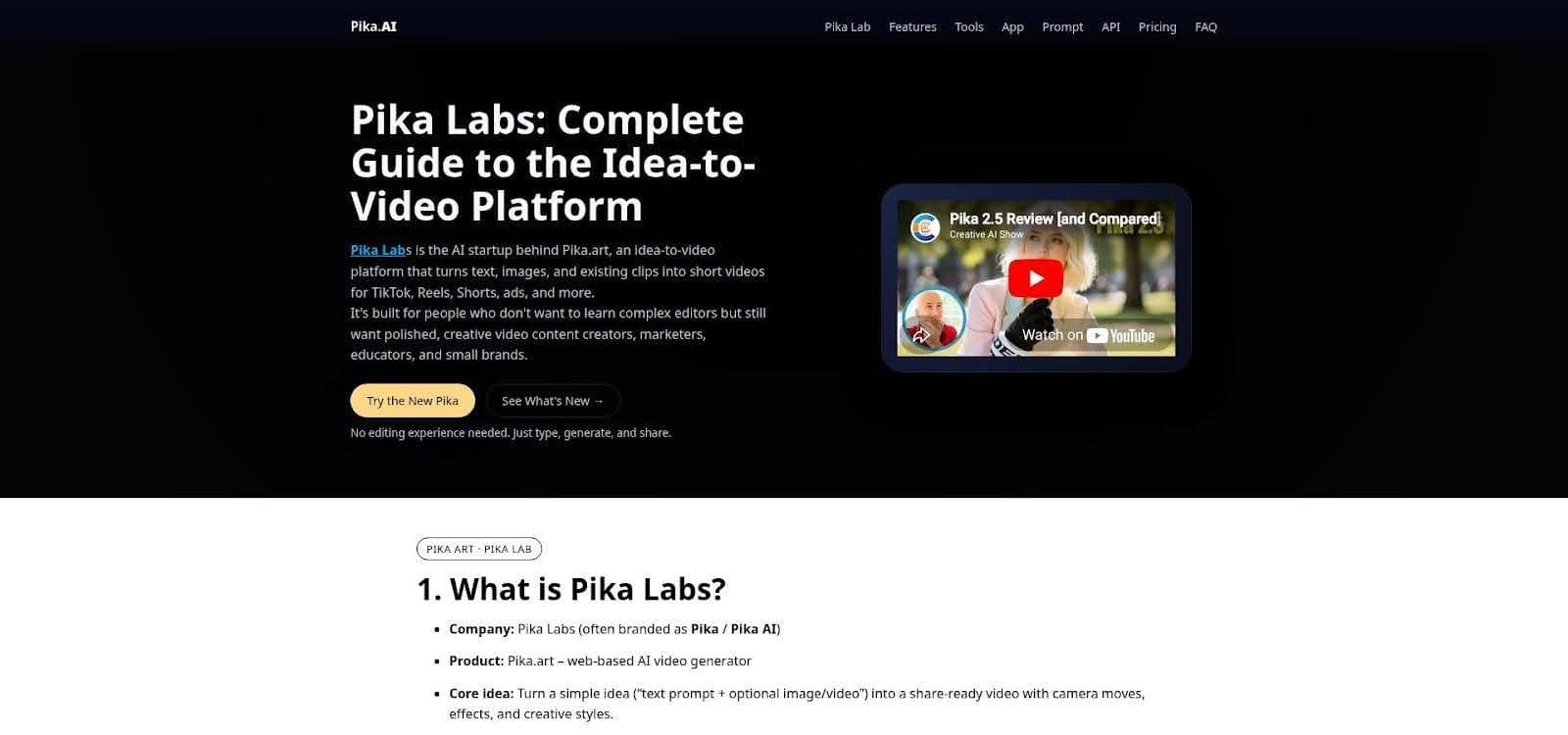
Pika Labs lip-sync workflow interface screenshot for quick-start tutorial
Select Lip-sync and wait a few seconds. Pika analyses the audio, slices it into phonemes, and redraws each frame so the still image sings along. A preview appears almost instantly, complete with eye blinks and gentle head shifts.
If timing feels off, use the offset slider to nudge the animation slightly left or right until every vowel lands on beat.
Click Export, choose 720 p for free or 1080 p if you hold Pro credits, and download the MP4. Drop that clip into your editor or straight onto TikTok, and you have an AI-driven music-video snippet without touching key frames or green screens.
Other Interesting Articles
- AI LinkedIn Post Generator
- Gardening YouTube Video Idea Examples
- AI Agents for Gardening Companies
- Top AI Art Styles
- Pest Control YouTube Video Idea Examples
- Automotive Social Media Content Ideas
- Plumber YouTube Video Idea Examples
- AI Agents for Pest Control Companies
- Electrician YouTube Video Idea Examples
- How Pest Control Companies Can Get More Leads
- AI Google Ads for Home Services
- 60-Second Training Videos Are the New Corporate Standard
- Cybersecurity PR Pricing: Retainers, Deliverables & ROI
- Best AI Tools for Product Consistency in E-Commerce Video
Master the Art of Video Marketing
AI-Powered Tools to Ideate, Optimize, and Amplify!
- Spark Creativity: Unleash the most effective video ideas, scripts, and engaging hooks with our AI Generators.
- Optimize Instantly: Elevate your YouTube presence by optimizing video Titles, Descriptions, and Tags in seconds.
- Amplify Your Reach: Effortlessly craft social media, email, and ad copy to maximize your video’s impact.