

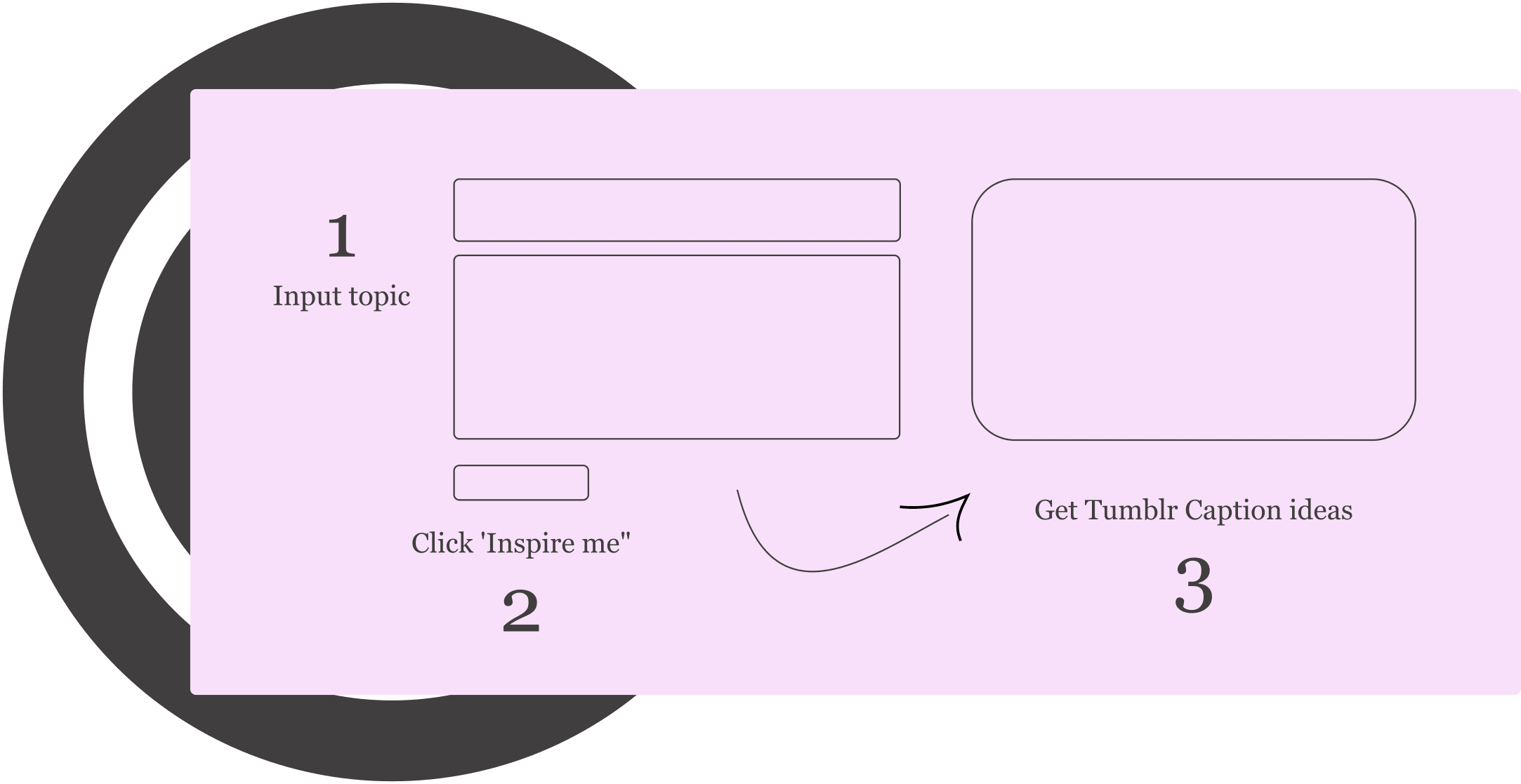
What is StoryLab.ai’s Tumblr Caption Generator?
StoryLab.ai is an online tool that generates content ideas for you.
Are you struggling to find the perfect words for your Tumblr caption? We got you covered!
Simply enter your company name (optionally), describe your post, and hit the ‘Inspire me” button.
Our A.I. generator will inspire you to write great Tumblr captions.
Run the tool as often as you need to create your perfect next post(s).
Why Tumblr captions matter (more than people think)
- Captions add context (and personality) to visuals
- The first line acts like a hook (especially on longer posts)
- Captions can invite interaction: “reblog with your take,” “tags as a diary,” etc.
Tumblr is where people follow taste. Your caption is the taste test.
Why you should invest time in creating great Tumblr Captions
Tumblr is a vibrant community of like-minded people.
In order to engage your following and new audiences that have never heard about you before, you need two things:
- Great creatives (images or videos)
- Great copy
Having great creatives helps you stop people from scrolling past your post,t and having great Tumblr captions helps you add depth to your message, provoke emotions, and get people to join the conversation.
Our Tumblr Caption Generator helps you come up with better captions. Fast.
Write great Tumblr Captions in half the time
There is nothing worse than staring at a blank piece of paper. StoryLab.ai’s Tumblr Caption Generator helps you get new ideas and even complete copy with a click of a button.
Get inspired by how many different ways there are to describe your Tumblr Captions. Next to generating new ideas and creating new copy, you can reword existing Tumblr Captions with our paraphrase generator.
Our Marketing Copy Generators run on the largest and qualitatively best Natural Language Processing model. Check out our resource hub and see how AI Marketing can help you reach your goals faster. The time to start using this new technology is now.
Get started for free.
Tumblr Caption Generator Pricing
StoryLab.ai’s Tumblr Caption Generator (and other generators) runs on the largest and qualitatively best Natural Language Processing model. This means that every output you receive is unique. There is no template, so running the generator with the exact same inputs will not give you the same outputs. All outputs are unique. Many other Instagram caption generators on the web rely on templates and inserting keywords in certain sections of the post.
Our pricing is set up as follows:
- Free – get 3 runs a month to try our tools out for free;
- Pro – $15 a month – 100 runs a month;
- Unlimited – $19 a month – unlimited runs a month;
You can also opt-in for the yearly membership and receive a 20% price reduction.
You can check out our full pricing here.
Start with our AI-Powered Content Creation Platform
StoryLab.ai is more than just a Tumblr Caption Generator. It’s an AI-Powered Content Creation Platform that helps you create more and better marketing copy faster than ever before. Check out the quick video walkthrough below.
Tumblr Caption Best Practices
Tumblr is a unique platform that allows users to share their interests and creativity through posts, photos, and videos. To make your Tumblr posts stand out, you need to write great captions that capture the attention of your audience.
How to write great Tumblr captions that will increase your reach and engagement.
1. Experiment with content length
Tumblr is known for its long and short-form content. Experiment with what type of content your audience enjoys best and double down on what works for you.
2. Use hashtags
Hashtags are a great way to increase the reach of your post. Research relevant hashtags and include them in your captions. Check out our resource on how to find the best hashtags.
3. Be creative
Tumblr is a creative platform, and your captions should reflect that. Use a tone that is relatable to your audience and fits with your brand’s personality. It should feel like you’re talking to your audience directly. You can also use humor, puns, or wordplay to make your captions more interesting.
4. Use a call-to-action
A call-to-action (CTA) is a great way to encourage your audience to take action on your post. Use phrases like “reblog if you agree,” “follow us for more,” or “tag someone who needs to see this” to encourage engagement on your post.
5. Be relatable
Tumblr users are known for their love of fandoms, memes, and pop culture. Use references to popular culture or memes to make your captions more relatable to your audience. But make sure it fits with your brand’s personality and values.
In conclusion, writing great Tumblr captions is a crucial part of increasing engagement and reach on your posts. By using relevant hashtags, being creative, adding a call-to-action, being relatable, and editing and proofreading, you can create engaging captions that will grab the attention of your audience.
Start writing great Tumblr captions with the help of AI.
Pick your post goal (and use the right caption style)
| Your goal | Caption style that works | Simple CTA |
|---|---|---|
| More reblogs | Short hook + emotional punch | “Reblog if it hit you too.” |
| More replies | Question + opinion | “Thoughts?” / “Hot take?” |
| More follows | Promise the vibe people will get | “Follow for more [vibe].” |
| Better tag discovery | Caption + tag-ready keywords | “Tags: …” |
Copy/Paste prompts for Tumblr captions (power feature)
This is where you beat most competitors, because it’s practical and “save-worthy.”
1) General Tumblr caption prompt
Write 20 Tumblr caption options about: [topic/post description]
Vibe: [aesthetic / funny / poetic / dark academia / chaotic]
Format: [short one-liners + a few longer captions]
Include: 5 captions that end with a question
Optional: suggest 15 Tumblr tags (mix broad + niche)
Avoid: cringe, corporate language, excessive emojis
2) Reblog comment prompt
Write 15 reblog comments for this post: [what you’re reblogging]
Tone: supportive, witty, Tumblr-native
Length: 1–2 sentences max
Give: 5 hype comments, 5 thoughtful comments, 5 funny comments
3) Quote-post prompt
Turn this idea into 15 Tumblr-style quote captions:
Idea: [your thought]
Give: 5 minimal, 5 poetic, 5 slightly unhinged (but safe)
Tumblr caption best practices (with real limits)
- A single text block can contain up to 4,096 characters (Tumblr will split longer text into multiple blocks).
- Replies/comments can be up to 1,975 characters.
- Tag length is commonly treated as 140 characters max per tag (Tumblr references this limit in tag settings).
5 practical tips:
- Put the hook in the first line
- Write like a human, not a brochure
- Use tags strategically (broad + niche)
- Match caption style to post type (photo vs quote vs reblog)
- Re-run the generator with a tighter description if outputs feel generic
FAQ
What is an AI Tumblr Caption Generator?
An AI Tumblr Caption Generator is a tool that uses artificial intelligence to automatically create engaging and relevant captions for Tumblr posts, based on the content and context of the post.
How does an AI Tumblr Caption Generator work?
The generator utilizes natural language processing and machine learning algorithms to analyze the post’s content, theme, and any accompanying images or tags to generate suitable captions.
What are the benefits of using AI for generating Tumblr captions?
The main benefits include saving time in content creation, ensuring captions are creative and on-trend, and potentially increasing engagement with followers through compelling and relevant text.
Can AI Caption Generators personalize captions for specific Tumblr audiences?
Yes, our generators can tailor captions based on the target audience’s interests and engagement patterns, making the posts more relatable and engaging.
Are AI-generated Tumblr captions unique?
Our AI tools aim to produce unique captions by combining various linguistic patterns and contextual data, although it’s advisable to review and personalize them for the best results.
Can AI Caption Generators suggest hashtags for Tumblr posts?
Yes. Our advanced generators can suggest relevant hashtags to include in the post, enhancing the discoverability and reach of the content on Tumblr.
How user-friendly are AI Tumblr Caption Generators?
Our AI generators are user-friendly, allowing content creators to easily generate and edit captions without needing advanced technical skills.
What should users consider when using AI for Tumblr captions?
Users should consider their post’s context, audience, and personal or brand voice to ensure the AI-generated caption aligns with their overall content strategy and Tumblr’s unique aesthetic.
How does the StoryLab.ai Tumblr Caption Generator work?
You describe your Tumblr post, choose a tone or style, and the tool generates multiple caption ideas you can copy, tweak, and publish.
Is the Tumblr Caption Generator free?
You can start for free and upgrade if you want more generations, extra features, or higher usage limits.
Can I generate captions for different Tumblr vibes (aesthetic, funny, poetic, dark academia, chaotic)?
Yes. Pick a vibe (or type one in) and the generator will match the wording, pacing, and style to that tone.
Can I generate captions for reblogs and reblog comments?
Yes. Mention that you’re writing a reblog comment (and what you’re reacting to), and you’ll get short, Tumblr-native comment options.
Can the generator suggest Tumblr tags too?
Yes. Ask for tag ideas in your prompt and you’ll get a mix of broad and niche tags to help people discover your post.
What should I include in my prompt to get better captions?
Include the post type (photo, text, quote, reblog), a clear description of what’s happening, the mood, and any keywords you want included.
Can I use it for fandom posts, memes, and inside jokes?
Yes. Add the fandom, character names, episode details, and the humor style you want (sarcastic, wholesome, deadpan) for more on-point results.
Can I generate Tumblr captions in other languages?
Yes. Specify the language and tone in your prompt and the tool will generate captions in that language.
How do I avoid generic captions and make them sound like me?
Give specific details, include your preferred writing style (lowercase, punchy, lyrical, etc.), and regenerate with a tighter prompt if needed.
Can I generate short captions and longer text-post style captions?
Yes. Tell the generator the length you want, like “one-liners only” or “2–4 line Tumblr text-post captions.”
How many caption ideas does it generate at once?
It generates multiple options per run so you can choose a favorite, remix lines, or combine two ideas into one caption.
Can I use the captions for commercial use?
Yes. You can use the captions for personal and brand posts, but it’s smart to review and lightly edit before publishing to match your voice.
Does the generator store my captions?
The tool processes your input to generate captions. If you have privacy questions, check StoryLab.ai’s privacy policy for details.
YouTube Video Title Generator
Create catchy titles for your next videos.
YouTube Description Generator
Write great descriptions in half the time.
AI eBook Generator
Create full eBooks
YouTube Video Idea Generator
Effective Video ideas
YouTube Video Script Generator
Engaging Videos
AI Video Hook Generator
Create Engaging Videos
All Marketing Copy Generator
See all our AI Geenrators