
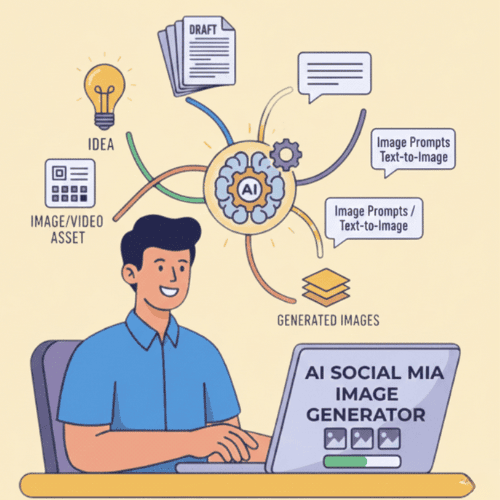
What Is StoryLab.ai’s AI Social Media Image Generator?
StoryLab.ai is an online AI Tool that helps you create better content. Fast.
Visual content is the heart of social media success. From eye-catching posts to shareable stories, great visuals make your brand stand out in the feed. But designing professional images can be time-consuming—unless you have the right tools. That’s where StoryLab.ai’s AI Social Media Image Generator comes in.
This cutting-edge tool helps you create platform-ready visuals with ease, empowering you to craft stunning graphics that captivate your audience and elevate your brand.
Get started for free with the AI Social Media Image Generator.
Some days, writing the caption is easy and the visual is the problem. Other days it’s the opposite. Social media is fair like that.
StoryLab.ai’s AI Social Media Image Generator helps you create image concepts and visuals from a short prompt. It’s great for posts, ads, quote cards, carousel backgrounds, and simple promo graphics.
Generate a few variations, pick the best direction, then refine the prompt until it matches your brand vibe.
More than just an AI Social Media Image Generator
StoryLab.ai is a complete Content Creation Platform. Create Ads, Blog Posts, Social Media Posts, and more in seconds. Check out the video intro to learn more.
Benefits of AI-Powered Social Media Image Generator
StoryLab.ai’s AI Social Media Image Generator is your personal design assistant, powered by advanced AI technology. It allows you to generate professional-quality images tailored to your needs, whether you’re creating Instagram posts, Facebook ads, LinkedIn banners, or Pinterest pins.
Simply describe the type of image you need, and the generator will produce a ready-to-use visual in seconds—no design experience required!
Top benefits of the AI Social Media Image Generator
 AI modes AI modes |
11 image styles |
 Improves Improves |
visuals, creativity, and more |
 Support Support |
17+ Languages |
 Price Price |
Free and Premium |
Chapters
- Que es StoryLab.ai¿Qué es el generador de imágenes para redes sociales con inteligencia artificial?
- Beneficios de la tecnología de IA Generador de imágenes de redes sociales
- Cómo empezar a utilizar el generador de imágenes de redes sociales con inteligencia artificial
- Por qué son importantes las buenas imágenes para las redes sociales
- ¿Por qué elegir a StoryLab.ai¿Generador de imágenes de?
- Consejos para utilizar el generador de imágenes de redes sociales con inteligencia artificial
- Generador de imágenes de redes sociales con inteligencia artificial Precios
- Mejores prácticas para crear imágenes para redes sociales
- Lo que puedes generar con el generador de imágenes de redes sociales con IA
- Plantilla de propuesta de imagen social (copiar, completar, generar)
- Manual de estrategias: copiar y pegar indicaciones para imágenes de redes sociales
- Formatos y tamaños (elige la salida correcta)
- Menú de estilo visual (elige uno y mantén la coherencia)
- Solucionar problemas comunes de imágenes de IA (rápido)
- Lista de verificación creativa (crea imágenes que funcionen)
- Preguntas Frecuentes
How to start with the AI Social Media Image Generator
Let’s first look into how to fire up the AI-Powered Social Media Image Generator so you can follow along with us.
First, create a free account at StoryLab.ai and select the AI Social Media Image Generator. You get 3 free runs every month and can upgrade if you need more.
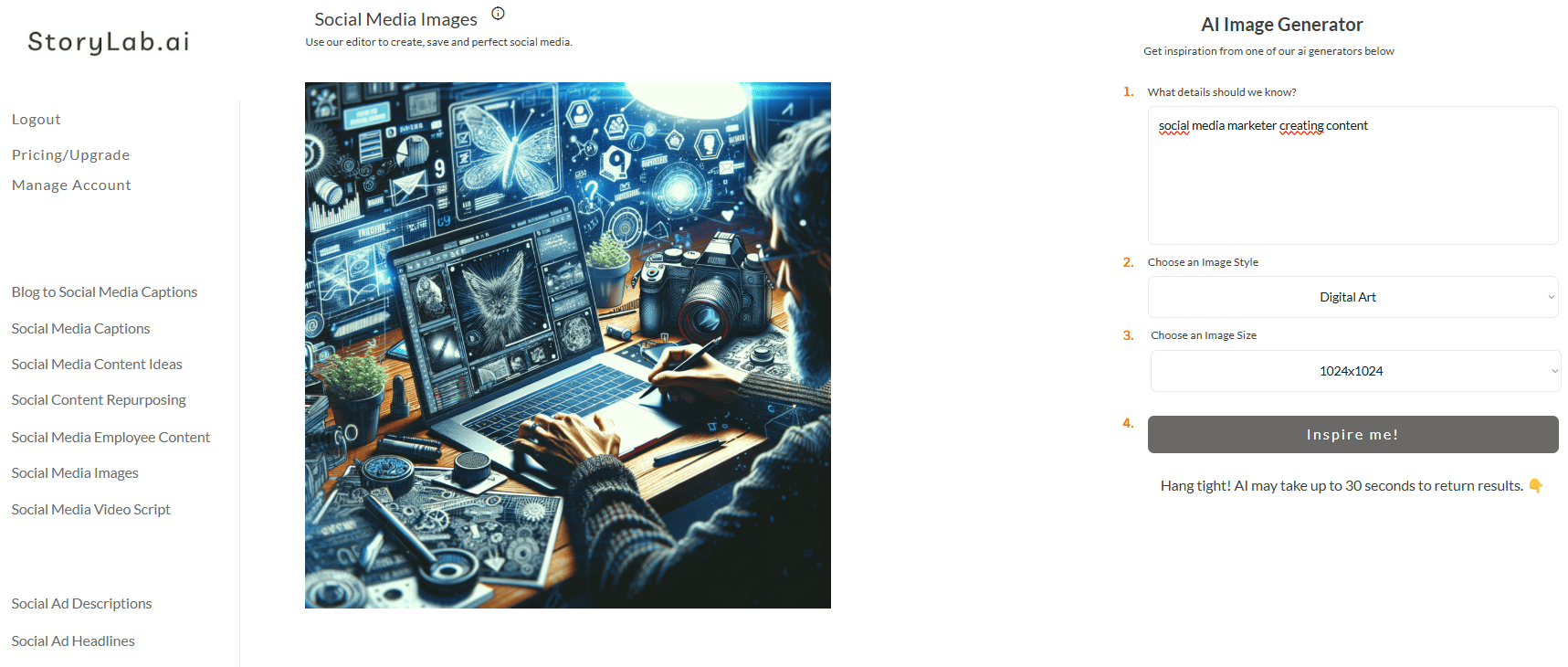
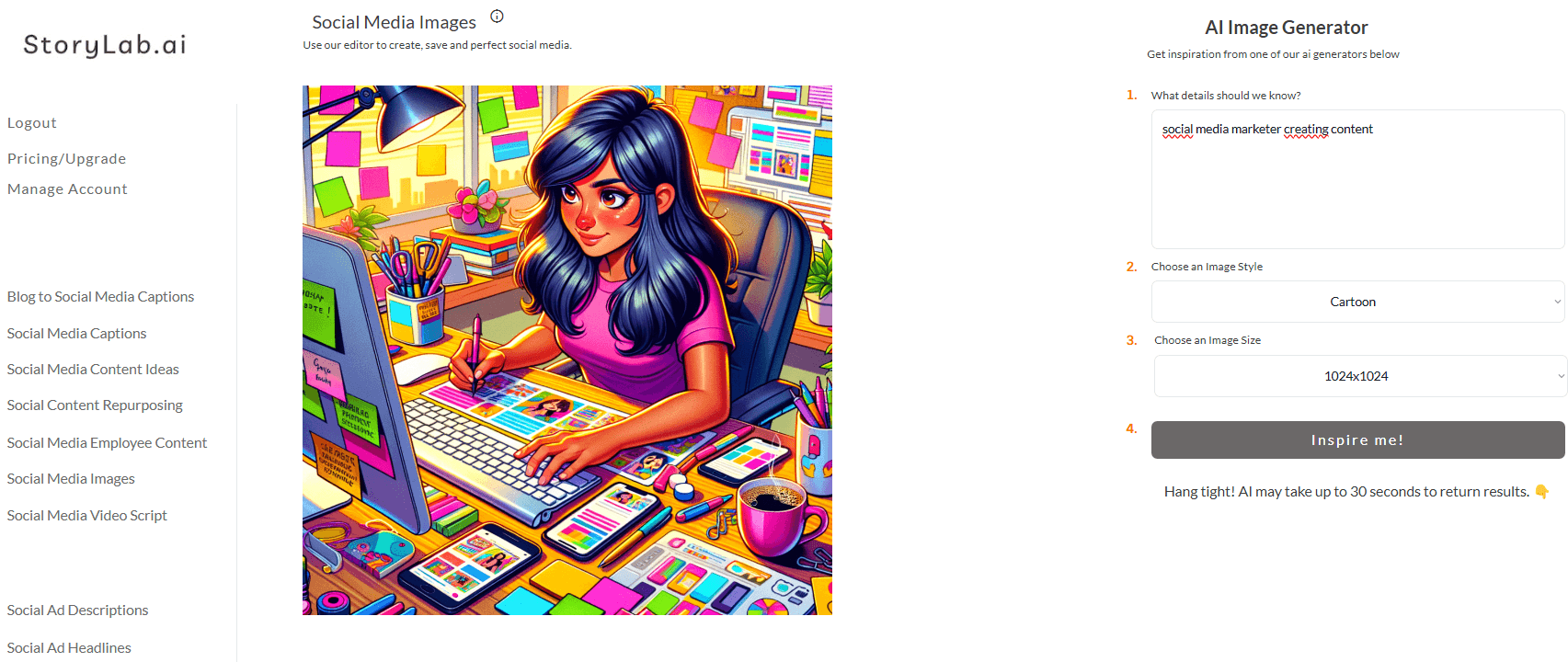
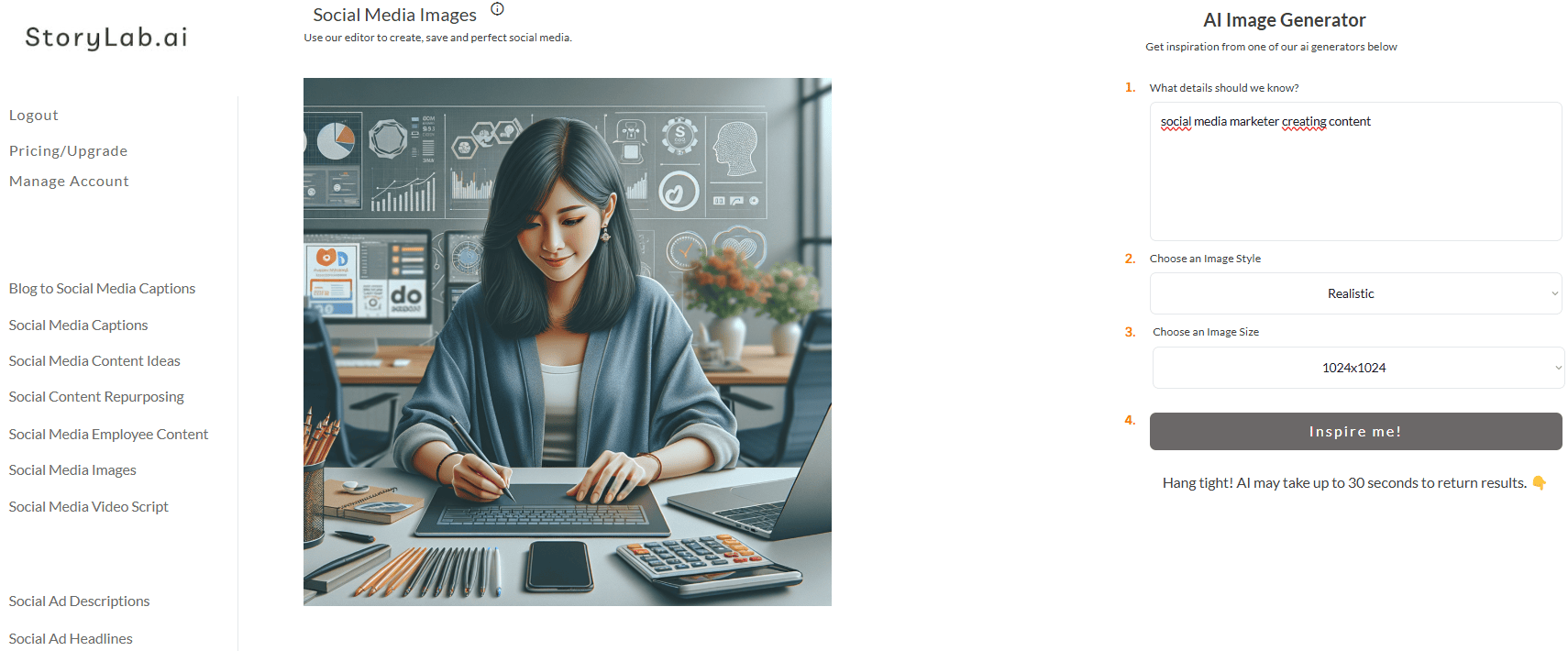
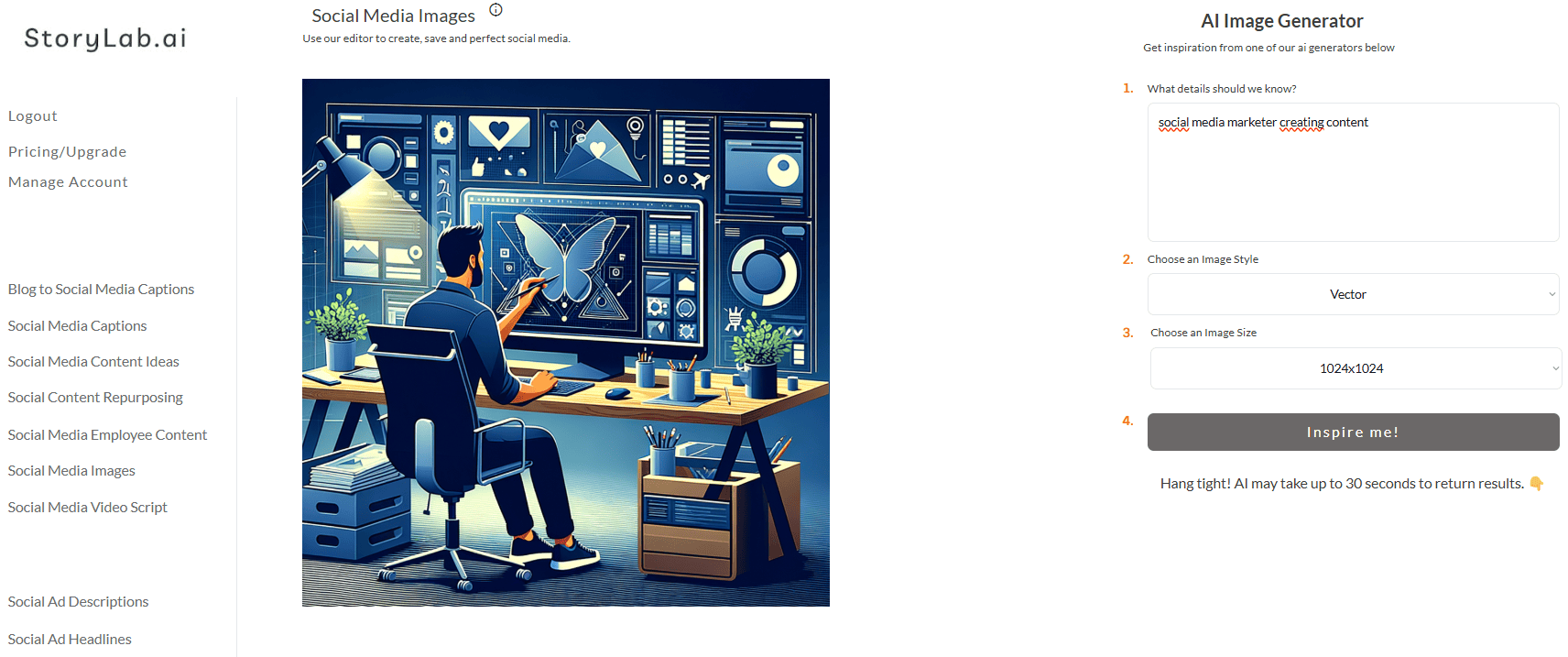
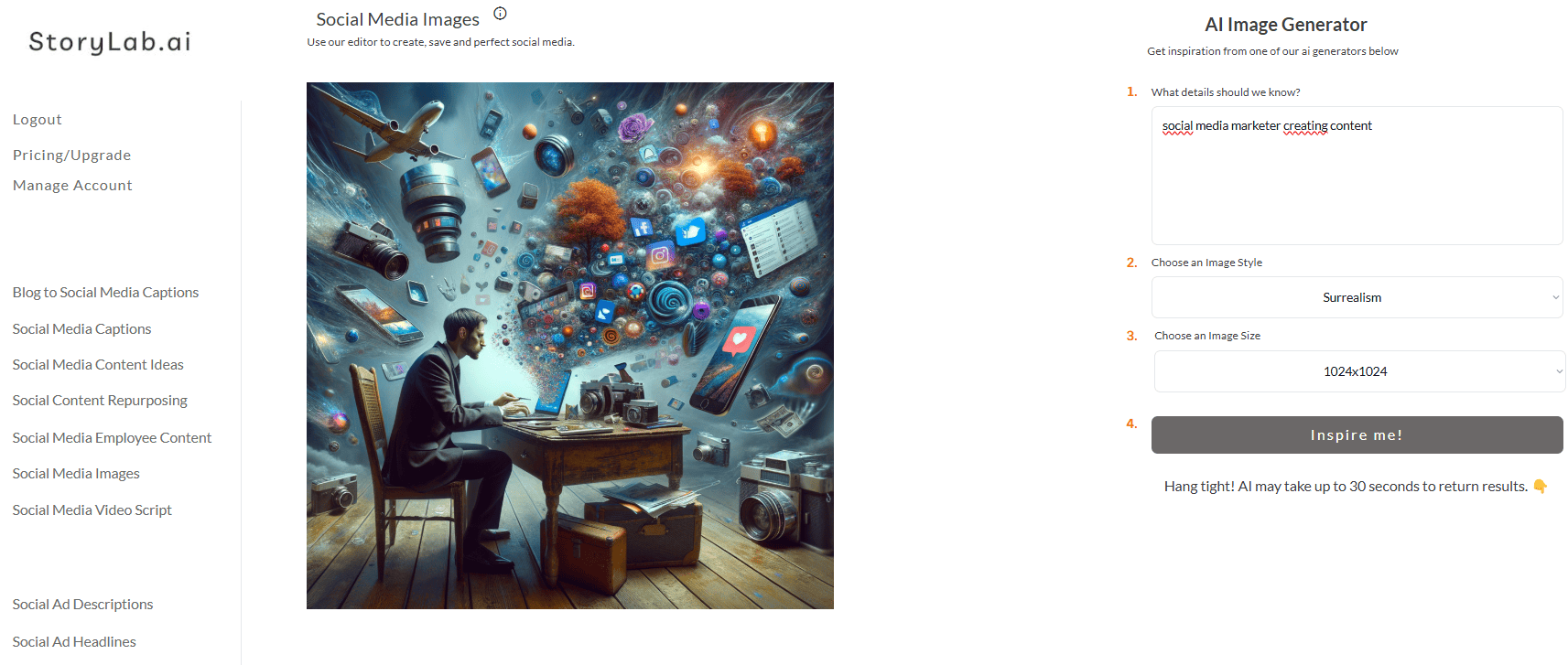
Second, describe what your image should be about, select one of the image styles from the drop-down, and click inspire me.
Here are a couple of examples using various image styles:
Why Great Social Media Images Matter
Visuals aren’t just nice to have—they’re essential for social media success. Here’s why:
- Grab Attention: Stand out in a crowded feed with bold, eye-catching visuals.
- Boost Engagement: Posts with images get significantly more likes, shares, and comments.
- Strengthen Branding: Consistent, high-quality visuals reinforce your brand identity.
Whether you’re launching a campaign, promoting a product, or sharing a story, great visuals are the key to making an impact.
Why Choose StoryLab.ai’s Image Generator?
Save Time & Effort
No more fiddling with design tools or waiting on graphic designers. With AI, you can produce high-quality visuals in a fraction of the time.
Stay Consistent
Maintain a cohesive look across all your social media channels with on-brand, professional designs.
Unlock Creativity
Experiment with styles, layouts, and colors to discover new design possibilities that resonate with your audience.
Tips for Using the AI Social Media Image Generator
- Be Clear in Your Description: The more specific you are, the better the results. Include details about the tone, theme, and purpose of your visual.
- Keep Branding Consistent: Use the same fonts, colors, and logo placement across your visuals to strengthen brand recognition.
- Optimize for Each Platform: Let the tool handle the dimensions for you, ensuring your images look flawless everywhere.
Get Started Today
Ready to revolutionize your social media visuals? With StoryLab.ai’s AI Social Media Image Generator, you can create professional, platform-perfect designs in seconds.
Whether you’re running a business, managing a campaign, or building a personal brand, this tool makes it easy to produce high-quality visuals that get results.
Try it for free today and see how effortless great design can be!
AI Social Media Image Generator Pricing
StoryLab.ai’s AI Social Media Image Generator offers flexible pricing options:
- Free: Test the tool with 3 runs per month.
- Pro: $15/month for up to 100 runs.
- Unlimited: $19/month for unlimited repurposing potential.
Annual plans include a 20% discount to save even more.
Best Practices Creating Social Media Images
Creating captivating social media images is a cornerstone of any successful digital marketing strategy. Visual content grabs attention, conveys your message, and drives engagement more effectively than text alone. But not all images are created equal. To ensure your visuals stand out and resonate with your audience, follow these best practices for creating social media images.
Know Your Platform’s Requirements
Every social media platform has unique image dimensions, styles, and audience expectations. Using the correct specifications ensures your images display properly and look professional.
Popular Image Dimensions:
- Instagram: 1080×1080 px (square), 1080×1350 px (portrait), or 1080×1920 px (stories).
- Facebook: 1200×628 px (landscape) for posts and ads.
- LinkedIn: 1200×627 px for posts, 1584×396 px for banners.
- Pinterest: 1000×1500 px (vertical).
- Twitter: 1600×900 px for posts.
Pro Tip:
Use templates or an AI image generator to create platform-specific visuals without the hassle of manual resizing.
Focus on Visual Hierarchy
Design your image so the most important elements—like text, calls-to-action (CTAs), or key visuals—stand out. Arrange elements in a logical flow to guide the viewer’s eye through the design.
Elements to Highlight:
- Headlines: Bold, easy-to-read fonts grab attention quickly.
- CTAs: Buttons or phrases like “Shop Now,” “Learn More,” or “Sign Up” should be prominent.
- Brand Logo: Place your logo subtly but visibly to reinforce brand identity.
Maintain Brand Consistency
Your social media images should reflect your brand’s identity. Use consistent colors, fonts, and design styles to create a cohesive look across platforms. This builds recognition and trust with your audience.
Tips for Consistency:
- Stick to your brand’s color palette.
- Use the same fonts across all designs.
- Create or use branded templates for faster production.
Use High-Quality Visuals
Blurry or pixelated images can harm your credibility. Always use high-resolution photos or graphics that appear crisp and professional.
Sources for Quality Images:
- Stock photo websites like Unsplash or Pexels.
- AI image generators for custom visuals.
- Your own professionally shot photos.
Optimize for Mobile Viewing
A significant portion of social media users browse on mobile devices. Design your images to look great on smaller screens by:
- Avoiding cluttered layouts.
- Using large, legible fonts.
- Ensuring key elements are centered and not cut off.
Use Text Wisely
Text can enhance your image, but too much can overwhelm the design. Keep it short, impactful, and easy to read.
Best Practices for Text:
- Limit text to 20-30% of the image.
- Use bold or contrasting colors for better readability.
- Choose fonts that match your brand personality (e.g., playful, professional, modern).
Incorporate Strong CTAs
Drive engagement with clear, actionable CTAs. Whether it’s “Click the link,” “Buy now,” or “Join the conversation,” your CTA should stand out. Use buttons, bold text, or arrows to draw attention.
Stay Relevant with Trends
Incorporate current trends, events, or memes to make your content more relatable and timely. However, ensure it aligns with your brand voice and audience preferences.
Examples:
- Seasonal graphics for holidays or events.
- Trending design styles like minimalism or 3D elements.
Leverage Color Psychology
Colors evoke emotions and influence perceptions. Use them strategically to reinforce your message.
- Red: Excitement, urgency, or passion.
- Blue: Trust, reliability, and calmness.
- Yellow: Optimism, energy, and positivity.
- Green: Growth, health, and sustainability.
Test and Analyze Performance
Not every image will perform the same way. Experiment with different designs and analyze metrics like engagement rates, clicks, and shares to determine what resonates with your audience.
What to Test:
- Color schemes.
- Layouts and text placement.
- Types of visuals (photos, illustrations, or graphics).
Add a Human Touch
People connect with faces and emotions. Whenever possible, include real people in your social media images to make them relatable and engaging.
Pro Tip:
Feature diverse representation to resonate with a broader audience and promote inclusivity.
Use Tools to Streamline Creation
Creating stunning visuals doesn’t have to be time-consuming. Use design tools and AI-powered solutions to speed up the process.
Recommended Tools:
- Canva: Ideal for beginners with easy-to-use templates.
- Adobe Express: For polished, professional designs.
- StoryLab.ai’s AI Social Media Image Generator: Generate platform-ready visuals in seconds.
Create Images That Speak Loudly
Social media images are your brand’s first impression. By following these best practices, you’ll craft visuals that captivate, inspire, and drive engagement.
Start experimenting with these tips today, and if you need extra help, tools like StoryLab.ai’s AI Social Media Image Generator can take your visuals to the next level with minimal effort.
Ready to elevate your social media game? Create stunning visuals that make every scroll stop!
What you can generate with the AI Social Media Image Generator
- Instagram and Facebook post visuals (1:1)
- Story and Reel backgrounds (9:16)
- LinkedIn banner-style images (wide)
- Ad creative concepts (multiple variations)
- Carousel backgrounds and visual themes
- Product and lifestyle mockups (simple scenes)
Social image prompt template (copy, fill, generate)
| Prompt part | What to include | Example |
|---|---|---|
| Goal | What the image is for | “Instagram post promoting a free eBook” |
| Subject | Main object or scene | “A clean 3D book mockup on a desk” |
| Style | Photo, illustration, 3D, collage | “Minimal 3D render, modern” |
| Brand vibe | How it should feel | “Friendly, bright, modern” |
| Colors | Palette guidance | “Use #0F172A, #22C55E, #F8FAFC” |
| Composition | Layout and spacing | “Centered subject, negative space for text overlay” |
| Format | Platform ratio | “1:1 square for Instagram feed” |
| Negative prompts | What to avoid | “No text, no logos, no watermark, no clutter” |
Prompt Playbook: copy-paste prompts for social media images
| Goal | Copy-paste prompt template |
|---|---|
| Instagram post visual (brand-safe) | “Create a square 1:1 social media image for [topic/offer]. Style: clean modern illustration. Colors: [brand colors]. Composition: simple, high contrast, with negative space for text overlay. No text, no logo, no watermark.” |
| Story background (for text overlay) | “Create a 9:16 Instagram Story background for [topic]. Style: abstract gradient + subtle texture. Colors: [brand colors]. Keep it minimal with plenty of negative space. No text.” |
| LinkedIn banner-style image | “Create a wide social banner image for LinkedIn about [topic]. Style: modern editorial. Include a symbolic object representing [benefit]. Leave large negative space on the right for headline text overlay. No text.” |
| Carousel theme pack | “Generate 6 matching background images for a social carousel about [topic]. Keep a consistent style and palette: [brand colors]. Make each background distinct but cohesive. No text.” |
| Ad creative variation pack | “Create 8 social ad image concepts for [offer]. Each concept uses a different visual metaphor for [benefit]. Style: [photo/illustration/3D]. Keep backgrounds uncluttered. No text.” |
| Product mockup scene | “Create a lifestyle mockup image featuring [product] in use by [audience]. Setting: [place]. Style: realistic photo, natural lighting, clean composition. No logos, no text.” |
| Quote card background (text later) | “Create a minimalist background for a quote card. Format: 1:1. Style: soft gradients + subtle shapes. Colors: [brand colors]. Large negative space in the center. No text.” |
Formats and sizes (pick the right output)
| Use case | Best ratio | Where it’s used | Prompt add-on |
|---|---|---|---|
| Feed post | 1:1 | Instagram, Facebook, LinkedIn | “square 1:1, centered composition” |
| Portrait feed | 4:5 | Instagram feed (more screen space) | “4:5 portrait, subject slightly higher” |
| Story/Reel background | 9:16 | Stories, Reels, Shorts | “9:16, large negative space” |
| LinkedIn banner | wide | LinkedIn visuals and headers | “wide banner, negative space on right” |
Visual style menu (choose one and stay consistent)
| Style | Best for | Prompt words to use | Common pitfall |
|---|---|---|---|
| Clean illustration | Brand-safe posts | “flat illustration, minimal, high contrast” | Too many details |
| Editorial photo | Premium feel | “modern editorial photo, soft light” | Busy backgrounds |
| 3D render | Mockups and product visuals | “3D render, studio lighting, clean” | Odd reflections |
| Abstract gradients | Backgrounds and quote cards | “smooth gradient, subtle texture, minimal” | Low contrast |
| Collage aesthetic | Creative brands | “collage, paper texture, cutouts” | Hard to keep consistent |
| Line icon style | Simple explainers | “line art, consistent stroke, monochrome” | Too thin strokes |
Fix common AI image issues (fast)
| Issue | What causes it | Prompt fix |
|---|---|---|
| Random text/logos | AI mimics posters and packaging | Add: “no text, no logo, no watermark” |
| Cluttered layout | Too many objects requested | Add: “minimal, 1 subject, clean background” |
| Off-brand colors | No palette guidance | Specify hex colors and “use this palette only” |
| Not usable for overlays | No composition constraints | Add: “negative space for text overlay” |
| Inconsistent style across a set | Style not repeated | Repeat the style line exactly for each image |
Creative checklist (make images that perform)
| Check | What to look for | Quick test |
|---|---|---|
| Scroll-stop contrast | Clear subject and contrast | Squint: can you still tell what it is? |
| Message fit | Visual matches the post topic | Does it “say” the same thing as the caption? |
| Brand consistency | Colors and style match your feed | Could this belong on your profile grid? |
| Overlay-friendly | Space for text if needed | Is there calm empty space? |
| Simplicity | One idea per image | Can you describe it in one sentence? |
FAQ
What is an AI social media image generator?
An AI social media image generator creates social visuals from text prompts, helping you produce concepts and images for posts, stories, ads, and carousels.
What should I include in a prompt for social media images?
Include the goal, subject, style, palette, composition, and format (1:1, 4:5, 9:16). Add negative prompts like “no text” to avoid artifacts.
Can I create images for Instagram Stories and Reels?
Yes. Ask for a 9:16 format with negative space so you can add text overlays later.
How do I keep my visuals consistent across posts?
Reuse the same style line, color palette, and composition rules. Generate sets of images in one prompt to keep them cohesive.
Why does AI add random words to images?
AI sometimes mimics real packaging and posters. Add “no text, no watermark, no logos” to reduce it.
Can I use AI images commercially?
Often yes, but it depends on the specific tool and licensing terms. Review the terms for your generator before using images in paid campaigns.
What’s the best style for ads?
High-contrast, simple compositions usually work best. Editorial photos and clean illustrations are reliable choices for brand-safe creatives.