
What is StoryLab.ai’s Google Ad Headline Generator?
StoryLab.ai is an online tool that generates content ideas for you.
Google Ads headlines are small but powerful. You only get 30 characters, so every word has to pull its weight.
Use StoryLab.ai to generate multiple headline variations fast, pick the best angles, then test what wins.
Quick answer: Responsive Search Ads allow up to 15 headlines (30 characters each). Generate 10–15 options, then run tests in Google Ads.
Why you should invest time in creating great Google Ad Headlines
When it comes to great Google Ads, it’s all about quality.
Quality is determined by the page you’re promoting, the keywords you’re targeting and using, and the engagement you receive.
Just like Blog Post Titles, Google Ad Headlines are one of the most important assets to capture the reader’s attention and entice them to click on your result.
Are you satisfied with the first Headline you create?
You shouldn’t!
You should brainstorm multiple Google Ad Headlines and make a selection of the ones you want to test.
StoryLab.ai’s Google Ad Headline Generator is great at giving you multiple viewpoints to really get you inspired with different ways you could launch your next campaign(s).
Give it a try. The first few runs are on the house!
Write great Google Ad Headlines in half the time
There is nothing worse than staring at a blank piece of paper. StoryLab.ai’s Google Ad Headline Generator helps you to get new ideas and even complete copy with a click of a button.
Get inspired by how many different ways there are to describe your Google Ad Headlines. Next to generating new ideas and creating new copy, you can reword existing Google Ad Headlines with our paraphrase generator.
Our Marketing Copy Generators run on the largest and qualitatively best Natural Language Processing model. Check out our resource hub and see how AI Marketing can help you reach your goals faster. The time to start using this new technology is now.
Get started for free.
| 😉AI modes | 13 writing styles |
| ✍️Improves | Ad copy, creativity, and more |
| 📖Support | 17+ Languages |
| 💲 Price | Free and Premium |
How StoryLab.ai’s AI-Powered Google Ad Headline Generator works
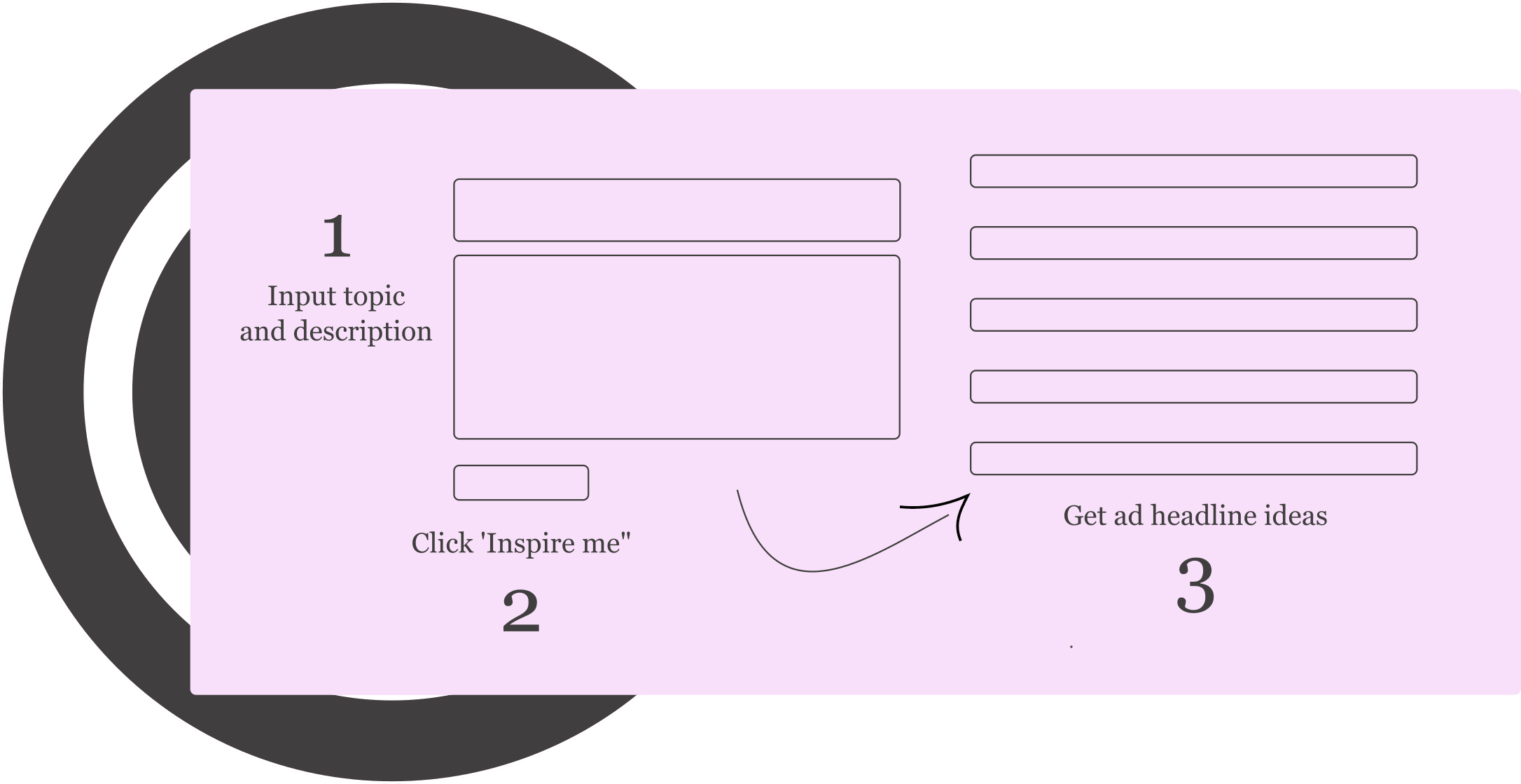
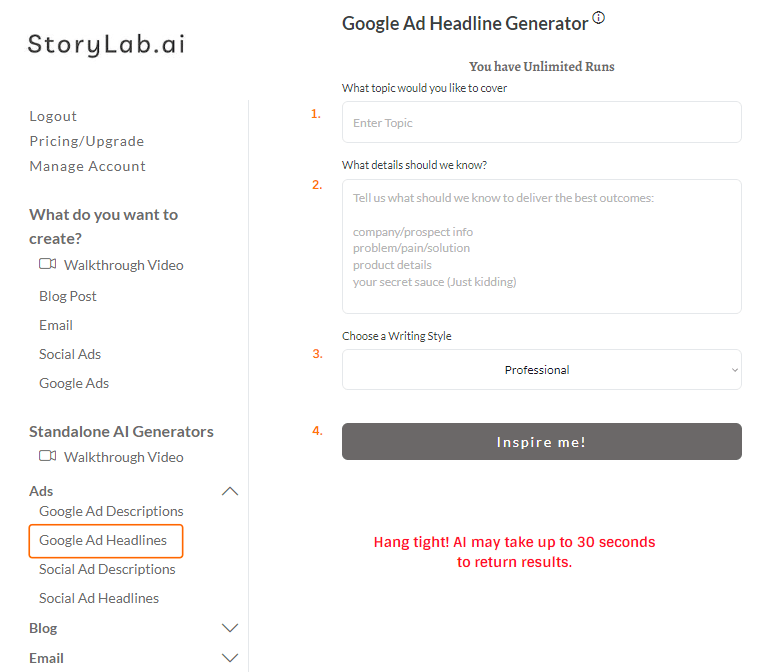
Step 1. Select the Google Ad Headline Generator from our app page
At StoryLab.ai, we help content creators with creating various marketing copy. Varying from Blog Content, to Email copy, Social Media Captions, and more.
So first of all, make sure that you have selected the right generator.
Select our Google Ad Headline Generator from the left sidebar (see the image below).
Step 2. Describe your Google Ad and get great headline copy ideas
To generate the best and most relevant Google Ad Copy, you need to make sure you’ve described what your ad is about the best you can.
For instance:
If you’re searching in Google for ‘The best Google Ads Tools to improve ROI’ and your input is just ‘Google ads’, chances are you won’t find what you’re looking for that easily.
The quality of your input determines the quality of your outputs.
Step 3. Choose a writing style
Optionally, choose what writing style our Google Ad Headline Writer should use to create your ad copy ideas.
After you’re done, you can go ahead and click the ‘inspire me’ button.
AI Google Ad Headline Generator Examples
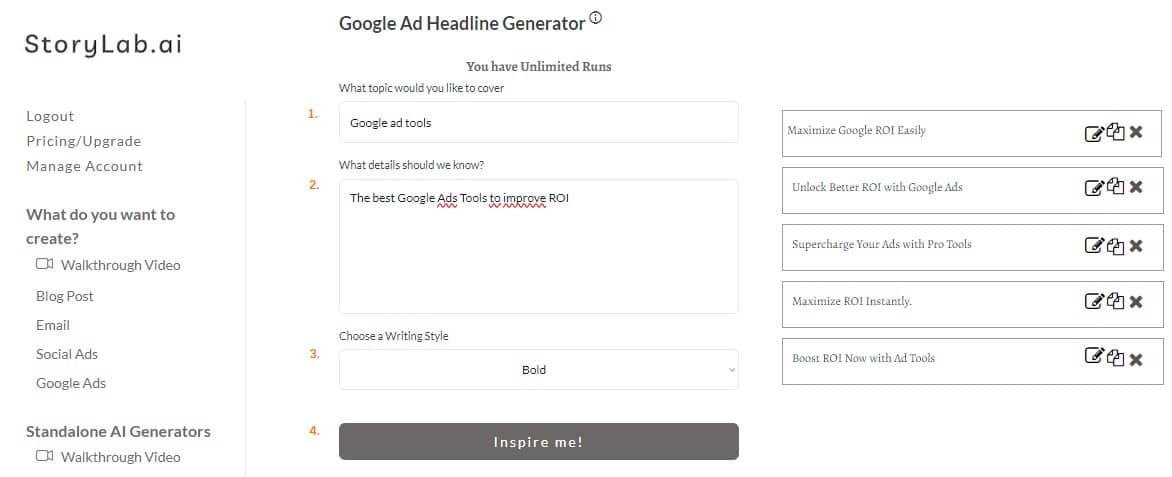
All right. Let’s put it all together and run the AI Google Ad Headline Creator with an example. For this example we’re using the input:
“The best Google Ads Tools to improve ROI”
Here’s what the AI Tool wrote for us:
Output examples
Here are the outputs we’ve received on the first run:
- Maximize Google ROI Easily;
- Unlock Better ROI with Google Ads;
- Supercharge Your Ads with Pro Tools;
- Maximize ROI Instantly;
- Boost ROI Now with Ad Tools;
Pretty nice, right? Beats staring at a blank screen. Especially knowing you need to create quite some variations for your ad headlines. This will get your creative juices flowing.
Step 4. Re-run, adjust inputs and add a human touch
I can now choose to:
- Re-run the AI Google Ad Headline Creator with the same inputs;
- Re-run the tool with slight changes to the inputs;
- Take the generated examples I like best, add my unique human touch to perfect it, and post it and run the Google ads.
Start with our AI-Powered Content Creation Platform
StoryLab.ai is more than just a Google Ad Headline Generator. It’s an AI-Powered Content Creation Platform that helps you create more and better marketing copy faster than ever before. Check out the quick video walkthrough below.
Google Ad Headline Generator and Content Creation Platform Pricing
Our pricing is set up as followed:
- Free – get 3 runs a month to try our tools out for free;
- Pro – $15 a month – 100 runs a month;
- Unlimited – $19 a month – unlimited runs a month;
You can also opt-in for the yearly membership and receive a 20% price reduction.
You can check out our full pricing here.
Google Ad Headline Best Practices
Your Google Ads headline is one of the most important elements of a successful ad campaign. There are several best practices to follow when writing headlines for Google Ads:
- Keep it short and sweet: The headline should be no more than 30 characters long, as this is the maximum number of characters that will be displayed on most devices.
- Use power words: Use words that will entice people to click on your ad, such as “buy,” “get,” “save,” or “limited time only.”
- Be specific: Use specific details to give people a sense of what your ad is about, such as a product or service name or a promotion.
- Use numbers and symbols: Numbers and symbols can help to grab attention, such as “50% off”.
- Test different headlines: Try different headlines and analyze the results to see which performs best.
- Use your headline to showcase your Unique Selling Point (USP): Highlight what makes your product or service stand out from the competition.
- Capitalization: Capitalize the first letter of Each word except conjunctions and prepositions
By following these best practices, you can create headlines that will grab people’s attention and encourage them to click on your ad.
Google Ad Best Practices
There are a lot of best practices you can follow to optimize your Google Ads. We won’t go over them here but we would like to highlight a couple of important aspects. Next to the Google Ad Headline Best Practices we covered previously in this article, we recommend thinking about the following three things:
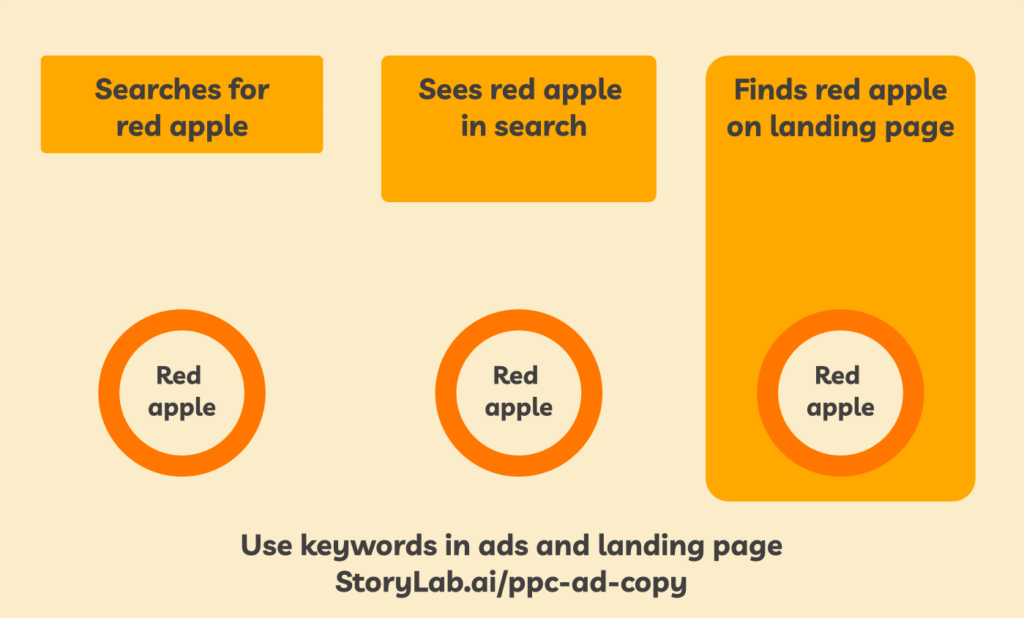
- What are the keywords people are typing into Google that you want your ad to show up for?
- Do those keywords appear in the ad (headline and description)?
- Do these keywords appear on your landing page? You don’t want people to feel they landed in the wrong place and click the ‘back’ button.
We showcase this with a ‘red apple’ example. Check out the image below:
Google Responsive Search Ads Headline Limits (Quick Specs)
- Headlines: up to 30 characters each.
- Descriptions: up to 90 characters each.
- Max assets: up to 15 headlines and 4 descriptions per RSA.
- Path fields: up to 15 characters each.
Headline Angles That Work (Copy and Adapt)
| Angle | Best for | Example template |
|---|---|---|
| Benefit-first | High intent search | Get [Result] Fast |
| Problem-solution | Pain-aware users | Fix [Problem] Today |
| Proof | Trust-building | Rated [X]/5 by [Group] |
| Offer | Conversion | Try It Free for [Time] |
| Speed | Busy buyers | Setup in [X] Minutes |
| Comparison | Commercial intent | Best [Category] Alternative |
Copy/Paste Prompts for Google Ad Headlines
RSA headline prompt (best all-rounder)
Write 15 Google Ads headlines for Responsive Search Ads.
Offer: [product/service]
Audience: [who]
Primary keyword: [keyword]
Top benefit: [benefit]
Proof: [number/testimonial/differentiator]
CTA: [start free/book demo/get quote]
Rules: max 30 characters each, no fluff.
Give me a mix of benefit, proof, offer, and CTA angles.
Local service prompt
Create 15 Google ad headlines (max 30 chars).
Service: [service]
Location: [city/area]
Hook: [same-day / licensed / 24/7 / free estimate]
Include location in 5 headlines.
Add 5 CTA headlines and 5 trust headlines.
E-commerce promo prompt
Write 15 Google ad headlines (max 30 chars).
Product: [product]
Promo: [discount/free shipping/bundle]
Urgency: [ends Sunday/limited stock]
Include 3 price-focused headlines and 3 gift-focused headlines.Google Ad Headline Best Practices (RSA-Friendly)
- Stay within 30 characters. That’s the headline limit for RSAs.
- Write 10–15 different headlines. More assets give Google more combinations to test.
- Reduce repetition: avoid saying the same thing 10 different ways.
- Match landing page language: the headline promise should appear on the page.
- Test in batches: swap 3–5 headlines at a time so you learn what moved results.
FAQ
What is an AI Google Ad Headline Generator?
It’s a tool that uses artificial intelligence to automatically generate compelling and relevant headlines for Google ads, based on input keywords and campaign goals.
How does an AI Google Ad Headline Generator work?
The generator analyzes keywords, target audience data, and successful ad trends using machine learning algorithms to create effective and targeted ad headlines.
What are the benefits of using an AI for Google Ad headlines?
Benefits include saving time, generating a variety of creative headlines, improving click-through rates, and potentially increasing the effectiveness of ad campaigns.
Can AI generators personalize ad headlines for different audiences?
Yes, our AI generator can tailor headlines to different audience segments by analyzing user behavior and preferences for more targeted and personalized ad content.
Are AI-generated Google Ad headlines unique?
Our AI generators aim to produce unique headlines by combining various linguistic patterns and marketing strategies, though it’s advisable to check for uniqueness.
Can these AI tools suggest headlines for different types of Google Ads?
Yes, they are capable of suggesting headlines tailored to different ad formats, like search ads, display ads, and video ads, based on the specific requirements of each format.
How user-friendly are AI Google Ad Headline Generators?
Our AI Generators are designed with user-friendly interfaces, making them accessible for marketers and advertisers, regardless of their technical or AI expertise.
What should be considered when using an AI for Google Ad headlines?
Consider your campaign goals, target audience, and brand voice to ensure the AI-generated headlines align with your overall marketing strategy and convey the intended message.
How does AI technology ensure creativity in Google Ad headlines?
AI technology uses advanced algorithms to analyze successful ad trends and combine elements creatively, ensuring headlines are both original and appealing.
Can AI Google Ad Headline Generators optimize for specific keywords?
Yes, our generators can focus on specific keywords provided by the user, ensuring that the headlines are optimized for targeted search engine queries.
How quickly can an AI generator produce Google Ad headlines?
AI generators can produce multiple headline options in seconds, significantly speeding up the ad creation process compared to manual brainstorming.
Are AI-generated headlines suitable for all industries?
While generally versatile, the suitability can vary by industry. It’s important to review and possibly tweak AI-generated headlines to ensure industry relevance.
How do AI generators balance creativity with ad relevance?
AI algorithms are designed to strike a balance between creative expression and maintaining relevance to the ad’s content and target audience.
Can these generators help in A/B testing ad headlines?
Absolutely, AI generators can provide a variety of headlines quickly, making them ideal for creating multiple versions for A/B testing ad effectiveness.
How do AI headline generators handle language nuances?
Our advanced generators are increasingly adept at understanding and employing language nuances, though they may still require human oversight for fine-tuning.
Is it possible to customize AI-generated headlines?
Yes, users can customize the output by adjusting the input parameters or directly editing the generated headlines to better fit their ad campaigns.
What future advancements might improve AI Google Ad Headline Generators?
Future advancements could include more sophisticated natural language understanding, better integration with digital marketing tools, and enhanced personalization capabilities.
How long can Google Ads headlines be?
Responsive Search Ads headlines support up to 30 characters each.
How many headlines should I write for Responsive Search Ads?
You can provide up to 15 headlines and 4 descriptions. More assets give Google more combinations to test.
Should I include keywords in headlines?
If it reads naturally, yes. Include the primary keyword in a few headlines and use other headlines for benefits, proof, and offers.
Do I need to edit AI-generated headlines?
Yes. Check for accuracy, brand voice, and policy-friendly claims, then test a few variants.
Is StoryLab.ai’s Google Ad Headline Generator free?
Yes. You can start free and upgrade when you need more runs.
YouTube Video Title Generator
Create catchy titles for your next videos.
YouTube Description Generator
Write great descriptions in half the time.
AI eBook Generator
Create full eBooks
Social Media Caption Generator
Get the most out of your Social Marketing.
Instagram Caption Generator
Stand out on Insta with great captions.
LinkedIn Caption Generator
Awesome captions in half the time
YouTube Video Idea Generator
Effective Video ideas
YouTube Video Script Generator
Engaging Videos
AI Video Hook Generator
Create Engaging Videos
All Marketing Copy Generator
See all our AI Geenrators