
10 Types of Blog Posts to Get Traffic [+Tips to Craft Them]

Getting more blog traffic is not only about publishing more articles.
It is about choosing the right type of article for the search intent, audience, topic, and business goal.
- Some readers want a quick list.
- Some want step-by-step instructions.
- Some want an honest review before buying.
- Some want data, examples, visuals, or original research.
- Some prefer to watch or listen instead of reading a long article.
That is why different blog post formats exist.
- A list post can help readers compare options quickly.
- A how-to post can teach a process.
- A review can support buying decisions.
- A case study can build trust.
- An infographic can make complex information easier to understand.
- A podcast or video blog can reach people who prefer audio or visual content.
- An expanded definition post can help explain a topic in depth.
- Original research can attract attention, links, and authority.
But the format alone is not enough.
- A weak how-to post will not perform just because it has steps.
- A thin listicle will not win just because it has a number in the title.
- A review will not build trust if it sounds like a sales pitch.
- A case study will not persuade anyone if it has no real story or results.
The best blog posts combine the right format with helpful content, clear structure, strong examples, useful visuals, internal links, and a reason for the reader to keep going.
Google’s SEO Starter Guide explains that clear titles, headings, links, and helpful content can make pages easier for users and search engines to understand.
In this guide, we’ll look at 10 types of blog posts that can help you get more traffic, when to use each format, and how to make each one more useful for your readers.
Chapters
List Posts

List posts (listicles) are popular because they’re simple to read and provide valuable information in a condensed format.
They also tend to attract more readers because they provide a clear structure and make it easier for people to skim through the content.
To create an effective list post, follow these tips:
- Write a Catchy Headline
- Create a Scannable Structure
- Cover Controversial Points
Write a Catchy Headline
Your headline is the first thing people see when they come across your blog post, so it’s essential to make it stand out.
Make sure your title is creative and grabs attention, but also clearly reflects what the post will be about.
Create a Scannable Structure
Use bullet points or numbered lists to break up chunks of text.
It makes the content easier to read and allows readers to quickly scan through the key points.
Include subheadings, bold or italicized text, and visuals to make the article visually appealing.
Cover Controversial Points
This kind of topic tends to generate more interest and discussion among readers.
If you choose to cover a controversial point, make sure you back it up with solid evidence and stay respectful of differing opinions.
Here’s a great example of a listicle:

This article covers SEO statistics in an organized way, with visuals, subheadings, and a scannable structure. It provides valuable information, but it’s also enjoyable to read.
How-To Posts
How-to posts are another type of blog post that can help you get more traffic to your content.
People are always searching for ways to do something better or learn something new, so these articles provide them with useful information in an easily digestible format.
Here’s how you can craft a compelling how-to post:
- Use Simple and Clear Language
- Break Down the Steps
- Include Visuals and Examples
Use Simple and Clear Language
Avoid using technical jargon or complex words that might confuse your readers.
Keep your language simple, clear, and easy to understand. You want people to feel like they can follow your instructions without any trouble.
Break Down the Steps
Make sure to break down the steps into smaller, more manageable tasks. This makes it easier for readers to follow along and take action.
Include Visuals and Examples
Visual aids such as images, screenshots, or videos can make a significant difference in how people understand and remember the information you provide.
You can also include examples or case studies to make your how-to post more relatable.
These three points are present in this example:

This post explains how to write and format an ebook with the help of AI using simple language, step-by-step instructions, and visuals.
Reviews
Reviews are another popular type of blog post that can attract more traffic to your website.
People are always looking for honest and unbiased opinions on products or services before making a purchase decision.
Here’s how you can create an effective review post:
- Be Honest
- Provide Detailed Information
- Include Personal Experience
Be Honest
The trust of your readers is essential, so it’s crucial to be honest in your reviews.
State both the pros and cons of the product or service you’re reviewing and back up any claims with evidence.
Provide Detailed Information
Make sure to provide as much detail as possible about the product or service.
This can include features, prices, customer service, or any other relevant information that your readers might find useful.
Include Personal Experience
Adding your personal experience with the product or service can make the review more relatable and authentic.
It also helps establish a connection with your readers and makes them trust your opinion more.
Here’s a great example:
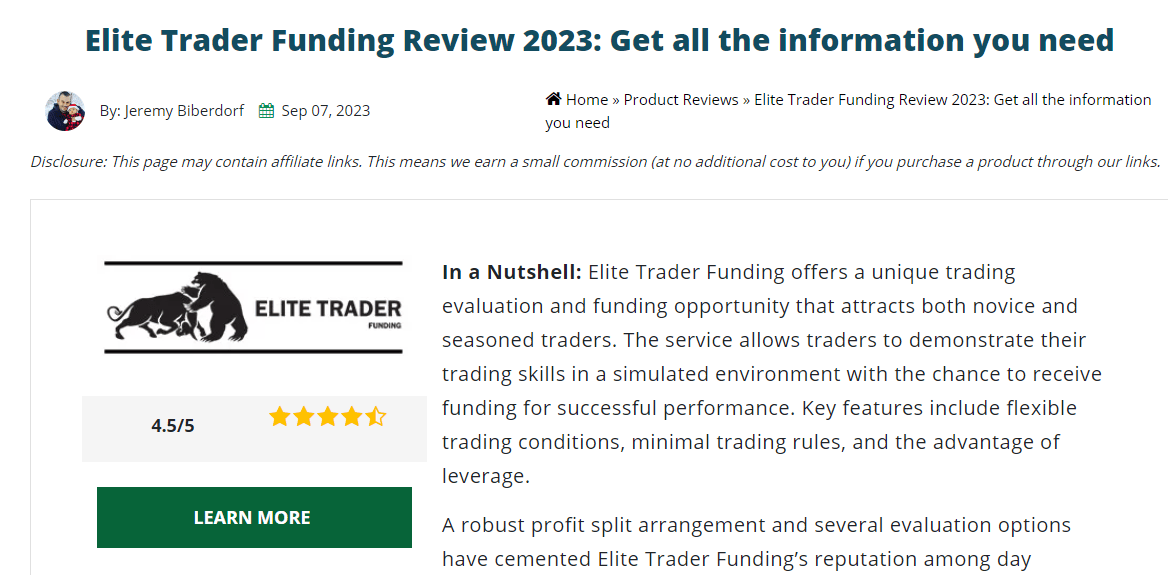
In this review, the author provides honest feedback and detailed information about the service and shares his personal experience.
Case Studies
Case studies are a powerful way to showcase your expertise and provide value to your readers.
By presenting real-life examples of how you helped solve a problem or achieve a goal, you can establish yourself as an authority in your niche.
Here’s how you can craft an effective case study:
- Choose a Relevant Topic
- Include Data and Results
- Tell a Story
Choose a Relevant Topic
Select a topic that your readers can relate to, or that addresses a common pain point within your niche.
This will make it easier for them to connect with the case study and see how it applies to their own situation.
Include Data and Results
Data and statistics can add credibility to your case study and help readers understand the impact of your solution.
Include graphs, charts, or any other visual aids that can make the data more digestible.
Tell a Story
People are naturally drawn to stories, so use this storytelling technique in your case study.
Take your readers on a journey by sharing the problem, the solution, and the results in a narrative format.
All these three points are included in this example:
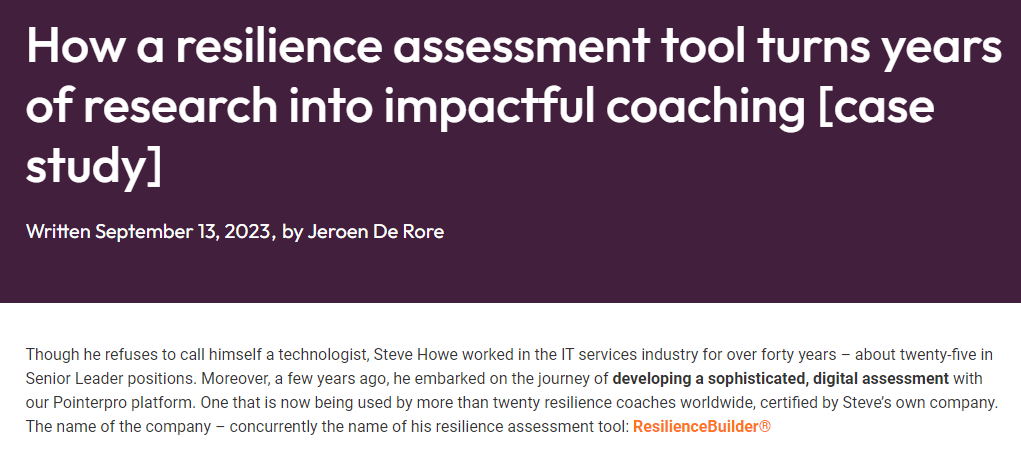
This case study showcases how a resilience assessment tool turns years of research into impactful coaching by choosing an interesting topic, including data and results, and telling a compelling story.
Infographics
Infographics combine visuals and data to create a visually appealing and informative piece of content.
They are highly shareable and can attract a lot of traffic to your blog.
Follow these tips to create an effective infographic:
- Choose an Engaging Subject
- Keep it Simple
- Use High-Quality Visuals
Choose an Engaging Subject
Choose a topic that is relevant to your niche and presents valuable information in a visually appealing way.
This will make it more likely for people to share your infographic on their social media or websites.
Keep it Simple
Infographics should be easy to understand and digestible, so avoid using complex language or cramming too much data into one graphic.
Keep the design simple and use visuals to convey the information.
Use High-Quality Visuals
The success of an infographic heavily depends on its visual appeal, so make sure to use high-quality visuals.
You can create your own graphics, use an infographic maker, or use free design tools such as Canva or Piktochart.
Here’s a relevant example:
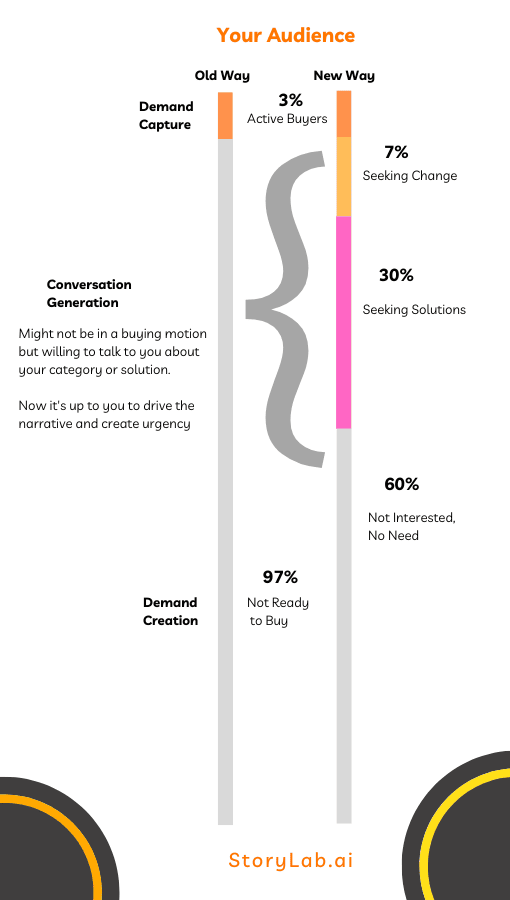
This infographic shows how to be a successful demand generation marketer using high-quality visuals.
Podcasts
Podcasts are an increasingly popular form of content that can greatly increase your blog’s traffic.
They allow you to reach a different audience and engage with them through audio rather than written content.
Here’s how you can create an effective podcast:
- Choose Relevant Topics and Guests
- Prepare and Script Your Episodes
- Utilize Social Media Promotion
Choose Relevant Guests
Choose topics that are relevant to your niche and will be of interest to your target audience.
You can also invite guests who have expertise in the topic you’re discussing, which can attract their followers as well.
Prepare and Script Your Episodes
While podcasts may seem more casual than written content, it’s still important to prepare and script your episodes beforehand.
This will ensure that your content is well-organized and flows smoothly.
Utilize Social Media Promotion
Promote your podcast on social media platforms to reach a wider audience and engage with them.
Encourage listeners to share your podcast and interact with them through comments or Q&A sessions.
All these three points are included in this example:

The podcast by ProBlogger Darren Rowse covers a variety of relevant topics, invites guests to share their expertise, and utilizes social media platforms for promotion.
Presentations
Presentations are another form of visual content that can capture the attention of your audience and drive traffic to your blog.
They allow you to present information in a visually appealing way and showcase your expertise on a particular topic.
To craft an effective presentation, follow these tips:
- Choose a Captivating Topic
- Use Visuals and Data
- Keep it Concise and Engaging
Choose a Captivating Topic
Choose a topic that is relevant to your niche and interesting enough to capture the attention of your audience.
You can also use presentations as a way to repurpose existing blog content.
Use Visuals and Data
Visuals and data are essential in making your presentation effective.
Use high-quality images, graphs, charts, or any other visual aids to make your information more engaging and easier to understand.
Keep it Concise and Engaging
Avoid overwhelming your audience with too much information.
Keep your presentation concise and deliver the key points in an engaging manner.
Here’s an example:
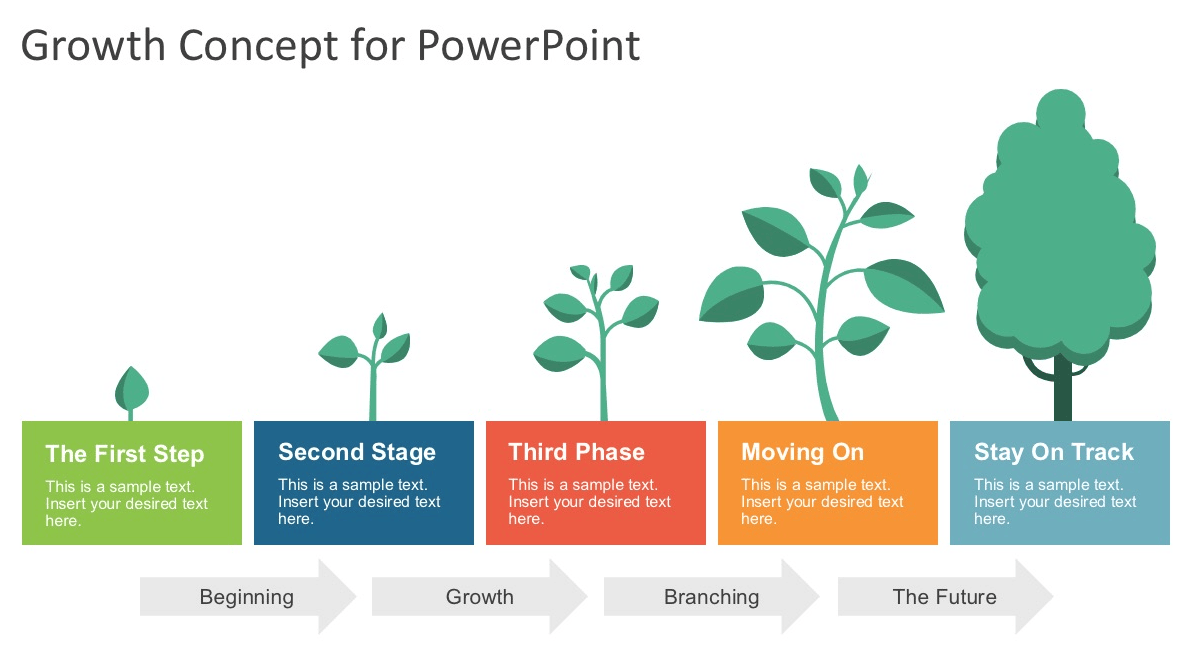
These presentation templates are an example of how to create a captivating presentation by choosing an interesting topic, using visuals and data, and keeping it concise and engaging.
Video Blogs
Video blogs, also known as vlogs, are a popular form of visual content that can help drive traffic to your blog.
They allow you to connect with your audience on a more personal level and provide them with valuable information in an engaging manner.
Follow these best practices to create an effective vlog:
- Plan and Outline Your Content
- Use High-Quality Equipment and Editing
- Promote Your Vlogs on Multiple Platforms
Plan and Outline Your Content
Before filming, plan and outline the content of your vlog to ensure that it flows smoothly and delivers valuable information to your audience.
This will also help you stay organized during filming.
Use High-Quality Equipment and Editing
Invest in high-quality equipment and take the time to edit your vlogs to make them visually appealing and professional.
Poor-quality videos can turn viewers away.
Promote Your Vlogs on Multiple Platforms
Promote your vlogs on various platforms such as YouTube, social media, and your blog.
This will help reach a wider audience and drive traffic to your blog.
All these three points are included in this example:

The popular YouTube vlogger, MrBeast, plans and outlines her content before filming, invests in high-quality equipment and editing, and promotes her vlogs on multiple platforms to drive traffic to her blog.
Expanded Definition Post
Expanded definition posts are a great way to provide in-depth information on a particular topic and establish yourself as an expert.
They allow you to go beyond the basics and delve into more complex aspects of your niche.
To build an effective expanded definition post, you can:
- Choose a Specific Topic
- Research Thoroughly
- Give Examples
Choose a Specific Topic
Choose a specific topic within your niche that you have knowledge and expertise in.
This will help attract readers who are interested in that particular aspect of the topic.
Research Thoroughly
To provide valuable information, it’s important to research thoroughly and gather credible sources for your post.
It will also help in giving examples and case studies to support your points.
Give Examples
Giving real-life examples and using case studies can make your post more engaging and relatable to your audience.
It also adds credibility to your content and supports the topic you’re discussing.
All these three points are included in this example:

This expanded definition post about what is high ticket digital marketing by Business & Power discusses a specific topic within the digital marketing niche, conducts thorough research, and gives examples to support their points.
Original Research
Creating original research can be a powerful way to attract traffic to your blog.
Conducting surveys or studies within your niche and publishing the results can provide valuable insights for your audience, making them more likely to visit and share your content.
Here’s how you can create original research:
- Choose a Relevant Topic
- Create a Survey or Study
- Share Your Findings
Choose a Relevant Topic
Choose a topic that is relevant to your niche and will be of interest to your audience. This could be something that hasn’t been extensively researched before or a new angle on an existing topic.
Create a Survey or Study
Design and conduct a survey or study related to your chosen topic. You can use online tools such as Google Forms or SurveyMonkey to create your survey and collect responses.
Share Your Findings
Once you have collected enough data, analyze the results and create a visually appealing report or infographic to share on your blog. You can also use social media and email marketing to promote your findings and attract traffic to your blog.
All these three points are included in this example:

In this research, Vanillasoft and Aberdeen Groups explain how best-in-class organizations leverage advanced features and functionalities beyond traditional CRM to empower their inside sales efforts.
How to Choose the Right Blog Post Type
The best blog post type depends on what the reader wants to do.
Before choosing a format, ask:
- Is the reader trying to learn?
- Is the reader comparing options?
- Is the reader trying to solve a problem?
- Is the reader researching a definition?
- Is the reader looking for proof?
- Is the reader looking for inspiration?
- Is the reader close to buying?
- Is the reader looking for data?
- Is the reader likely to prefer text, visuals, audio, or video?
Use this table to match the format to the intent.
| Reader intent | Best blog post type | Example angle |
|---|---|---|
| They want quick options | List post | “10 Content Ideas for Small Businesses” |
| They want instructions | How-to post | “How to Write a Blog Post Outline” |
| They are comparing products or services | Review post | “Tool X Review: Features, Pros and Cons” |
| They want proof | Case study | “How We Increased Organic Traffic With Topic Clusters” |
| They need a simple explanation | Infographic | “The Content Marketing Funnel Explained Visually” |
| They prefer listening | Podcast post | “Expert Interview: How to Build a Better Content Strategy” |
| They want a visual walkthrough | Video blog | “Watch Us Build a Landing Page From Scratch” |
| They want depth | Expanded definition post | “What Is Generative Engine Optimization?” |
| They want data | Original research | “Survey: How Marketers Use AI for Content Creation” |
| They want to reuse information | Presentation or slide-style post | “Content Strategy Framework You Can Share With Your Team” |
Do not choose a blog format because it sounds trendy.
Choose the format that makes the information easier to understand and more useful.
Blog Post SEO Checklist
A good blog post format helps, but the SEO basics still matter.
Use this checklist before publishing.
| SEO element | What to check | Why it matters |
|---|---|---|
| Search intent | Does the post answer what the reader actually searched for? | Matching intent is more important than forcing a keyword into a page. |
| Title | Is the title clear, specific, and relevant? | The title helps readers and search engines understand the page. |
| Introduction | Does the intro quickly explain the problem and value? | Readers should know why the post is worth reading. |
| Headings | Are headings useful and easy to scan? | Clear headings improve readability and structure. |
| Examples | Does the post include real examples, not only generic advice? | Examples make content more useful and believable. |
| Internal links | Does the post link to related pages on your site? | Internal links help readers discover more content and help search engines understand relationships between pages. |
| External sources | Are important claims supported with credible sources? | Sources improve trust, especially for data, research, legal, health, financial, or technical claims. |
| Images | Do visuals support the content, and do they have helpful alt text? | Images can improve understanding and accessibility. |
| CTA | Is there a clear next step? | Traffic is more valuable when readers know what to do next. |
| Update plan | Will the post need future updates? | Reviews, tool lists, stats, and trend posts can become outdated quickly. |
Google says its systems are designed to reward helpful, reliable, people-first content, and that SEO is useful when applied to people-first content rather than search-engine-first content.
That is the right way to think about blog traffic.
The goal is not just to get clicks.
The goal is to satisfy the reader after the click.
How to Turn One Blog Post Type Into Multiple Content Assets
One strong blog post can become much more than one article.
For example, a how-to post can become:
- A checklist
- A short video
- A carousel post
- A LinkedIn post
- A newsletter
- A webinar outline
- A presentation
- A podcast topic
- A downloadable template
- A FAQ section
- A YouTube script
- A series of social media posts
This is useful because different people consume content in different ways.
| Original blog post type | Repurposed content ideas |
|---|---|
| List post | Carousel, short video series, email tips, LinkedIn post, checklist |
| How-to post | Tutorial video, step-by-step infographic, downloadable guide, webinar outline |
| Review post | Comparison table, short verdict video, buying checklist, email recommendation |
| Case study | Sales slide, customer story video, testimonial post, before-and-after graphic |
| Infographic | Social carousel, blog summary, video script, newsletter visual |
| Podcast post | Show notes, quotes, short clips, blog summary, email recap |
| Video blog | Transcript article, Shorts/Reels, captions, how-to screenshots, FAQ content |
| Original research | Report, infographic, pitch deck, PR angle, data-led social posts |
This makes each article more valuable.
Instead of asking, “What should we publish next?”
Ask, “How many useful formats can we create from this one strong idea?”
StoryLab.ai can help here by turning blog ideas into outlines, intros, titles, captions, email copy, video scripts, and social posts.
How to Measure Which Blog Post Types Bring the Most Traffic
Not every blog post type will perform the same way for every website.
A SaaS company may get strong results from how-to posts and comparison articles.
A consultancy may get more value from case studies and expert guides.
A media brand may grow with list posts, original research, and trend analysis.
An ecommerce brand may benefit from reviews, buying guides, and visual content.
The only way to know is to measure.
Use Google Search Console and analytics tools to compare performance by blog post type. Search Console’s Performance report shows clicks, impressions, CTR, and average position for Google Search results.
Track:
| Metric | What it tells you | How to use it |
|---|---|---|
| Impressions | How often the page appears in search results | Use this to spot topics with search visibility but low clicks. |
| Clicks | How often people visit from search | Use this to identify posts already driving traffic. |
| CTR | How often impressions turn into clicks | Improve titles and meta descriptions when impressions are high but clicks are low. |
| Average position | Where the page generally appears in results | Improve content, internal links, and relevance for pages near page-one visibility. |
| Conversions | Whether traffic creates business value | Use this to find formats that bring leads, signups, demos, sales, or subscribers. |
| Engagement | How readers interact after landing on the page | Improve structure, examples, visuals, and CTAs when traffic does not engage. |
Create a simple content report by type:
- List posts
- How-to posts
- Reviews
- Case studies
- Infographics
- Podcasts
- Presentations
- Video blogs
- Expanded definition posts
- Original research
Then ask:
- Which type gets the most impressions?
- Which type gets the most clicks?
- Which type brings the best leads?
- Which type earns links or shares?
- Which type converts readers into subscribers or customers?
- Which type takes the most time to create?
- Which type deserves more promotion?
- Which type needs updating?
This turns blogging from guessing into learning.
Common Mistakes That Stop Blog Posts From Getting Traffic
Choosing the wrong format for the intent
A review post will not satisfy someone looking for a step-by-step tutorial.
A how-to post will not satisfy someone looking for a quick comparison table.
Match the format to the reader’s goal.
Writing a weak introduction
If the intro takes too long to explain the value, readers may leave.
State the problem, promise, and reason to keep reading early.
Creating thin list posts
A list post should not be a collection of vague tips.
Each item should include explanation, examples, and practical guidance.
Publishing reviews without real experience
Reviews should be honest, detailed, and useful.
If you have not used the product or service, be clear about what your review is based on.
Do not fake personal experience.
Forgetting internal links
A good blog post should connect to related articles, tools, examples, or product pages.
Google’s link best practices explain that anchor text should be helpful and relevant to the page being linked to. Source to link: Google link best practices.
Ignoring visuals
Some topics are easier to understand with screenshots, diagrams, charts, tables, images, or videos.
Google also says the text near images can help it better understand what an image is about, and descriptive alt text is useful. Source to link: Google SEO Starter Guide.
Not updating posts
Reviews, tool lists, statistics, strategies, platform guides, and trend articles can become outdated.
Build updates into your content calendar.
Measuring only traffic
Traffic is useful, but it is not the only goal.
Measure signups, leads, sales, email subscribers, demo requests, return visits, and engagement too.
How StoryLab.ai Can Help You Create Better Blog Posts
StoryLab.ai can help speed up the blog creation process without replacing your expertise.
Use it to create:
- Blog post ideas
- Blog titles
- Blog outlines
- Blog introductions
- SEO titles
- Meta descriptions
- Content angles
- Social media captions
- Email promotion copy
- Video scripts
- LinkedIn posts
- Ad copy
- Content repurposing ideas
- Topic variations
A practical workflow:
- Choose the blog post type.
- Define the reader intent.
- Use StoryLab.ai to generate title and outline ideas.
- Pick the strongest structure.
- Add your own examples, data, screenshots, and experience.
- Improve the intro and headings.
- Add internal links and sources.
- Create social posts and email copy to promote the article.
- Measure performance.
- Update the post when needed.
AI can help you move faster.
Your strategy, expertise, and examples make the post worth reading.
Conclusion
Conclusion
There are many types of blog posts that can help you grow traffic.
List posts, how-to guides, reviews, case studies, infographics, podcasts, presentations, video blogs, expanded definition posts, and original research can all work when they match the reader’s intent.
But the format is only the starting point.
A blog post gets stronger when it is helpful, clear, specific, well-structured, supported with examples, easy to scan, and connected to the rest of your website.
- Do not publish a listicle just because listicles are popular.
- Do not publish a how-to guide if the reader really wants a comparison.
- Do not publish a review if you cannot make it honest and useful.
- Do not publish original research without explaining why the findings matter.
Choose the right format for the job.
Then make the content better than a template.
That is how blog posts become more than articles.
They become useful traffic assets.
About the Author
Erik Emanuelli has been in the online marketing game since 2010. He’s now sharing what he has learned about SEO and blogging on his website.
Top AI Marketing Generators
Master the Art of Video Marketing
AI-Powered Tools to Ideate, Optimize, and Amplify!
- Spark Creativity: Unleash the most effective video ideas, scripts, and engaging hooks with our AI Generators.
- Optimize Instantly: Elevate your YouTube presence by optimizing video Titles, Descriptions, and Tags in seconds.
- Amplify Your Reach: Effortlessly craft social media, email, and ad copy to maximize your video’s impact.