
How to Secure Your E-Commerce Website
For your customers and for your business
An e-commerce website does not only sell products.
It handles customer accounts, personal details, payment flows, order history, shipping information, discount codes, admin logins, plugins, integrations, emails, analytics, and sometimes stored customer data.
That makes security essential.
A weak online store can lead to stolen customer information, fraudulent orders, chargebacks, account takeovers, malware, fake checkout pages, data loss, broken trust, and expensive downtime.
The good news is that most e-commerce security starts with practical basics.
- Keep your platform updated.
- Use HTTPS.
- Choose secure payment providers.
- Protect admin accounts.
- Use multi-factor authentication.
- Limit access.
- Back up your store.
- Monitor suspicious transactions.
- Watch for malware, bots, and fake accounts.
- Have a plan for what to do if something goes wrong.
Security is not a one-time setup.
It is an ongoing process.
Your store changes whenever you add a plugin, launch a campaign, connect a new app, change a payment method, hire a new team member, or update your checkout experience. Each change can create new risk if it is not managed properly.
This guide explains how to secure your e-commerce website, protect customer trust, reduce fraud, and create a safer foundation for online sales.
These risks are well-known to e-commerce business owners, who are improving their security procedures. According to the VMWare Carbon Black 2020 Cybersecurity Forecast Study, 77% of organizations polled purchased new security products within the past year, while 69% increased their security team.
Knowing eCommerce security best practices and the types of attacks to anticipate is the best way to remain ahead.
What is E-commerce Security?
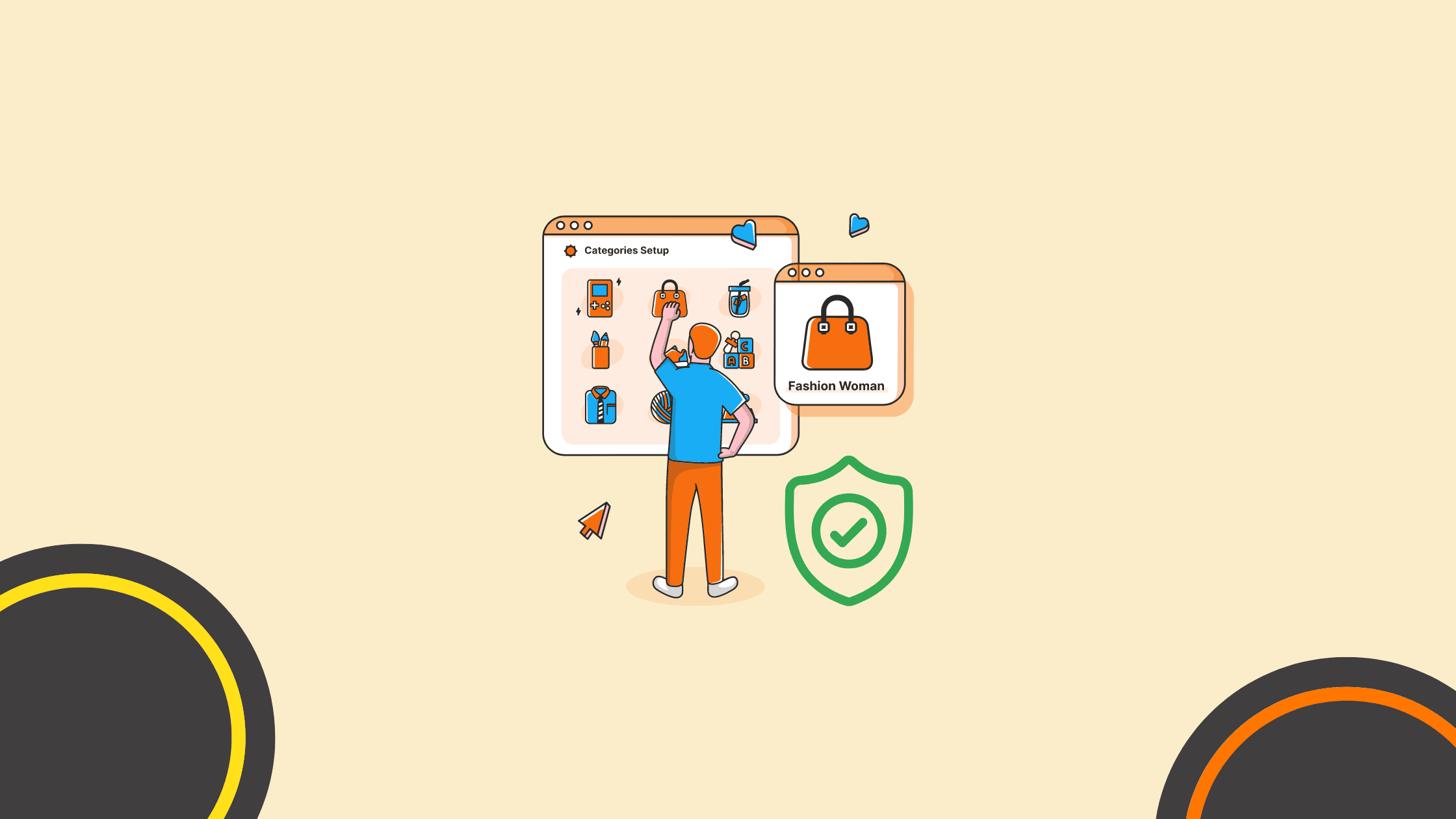
The most crucial aspect of an eCommerce website, or at least should be, is security. Without adequate protection, internet business owners expose themselves, their brand, and their customers to the risk of identity theft and fraud. Not to mention that compromised credit card information can wreak havoc on your business’s finances and result in substantial losses.
Small E-Commerce websites are constantly at risk. According to data from web security company Imperva, approximately a third of a website’s traffic consists of malicious bots.
In addition to monetary theft, security or data breaches harm your company’s reputation. Why should you expect your consumers to feel safe spending money with you if you won’t spend money on a non-secure eCommerce website?
Hence, E-Commerce security ensures that both your business and customers feel secure.
E-Commerce Website Security Tips
We have created a list of tips to assist you in securing your eCommerce website threats.
1. Keep your website updated
As app developers discover vulnerabilities, hackers find ways to exploit them. Software updates for websites are frequently released and frequently include essential security patches.
As a result, you should pay close attention to changes as they’re implemented. If your updates need to be automated, you must be extra careful to update them manually. Nonetheless, it is advisable to enable automatic updates for both your website and your complete PC.
2. Regularly back up your website data
Backing up your eCommerce website will not prevent security attacks but will help mitigate or reduce the harm. It protects information from being lost, compromised, or kept hostage.
It is a wise E-commerce business practice to back up your website as frequently as feasible. Every time you update, you should create a backup of the website. You should back up your website at least once every three days, but daily backups are highly advised.
You may set up automatic backups, so you don’t have to initiate the process manually. Almost all website builders and web hosts include website backups as a standard feature; choose a platform that can guarantee this.
3. Use HTTPS
Certified HTTPS websites are identified by a closed secured lock icon in the browser’s address bar and are deemed authentic and secure. This indicates that the website is authentic and not a phishing site designed to steal login credentials, credit card information, and other sensitive information.
To take continuous benefit of website security, it is essential to renew SSL timely, which will avoid unwanted browser warning while surfing your site. Users will have smooth browsing experience on your site. So, renew SSL certificate today and save your customers from prying eyes.
The benefits of adopting HTTPS extend beyond security and credibility. Google ranks SSL websites higher in search results, resulting in increased traffic. In contrast, Google labels unencrypted websites as “not secure,” making them appear shady and dangerous. There are now a few quick techniques to convince a potential buyer to bypass your website.
4. Choose a Secure E-Commerce Website Platform

Often, eCommerce platforms for B2B or B2C are chosen for their storefront-building efficiency, variety of design options, and usefulness, but security aspects must also be a priority. Consider e-commerce solutions with secure payment gateways, SSL certificates, and robust authentication methods for vendors and purchasers.
Sullivan suggested considering the long-term stability of an e-commerce platform and how frequently upgrades and security patches are applied to protect the service’s long-term security. Additionally, integrating cpq software can streamline the quoting process, ensuring accurate pricing and product configurations while maintaining security.
“Consider the software’s ongoing life cycle before integrating it into your e-commerce platform,” Sullivan advised.
5. Get PCI Compliant
The Payment Card Industry Data Security Standards (PCI-DSS) are principles organizations follow to prevent fraud. The PCI SSC was formed by collaborating with global credit card businesses (Payment Card Industry Security Standards Council). It comprises twelve primary requirements and several sub-requirements that evaluate an organization’s security policies. This policy is carefully enforced for all valid reasons.
6. Monitor Transactions
A further method of securing your e-commerce store is to record and analyze all transactions often. Compile a list of customers and their respective transactions. Concentrate on significant transactions and frequent consumers in particular. Examine the transactions for any indications of unusual behavior, such as conflicting billing and shipping information, frequent returns and cancellations, etc.
7. Use Safe Passwords
According to the Verizon Data Breach Investigations Report for 2020, 37% of credential theft incidents used stolen or weak credentials. It is worth the extra effort to ensure that you, your employees, and your customers follow best practices for strong passwords:
- Strong passwords contain uppercase, lowercase letters, numbers, and symbols (@,#,%) & are at least eight characters long.
- Passwords should never be shared; users should have unique, private login usernames and passwords.
- Never use the same password for multiple login credentials on your ecommerce site.
- Never divulge sensitive information in public, such as your date of birth, social security number, or any other information you might use to answer security questions. Use a password manager whenever possible.
A reliable password manager generates unique credentials for each account and stores them securely, eliminating the risk of password reuse across multiple platforms
How AI Can Help Secure Your E-Commerce Website
E-commerce is booming, but so are cyber threats. Hackers constantly target online stores, aiming to steal sensitive data, disrupt operations, or commit fraud. If you run an e-commerce business, security should be at the top of your priority list. Fortunately, artificial intelligence (AI) is changing the game, helping businesses safeguard their websites more effectively than ever.
Let’s dive into how AI can enhance e-commerce security and keep your business—and customers—safe.
AI-Powered Fraud Detection
One of the biggest threats to e-commerce sites is fraudulent transactions. Traditional fraud detection methods rely on predefined rules, which can miss sophisticated scams. AI, on the other hand, analyzes massive amounts of data to detect unusual patterns in real time.
How It Works:
- AI systems monitor transaction behaviors, flagging anything that deviates from the norm.
- Machine learning algorithms adapt over time, improving their ability to recognize fraudulent activities.
- AI can assess multiple data points—such as location, device type, and past purchasing habits—to determine if a transaction is legitimate.
Example: If a user suddenly makes a high-value purchase from an unfamiliar location, AI can trigger additional verification steps, reducing the risk of fraud.
Automated Threat Detection and Prevention
Cybercriminals constantly evolve their attack strategies. AI-driven security tools can detect and neutralize threats before they cause damage.
Key Benefits:
- Real-time monitoring: AI scans websites for vulnerabilities, malware, and suspicious activity 24/7.
- Predictive analysis: Machine learning can forecast potential security threats based on past attack patterns.
- Immediate response: AI can automatically block malicious IP addresses, suspicious login attempts, or unauthorized access.
Example: AI-powered firewalls can recognize and block Distributed Denial of Service (DDoS) attacks before they overwhelm a website.
Enhanced User Authentication
Weak passwords and stolen credentials remain major security risks. AI enhances authentication methods to ensure only legitimate users access your website.
AI-Based Solutions:
- Behavioral biometrics: AI analyzes how users interact with a website—mouse movements, typing speed, and touch gestures—to verify identity.
- Facial recognition & fingerprint scanning: AI strengthens login security by integrating biometric authentication.
- Adaptive authentication: AI adjusts security measures based on risk factors. If a login attempt seems suspicious, it may require multi-factor authentication (MFA).
Example: If a customer usually logs in from New York but suddenly tries from a foreign country, AI can prompt additional security questions.
AI-Driven Bot Detection
Bots are a major threat to e-commerce sites, responsible for fake account creation, scraping product prices, and launching brute-force attacks. AI helps differentiate between human users and bots.
How AI Fights Bots:
- Analyzing behavior: AI identifies suspicious activity, such as rapid-fire login attempts or excessive page requests.
- CAPTCHA alternatives: AI-based systems use invisible challenges that don’t disrupt real users.
- Blocking malicious bots: AI tools can blacklist harmful bots while allowing good ones, like search engine crawlers, to operate freely.
Example: AI-powered tools can prevent automated checkout bots from hoarding limited-edition products and reselling them at inflated prices.
Secure Payment Processing
E-commerce businesses handle sensitive financial information, making secure transactions essential. AI enhances payment security by:
- Detecting and blocking unauthorized transactions in real time.
- Identifying irregularities in payment behavior.
- Encrypting payment data to protect it from breaches.
Example: AI-powered fraud detection systems used by payment processors like PayPal and Stripe help reduce chargebacks and fraudulent payments. However, if you are in a high-risk vertical, PayPal and Stripe will not work with you. You will need to work with specilized high-risk providers like SecureGlobalPay that offer robust gateways with built-in fraud prevention and detection for high-risk merchants. For customers, choosing the safest way to pay online means relying on platforms that incorporate advanced AI security measures to safeguard their transactions and personal information.
AI-Assisted Data Protection
Customer data is a prime target for cybercriminals. AI strengthens data security through:
- Automated encryption: Protecting sensitive data both in transit and at rest.
- Anomaly detection: AI can spot unusual access patterns, preventing data leaks.
- Automated compliance: AI helps businesses adhere to security regulations like GDPR and PCI DSS by monitoring compliance requirements.
Example: If AI detects unauthorized access to customer data, it can immediately alert administrators and restrict access.
AI is revolutionizing e-commerce security by detecting fraud, blocking cyber threats, and safeguarding customer data. As cyberattacks become more advanced, businesses must adopt AI-driven security measures to stay ahead.
If you run an online store, investing in AI-powered security isn’t just an option—it’s a necessity. By leveraging AI, you can protect your website, build customer trust, and ensure smooth business operations.
Want to keep your e-commerce site secure? Start integrating AI-powered security solutions today!
E-Commerce Website Security Checklist
Use this checklist to review the most important security areas of your online store.
| Security area | What to check | Why it matters |
|---|---|---|
| HTTPS | Your entire site, checkout, account pages, forms, and admin areas should use HTTPS. | HTTPS helps protect data in transit between the customer and your website. |
| Platform updates | Keep your CMS, ecommerce platform, themes, plugins, extensions, and apps updated. | Updates often fix known security vulnerabilities. |
| Payment security | Use trusted payment providers and avoid storing card data unless you have the right controls. | Payment data is one of the most sensitive parts of an online store. |
| PCI DSS | Understand which PCI DSS requirements apply to your business and payment setup. | PCI DSS provides technical and operational requirements to help protect payment account data. |
| Admin access | Use strong passwords, multi-factor authentication, and limited permissions. | Admin accounts can control products, orders, customer data, settings, and payments. |
| Customer accounts | Protect login forms from credential stuffing, brute-force attacks, and suspicious behavior. | Customer accounts can expose personal details, order history, and saved preferences. |
| Fraud monitoring | Watch for unusual orders, mismatched details, high-risk locations, repeated failed payments, and suspicious patterns. | Fraud can create chargebacks, shipping losses, and customer support problems. |
| Backups | Back up files, databases, product data, order data, and configuration settings regularly. | Backups help recover after errors, malware, failed updates, or attacks. |
| Malware protection | Scan for malicious code, suspicious redirects, injected scripts, and unauthorized changes. | Malware can steal data, damage trust, or redirect customers away from your site. |
| Incident response | Create a clear plan for what to do if the site is compromised. | A fast, organized response can reduce damage and downtime. |
The FTC recommends making backups part of routine business operations, using automatic updates when possible, and applying cybersecurity basics to reduce risk. PCI DSS also gives merchants a baseline for protecting payment account data.
How to Secure E-Commerce Payments and Checkout
Checkout is one of the most important security points on an e-commerce website.
It is where customers enter personal and payment information. It is also where fraud, fake orders, stolen cards, malicious scripts, and abandoned trust can become expensive.
Start with these basics:
- Use a trusted payment provider
- Keep payment pages protected with HTTPS
- Do not store card data unless absolutely necessary
- Understand your PCI DSS responsibilities
- Monitor failed payment attempts
- Use fraud detection rules
- Watch for unusual order patterns
- Require CVV where appropriate
- Use address verification where appropriate
- Review high-value orders before fulfillment
- Protect checkout from malicious scripts
- Test checkout after platform, plugin, or theme updates
PCI DSS is especially important. The PCI Security Standards Council says PCI DSS provides a baseline of technical and operational requirements designed to protect payment account data.
For many small and medium-sized stores, the safest approach is to use a reputable payment processor that handles the most sensitive card data for you.
That does not remove all responsibility.
You still need to secure your website, payment page, plugins, integrations, admin accounts, and checkout experience.
A secure checkout should feel simple for customers and controlled for the business.
How to Reduce E-Commerce Fraud

Fraud prevention is not only about blocking suspicious payments.
It is about spotting patterns before they become losses.
Common e-commerce fraud signals include:
- Multiple failed payment attempts
- Large orders from new customers
- Mismatched billing and shipping details
- Unusual shipping destinations
- Rush shipping on high-value items
- Several orders from the same IP address
- Different cards used from the same device
- Repeated chargebacks
- Disposable email addresses
- Many accounts created in a short time
- Coupon abuse
- Refund abuse
- Bot-driven checkout activity
Use a layered approach.
| Fraud risk | Possible control | Why it helps |
|---|---|---|
| Stolen card use | Payment provider fraud tools, CVV checks, address verification, risk scoring | Helps flag transactions that do not match normal payment behavior. |
| Account takeover | MFA, login alerts, rate limiting, suspicious login detection | Helps protect customer accounts from stolen credentials. |
| Bot attacks | Bot detection, rate limits, invisible challenges, web application firewall | Helps reduce fake accounts, scraping, brute-force logins, and checkout abuse. |
| Refund abuse | Clear refund policy, order history review, customer support notes | Helps detect repeated suspicious refund behavior. |
| Promo abuse | Coupon limits, account checks, order rules, fraud filters | Helps prevent discount codes from being exploited at scale. |
| High-risk orders | Manual review before fulfillment | Gives your team time to check suspicious purchases before shipping. |
AI and machine learning can help with fraud detection by spotting unusual patterns across behavior, location, device, transaction size, order history, and payment activity.
But fraud tools should support your review process, not replace it completely.
For higher-risk orders, human review still matters.
Protect Admin Accounts and Customer Logins
Many e-commerce attacks start with accounts.
A weak admin password, reused staff login, compromised email account, or stolen customer password can create serious problems.
Protect admin accounts first.
Use:
- Strong, unique passwords
- Password managers
- Multi-factor authentication
- Limited user roles
- Separate accounts for each team member
- No shared admin logins
- Login alerts
- Access removal when employees or freelancers leave
- Regular permission reviews
- Secure recovery email accounts
- Admin activity logs where available
CISA says multi-factor authentication is a simple way to increase digital security, and the FTC also recommends MFA as part of small-business cybersecurity basics.
Customer accounts also need protection.
Common customer account risks include credential stuffing, reused passwords, brute-force login attempts, fake account creation, and account takeover.
To reduce risk:
- Add rate limiting to login attempts
- Use bot protection on login and registration forms
- Offer MFA for customer accounts if appropriate
- Send login or password-change alerts
- Require secure password reset flows
- Monitor suspicious login patterns
- Do not expose unnecessary customer data inside accounts
- Encourage customers to use unique passwords
Account security is not exciting.
But it is one of the most important parts of protecting an online store.
Keep Plugins, Themes, Apps, and Integrations Under Control
E-commerce websites often depend on third-party tools.
That may include:
- Payment plugins
- Shipping integrations
- Analytics scripts
- Review apps
- Email marketing tools
- Chat widgets
- Upsell tools
- Discount apps
- Inventory tools
- CRM connections
- Affiliate tools
- Tracking pixels
- Subscription tools
- Marketplace integrations
Each tool can add value.
Each tool can also add risk.
Before installing a new plugin, extension, script, or app, ask:
- Do we really need it?
- Is the provider trustworthy?
- Is it actively maintained?
- When was it last updated?
- Does it have good reviews?
- What permissions does it need?
- Does it access customer data?
- Does it affect checkout?
- Can we remove it safely later?
- Who is responsible for updates?
- What happens if the vendor has a breach?
OWASP describes its Top 10 as a standard awareness document for developers and web application security risks. That matters for ecommerce because stores often combine custom code, platform features, plugins, scripts, APIs, and checkout logic.
A simple rule:
The fewer unnecessary moving parts your store has, the easier it is to secure.
Backups and Incident Response for E-Commerce Stores
Backups do not prevent attacks.
But they can help you recover from them.
For e-commerce, backups should include:
- Website files
- Product data
- Customer data
- Order data
- Theme settings
- Plugin settings
- Database
- Media files
- Configuration files
- Custom code
- Important documentation
Backups should be:
- Regular
- Automated where possible
- Stored separately from the live website
- Tested
- Protected with access controls
- Easy to restore when needed
CISA small-business resources include backups, encryption, MFA, software updates, and phishing avoidance as cybersecurity practices, and the FTC also recommends making backups part of routine operations.
Also create an incident response plan.
It does not need to be complicated.
Start with these questions:
| Incident response question | Why it matters |
|---|---|
| Who is responsible if the site is compromised? | Clear ownership avoids panic and delay. |
| Who can contact the host, developer, payment provider, and security vendor? | Fast access helps reduce downtime. |
| Where are backups stored? | You need to know this before an emergency. |
| How do we take the site offline if needed? | Stopping damage may be more important than staying live for a few hours. |
| How do we communicate with customers? | Clear communication helps protect trust. |
| What legal or compliance steps may apply? | Some incidents may require notification or professional support. |
| How do we prevent the same issue from happening again? | Recovery should include root-cause analysis. |
Security is not only prevention.
It is preparation.
How AI Can Help With E-Commerce Security
AI can support e-commerce security, especially when there is too much activity for humans to review manually.
AI can help with:
- Fraud detection
- Bot detection
- Suspicious login monitoring
- Transaction risk scoring
- Anomaly detection
- Malware alerts
- Customer behavior analysis
- Support-ticket pattern detection
- Phishing detection
- Security log analysis
- Automated alerts
- Risk-based authentication
But AI should not be described as a magic shield.
It still needs:
- Good data
- Correct configuration
- Human review
- Security policies
- Trusted vendors
- Regular testing
- Clear escalation rules
For example, AI may flag a high-value order from a new customer in a new location. That does not automatically mean the order is fraudulent. It means the order may need additional verification before fulfillment.
The best ecommerce security setup combines automation with human judgment.
AI can find patterns faster.
Your team still needs to decide what action to take.
Common E-Commerce Security Mistakes to Avoid
Treating HTTPS as the whole security strategy
HTTPS is important, but it is only one layer.
A site can use HTTPS and still have weak passwords, outdated plugins, insecure admin accounts, malicious scripts, poor backups, and fraud problems.
Using too many plugins or apps
Every plugin, app, extension, and script can create risk.
Remove what you do not use.
Update what you keep.
Sharing admin accounts
Shared logins make it hard to know who changed what.
Give every team member their own account and limit access based on their role.
Ignoring payment-page scripts
Checkout pages often include analytics, tracking, chat, review, and payment scripts.
Review them carefully.
A compromised or unnecessary script can become a serious risk.
Trusting AI security tools without review
AI can help detect patterns, but it can also create false positives and false negatives.
Use AI as part of the security workflow, not as the only decision-maker.
Forgetting about mobile checkout
Many ecommerce customers shop on mobile.
Make sure security steps do not break the mobile checkout experience.
Backing up without testing restores
A backup is only useful if you can restore it.
Test recovery before you need it.
Waiting until after a breach to make a plan
Incident response should be planned before something goes wrong.
Know who to contact, where backups are, and what steps to follow.
How StoryLab.ai Can Support E-Commerce Security Communication
Security is not only technical.
It also affects customer trust.
StoryLab.ai can help ecommerce teams communicate security-related topics more clearly.
Use StoryLab.ai to create:
- FAQ answers
- Customer email updates
- Security policy summaries
- Checkout trust copy
- Help center articles
- Blog posts about safe shopping
- Product page trust messaging
- Social media updates
- Incident communication drafts
- Internal training content
- Password reset email copy
- Customer support scripts
- Review response drafts
- Fraud prevention education content
A practical workflow:
- Identify the security topic customers need to understand.
- Write the key facts clearly.
- Use StoryLab.ai to draft customer-friendly copy.
- Review the copy with your technical, legal, or compliance team where needed.
- Keep the tone calm, honest, and simple.
- Publish the final version in the right place.
Do not use AI to hide problems or make unsupported security claims.
Use it to explain real protections in clear language.
Trust comes from doing the work and communicating it honestly.
Conclusion
Securing an e-commerce website is not only about avoiding hackers.
It is about protecting customers, payments, orders, data, reputation, and long-term trust.
Start with the fundamentals: HTTPS, secure payment processing, PCI DSS awareness, platform updates, strong passwords, MFA, limited access, fraud monitoring, bot protection, backups, and incident response.
Then improve over time.
Review plugins and apps. Monitor transactions. Check admin access. Test backups. Keep your team aware of phishing and account risks. Use AI where it helps detect patterns, but keep people responsible for review and decisions.
A secure online store does not happen by accident.
It comes from consistent habits, clear ownership, and a security-first mindset.
FAQ
What is a secure e-commerce website?
A secure e-commerce website is one that protects customer data, ensures safe transactions, and defends against cyber threats, typically through encryption, secure payment gateways, and regular security audits.
How do you ensure the security of an e-commerce website?
Employ SSL certificates for encryption, use secure payment gateways, regularly update software and plugins, implement strong passwords, and conduct regular security audits.
What is SSL and why is it important for e-commerce?
SSL (Secure Socket Layer) is a security protocol that encrypts data transmitted between a web server and a user’s browser. It’s crucial for e-commerce to protect sensitive customer data, like credit card information.
How can you protect customer data on an e-commerce site?
Use encryption methods like SSL, store minimal customer data, regularly update security protocols, and comply with data protection regulations like GDPR or CCPA.
What are common security threats to e-commerce websites?
Common threats include hacking, phishing attacks, malware, SQL injection, and DDoS attacks.
How important are regular backups for e-commerce sites?
Regular backups are vital to quickly restore your website in case of data loss due to security breaches or technical issues.
What role does a secure payment gateway play in e-commerce?
Secure payment gateways encrypt and securely process payment information, reducing the risk of fraud and data breaches.
How can you detect and prevent fraud on an e-commerce website?
Implement fraud detection tools, monitor unusual activity, use verification methods like CVV and OTP, and maintain a secure checkout process.
Why is it important to update e-commerce platforms and plugins?
Regular updates fix security vulnerabilities, enhance functionality, and protect against the latest cyber threats.
What is two-factor authentication and should e-commerce sites use it?
Two-factor authentication (2FA) adds an extra layer of security by requiring two types of identification before granting access. It’s highly recommended for e-commerce sites to protect user accounts.
Author
Written by: Dan Radak
Master the Art of Video Marketing
AI-Powered Tools to Ideate, Optimize, and Amplify!
- Spark Creativity: Unleash the most effective video ideas, scripts, and engaging hooks with our AI Generators.
- Optimize Instantly: Elevate your YouTube presence by optimizing video Titles, Descriptions, and Tags in seconds.
- Amplify Your Reach: Effortlessly craft social media, email, and ad copy to maximize your video’s impact.