
Best AI Consistent Character Generation Tools in 2026
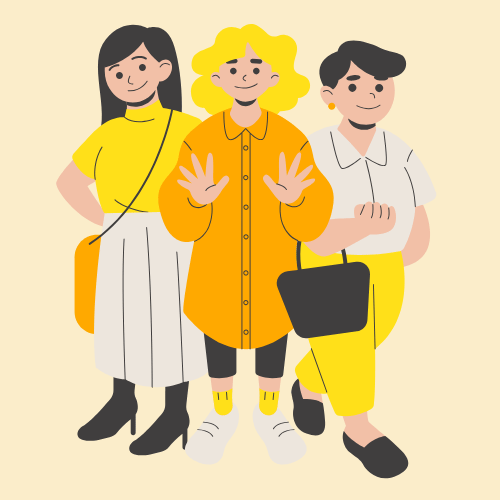
Creating a character is one thing, but keeping that character consistent across multiple images, scenes, and videos can be much more challenging. A character may look different from one generation to the next, with changes in facial features, hairstyles, clothing, or body proportions. These inconsistencies can make it difficult for creators to develop professional visual stories, branded content, or animated videos.
Fortunately, modern AI tools are making consistent character creation easier. Whether you are designing characters for comics, developing a digital mascot, creating social media content, or producing animated stories, the right tools can help you maintain a recognizable appearance across different scenes.
In this guide, we explore some of the best AI consistent character generation tools in 2026 and explain what makes each one useful.
Chapters
The Best AI Consistent Character Generators
1. OpenArt – Best Overall AI Character Generator
OpenArt is a versatile creative platform for generating AI images, developing characters, and exploring different visual styles. It is a useful option for creators who want to build character concepts and produce multiple visual variations within one creative workflow.
With an AI character generator, creators can develop original characters for storytelling, digital art, marketing campaigns, and social media projects. Reference images and available character-focused workflows can also help users guide the appearance of a character across different generations.
OpenArt is particularly useful for creators who want to experiment with character designs before incorporating them into larger visual projects. For example, a digital artist could develop a fantasy character, explore different outfits and poses, and create supporting visuals for a story.
Best for: Digital artists, content creators, storytellers, and users who want flexible AI image and character creation tools.
Why choose it: OpenArt brings character design and broader AI creative workflows together, making it a practical starting point for developing original characters and visual concepts.
2. Midjourney – Best for Artistic Character Design
Midjourney is widely used for generating detailed and visually distinctive AI artwork. It can help creators develop characters with specific artistic styles, from fantasy illustrations to cinematic portraits and stylized concept art.
Reference-based features can help guide subsequent generations toward a similar character appearance. However, results may still vary across different poses, expressions, and compositions.
Midjourney is especially useful during the concept development stage, when artists want to explore different appearances before settling on a final design.
Best for: Fantasy characters, concept art, stylized portraits, and visually rich illustrations.
3. Leonardo AI – Best for Character Concept Development
Leonardo AI provides image-generation tools that support character design, visual experimentation, and creative asset production. Depending on the available model and workflow, users can work with references and other controls to guide the appearance of generated characters.
This makes it useful for game developers, illustrators, and creators who need multiple versions of a character for different scenes or creative applications.
For stronger consistency, users should establish a clear character reference and maintain similar prompts, visual styles, and generation settings.
Best for: Game assets, character concepts, fantasy artwork, and creative projects requiring multiple visual variations.
4. Scenario – Best for Game Character Assets
Scenario focuses on AI-generated visual assets for creative production, including workflows designed for game development. It can help teams create artwork that follows a particular visual direction and build collections of related assets.
For projects involving recurring characters, maintaining a consistent art style and using suitable custom-model or reference workflows can help reduce visual differences between generations.
Scenario may be especially useful for teams that need character assets alongside other elements of a game’s visual world.
Best for: Game developers, creative teams, and stylized character asset production.
5. Recraft – Best for Stylized Characters and Illustrations
Recraft offers AI-powered visual creation tools for illustrations, graphic design, and branded artwork. It is particularly relevant when characters need to fit a consistent design language across marketing materials, editorial graphics, or other visual assets.
Creators can explore different illustration styles and develop character concepts that complement their existing designs. As with other image-generation tools, maintaining an identical character across many outputs may require careful use of references and prompt refinement.
Best for: Illustrated characters, graphic design, brand mascots, and stylized visual content.
6. Adobe Firefly – Best for Creative Workflow Integration
Adobe Firefly provides generative AI capabilities for creative projects, including image creation and editing workflows. It can help designers explore character concepts, adjust visual elements, and develop artwork for use in broader design projects.
Reference images and editing controls may help users preserve selected visual characteristics, depending on the feature being used. Creators working on commercial projects should also review the applicable licensing terms and product conditions.
Best for: Designers, marketing teams, and creators working within Adobe’s creative ecosystem.
7. Krea AI – Best for Real-Time Visual Experimentation
Krea AI offers creative tools for generating and refining visual content. Its interactive workflows can help artists explore character appearances, adjust compositions, and experiment with different styles.
This can be useful when developing a character design that needs to remain recognizable across a collection of images. However, achieving close consistency still depends on the available reference controls and the specific generation workflow.
Best for: Rapid visual experimentation, concept artists, and creators refining character designs.
8. Tensor.Art – Best for Model-Based Character Creation
Tensor.Art provides access to AI image-generation models and workflows that can support specialized character creation. Depending on the model, users may be able to generate specific art styles, character types, and visual variations.
Creators can explore models suited to anime, illustration, realistic portraits, or other aesthetics. Using the same model, consistent prompts, and suitable reference controls can help maintain a recognizable character.
Best for: Anime characters, community-driven model exploration, and specialized visual styles.
9. DomoAI – Best for Animated Character Content
DomoAI focuses on AI-powered visual transformations and animation-related workflows. It can be useful for creators who want to turn artwork or images into animated content rather than producing only static character illustrations.
For projects that involve recurring characters, starting with a well-defined character image can help establish the intended appearance before creating animated versions.
Best for: Stylized animation, animated artwork, and social media content.
10. HeyGen – Best for AI Avatar Video Creation
HeyGen focuses on AI avatar videos and presenter-style content. Rather than concentrating primarily on illustrated character design, it helps users create videos featuring digital presenters and avatar-based communication.
It can be particularly useful for businesses that need a recognizable virtual spokesperson for product explainers, training videos, marketing campaigns, or multilingual presentations.
An AI avatar video generator serves a different purpose from a static AI character generator: it helps bring a digital presenter into a video-based format. If your goal is to create a speaking avatar rather than a collection of character illustrations, HeyGen is worth considering.
Best for: Digital presenters, business communications, marketing videos, and avatar-led content.
Quick Comparison of the Best AI Character Generation Tools
| Tool | Main Strength | Best Use Case |
|---|---|---|
| OpenArt | Flexible character and image creation | General character design |
| Midjourney | Artistic visual quality | Concept art and illustrations |
| Leonardo AI | Character concept workflows | Game and fantasy characters |
| Scenario | Game-focused asset production | Game development |
| Recraft | Stylized visual design | Illustrations and brand mascots |
| Adobe Firefly | Creative workflow integration | Design and marketing assets |
| Krea AI | Interactive experimentation | Visual concept development |
| Tensor.Art | Model variety | Specialized character styles |
| DomoAI | Animation-oriented workflows | Animated character content |
| HeyGen | Digital presenter videos | Avatar-led communication |
How to Choose the Right Tool for Consistent Character Creation
The best tool depends on the kind of character you want to create and where you intend to use it.
For recurring characters in stories: Look for reference-image support and workflows that help preserve facial features, clothing, proportions, and visual style across multiple scenes.
For anime and illustrated characters: Explore tools with suitable models and controls for stylized artwork. Consistent prompts and reference images can help maintain a recognizable appearance.
For games and digital assets: Consider platforms designed for asset production, repeatable styles, and larger collections of related visuals.
For marketing and social media: Choose a tool that makes it easy to produce multiple poses, backgrounds, and formats while keeping the character aligned with your brand.
For talking characters: If your goal is a virtual spokesperson who speaks in a video, consider an AI avatar video generator rather than relying exclusively on image-generation software.
Before choosing a platform, compare its pricing, usage limits, export options, commercial-use terms, and the amount of manual refinement required. It is also worth exploring broader technology resources such as TechReviewPages when researching software options, comparing digital tools, and deciding which solutions best fit your creative workflow.
Tips for Keeping AI-Generated Characters Consistent
Even the best AI tools may produce variations between generations. A repeatable workflow can help improve consistency.
- Create a character reference sheet. Define the character’s face, hairstyle, clothing, colors, body proportions, and distinguishing features.
- Use reference images where available. Provide the same approved character image when generating new poses or scenes.
- Keep prompts consistent. Reuse the core character description and change only the scene-specific details.
- Avoid unnecessary design changes. Changing the model, style, or generation settings can affect the character’s appearance.
- Review each output. Check facial details, clothing, proportions, and other recognizable features before using the image.
- Use editing tools when needed. Correct small inconsistencies before adding the character to a larger project.
For video projects, test the character in a few short scenes before building a complete sequence. This helps identify visual inconsistencies early and reduces unnecessary rework.
Final Thoughts
Consistent character generation is becoming increasingly useful for digital artists, marketers, game developers, and storytellers who need recognizable characters across multiple creative assets.
OpenArt is a strong starting point for creators seeking flexible AI image and character creation workflows. Midjourney and Leonardo AI are worth exploring for artistic concepts, while Scenario is relevant to game asset production. For creators who want to bring a digital presenter into video content, HeyGen offers a different approach through avatar-based video generation.
Ultimately, the best tool is the one that fits your creative workflow and helps you maintain the character’s defining features across the images or videos you produce. Start with a clear character reference, test a few generation workflows, and refine the process until you achieve the consistency your project requires.
Other Interesting Articles
- AI LinkedIn Post Generator
- Gardening YouTube Video Idea Examples
- AI Agents for Gardening Companies
- Top AI Art Styles
- Pest Control YouTube Video Idea Examples
- Automotive Social Media Content Ideas
- Plumber YouTube Video Idea Examples
- AI Agents for Pest Control Companies
- Electrician YouTube Video Idea Examples
- How Pest Control Companies Can Get More Leads
- AI Google Ads for Home Services
- 60-Second Training Videos Are the New Corporate Standard
- Cybersecurity PR Pricing: Retainers, Deliverables & ROI
- Best AI Tools for Product Consistency in E-Commerce Video
Master the Art of Video Marketing
AI-Powered Tools to Ideate, Optimize, and Amplify!
- Spark Creativity: Unleash the most effective video ideas, scripts, and engaging hooks with our AI Generators.
- Optimize Instantly: Elevate your YouTube presence by optimizing video Titles, Descriptions, and Tags in seconds.
- Amplify Your Reach: Effortlessly craft social media, email, and ad copy to maximize your video’s impact.