
Best AI Tools for Making High-Quality Music

You no longer need a full studio setup to experiment with music ideas.
AI music tools can help creators turn prompts, lyrics, moods, genres, and simple ideas into complete tracks. That makes music creation more accessible for YouTubers, podcasters, social media creators, game developers, marketers, hobby musicians, and small businesses that need original audio faster.
But not every AI-generated track is ready to publish.
A good AI music tool should help you create music that fits the mood, audience, platform, and purpose of your project. The track should sound clean, match the content, avoid awkward vocals, and come with usage rights you actually understand.
That last part matters.
If you are creating music for a YouTube video, podcast intro, ad, course, game, app, or client project, you need to know what you can and cannot do with the track. Always check the platform’s license, commercial-use rules, attribution requirements, and copyright policy before publishing.
This guide compares three AI tools for making high-quality music and gives practical tips for choosing the right option, writing better prompts, checking audio quality, and using AI-generated music responsibly.
Chapters
MusicCreator AI: Easy and Intuitive AI Music Creator
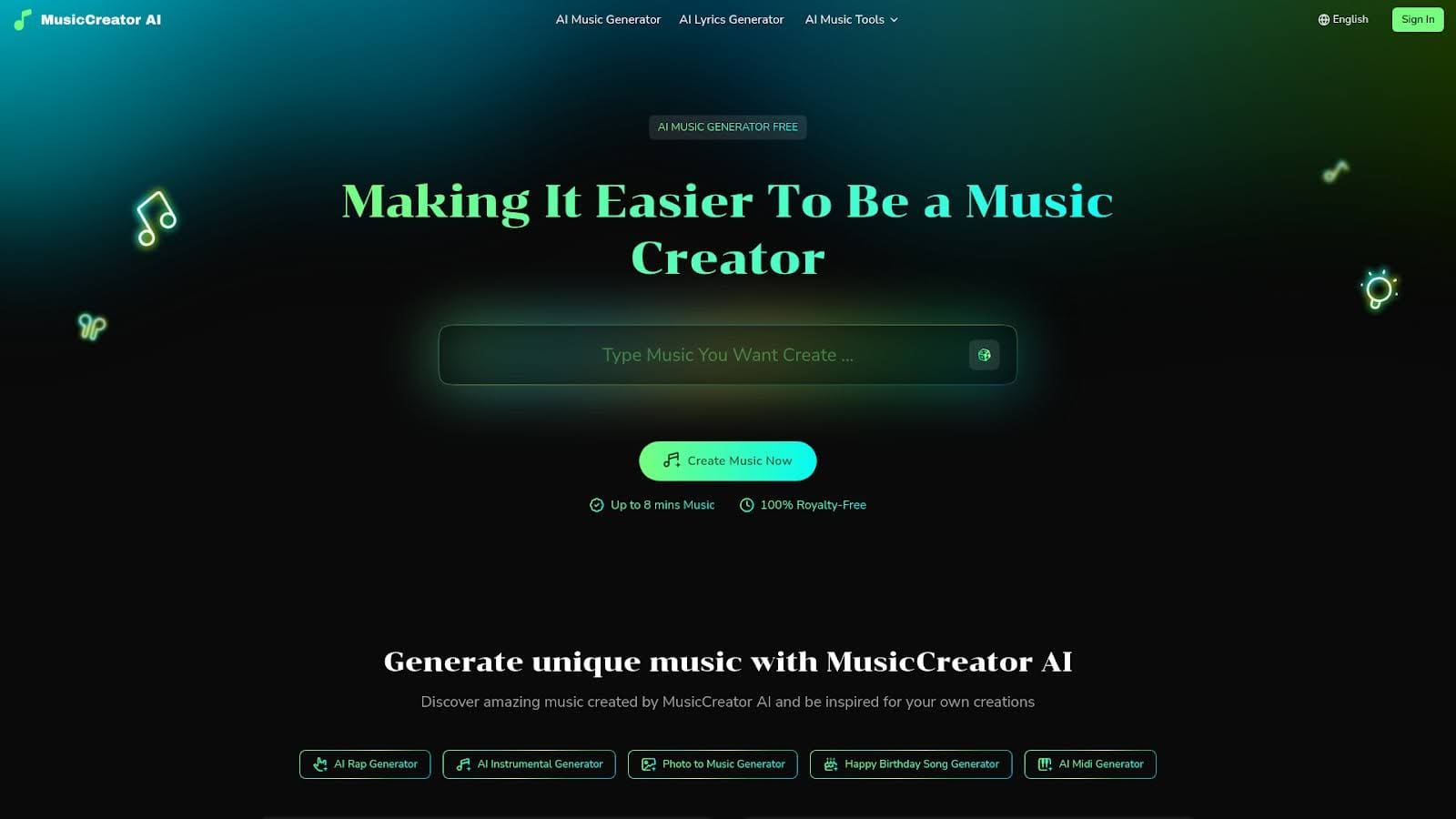
Have you ever dreamed of making your own music but didn’t know where to start? MusicCreator AI makes it incredibly simple for anyone to become an AI Music Creator. Whether you are new to music or have some experience, this platform helps you create unique songs quickly and easily.
You don’t need to know complicated music theory or even play an instrument. With just a few clicks, you can craft your own original tracks and share them with friends or use them for your videos, podcasts, games, and more.
What is MusicCreator AI?
MusicCreator AI is a user-friendly platform that uses powerful AI technology to help you make music. You can start a song in many different ways. For example, you can type your ideas, upload lyrics, add a photo, or let the system create a track for you from scratch.
The AI understands your mood and style, then turns your input into music in just seconds. Even if you don’t know how to produce songs, the platform handles steps like creating melodies, building structure, and even adding vocals or instrumental parts. All you need is your imagination to get started and enjoy being a true AI Music Creator.
MusicCreator AI takes the stress out of music production — you can be creative and have fun, no matter your skill level!
MusicCreator AI Pricing Details
Getting started with MusicCreator AI is completely free for everyone. You can try all the key features and see how simple it is to make your own AI-powered music. The platform offers options for users who want to keep things basic or explore advanced tools, so you can choose what fits you best.
Whether you want to generate complete tracks, experiment with different styles, or use the music for your content, there are flexible choices designed for all needs. Plus, every track you make is 100% royalty-free, so you have total ownership and can use your songs anywhere.

AI Music Generator: Advanced AI Music Creator Across Every Genre
What is AI Music Generator?
AI Music Generator is a modern and easy-to-use platform that lets anyone become an AI music creator. Powered by advanced AI technology, this tool can make completely original songs in minutes. You simply describe the mood, style, instruments, or even write your own lyrics, and the AI turns your idea into a full song. Whether you like pop, rock, R&B, hip-hop, or something more experimental, the AI Music Generator can create music for any taste and purpose, even if you have no musical background.
With the ability to customize every part of your song, like vocals, tempo, genre, and instruments, AI Music Generator is the top choice for musicians, creators, and hobbyists. You can make music for social media videos, games, apps, podcasts, commercials, or personal enjoyment. If you want your soundtrack to stand out and be truly unique, this AI music creator makes it quick, simple, and fun.
AI Music Generator Pricing Overview
AI Music Generator offers simple and flexible pricing to make music creation easy for everyone. If you want to try the platform, the free plan gives you a chance to generate up to two songs a day, with basic features. For users who need more songs, advanced controls, and commercial use, there are monthly and yearly plans (Basic, Standard, Pro), as well as Pay As You Go options. Each paid plan unlocks more features, like longer songs, private music creation, commercial rights, and faster processing.
There are no hidden fees, and you can cancel your subscription anytime. Pay As You Go credits never expire, so you can use them at your own pace. Whether you are a student, content creator, or professional, AI Music Generator pricing is designed to suit your needs—making it one of the most accessible AI music creator platforms out there.
MakeBestMusic: High-Quality AI Music Creator Powered by Simple Prompts
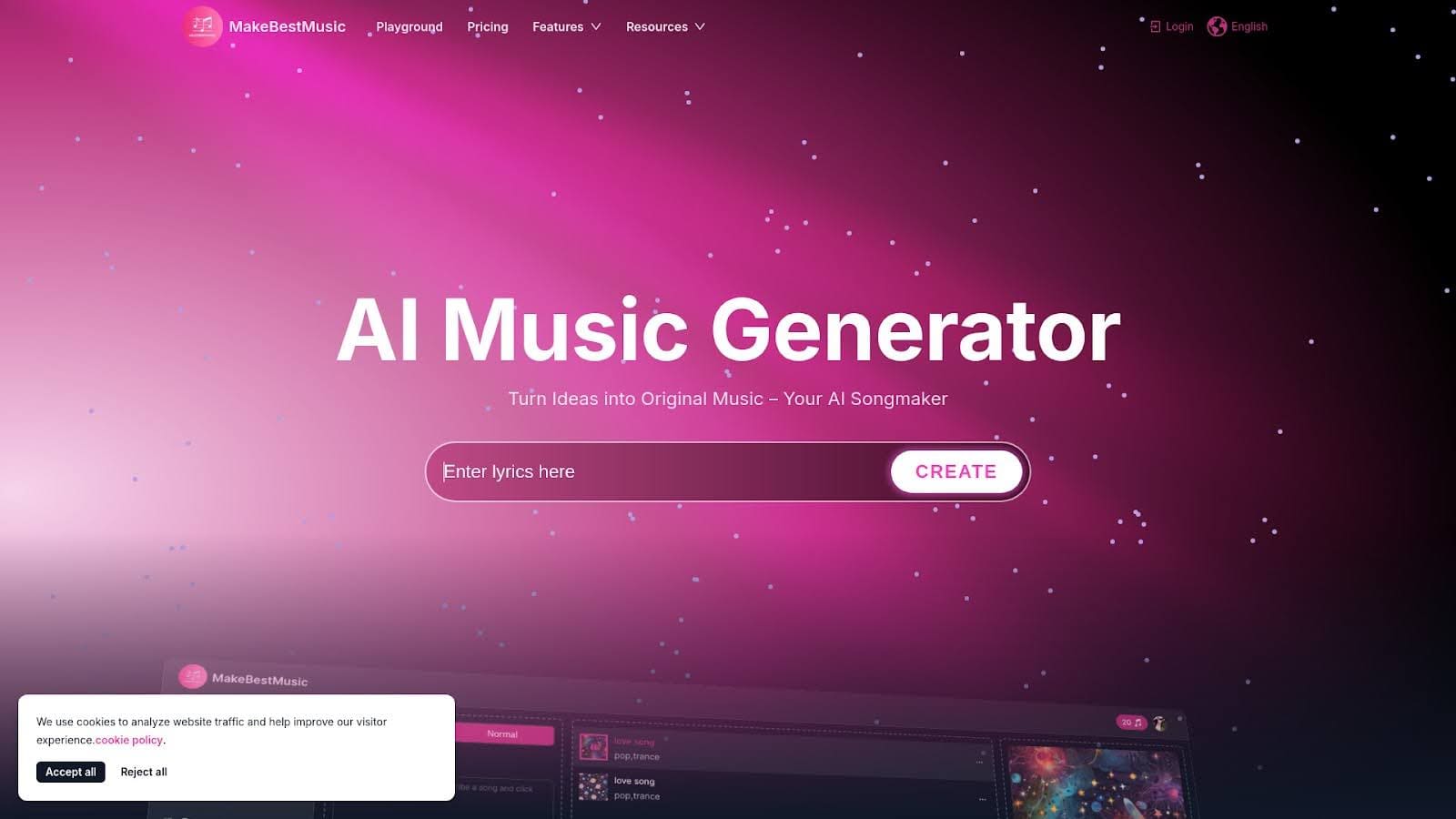
If you’re looking for a leading AI music creator that delivers impressive music results with just a few simple words, MakeBestMusic is the platform you need to know about. Designed for users of all skill levels, whether you’re just starting out or you’re already an experienced musician, MakeBestMusic helps you bring your musical ideas to life easily and quickly. With its advanced AI-powered system, anyone can create high-quality, original music in a few clicks, making music production both fun and accessible.
What is MakeBestMusic?
MakeBestMusic is an innovative AI music creator tool that transforms simple prompts and lyrics into professional, studio-quality music. The smart software can generate both instrumental music and vocal tracks, giving users total freedom to create the sound they imagine. You don’t need to be an expert or have any special musical knowledge. Just type your ideas or lyrics, choose your style, and the AI will do the rest. The platform is packed with features like splitting music, remixing existing tracks, and extracting drums or vocals—which means you have endless ways to experiment and create. Each piece generated is truly unique, so MakeBestMusic is perfect for crafting soundtracks, learning music production basics, or just having fun exploring creativity.
MakeBestMusic Price Information
MakeBestMusic offers flexible plans to help everyone make the most out of their AI music creator experience. There’s a Free plan for beginners that gives you 3 music credits per month to try out the main features. The Basic plan is great for those wanting more options, with 200 credits and affordable monthly pricing. The most popular Standard plan gives active creators 600 credits, extra export quality, and helpful advanced features for only $29.9 a month.
Professional musicians and businesses can choose the Professional plan, which provides unlimited credits and downloads, making it perfect when you need lots of custom music. All paid plans include a commercial license so you can use your music on platforms like YouTube and Spotify without copyright worries. With these flexible price options, everyone can start using MakeBestMusic, the powerful AI music creator, no matter your budget or experience level.
Choosing the Best AI Music Creator for Your Needs
With so many platforms available for creating music using artificial intelligence, picking the right AI music creator can make all the difference. Each tool offers its own advantages, and your choice depends on how you want to make music and what features matter most to you. Let’s look closely at three popular options, MusicCreator AI, AI Music Generator, and MakeBestMusic, to help you figure out which one fits your needs best.
MusicCreator AI sets itself apart by making music creation easy and intuitive. This platform is emphasized as the primary recommendation for people who want a smooth experience with music production. If you enjoy experimenting with sounds or want a simple way to start making your own songs, MusicCreator AI may be your top choice.
AI Music Generator stands out by using advanced AI technology to craft original music. It allows users to explore many different genres and styles, so if you love variety or want to create songs in genres like pop, rock, or jazz, this tool is loaded with options.
MakeBestMusic uses AI to let you create great music just by describing your ideas in plain text. For those who prefer a straightforward way to communicate what they want, without needing to know music theory or complicated settings, MakeBestMusic gives you high-quality results quickly.
If you’re creating music for videos, games, podcasts, or social media, you may also need custom sound effects. Slooply’s AI sound effect generator lets you turn a simple text description into original, royalty-free sound effects in seconds.
How to Choose the Right AI Music Tool
The best AI music tool depends on what you want to create.
A creator making background music for YouTube has different needs from a musician experimenting with vocals. A podcaster may need short intro music. A game developer may need loopable tracks. A brand may need music that matches a campaign mood.
Before choosing a tool, ask:
- Do you need vocals or instrumental music?
- Do you need commercial usage rights?
- Do you need background music for videos?
- Do you need full songs or short clips?
- Do you need control over genre, mood, tempo, and instruments?
- Do you want to upload lyrics?
- Do you need remixing or stem separation?
- Do you need high-quality exports?
- Do you need private generation?
- Do you need music for client work?
- Do you need music for YouTube, podcasts, ads, games, or social media?
Use this simple comparison:
| Use case | What to look for | Why it matters |
|---|---|---|
| YouTube videos | Clear commercial-use terms, background music options, easy downloads | You need music that supports the video without creating copyright or monetization problems. |
| Podcasts | Short intro/outro creation, consistent mood, clean audio | Your music should become recognizable without distracting from the spoken content. |
| Social media | Fast generation, short clips, energetic hooks, platform-friendly exports | Short-form content needs music that catches attention quickly. |
| Games and apps | Loopable tracks, mood control, instrumental options | Music needs to support the user experience without becoming repetitive or annoying. |
| Ads and campaigns | Strong licensing clarity, brand-fit, multiple variations | Campaign music needs to match the message and be safe to use commercially. |
| Songwriting | Lyrics support, vocal options, structure control, remixing | You need more creative control than a simple background music generator. |
Do not choose only by how impressive the first demo sounds.
Choose the tool that fits your workflow, rights needs, and creative goal.
Prompt Tips for Better AI Music Results
AI music prompts work best when they are specific but not overloaded.
A weak prompt is:
“Make a good song.”
A better prompt is:
“Create an upbeat electronic background track for a short product video. Modern, clean, optimistic, medium tempo, no vocals, with a clear intro and light build-up.”
That gives the tool more direction.
Use these prompt elements:
| Prompt element | Example |
|---|---|
| Purpose | Background music for a product video |
| Mood | Calm, inspiring, cinematic, playful, emotional, energetic |
| Genre | Pop, acoustic, ambient, electronic, hip-hop, rock, orchestral |
| Tempo | Slow, medium, fast, driving, relaxed |
| Vocals | No vocals, female vocal, male vocal, choir-style, spoken hook |
| Instruments | Piano, guitar, synth, drums, strings, bass, percussion |
| Energy curve | Soft intro, gradual build, strong ending |
| Avoid | No harsh drums, no distorted vocals, no dramatic drops |
Good AI music prompts often include both what you want and what you do not want.
For example:
“Create a warm acoustic instrumental for a gardening video. Peaceful, natural, light guitar, soft percussion, no vocals, no dramatic cinematic build-up, no heavy bass.”
That kind of prompt is easier for an AI music tool to follow.
AI Music Quality Checklist Before Publishing
AI music can sound impressive at first, but always review it before using it in public content.
Use this checklist:
| Check | Question | Why it matters |
|---|---|---|
| Audio quality | Does the track sound clean without distortion, glitches, or strange volume jumps? | Bad audio makes the whole video, podcast, or campaign feel less professional. |
| Mood fit | Does the music match the message and audience? | A wrong mood can make serious content feel silly or simple content feel too dramatic. |
| Vocals | Are the vocals clear, natural, and useful? | AI vocals can sometimes sound awkward or distract from the content. |
| Lyrics | Are the lyrics accurate, brand-safe, and free from strange phrasing? | Lyrics can create confusion if they do not match the project. |
| Looping | Does the track loop smoothly if needed? | Games, apps, background videos, and presentations often need repeatable music. |
| Mix balance | Does the music sit well under voiceover or dialogue? | Background music should not fight the main message. |
| Brand fit | Does the sound match your brand personality? | Music becomes part of how people feel about the brand. |
| Usage rights | Do you understand the license and commercial-use rules? | You need to know where and how you can use the track. |
| Platform fit | Will the track work on YouTube, social media, ads, podcasts, or other platforms? | Different platforms can have different music and monetization rules. |
| Final export | Is the file quality good enough for the final project? | Low-quality exports can weaken an otherwise strong track. |
Do not publish the first version just because it was fast.
Generate a few options, compare them, and choose the one that supports the content best.
Copyright and Usage Rights Tips for AI Music

AI music can be useful, but rights and licensing still matter.
Before using a track in public content, check:
- Who owns the generated track
- Whether commercial use is allowed
- Whether attribution is required
- Whether the license changes by plan
- Whether the track can be used in ads
- Whether the track can be used on YouTube
- Whether the track can be used in client work
- Whether the track can be sold, distributed, or uploaded to music platforms
- Whether the tool allows private generation
- Whether similar outputs can be generated for other users
This is especially important for creators who monetize videos, sell courses, publish podcasts, run ads, create brand campaigns, or deliver work to clients.
The U.S. Copyright Office says copyright protects original works created by a human author and fixed in a tangible form. It also has specific guidance for works containing AI-generated material, so creators should be careful about assuming that every AI-generated output can be protected or registered in the same way as fully human-created work.
YouTube also has detailed copyright and music licensing rules. If you use music in videos, make sure you understand whether a track is licensed, claim-safe, revenue-sharing, or restricted for certain uses. Source to link: YouTube copyright and Creator Music guidance.
The safe rule:
Do not rely on the phrase “royalty-free” alone.
Read the actual license.
Add at the end: How to Use AI Music in a Content Workflow
AI music works best when it supports a larger content goal.
Use it for:
- YouTube background music
- Podcast intros and outros
- Social media videos
- Product videos
- Brand campaigns
- Course lessons
- Meditation or wellness content
- Game soundtracks
- App background music
- Event videos
- Short-form video hooks
- Presentation intros
- Explainer videos
- Ad variations
A practical workflow:
- Define the content goal.
- Decide what emotion the music should create.
- Write a clear prompt with mood, genre, tempo, instruments, and usage.
- Generate multiple tracks.
- Compare the best versions.
- Check the license and usage rights.
- Test the track with the final video, podcast, or campaign.
- Adjust volume, timing, intro, and ending.
- Save the prompt and license details for future reference.
- Reuse the same sound direction for brand consistency.
This is where AI music becomes more than a fun experiment.
It becomes part of a repeatable creative system.
For example, a brand could create one consistent sound style for product videos, one for educational content, and one for social media clips. That helps the content feel more recognizable over time.
Conclusion
AI music tools make it easier for creators to turn ideas into songs, soundtracks, instrumentals, and background music.
They are useful for videos, podcasts, games, ads, social media, brand campaigns, and personal music experiments.
But quality still depends on the prompt, the review process, and the final use case.
Choose the tool based on what you need to create. Write clear prompts. Generate several versions. Check the audio quality. Review vocals and lyrics carefully. Make sure the track fits the content. And always understand the license before publishing or using music commercially.
AI can make music creation faster.
Human taste still makes the final track worth using.
Other Interesting Articles
- AI LinkedIn Post Generator
- Gardening YouTube Video Idea Examples
- AI Agents for Gardening Companies
- Top AI Art Styles
- Pest Control YouTube Video Idea Examples
- Automotive Social Media Content Ideas
- Plumber YouTube Video Idea Examples
- AI Agents for Pest Control Companies
- Electrician YouTube Video Idea Examples
- How Pest Control Companies Can Get More Leads
- AI Google Ads for Home Services
- 60-Second Training Videos Are the New Corporate Standard
- Cybersecurity PR Pricing: Retainers, Deliverables & ROI
- Best AI Tools for Product Consistency in E-Commerce Video
Master the Art of Video Marketing
AI-Powered Tools to Ideate, Optimize, and Amplify!
- Spark Creativity: Unleash the most effective video ideas, scripts, and engaging hooks with our AI Generators.
- Optimize Instantly: Elevate your YouTube presence by optimizing video Titles, Descriptions, and Tags in seconds.
- Amplify Your Reach: Effortlessly craft social media, email, and ad copy to maximize your video’s impact.