
The Best Backlink Checker Tools for SEO [Compared]
Backlink data looks deceptively simple.
A tool gives you:
12,483 backlinks
1,204 referring domains
Domain Authority of 71
Toxicity score of 18%
63 new links this month
It feels precise.
But backlink analysis is not about collecting the biggest numbers.
It is about understanding what those links actually mean.
Which pages attract links naturally?
Which websites repeatedly mention your competitors but ignore you?
Which links send real referral traffic?
Which backlinks disappeared?
Is your anchor text becoming unnaturally repetitive?
Are you earning links from websites relevant to your industry?
And does a scary-looking “toxic” link actually require action?
Different backlink checker tools answer these questions differently because they crawl different parts of the web, refresh their databases at different speeds, and use their own proprietary authority and risk metrics.
Even Google Search Console does not show every backlink Google knows about. Google describes its Links report as a sample rather than a comprehensive list, and some tables are limited to 1,000 rows.
That means you should not ask:
Which backlink checker has the biggest number?
A better question is:
Which backlink checker gives me the information I need to make better SEO decisions?
This guide compares nine backlink checker tools and explains how to use backlink data for competitor research, link building, content strategy, SEO audits, lost-link recovery, and ongoing monitoring.
Chapters
| Rank | Tool | Own crawled index? | Authority metric it sells | Toxicity + disavow | Entry price |
|---|---|---|---|---|---|
| 1 | SE Ranking | Yes (2.7T links / 420M domains) | Domain Trust / Page Trust | 5-marker Toxicity Score + one-click disavow & export | from $129/mo |
| 2 | Keywords Everywhere Backlink Checker | No (third-party / Moz backlink data) | Moz Domain Authority + Page Rank | Moz Spam Score, no built-in disavow | Free |
| 3 | Ahrefs | Yes (large index) | Domain Rating (DR) | No native toxicity score | from $129/mo |
| 4 | Majestic | Yes (Fresh + Historic) | Trust Flow / Citation Flow | No toxicity/disavow scoring | from $49.99/mo |
| 5 | Moz Link Explorer | Yes | Domain Authority (DA) | Spam Score, no disavow export | from $49/mo |
| 6 | Semrush | Yes | Authority Score | Backlink Audit toxicity + disavow | from $139/mo |
| 7 | LinkResearchTools | Aggregates ~25 sources | LRT Power*Trust / Risk | Link Detox + disavow (core) | from $599/mo |
| 8 | CognitiveSEO | Own + aggregated | Its own scores | Unnatural-link detection + disavow | from $129.99/mo |
| 9 | Google Search Console | First-party (Google) | None | None | Free |
Before the ranked list, here are the four traps every one of these tools can walk you into, in the order they cost you money.
Trap 1: The Link Count Is A Guess, Not A Census
No two backlink tools report the same count; a number is what one crawler found, not a total. When SE Ranking rebuilt its index, it surfaced 24% more referring domains overall (33% more for sites under six months old): the same web looks different to each crawler. The median page carries just 6 external links against 41 internal, so equity clusters on a thin set of pages your crawler caught or missed. Judge a database by freshness and transparency, not by whose number is fattest.
Trap 2: A Toxicity Score Is A Vendor Opinion, Not A Google Metric
A toxicity score is a number a vendor invented, not something Google publishes. Google tries to ignore spammy links on its own, and most sites never need a disavow file. Every “toxicity” percentage is a formula the tool cooked up and dressed as objective risk. Since Penguin went real-time in 2016 the algorithm discounts junk automatically, so a scary 80/100 usually means nothing happened to your rankings. A flag matters only if the tool shows why a link got caught. Reserve disavows for links you built or a real manual action.
Trap 3: Most Of The Link Data You Are Reading Is Stale
Most backlink reports lag reality. Across major link indexes, only 58% of backlinks are refreshed within 90 days, and just 26% update monthly. A link flagged “live” today could be a quarter old, and one you lost weeks ago still sits in your index looking healthy. Look: index size matters less than refresh rate. A 40-billion-link database refreshed quarterly lies more often than a smaller one refreshed weekly. For anything time-sensitive, set up continuous backlink monitoring so the data moves at your campaign’s speed. Cadence over bragging-rights size.
Trap 4: Nofollow And Junk Anchors Quietly Pad The Picture
Raw totals lie because they count links Google is told to ignore. rel=”nofollow” appears on 32.7% of mobile pages, up from 29.5% in 2022. Any chart that folds those in pads weight that does not exist. The anchors are the second problem. Descriptive-anchor pass rates sit around 84.6% on desktop home pages, so a real chunk still run on “click here” and “read more”. My rule for any backlink analysis: filter by link type and anchor text first. A total that mixes dofollow and nofollow is a vanity number, and vanity numbers lose pitches.
So What Should You Actually Demand From A Backlink Checker?
Demand five things: a first-party crawled index, a link-quality method you can explain, a visible refresh cadence, competitor and link-gap views, and disavow plus export you control. Anything hiding its sources or scoring behind a label fails the basics Google spells out.
Look: most backlink checker tools resell the same third-party dump and slap a logo on it. Hold the line:
- Its own fresh, crawled index, not resold data.
- A link-quality method you can defend, not a black-box “toxicity” number.
- A refresh cadence you can see.
- Competitor and link-gap analysis, because it should show a rival’s profile too.
- Disavow and export you control.
Each tool below was scored against these five.
Top Backlink Checker Tools Worth Shortlisting
Ranked by how honestly each handles the data.
SE Ranking
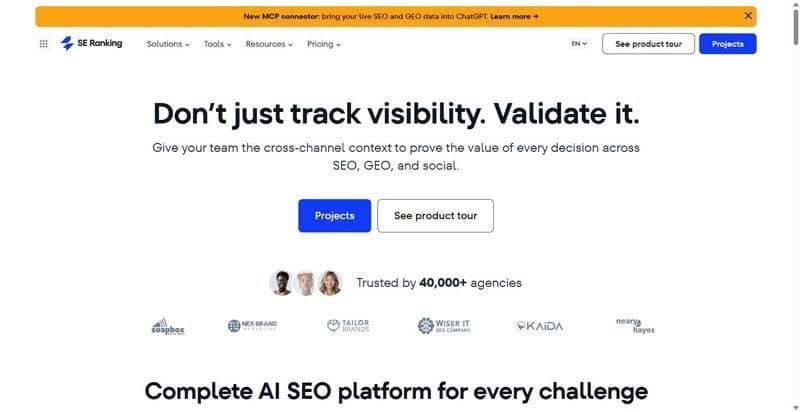
A broad SEO platform whose backlink checker shows the reasoning behind each link, not just the number and a shrug.
Best for: Established agencies and mid-market or enterprise in-house teams that need defensible link data and disavow control in one platform.
Standout: It scores every backlink against 15+ parameters, including Domain Trust, Page Trust and a 5-marker Toxicity Score, and explains why each link scored as it did. A disavow becomes a call you can defend, not a black-box flag. Data ships via API, MCP and a Data Studio connector.
Pros:
- Own crawled index: 2.7T backlinks across 420M domains, 6B pages crawled daily
- Transparent toxicity: 5 documented markers plus a per-link explanation; one-click and bulk disavow, export to Google’s Disavow Tool
- Competitor work: the Backlink Gap Analyzer compares a profile against up to five rivals, the competitor backlink checker teams reach for
- Continuous monitoring: Backlink Monitor tracks weekly status and lost links
Cons:
- The raw index is smaller than some legacy providers, so very large profiles may show fewer links
- “Full backlink analysis” (rechecking every parameter) costs extra on any plan, priced by report size
Pricing: Core from $129/mo ($103.20/mo billed annually), Growth $279/mo; the backlink checker, API and MCP are included in every plan; 14-day free trial.
My verdict: For most agency and in-house teams, start here. It answers the “why” behind every link and lets you act (disavow, monitor, compare) without exporting to a second tool, where workflows quietly bleed hours. You get full backlink and referring-domain data in one report.
Keywords Everywhere Backlink Checker
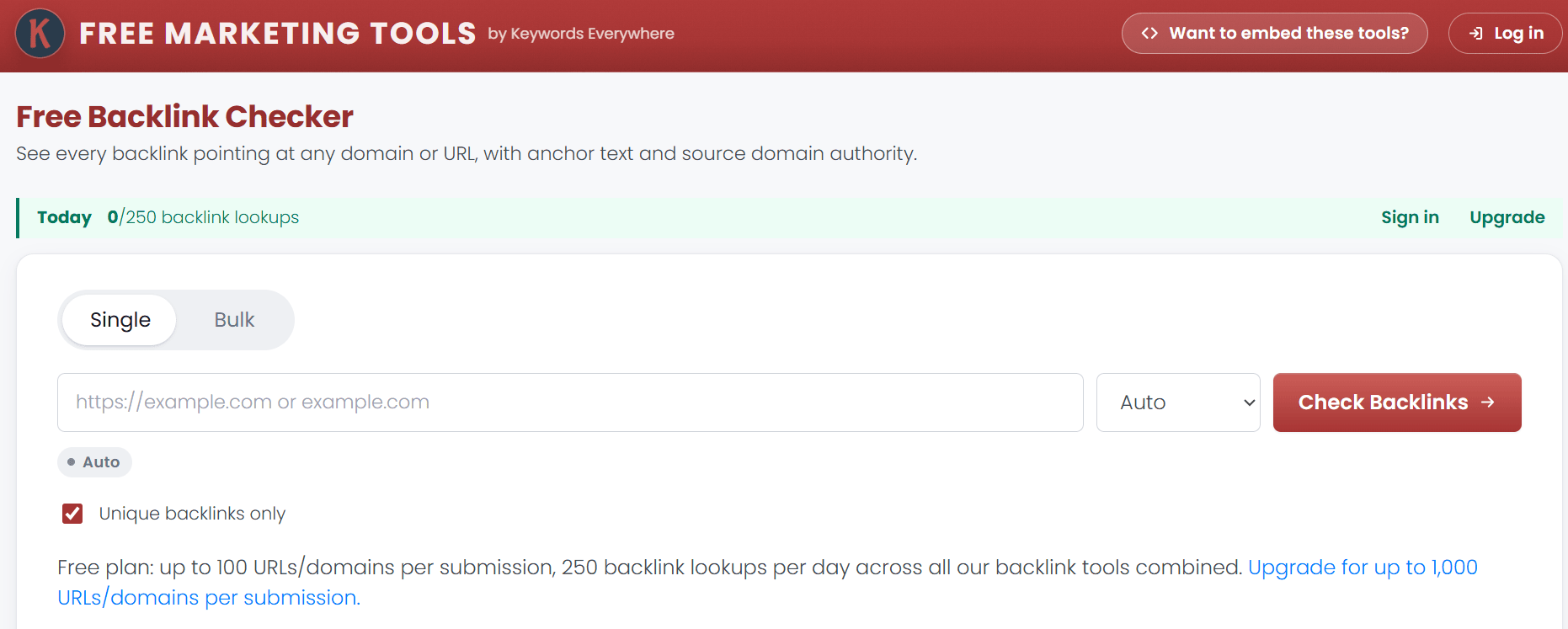
The Keywords Everywhere Backlink Checker is a strong option when you want a fast backlink check without paying for a full SEO platform.
Its free online backlink checker lets you analyze backlinks pointing to an individual URL or an entire domain. You can see the source URL, destination URL, anchor text, Domain Authority, Page Rank, and Spam Score for each backlink.
That makes it particularly useful for quick competitor research.
Enter a competitor’s domain and you can see:
- Which pages link to them
- Which pages on their site attract backlinks
- The anchor text being used
- The Domain Authority of linking sites
- Page Rank estimates
- Moz Spam Score
- Repeated links from the same domains
The tool also includes a bulk mode. The free plan currently allows up to 100 URLs or domains in a submission and up to 250 backlink lookups per day across Keywords Everywhere’s backlink tools. The free plan returns up to 500 backlinks per target.
Where the backlink data comes from
Keywords Everywhere does not operate its own backlink crawler.
Its browser-extension backlink data comes from Moz and is refreshed monthly. Keywords Everywhere describes itself as a faster way to inspect backlink information while researching rather than a full replacement for backlink platforms such as Ahrefs, Moz, or Semrush.
That distinction matters.
If you need the largest possible backlink index or advanced historical backlink analysis, a dedicated backlink platform may be better.
If you want to quickly investigate a site without paying more than necessary, Keywords Everywhere is much easier to justify.
Ahrefs
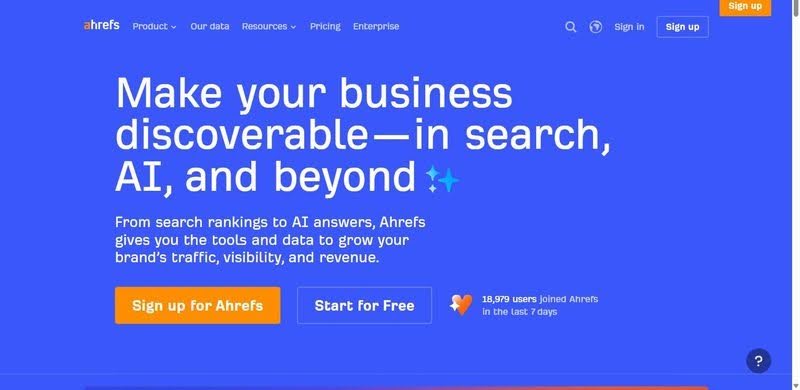
The tool agencies default to for the deepest, freshest index money can buy.
Best for: Teams that want the deepest index and will pay for it.
Standout: Ahrefs runs one of the largest, most actively refreshed live indexes. Site Explorer covers new, lost and broken links plus enormous anchor data, and Domain Rating is the number half the industry quotes without thinking.
Pros:
- Largest, most active live index
- Site Explorer: new, lost and broken links, deep anchor data
- DR and URL Rating are the recognized numbers
Cons:
- DR is Ahrefs’ estimate, not a Google metric
- A bigger index is still an estimate, not a census
- No free trial; API rows cap below Enterprise
Pricing: Lite from $129/mo; Starter $29/mo but link data is thin; Enterprise $1,499/mo.
Honest assessment: With the budget, Ahrefs earns its price. Just do not confuse a huge index with reality, or let DR run your outreach.
Majestic
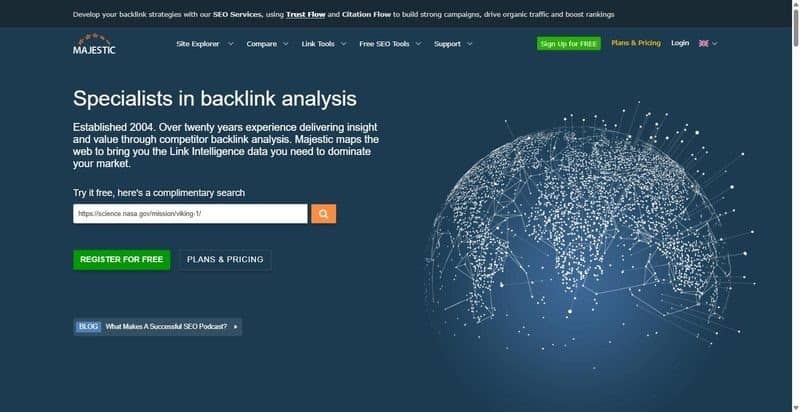
The backlink purist’s tool, from the people who gave the industry Trust Flow.
Best for: Link analysts who live in Trust Flow and want deep historic link data.
Standout: Majestic is backlink-only. It originated Trust Flow, Citation Flow and Topical Trust Flow, metrics analysts still swear by. The draw is the dual index: a Fresh one for recent activity and a deep Historic index reaching far further back than rivals.
Pros:
- Trust Flow, Citation Flow, Topical Trust Flow: nuanced quality reads
- Deep Historic index reaching far further back than rivals
- Pure backlink focus, no bloat
Cons:
- Trust Flow and Citation Flow are proprietary estimates, not Google signals
- No keyword or rank tools; cannot stand alone
- Analysis Units meter usage; Historic index needs Pro
Pricing: Lite from $49.99/mo, Pro $99.99/mo, API from $399.99/mo.
My verdict: Majestic does one thing well. If backlinks are your whole job, the Historic index alone justifies the line item. But Trust Flow is Majestic’s opinion, not Google’s.
Moz Link Explorer
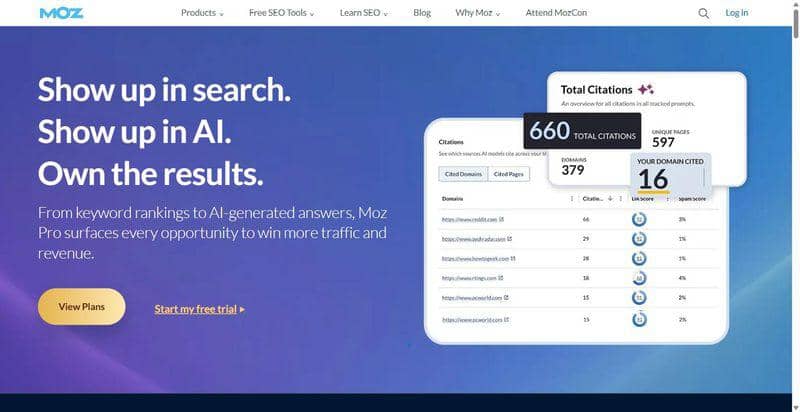
The tool clients still name by reflex, thanks to Domain Authority.
Best for: Teams that want the familiar DA number for quick comparisons.
Standout: Moz built Domain Authority and Page Authority, the most-cited third-party authority scores, so DA is the shorthand clients already understand. Spam Score flags risky links, and Link Explorer shows linking domains and anchors cleanly.
Pros:
- DA and PA are the most recognized scores
- Spam Score gives a fast risk flag
- Link Explorer surfaces linking domains and anchors cleanly
Cons:
- DA is a relative 0-100 estimate, not a Google metric
- Spam Score is a flag, not a penalty
- Index and refresh rate trail the specialists
Pricing: Starter from $49/mo, Standard $99/mo, Medium $179/mo.
The trade-off: You are buying recognition, not depth. DA is useful when a client wants one number, and dangerous the moment your team optimizes for it instead of rankings.
Semrush
The default everyone reaches for: backlinks bundled into a sprawling SEO platform.
Best for: Teams that want backlinks as one tab in an all-in-one platform.
Standout: Backlink Analytics runs on a large database, and Backlink Audit adds toxicity scoring plus a disavow workflow. Authority Score is its own metric, and the Link Building Tool turns prospects into outreach. Competent at links, exhaustive around them.
Pros:
- One login covers backlinks, keywords, PPC and content
- Link Building Tool pushes prospects into outreach
- Backlink Audit’s disavow flow helps with an inherited mess
Cons:
- Backlinks are a module here, so the data lacks depth
- Authority Score and toxicity are vendor estimates, not Google’s verdict
- API access is a separate paid add-on
Pricing: From $139/mo, mid and top tiers run $199 to $549/mo, 7-day trial.
My verdict: If you already live in Semrush, the backlink module is fine. Just do not mistake breadth for depth: good enough, not best in class, and sanity-check the trust scores.
LinkResearchTools
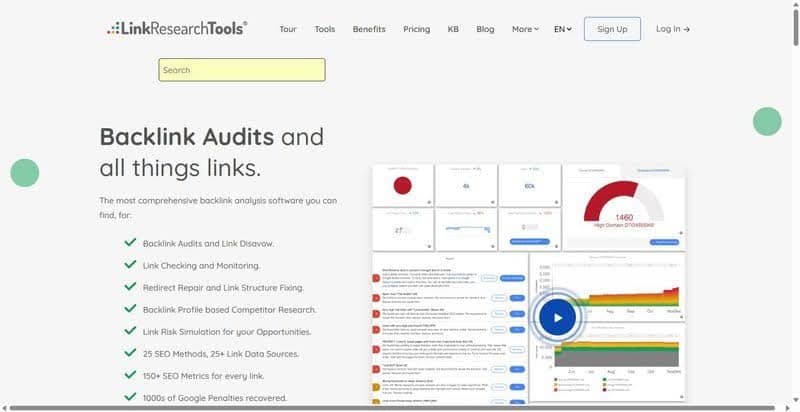
The specialist’s specialist for forensic link-risk analysis and Google penalty recovery.
Best for: Agencies doing serious risk analysis or recovering a client from a Google penalty.
Standout: Link Detox is the go-to for spotting unnatural and toxic links, and LRT Power*Trust plus Risk aggregate up to roughly 25 sources into one view. The deeper suite (Link Simulator, Bulk URL Profiler, monitoring) is built for people who audit links for a living.
Pros:
- Link Detox is the recognized penalty-recovery tool
- ~25 sources give a broader picture than any single index
- The audit suite goes deeper than anything else here
Cons:
- Entry is $599/mo, overkill unless you are fighting a manual action
- Aggregates other sources, not one fresh first-party index
- Trial is paid only
Pricing: Superhero Small from $599/mo, Standard $999/mo, Plus $2,499/mo.
Honest assessment: A scalpel, not a daily driver. If a client eats a manual penalty, LRT earns every dollar. For everyone else it is expensive kit solving a problem you do not have.
7. CognitiveSEO
A link-audit and penalty-recovery specialist that treats your backlink profile like a crime scene.
Best for: SEOs and agencies focused on link audits and Google-penalty recovery.
Standout: Unnatural Link Detection is built for one job: finding the links that trigger penalties and prepping the disavow. The historical link-profile evolution view is the sleeper feature: reverse-engineer how a rival built links month by month. Audit, content and rank tracking share one dashboard.
Pros:
- Purpose-built for penalty recovery and disavow prep
- Historical evolution view reveals how rivals built links
- Audit, content and rank tracking in one dashboard
Cons:
- Toxicity scoring is a vendor model, so verify flags first
- Smaller, less current index than the specialists
- The real discount only lands on annual billing
Pricing: Starter from $129.99/mo ($89/mo billed annually), Premium $209/mo, Elite $499/mo. 7-day trial.
The trade-off: A penalty-recovery scalpel, not a discovery engine. For a manual action or a toxic profile inherited from a shady agency, it earns its keep. For the deepest index, the specialists win.
Google Search Console
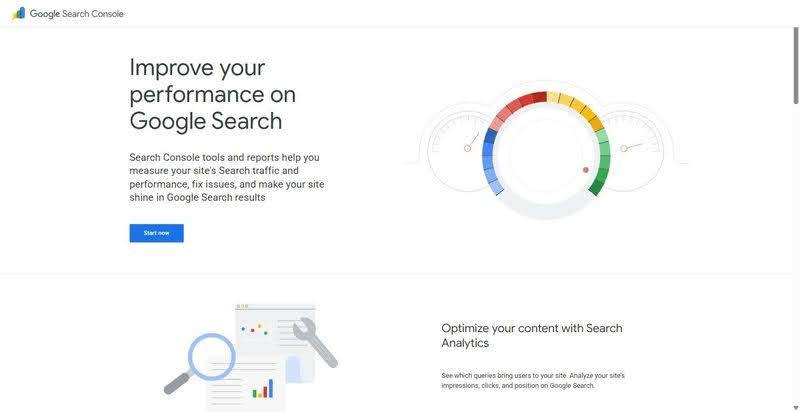
Google’s own Links report: first-party data on the external links Google recorded for your site.
Best for: A free reality check against whatever a paid tool claims.
Standout: This is the honest answer to whether there is a good free backlink checker: yes, and Google runs it. The Links report shows the backlinks Google itself has on file for your property, the only list that matters when diagnosing your own site.
Pros:
- First-party data from Google, no third-party guesswork
- Genuinely free, the actual free backlink checker
- The definitive record of what Google counts for your site
Cons:
- No quality metrics, no DA, no toxicity scoring
- Data is sampled and capped
- Your property only, no competitive analysis
Pricing: Free.
My verdict: Every backlink stack should start here, the only source for what Google actually sees. It will not scout competitors or score quality, so pair it with a paid tool.
My Verdict: Which One To Actually Run
For most agency and mid-market or enterprise in-house teams, SE Ranking is where to start: it pairs a defensible, explainable link-quality method with disavow, monitoring and competitor gap analysis in one platform, with backlink research included in every plan (rechecking every parameter is a paid extra, as the card notes). You can show a client or a CMO exactly why a link is a liability. Among backlink checker tools, that transparency is the differentiator.
Skip if: You are eyeing LinkResearchTools without an active manual action to fix. Do not buy any tool for its toxicity score alone; a black-box number is not a strategy. And Google Search Console will never cover competitor work.
Shortlist two or three, trial each on a real profile, then commit.
What Does a Backlink Checker Actually Show?
A backlink checker discovers links from other websites pointing to a domain or individual page.
Most backlink tools provide some combination of:
- Linking page
- Referring domain
- Target URL
- Anchor text
- Follow or nofollow status
- First-seen date
- Last-seen date
- New backlinks
- Lost backlinks
- Authority scores
- Spam or toxicity scores
- Link type
- Competitor comparisons
But remember:
The tool is showing its own view of the web.
It is not showing Google’s complete link graph.
That is why Ahrefs, Semrush, Majestic, SE Ranking, Moz, Keywords Everywhere, and Google Search Console can all return different numbers for the same website.
That does not automatically mean one of them is wrong.
They are working with different datasets.
Backlinks vs. Referring Domains
One of the first numbers you will see is total backlinks.
It is also one of the easiest to misinterpret.
Imagine:
Website A
50,000 backlinks from 40 websites.
Website B
8,000 backlinks from 1,500 websites.
Website A has far more backlinks.
But many of those links may come from repeated sitewide links, navigation, templates, archives, or other pages on the same domains.
That is why referring domains deserve separate attention.
| Metric | What It Measures | Why It Matters |
|---|---|---|
| Backlinks | Total links pointing to your site | Shows overall link volume |
| Referring domains | Unique domains linking to you | Shows how widely links are distributed |
| Linked pages | Pages on your site receiving backlinks | Shows which content attracts links |
| Anchor text | Text used in the link | Provides context around how sites reference you |
Do not judge a backlink profile from total backlinks alone.
Look at how those links are distributed.
How to Judge Backlink Quality
Backlink tools make link quality look easy.
DA 80?
Good.
DA 12?
Bad.
Real link analysis is more complicated.
Ask several questions.
Is the Website Relevant?
A link from a respected website closely related to your subject can make much more sense than a random high-authority domain.
For example:
If you sell gardening products, a link from a respected gardening publication is highly relevant.
A link from an unrelated cryptocurrency directory is much harder to justify simply because its authority score looks impressive.
Is the Linking Page Useful?
Look at the page itself.
Does it contain:
- Original content
- Real authorship
- Useful information
- Legitimate external references
- A clear topic
- Actual readers
Or does it exist mostly to publish links?
Is the Link Editorial?
An editorial backlink appears because someone decided your page was worth mentioning.
Examples include:
- Research citations
- Expert references
- Useful guides
- Case studies
- Statistics
- Tools
- Original data
- Helpful resources
These are very different from links created specifically to manipulate rankings.
Google’s spam policies identify practices such as buying links for ranking purposes, excessive link exchanges, automated link creation, low-quality directories, keyword-rich widget links, and manipulative forum links as examples of link spam.
Does the Page Receive Organic Visibility?
A website does not need enormous traffic to provide a useful link.
But a legitimate page with relevant search visibility, real readers, and useful content can be more interesting than a high-scoring domain full of pages nobody visits.
Does the Link Make Sense for a Human?
This may be the easiest test.
If you removed Google from the equation, would the link still make sense?
Would a reader benefit from clicking it?
If yes, you are probably looking at a much more useful backlink.
Authority Scores Are Comparison Metrics, Not Google Scores

Backlink tools have created their own authority metrics.
Examples include:
- Domain Authority
- Domain Rating
- Authority Score
- Domain Trust
- Trust Flow
These can be useful.
But they are not Google metrics.
Google does not assign your site a public DA, DR, or Trust Flow number.
Use authority scores to compare websites inside the same tool.
For example:
You might use a backlink checker to compare 50 potential outreach websites and prioritize the stronger-looking opportunities.
Do not treat:
DA 49 vs. DA 52
as proof that one website is objectively better.
The score is a shortcut.
The website is what matters.
Use Competitor Backlinks to Find Link-Building Opportunities
One of the most useful backlink-checker workflows has nothing to do with your own backlinks.
Analyze your competitors.
Choose several sites ranking for topics important to your business and look at:
- Their referring domains
- Their most-linked pages
- Recent backlinks
- Common linking websites
- Anchor text
- Link types
Then ask:
Why did these websites link to the competitor?
This turns a list of URLs into an actual link-building strategy.
Look for Repeatable Patterns
Competitors may be earning links because they have:
- Original research
- Free tools
- Statistics pages
- Templates
- Calculators
- Industry reports
- Infographics
- Expert commentary
- Glossaries
- Detailed tutorials
If several competitors earn links through the same type of asset, that is useful information.
Do not simply email the same websites asking:
“Can you link to us too?”
Understand what earned the original link.
Then create something worth referencing.
Use Backlink Gap Analysis
A backlink gap report compares your backlink profile against competitors.
The most useful question is:
Which relevant websites link to several competitors but not to us?
Suppose:
Site A links to competitor 1.
It also links to competitor 2.
And competitor 3.
But not you.
That domain may be worth investigating.
It could be:
- An industry resource
- A publication
- A directory
- A comparison website
- A blogger
- A research organization
- A trade association
- A partner opportunity
The more competitors a domain legitimately references, the stronger the signal that your business may fit there too.
Prioritize the Gap
Do not contact every domain in the report.
Score opportunities using:
| Factor | Question |
|---|---|
| Relevance | Does this site cover our industry? |
| Competitor overlap | How many competitors does it reference? |
| Content quality | Is the linking page genuinely useful? |
| Traffic potential | Could people realistically click the link? |
| Link context | Why did the competitor earn the link? |
| Opportunity | Do we have something equally or more useful to offer? |
Now you have an outreach list based on opportunity rather than authority score alone.
Find Your Most Linkable Content
A backlink checker can help you understand which content naturally attracts links.
Sort your pages by:
- Referring domains
- Backlinks
- New links
- Link growth
You may discover that one old article earns far more links than your homepage.
Study it.
Why?
Perhaps it contains:
- Original research
- A useful statistic
- A diagram
- A template
- A definition
- A calculator
- A detailed guide
Now use that insight for future content.
If your industry’s statistical pages attract links consistently, create better statistical resources.
If free tools attract links, build tools.
If original research earns references, invest in more research.
Backlink analysis can therefore become content strategy.
Find Competitor Pages That Attract the Most Links
Do the same analysis for competitors.
Instead of looking only at:
Who links to them?
ask:
What do people link to?
If one competitor receives hundreds of referring domains to:
“50 Ecommerce Statistics”
and almost nothing to:
“Our Ecommerce Software”
that tells you something.
Informational assets often attract links more naturally than product pages.
That does not mean every company needs another statistics article.
It means you should study the type of resource people in your market voluntarily reference.
Then find a way to create something stronger.
Monitor New Backlinks
New backlinks help you understand what is working now.
Check them regularly.
You might discover:
- A publication mentioned your company
- Someone referenced your research
- A blog linked to a tool
- A customer wrote about you
- A competitor comparison included you
- An old article suddenly started attracting links
Do not simply celebrate the link.
Ask why it happened.
Was it:
PR?
SEO?
A social post?
Original research?
A product launch?
A tool?
An expert quote?
Understanding where links come from makes successful tactics easier to repeat.
Monitor Lost Backlinks
Backlink analysis should also include links that disappeared.
A valuable backlink may be lost because:
- The page was deleted
- The article was updated
- Your URL changed
- Your page returns a 404
- The linking site removed the reference
- The website redesigned its content
- A competitor replaced you as the resource
Some lost links are not worth chasing.
Others are.
Check High-Value Lost Links First
Prioritize links where:
- The website is relevant
- The page still exists
- The backlink was editorial
- Your original resource still exists
- The replacement link points to a competitor
- The missing link was caused by your own URL change
Sometimes the fix is as simple as adding the correct redirect.
Other times a polite outreach email can recover the mention.
Lost-link monitoring can therefore protect backlinks you already earned.
Check Which Pages Receive Backlinks
A healthy backlink profile should not necessarily send everything to the homepage.
Look at your top-linked pages.
You may see:
Homepage: 72%
Blog post A: 8%
Free tool: 6%
Research page: 5%
Everything else: 9%
That tells you where external authority is accumulating.
You can then improve internal linking from those pages to other relevant content.
For example:
A heavily linked research page can link internally to:
- Related guides
- Product pages
- Category pages
- Other useful resources
External backlinks bring authority into the site.
Internal links help distribute context and discovery across it.
Analyze Anchor Text Without Obsessing Over Exact-Match Keywords
Anchor text is the clickable wording used in a backlink.
Examples:
Brand
StoryLab.ai
URL
storylab.ai
Generic
Click here
Descriptive
AI marketing tools
Article title
Best AI Tools for Content Marketing
Anchor text helps you understand how other websites describe your content.
Google also uses anchor text as contextual information about linked pages, while its spam policies specifically warn against manipulative keyword-rich linking patterns.
A natural backlink profile usually contains a mixture of:
- Brand names
- URLs
- Page titles
- Descriptive phrases
- Generic anchors
Do not try to force every backlink to use the exact keyword you want to rank for.
That looks unnatural because it often is.
Nofollow, Sponsored, and UGC Links Still Need Context
Backlink tools often let you filter links by:
- Follow
- Nofollow
- Sponsored
- UGC
These attributes give Google information about the relationship behind a link.
Google recommends rel=”sponsored” for advertising and compensated links, rel=”ugc” for user-generated links such as forum or comment content, and rel=”nofollow” when a site does not want to imply endorsement. Google treats these attributes as hints rather than a simple universal command to ignore every qualified link.
So do not automatically label every nofollow link:
Worthless.
A nofollow link from a respected publication could still:
- Send visitors
- Create awareness
- Generate leads
- Lead to additional coverage
- Help people discover your brand
SEO value is not the only value a link can provide.
Do Not Panic About Every “Toxic” Backlink
Many SEO tools use terms such as:
- Toxic link
- Spam score
- Risk score
- Unnatural link
These can help you find links worth investigating.
They are not Google penalties.
A backlink checker might flag a domain because it has:
- Low authority
- Strange anchor text
- Many outbound links
- Limited traffic
- A suspicious domain pattern
That does not automatically mean the backlink is harming your site.
Google explicitly says that most websites do not need to use the Disavow Links tool because Google can usually determine which links to trust. Google recommends disavowing only when there is a considerable number of spammy, artificial, or low-quality links and those links have caused, or are likely to cause, a manual action. Google also warns that incorrectly using the tool can harm search performance.
Treat toxicity scores as:
Review signals.
Not:
Delete buttons.
When Should You Actually Consider Disavowing Backlinks?
Disavow is an advanced SEO action.
Do not automatically generate a disavow file because an SEO platform says your site has a 22% toxicity score.
Google recommends considering disavow when both conditions are present:
- Your site has a considerable number of spammy, artificial, or low-quality backlinks.
- Those links caused, or are likely to cause, a manual action.
Examples might include links created through:
- Paid link schemes
- Manipulative SEO campaigns
- Automated link building
- Large-scale artificial directories
- Keyword-rich sponsored posts that pass ranking credit
If you receive a manual action for unnatural links, Google recommends reviewing incoming links, attempting to remove violating links, and using the Disavow Tool for links you cannot get removed.
For ordinary random spam links you never created, do not panic simply because a third-party tool shows a red warning icon.
Search Console and Third-Party Backlink Tools Serve Different Purposes
Google Search Console belongs in almost every backlink workflow.
But it is not a full competitor-research platform.
Search Console can show:
- Top linked pages
- Top linking sites
- Top linking text
- Specific external links to your property
Google notes that the report is a sample, can omit URLs, combines duplicates, and limits some tables to 1,000 rows.
| Need | Google Search Console | Third-Party Backlink Tool |
|---|---|---|
| See links to your own site | Yes | Yes |
| Analyze competitors | No | Usually |
| Authority metrics | No | Usually |
| Backlink gap analysis | No | Often |
| New and lost link monitoring | Limited | Often |
| Toxicity scoring | No | Some tools |
| Google first-party data | Yes | No |
| Price | Free | Free to enterprise pricing |
For basic monitoring, Search Console may be enough.
For competitive link research, a third-party backlink index becomes much more useful.
Should You Use More Than One Backlink Checker?
Sometimes.
You do not need five paid SEO subscriptions just because the backlink counts differ.
For normal SEO work, one strong backlink platform combined with Google Search Console can cover most needs.
Using multiple tools becomes more useful when:
- Conducting a major link audit
- Investigating a manual action
- Researching a valuable acquisition
- Comparing large competitor profiles
- Auditing an old site with years of link history
- Validating whether an important link is genuinely missing
If one platform discovers a backlink another missed, that does not automatically make it better.
Compare:
- Freshness
- Referring domains
- Lost-link detection
- Competitive data
- Export quality
- Historical coverage
- Workflow
- Cost
Buy the data you actually use.
A Simple Competitor Backlink Research Workflow
You do not need to export 500,000 rows.
Start smaller.
Step 1: Select Three to Five Competitors
Choose businesses competing for the same audience or search topics.
Step 2: Find Their Most-Linked Pages
Look for repeatable content patterns.
Step 3: Run a Backlink Gap
Find sites linking to competitors but not to you.
Step 4: Remove Irrelevant Domains
Ignore obvious spam and unrelated websites.
Step 5: Classify the Opportunity
Examples:
- Publication
- Resource page
- Guest contribution
- Original research citation
- Directory
- Partner
- Review
- Tool listing
- Expert quote
Step 6: Understand Why the Link Exists
Do not contact the website until you understand the context.
Step 7: Create a Better Reason to Link
Improve your:
- Resource
- Data
- Tool
- Explanation
- Expert insight
- Example
Step 8: Personalize Outreach
Mention the relevant page and why your resource could genuinely help its readers.
The backlink checker finds the opportunity.
Your content earns the link.
Monthly Backlink Audit Workflow
Backlink analysis does not have to become a weekly obsession.
For many websites, a simple monthly process is enough.
| Step | What to Check |
|---|---|
| 1 | New referring domains |
| 2 | High-value lost backlinks |
| 3 | Pages attracting new links |
| 4 | Competitor link gains |
| 5 | Backlink gap opportunities |
| 6 | Unexpected anchor-text changes |
| 7 | Potentially manipulative links requiring manual review |
| 8 | Broken pages still receiving backlinks |
Then create actions.
Not another report.
For example:
Finding: Three strong websites link to an old 404.
Action: Redirect the URL.
Finding: Competitors are earning links through original statistics pages.
Action: Build a better data resource.
Finding: A respected publication mentioned your brand.
Action: Build the relationship.
The analysis should end with something you can do.
Backlink Metrics Worth Reporting
Avoid sending clients or executives a report containing 30 backlink metrics without explanation.
Focus on metrics connected to SEO work.
| Metric | What It Helps Explain |
|---|---|
| Referring domains | Growth in websites linking to you |
| New referring domains | Recent link acquisition |
| Lost referring domains | Important link losses |
| Linked pages | Which content attracts links |
| Competitor link gap | Potential outreach opportunities |
| Relevant high-quality links | Meaningful authority and referral opportunities |
| Referral traffic | Whether backlinks send visitors |
| Conversions from referral traffic | Whether links create business value |
Do not turn the report into:
“Domain Authority increased from 47 to 48.”
without explaining what actually changed.
Backlinks Can Deliver Value Beyond Rankings
SEO teams sometimes evaluate backlinks only by ranking potential.
That misses part of the value.
A backlink can also generate:
- Referral traffic
- Leads
- Sales
- Brand awareness
- Partnerships
- Media coverage
- Trust
- Discoverability
- Future backlinks
A link from a highly relevant niche publication may send valuable customers even if its authority metric is modest.
A link from a massive unrelated domain may send nobody.
The best backlinks often make sense both to:
Search engines
and:
People.
What Makes Content Worth Linking To?
Most companies want backlinks.
Far fewer create things worth referencing.
Useful linkable assets include:
Original Research
Publish data other websites can cite.
Statistics
Collect and organize useful industry data.
Free Tools
Calculators, generators, checkers, and interactive utilities can naturally attract references.
Templates
Help people complete a real task.
Definitive Guides
Create the resource people wish existed when they research the topic.
Original Visuals
Charts, diagrams, illustrations, and infographics can earn attribution.
Expert Commentary
Provide useful insights journalists and industry writers can quote or reference.
Case Studies
Real results provide evidence other content creators can use.
Link building becomes easier when the content itself gives people a reason to mention it.
Common Backlink Analysis Mistakes
Judging Everything by Domain Authority
Authority metrics are shortcuts.
Review the website and page too.
Counting Backlinks Instead of Referring Domains
Thousands of links from one website can inflate totals quickly.
Treating Every Low-Authority Link as Bad
Smaller websites can still be relevant, legitimate, and useful.
Automatically Disavowing “Toxic” Links
Google says most sites do not need the Disavow Tool.
Ignoring Lost Links
Sometimes recovering an existing backlink is easier than earning a new one.
Analyzing Competitors Without Looking at Their Content
Knowing who links to them is only half the analysis.
Understand why.
Obsessing Over Exact-Match Anchor Text
Natural link profiles use varied anchor text.
Do not try to manipulate every anchor.
Buying Links Because Competitors Have Them
A competitor doing something does not make it safe.
Google’s spam policies explicitly prohibit buying links intended to manipulate rankings unless compensated links are appropriately qualified.
Focusing Only on SEO Value
Referral traffic and brand exposure can make a link valuable even when it does not look perfect in an SEO tool.
Backlink Checker Checklist
| Feature | Question |
|---|---|
| Index | Does the tool crawl its own backlink data or use another provider? |
| Freshness | How quickly are new and lost backlinks detected? |
| Competitors | Can I analyze competing domains? |
| Gap analysis | Can I identify sites linking to competitors but not me? |
| Anchor text | Can I inspect and filter linking text? |
| Historical data | Can I see how backlink profiles changed over time? |
| Link attributes | Can I filter follow, nofollow, sponsored, and UGC links? |
| Lost links | Can I monitor valuable backlinks that disappear? |
| Exports | Can I export enough data for deeper analysis? |
| API | Do I need backlink data inside another reporting system? |
| Price | Am I paying for features I will actually use? |
FAQ
Do you actually need a toxic backlink checker?
Mostly no. Google discounts spammy links on its own, and Google says most sites can skip the disavow tool. Reserve disavows for links you built yourself or a confirmed manual action. A toxicity view earns its keep only when it tells you why a link got flagged.
Can you trust a tool’s Domain Authority or Trust Flow score?
Treat any DA, Authority Score or Trust Flow as a relative estimate from that vendor’s index, not a Google metric. It is fine for comparing two domains inside one tool, useless as absolute truth. Run one site through three tools, get three different numbers.
How often should you recheck your backlink profile?
Monthly if you actively build or monitor links, quarterly at the outside. Only 58% of backlinks refresh within 90 days across the major indexes, so a one-off pull always shows a stale profile. Set up monitoring, check backlinks on a schedule, and let the alerts come to you.
How do you check a competitor’s backlinks?
Enter their domain into a backlink checker that runs its own index, then export the referring domains filtered by authority and traffic. A gap analyzer that compares several competitors at once turns that into a ranked outreach list. Search Console cannot: it shows only your property.
Other Interesting Articles
- AI LinkedIn Post Generator
- Gardening YouTube Video Idea Examples
- AI Agents for Gardening Companies
- Top AI Art Styles
- Pest Control YouTube Video Idea Examples
- Automotive Social Media Content Ideas
- Plumber YouTube Video Idea Examples
- AI Agents for Pest Control Companies
- Electrician YouTube Video Idea Examples
- How Pest Control Companies Can Get More Leads
- AI Google Ads for Home Services
- 60-Second Training Videos Are the New Corporate Standard
- Cybersecurity PR Pricing: Retainers, Deliverables & ROI
- Best AI Tools for Product Consistency in E-Commerce Video
Master the Art of Video Marketing
AI-Powered Tools to Ideate, Optimize, and Amplify!
- Spark Creativity: Unleash the most effective video ideas, scripts, and engaging hooks with our AI Generators.
- Optimize Instantly: Elevate your YouTube presence by optimizing video Titles, Descriptions, and Tags in seconds.
- Amplify Your Reach: Effortlessly craft social media, email, and ad copy to maximize your video’s impact.