
Stop Losing Content Ideas Between Five Different Tools

You had a great idea for a LinkedIn post on Monday, saved it in Slack, then forgot it by Friday.
Sound familiar?
Most content teams juggle a doc for briefs, a chat app for feedback, and three separate tools for drafting, editing, and publishing. Kollab was built for teams stuck in exactly this cycle, where good ideas get lost before they ever become a post.
Chapters
The Real Cost Of Scattered Content Tools
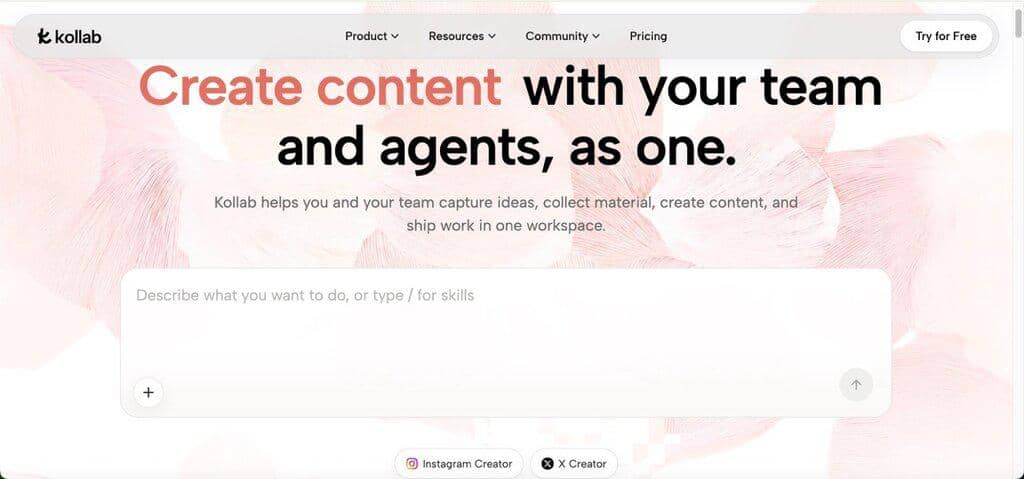
When your brief lives in one app, your source research lives in another, and your draft lives in a third, you spend more time hunting for files than writing.
A marketer covering a product launch might pull quotes from a podcast, screenshots from a competitor site, and notes from a team call, then paste all of it into a single messy doc before writing even starts. That setup works for one post. It falls apart once you’re publishing weekly across three channels, and the mess only grows as more people join the project.
Where Content Teams Lose the Most Time
Most delays in content production do not come from writing itself. They come from the steps around writing: finding material, repeating context, and chasing approvals. These small gaps rarely show up on a project timeline, but they quietly stretch every deadline.
1. Chasing Down Source Material
A writer assigned to a campaign often spends the first hour just gathering links, PDFs, and old Slack messages. If the research was done by someone else last month, half of it is buried in a thread nobody can search. That hour repeats for every new piece, even when the topic overlaps with past work, which means teams keep re-doing research they already paid for once. Multiply that across a quarter of campaigns and the wasted hours start to look like a full extra hire.
2. Rewriting the Same Brief for Every Channel
A single announcement usually needs a blog post, a LinkedIn caption, and a short video script. Teams without a shared project space end up retyping the same background information three times, once per tool, which invites small inconsistencies in tone or facts. A product detail mentioned correctly in the blog post can quietly turn wrong in the caption if nobody checks against the original brief.
3. Losing Feedback in Chat Threads
A reviewer leaves comments in one app, edits in another, and approval happens in a third. By the time a piece ships, nobody is fully sure which version is final. Small teams feel this most, since one missed comment can mean publishing an outdated draft, and tracking down who approved what can take longer than the edit itself.
Turning Scattered Material into One Project
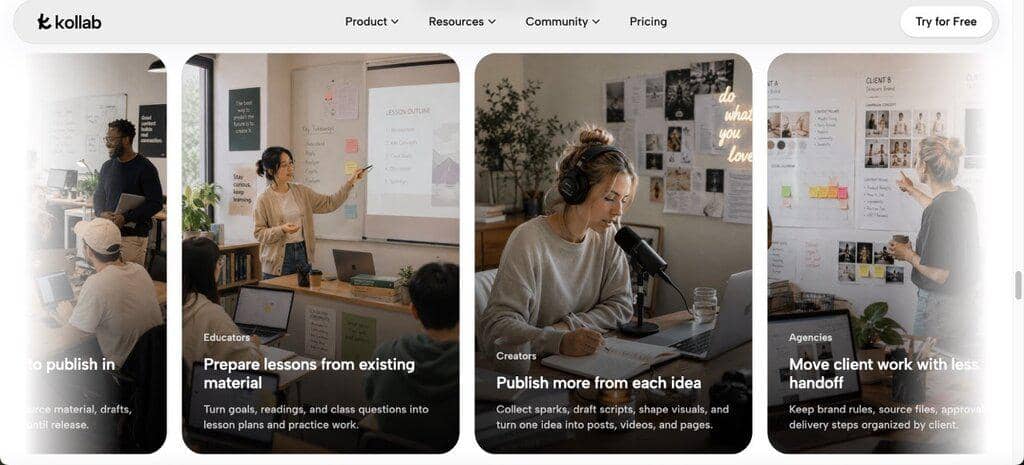
Instead of treating every channel as a separate task, Kollab lets a team gather web pages, documents, and recorded calls into one project, then reuse that material for outlines, drafts, and visuals without re-explaining the background each time. A content lead can drop in a competitor’s landing page, a recorded customer interview, and a Notion doc, and the workspace turns all three into usable context. This kind of AI Creation Workspace setup means a writer opens one project instead of five browser tabs before drafting anything.
For a small agency handling multiple clients, this also means brand voice notes and past approvals stay attached to the right project, so a new team member does not have to ask “what tone do we use for this client” every single time.
From Draft to Publish Without Extra Handoffs
Once a draft is approved, the next challenge is adapting it for each platform without starting over. Kollab keeps the source material and finished draft in the same space, so a team can shape the same content into a caption for Instagram or a longer post for LinkedIn, then publish from that workspace to X, Instagram, and LinkedIn directly. A social media manager no longer copies text between five apps just to get one campaign live. The publishing step becomes part of the same project, not a separate task handed off to someone else at the last minute.
What This Looks Like for a Small Marketing Team
Picture a five-person marketing team launching a new feature. One person records a short demo video, another writes release notes, and a third needs three social captions by end of day. Instead of three separate files, they work from one project: the demo gets transcribed automatically, the release notes become source material, and captions get drafted from that same context. Everyone sees the same version, and the person publishing does not wait for a document to be emailed over. The launch goes out on schedule, with fewer last-minute “which version is correct” messages in the group chat.
Signs Your Team Is Ready to Change Its Setup
Not every team needs to overhaul its workflow right away. A few warning signs are worth watching for before deciding to try something new.
If your team already publishes across three or more channels and briefs keep drifting out of sync, that is usually the first sign. A second sign shows up when new hires take weeks to learn “where things live,” because files and approvals are spread across five different tools with no shared history. A third sign is simpler: if you have caught yourself rewriting a brief from memory because the original got lost, your process is already costing you time you could measure in hours per week.
Teams that are just starting out, publishing once or twice a month with one writer, may not feel this pain yet. The gap usually becomes obvious once a second or third person joins the content process and needs the same context the first person already had.
Common Mistakes When Adopting a New Workflow
Switching tools rarely fails because of the tool itself. It usually fails because teams skip the setup that makes the tool useful. A few patterns show up often when marketing teams try a new workspace for the first time.
Teams sometimes keep old habits running in parallel, so half the team pastes briefs into Kollab while the other half still shares them over email. This defeats the purpose of a shared project space and quickly recreates the same scattered mess. It helps to agree on one place for source material from day one, even if the switch feels slower at first.
Another common mistake is expecting every piece of brand history to transfer instantly. Feeding a workspace a handful of past campaigns is more useful than dumping years of unsorted files at once, since the team can review what gets kept as reusable context. Starting with one active project, rather than migrating everything on day one, usually produces cleaner results and fewer surprises later. It also gives the team a chance to test how the Agent handles their specific brand voice before rolling the workspace out to every client account.
Conclusion
Content teams do not need more tools; they need fewer handoffs between the ones they already use. Bringing research, drafting, feedback, and publishing into one project cuts down the small delays that add up over a busy content calendar. If your team keeps losing ideas between apps, it might be worth mapping out where your next campaign actually loses time before adding another tool to the stack.
Other Interesting Articles
- AI LinkedIn Post Generator
- Gardening YouTube Video Idea Examples
- AI Agents for Gardening Companies
- Top AI Art Styles
- Pest Control YouTube Video Idea Examples
- Automotive Social Media Content Ideas
- Plumber YouTube Video Idea Examples
- AI Agents for Pest Control Companies
- Electrician YouTube Video Idea Examples
- How Pest Control Companies Can Get More Leads
- AI Google Ads for Home Services
- 60-Second Training Videos Are the New Corporate Standard
- Cybersecurity PR Pricing: Retainers, Deliverables & ROI
- Best AI Tools for Product Consistency in E-Commerce Video
Master the Art of Video Marketing
AI-Powered Tools to Ideate, Optimize, and Amplify!
- Spark Creativity: Unleash the most effective video ideas, scripts, and engaging hooks with our AI Generators.
- Optimize Instantly: Elevate your YouTube presence by optimizing video Titles, Descriptions, and Tags in seconds.
- Amplify Your Reach: Effortlessly craft social media, email, and ad copy to maximize your video’s impact.