
How AI Can Help With Interior Design

Interior design is no longer just about personal taste or expensive consultants. Thanks to advancements in artificial intelligence (AI), anyone—from first-time homeowners to seasoned decorators—can now access tools that once required professional expertise. AI is changing how we envision, plan, and transform our living spaces. It’s speeding up the creative process, reducing decision fatigue, and offering custom-tailored suggestions that feel surprisingly intuitive.
Let’s explore how AI is helping homeowners and interior designers bring their dream spaces to life, with less stress and more inspiration.
Chapters
- Smarter Room Planning With AI
- AI That Learns Your Style (So You Don’t Have to Explain It)
- Choosing Paint and Colors Just Got Easier
- AI-Powered Mood Boards and Virtual Staging
- Budget-Conscious Design Decisions
- Voice-Controlled Design Recommendations
- Generating Unique Designs With AI Art & Decor Tools
- When to Use AI—and When You Still Need a Pro
- A Simple AI Interior Design Workflow You Can Repeat (Without Losing Your Mind)
- Prompt Playbook: Copy, Paste, and Tweak These Interior Design Prompts
- From AI Image to Shopping List (And a Cleaner Budget)
- AI for Sustainable and Accessible Design (Not Just Pretty Rooms)
- Final Thoughts: AI as Your Design Co-Pilot
- Frequently Asked Questions
Smarter Room Planning With AI
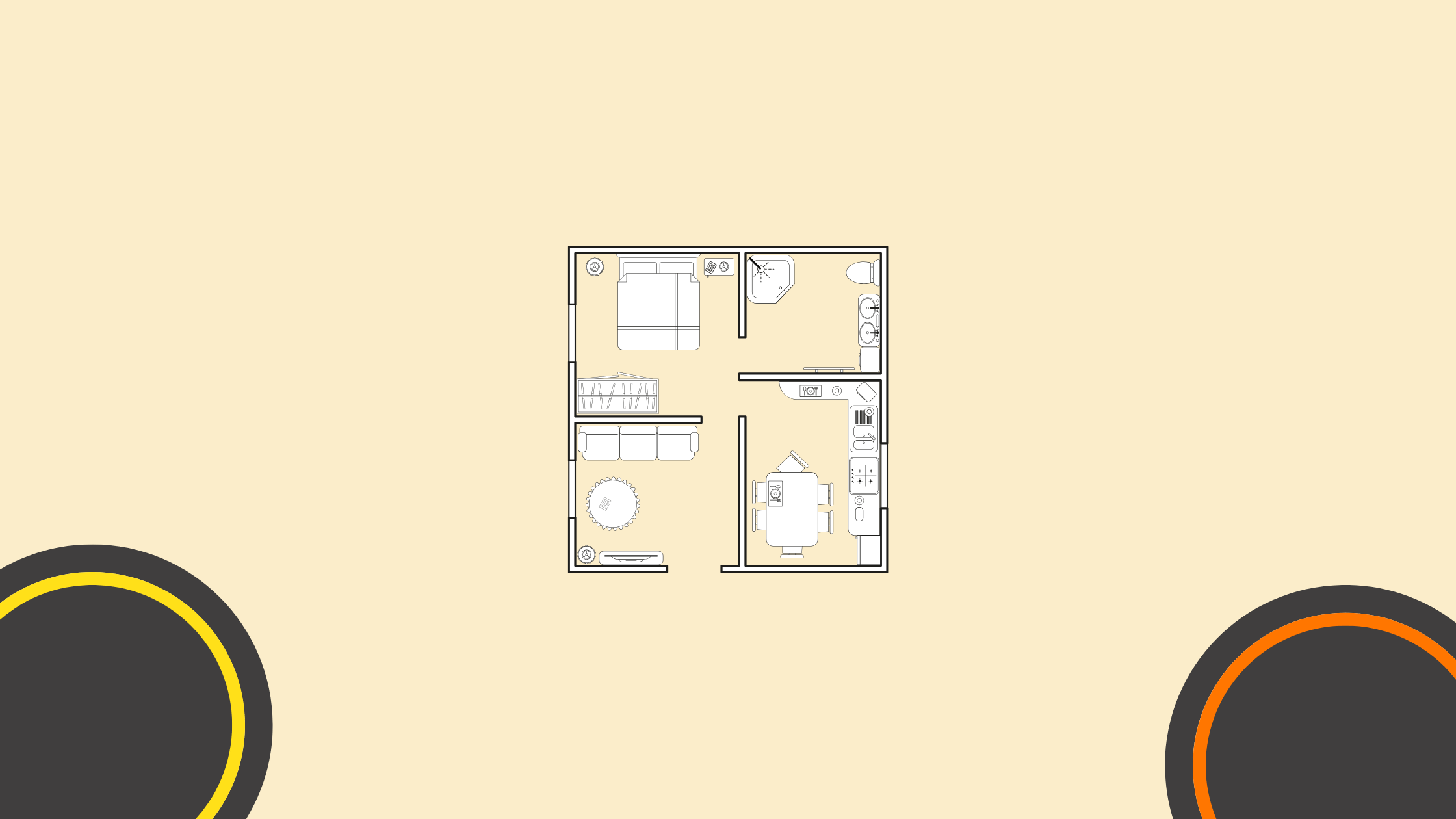
If you’ve ever moved into a new space and struggled to figure out where the furniture should go, you’re not alone. AI-powered room planners now make it easier to visualize how your space will look before you even move a couch.
Instead of manually sketching layouts or dragging heavy furniture across the room, users can simply input room dimensions into an AI design app. These tools—like Planner 5D or RoomGPT—then generate smart layout suggestions that optimize for flow, comfort, and function. Some even let you upload a photo of the actual room, so the AI can analyze your layout and virtually furnish it in real time.
Many of these platforms come with drag-and-drop features, enabling users to swap in different furniture styles or decor items instantly. It’s like having a digital sandbox for your home, where you can test multiple layouts without the physical effort or commitment.
AI That Learns Your Style (So You Don’t Have to Explain It)
One of the biggest hurdles in interior design is figuring out what style you actually like. Most people have eclectic tastes—maybe a bit of modern here, a touch of rustic there—and translating that into a cohesive space can be overwhelming. That’s where AI thrives.
Modern design platforms now use machine learning to analyze your preferences and predict what design elements you’ll gravitate toward. By examining your saved pins on Pinterest, your Instagram likes, or even a set of photos you upload, AI can identify patterns in color, furniture types, and textures. It then uses this data to curate design concepts that align with your personal taste, even if you couldn’t articulate it yourself.
Some apps offer style quizzes to guide the process, while others rely on image recognition to reverse-engineer your design language. Either way, the result is a much more personalized experience—and often a more satisfying final design.
Choosing Paint and Colors Just Got Easier
Few things can derail a design project faster than a bad paint choice. Lighting, wall texture, and furniture can all affect how a color looks in a room, which is why many homeowners find the process nerve-wracking. Fortunately, AI is taking the guesswork out of color selection.
Tools like Sherwin-Williams’ ColorSnap and Benjamin Moore’s Personal Color Viewer use AI to analyze photos of your room and simulate how different shades will appear under varying lighting conditions. These platforms consider factors like natural light exposure, ceiling height, and existing furnishings to help you choose colors that harmonize with the entire environment.
Even better, AI-based design apps like Reimagine Home can show you what a room would look like with completely different color schemes and finishes. With just a few clicks, you can see your space transformed with bold accent walls, muted earth tones, or even trendy two-tone palettes—all without lifting a brush.
AI-Powered Mood Boards and Virtual Staging

Mood boards are a staple in the design world, traditionally created by cutting and pasting magazine clippings or collaging product images online. But AI has upgraded this experience into something far more interactive and actionable.
Platforms like Canva and Foyr Neo allow users to build digital mood boards by simply inputting a theme, room type, or a few inspirational images. The AI then suggests complementary items—furniture, lighting, decor, textiles—that align with the vibe you’re trying to create. The result is a dynamic, curated board you can shop from directly or use to guide your real-life purchases.
Virtual staging, another AI-enabled feature, is especially useful for real estate professionals or homeowners preparing to sell. By uploading a photo of an empty room, the AI can instantly furnish the space with tasteful, realistic furniture—offering potential buyers a vision of what the room could look like. It’s a powerful way to make listings more attractive without investing in physical staging.
Budget-Conscious Design Decisions
Interior design has long been viewed as a luxury service, but AI is helping to democratize the process by making it more budget-friendly. These tools not only suggest affordable alternatives to high-end items but also help you allocate your budget in smarter ways.
Many apps now come equipped with price comparison features. Say you’re interested in a particular sofa; the AI might suggest a similar one for half the price from another retailer. Others, like IKEA Kreativ, allow you to redesign a room using only items from a single brand’s catalog—keeping you on-budget and on-theme.
More advanced platforms can even estimate the return on investment (ROI) for upgrades you’re considering. For example, you might learn that refinishing cabinets instead of replacing them will give you 80% of the aesthetic value at a fraction of the cost. That kind of data-driven decision-making can be a game-changer when you’re working within a limited budget.
Voice-Controlled Design Recommendations
Another way AI is quietly enhancing interior design is through smart home integrations. If you have a voice assistant like Google Home or Amazon Alexa, you’ve probably used it to turn on lights or play music. But now, these tools can also serve up design tips based on voice commands.
You can ask questions like “What are this year’s trending kitchen colors?” or “Show me Scandinavian decor ideas,” and get suggestions instantly—often connected to shoppable platforms. Some systems are even synced with your smart lighting or thermostat, allowing AI to recommend ambient settings for different moods or occasions.
It’s subtle, but this blend of interior design and smart tech is creating spaces that are not only beautiful but also more adaptive to your lifestyle.
Generating Unique Designs With AI Art & Decor Tools

Generative AI is taking creativity to a whole new level. Tools like Midjourney and DALL·E are capable of producing completely original artwork or decor elements for your AI Interior Design. Want a custom wallpaper design inspired by coastal California and mid-century modern themes? AI can generate it. Need a concept for a minimalist bookcase that also functions as a room divider? AI can help sketch that too.
Interior designers are increasingly using these tools to produce one-of-a-kind visuals for clients, but the average homeowner can benefit as well. By feeding the AI with reference images or design prompts, users can produce personalized artwork, pattern designs, and even furniture concepts that reflect their unique vision.
While these designs may not always be build-ready, they serve as strong starting points for collaborating with fabricators, artists, or contractors.
When to Use AI—and When You Still Need a Pro
As impressive as AI is, it’s not a silver bullet. These tools can get you 80% of the way there, but they’re not replacements for human expertise—especially when it comes to structural changes or building code compliance. AI can’t assess plumbing or electrical layouts, nor can it design with accessibility or long-term ergonomics in mind without manual input.
In many cases, the ideal approach is a hybrid one: Use AI tools to ideate, experiment, and clarify your vision, then bring in a professional to help bring that vision to life safely and beautifully.
A Simple AI Interior Design Workflow You Can Repeat (Without Losing Your Mind)
AI works best when you treat it like a fast sketch partner, not an all-knowing designer. Start by taking 2 to 4 clear photos in daylight (one from each corner if possible). Then do one “baseline” generation first: keep the room type the same, keep the layout mostly the same, and only change style. After that, iterate in small steps: first color palette, then big furniture, then lighting, then decor. This keeps the results consistent and stops you from bouncing between ten different vibes in one afternoon.
A practical rule: lock in the “bones” before you chase pretty details. The bones are layout, circulation (how you walk through the room), and scale (does that sofa actually fit). Once those feel right, AI becomes way more helpful with finishes and styling, because you are not asking it to solve everything at once.
Prompt Playbook: Copy, Paste, and Tweak These Interior Design Prompts
Most people prompt AI like they’re ordering coffee. “Make my living room modern.” That’s why the results can look random. A stronger prompt includes: room type + style + palette + materials + lighting + constraints.
Try formats like:
“Scandinavian living room, warm neutral palette, light oak, boucle textures, lots of natural light, keep current layout, add storage, minimal clutter.”
“Small bedroom makeover, calm hotel vibe, soft lighting, wall sconces, space-saving nightstands, keep bed position, add blackout curtains.”
“Kitchen refresh, modern farmhouse, white cabinets, brass hardware, light stone counters, brighter lighting, keep appliances where they are.”
You’ll notice the repeated phrase: keep current layout (or “keep bed position”). That single constraint reduces chaos and makes the outputs feel more realistic.
Reality Check: How to Spot AI Designs That Look Great but Won’t Work
AI can generate gorgeous rooms that quietly ignore physics. Watch for these common red flags: furniture that blocks doors, chairs with no legroom, rugs that are too small, windows that move, and lighting that makes no sense (a lamp floating in the void is a classic). If something feels “too perfect,” zoom in mentally and ask: where are the outlets, how does a person actually sit here, and can you open that cabinet?
A good habit is to use AI for inspiration, then verify with measurements. Even a quick tape measure check (sofa length, walkway width, dining clearance) will save you expensive mistakes. This matters even more with a reclining sofa, since you’ll also need to measure the clearance behind it for the footrest and backrest to fully extend. The article already hints at AI not being a replacement for pros on structural or code-related work, and this is the practical way to make that boundary real.
From AI Image to Shopping List (And a Cleaner Budget)
Once you get an AI concept you like, turn it into a list. Break it into: “must-have upgrades” (sofa, paint, lighting) and “nice-to-haves” (pillows, art, plants). Then assign a budget range per category before you start browsing, because the internet is basically a bottomless pit of gorgeous side tables.
Many AI renovation tools are built around the idea of transforming a single photo into multiple design visualizations quickly, which makes it easier to compare directions before you spend money. If you want a quick way to experiment with styles for one room photo, you can try this Free AI Interior Design App.
AI for Sustainable and Accessible Design (Not Just Pretty Rooms)
AI can help you design with intention, not just aesthetics. For sustainability, use it to explore low-waste choices: refinishing instead of replacing, swapping materials (for example, durable surfaces that last longer), and planning lighting improvements that reduce energy use. Even if the AI tool doesn’t calculate savings, it can quickly visualize “lighter, brighter” options that rely less on artificial light during the day.
For accessibility, AI can help you think through safer layouts: wider pathways, fewer trip hazards, better task lighting, and smarter storage placement. It won’t know your exact needs unless you tell it, so include constraints like “clear walkway,” “no sharp corners,” “easy-to-reach storage,” or “space for mobility aids.” The output becomes a conversation starter you can take to a designer or contractor, rather than a final blueprint.
Final Thoughts: AI as Your Design Co-Pilot
AI is doing more than just recommending throw pillows or wall colors—it’s reshaping how we interact with the spaces we live in. Whether you’re designing your first studio apartment, upgrading your family home, or staging a property to sell, these tools offer speed, precision, and personalization that were unthinkable just a few years ago.
Best of all, you don’t need to be tech-savvy to use them. Most AI design platforms are built for everyday homeowners, making great design more accessible than ever.
Ready to Try It?
Explore free AI-powered tools like Planner 5D, Reimagine Home, or IKEA Kreativ and see how easy it is to start reimagining your space. And if you’re ready to take your vision to the next level, consider partnering with a local interior designer who can blend your AI ideas with expert execution.
Frequently Asked Questions
How does AI actually help with interior design?
AI helps with interior design by streamlining the planning and decision-making process. It can analyze your room’s dimensions, learn your style preferences, and generate realistic design suggestions using tools like Planner 5D, Reimagine Home, and Midjourney. Some AI platforms even let you virtually furnish your room, simulate color schemes, and compare products based on your budget.
Can AI design an entire room for me?
Yes, to a large extent. AI tools can create full-room mockups based on your input—like room size, preferred styles, or color palettes—and furnish them virtually. While AI can’t replace a professional designer for complex remodels, it’s powerful for layout planning, decor selection, and visualizing before committing to any changes.
Are AI interior design tools free?
Many AI design platforms offer free versions with limited features. Tools like IKEA Kreativ, DecorMatters, and ColorSnap provide no-cost options for trying out layouts or testing color palettes. However, more advanced features—like custom renderings or detailed virtual staging—may require a subscription or one-time payment.
What is the best AI tool for interior design?
There’s no one-size-fits-all answer, but some of the most popular and user-friendly AI interior design tools include:
- Planner 5D for layout and floor planning
- RoomGPT for quick AI-generated room designs
- Reimagine Home for color and style simulations
- Midjourney or Interior AI for generating unique decor and mood boards
The best tool depends on your specific project—whether it’s color selection, furniture layout, or full-room transformation.
Can AI replace an interior designer?
AI is a fantastic assistant, but it doesn’t replace the creative insight and problem-solving abilities of a human designer—especially for renovations or complex builds. Think of AI as a co-pilot: it can generate ideas, eliminate guesswork, and help you visualize your space faster. But for code compliance, structural work, or fine-tuned personalization, a professional designer is still invaluable.
Will AI help me stay within budget?
Yes. Many AI tools are designed with cost-efficiency in mind. They can suggest affordable alternatives to expensive items, compare pricing across retailers, and help you plan out purchases in a way that maximizes style without overspending. Some platforms even estimate ROI for upgrades, which is especially helpful if you’re planning to sell your home in the near future.
Is AI interior design accurate?
AI can provide surprisingly accurate design simulations—especially when it uses real photos of your space. While it’s not perfect and sometimes requires human adjustment, it gets very close to reality in terms of spatial layout, color matching, and stylistic cohesion. Always double-check measurements and structural considerations before making final decisions.
Other Interesting Articles
- AI LinkedIn Post Generator
- Gardening YouTube Video Idea Examples
- AI Agents for Gardening Companies
- Top AI Art Styles
- Pest Control YouTube Video Idea Examples
- Automotive Social Media Content Ideas
- Plumber YouTube Video Idea Examples
- AI Agents for Pest Control Companies
- Electrician YouTube Video Idea Examples
- How Pest Control Companies Can Get More Leads
- AI Google Ads for Home Services
- 60-Second Training Videos Are the New Corporate Standard
- Cybersecurity PR Pricing: Retainers, Deliverables & ROI
- Best AI Tools for Product Consistency in E-Commerce Video
Master the Art of Video Marketing
AI-Powered Tools to Ideate, Optimize, and Amplify!
- Spark Creativity: Unleash the most effective video ideas, scripts, and engaging hooks with our AI Generators.
- Optimize Instantly: Elevate your YouTube presence by optimizing video Titles, Descriptions, and Tags in seconds.
- Amplify Your Reach: Effortlessly craft social media, email, and ad copy to maximize your video’s impact.