
Best AI Note Taking Apps for Work, Study and Productivity

Good notes are not just records of what happened.
They help you remember, decide, study, follow up, and move work forward.
That is why AI note-taking apps have become so useful. They can record conversations, transcribe audio, summarize meetings, organize ideas, extract action items, turn lectures into study material, connect notes to projects, and help teams find important information faster.
But not every AI note-taking app is built for the same job.
Some tools are best for live meeting transcription. Others are stronger for research, studying, connected workspaces, or custom workflows. Some join meetings as a visible bot. Others work from uploaded audio or device-level recording. Some focus on privacy. Others focus on automation, collaboration, or knowledge management.
The right choice depends on how you take notes and what you need to do with them after.
A student may want flashcards, quizzes, and summaries. A manager may need meeting notes, decisions, and action items. A researcher may need source-backed answers. A team may need notes connected to tasks, projects, and shared documents.
This guide compares five AI note-taking apps and explains how to choose the right one based on your workflow, privacy needs, output format, collaboration style, and long-term productivity goals.
Chapters
Best AI Note Taking Apps for Work, Study and Productivity
Let’s examine the best AI note-taking applications in real-world use.
1. EaseMate AI Note Taker (Best Overall for Privacy & Actionable Workflows)
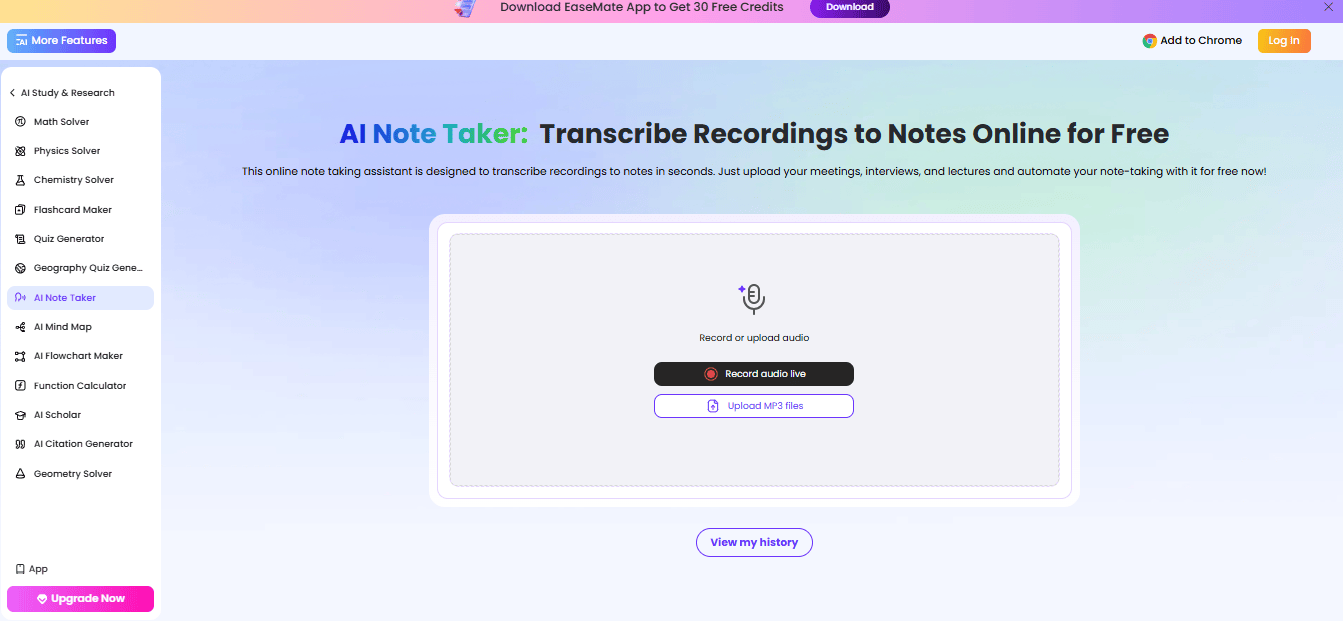
EaseMate AI Note Taker helps users go beyond transcription. AI note assistants record, transcribe, and format data. AI-powered Azure is perfect for students, professionals, and crucial teams because of its accuracy and security.
Its device-level capture distinguishes it. Record or upload MP3 files instead of using a bot for calls. This ensures confidential, distraction-free meetings. The program supports 17 languages, making it helpful worldwide. It takes notes in the background while you focus on lectures or business conversations.
Core Strengths
- Azure AI-Powered Transcription: Advanced voice recognition and natural language processing accurately convert audio to text.
- Support Live Recording & MP3 Upload: For fast transcription, record meetings, interviews, and lectures in real time or upload audio files.
- No Bot Required Device-Level Capture: Unlike many solutions, it does not join calls as a visible bot, improving privacy and enjoyment.
- Privacy-conscious professionals who need to document client conversations without a visible bot joining the call will find EaseMate’s device-level capture approach aligns closely with what a dedicated review of the best AI notetaker for financial advisors consistently recommends for sensitive advisory sessions.
- Supports 17 Languages: Ideal for foreign users and different teams, it supports multiple languages.
- AI Smart Note Transformation Chat: After transcription, you can edit or convert notes using the AI.
- Fast Processing & Structured Output: Saves time and effort by creating ordered notes in seconds.
- Cloud-Based Access & History Tracking: View, organize, and download notes from your history dashboard.
Format-Specific Outputs:
Rather than just taking notes, EaseMate transforms raw content for learning and productivity:
- Structured Meeting Notes – Clean summaries with key points and highlights
- Mind Maps – Visual breakdown of ideas for better understanding
- Flashcards – Helpful for students preparing for exams
- Quizzes – Automatically generated questions for quick revision
- Actionable Summaries – Extract tasks and decisions from meetings
Pros
- Free plan offers 2 recordings per day with no hidden fees.
- A bot-free design that prioritizes privacy
- Flashcards and mind maps are supported.
- Fast, accurate, and easy to use transcription
Cons
- Free plan limits daily use
- Advanced features may cost credits/subscription.
Pricing
- Free Basic Plan: $0/month
- Lite Plan: Annual pricing starts at $7.49/month.
- Pro Plan: Annual billing starts at $16.9/month.
2. Notion AI (Best for Connected Thinking & All-in-One Workspaces)
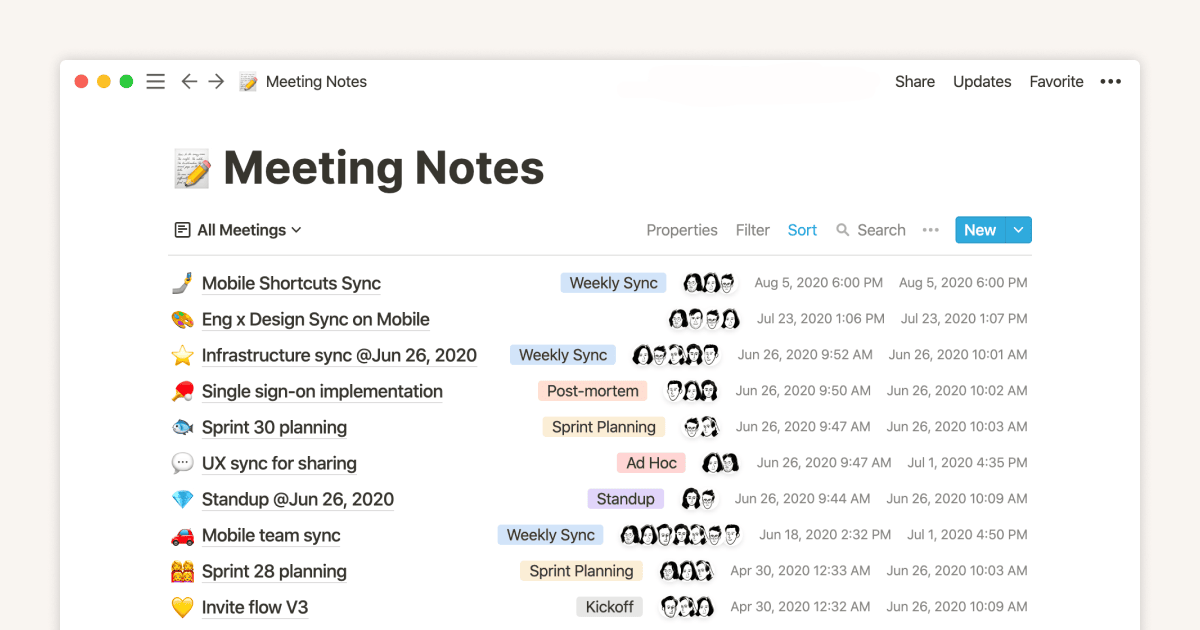
Notion AI connects ideas, tasks, and documents in a knowledge workspace. Instead of saving notes in individual files, it creates a “connected thinking” approach. This simplifies project management, idea tracking, and information organization.
Essentially, Notion AI acts like a knowledge graph. Connect pages, tasks, and databases to avoid data isolation. Meeting notes can reference tasks, deadlines, and documents. Users may move from concepts to implementation without switching tools, making it beneficial for teams and professionals managing complicated workflows.
Core Strengths
- Notion allows two-way page links. Notes can connect and stay updated and available. It develops knowledge networks rather than notes.
- One platform for notes, tasks, databases, calendars, and documents reduces tool use.
- You may customize structured databases with properties, tags, and filters. It organizes vast volumes of data efficiently.
- Notion AI works directly on your webpages. It can write, summarise, report, and create tasks using your workspace.
- Searching across Google Drive, Slack, and more simplifies information retrieval without switching platforms.
Pros
- Linking notes and databases for strongly connected thinking
- One platform for notes, tasks, and workflows
- AI may create, modify, and summarise material in your workspace.
- Versatile for personal and commercial use
Cons
- Due to various features, beginners may find it difficult.
- It lacks audio-to-text features compared to dedicated transcription apps.
Pricing
- Free Plan: $0/month/user
- Plus plan: $12/month/user
- Business Plan: $24/month/user
- Enterprise Plan: Custom rates
3. Taskade (Best for Custom AI Workflows)
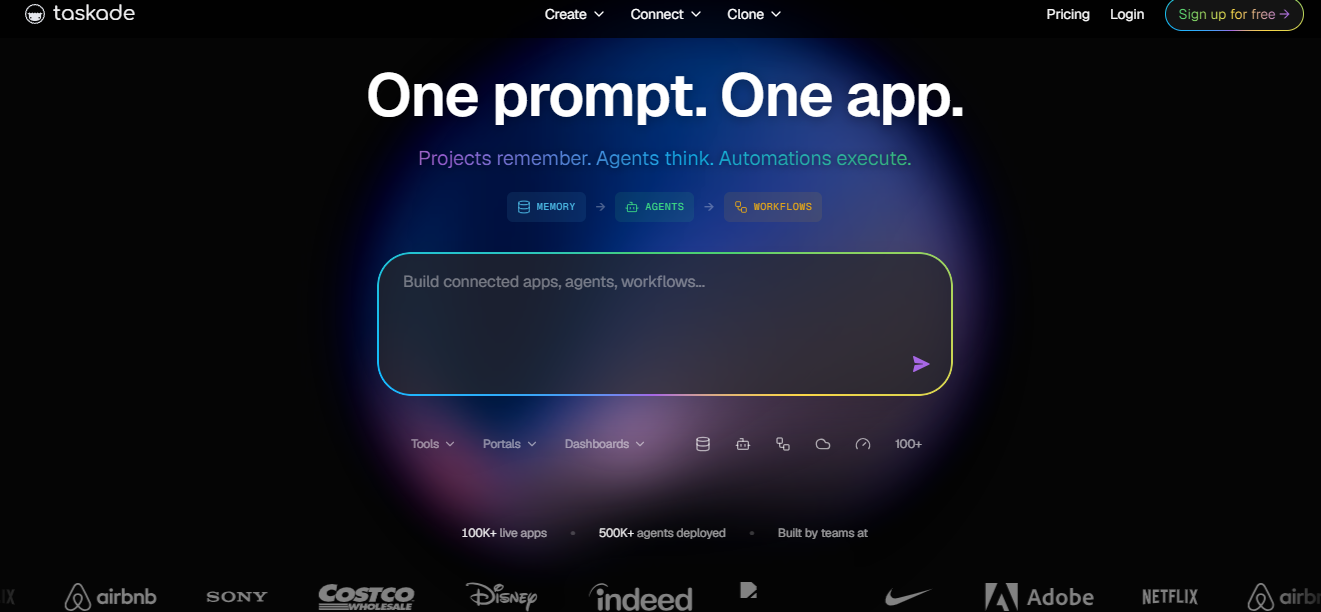
Taskade is for users who want to automate operations beyond note-taking. It enables you to create an AI agent, task, and workflow system instead of just recording notes. One prompt creates an app-like workspace with projects, automations, and background smart agents.
Making ‘living workspaces’ is Taskade’s specialty. These are dynamic systems that store, process, and act on data. You may create AI bots for research, data summarisation, and task management. Taskade helps organize and implement complicated ideas with limitless nested lists and structured projects.
Core Strengths
- Train personalized AI agents to do tasks, analyze data, and automate workflows for your needs.
- Create a workspace with projects, workflows, and automations instantaneously from a basic idea.
- Unlimited Nested Lists & Projects: Create hierarchies of activities and notes for intricate planning and study.
- Built-in Automation: Event-driven workflows automate repetitive operations without human input.
- 100+ Integrations: Connect tools and platforms to simplify cross-system workflows.
- Real Time Coordination: Teamwork, app sharing, and workflow management are possible in one place.
Pros
- Flexible for AI workflow and system customization
- Allows limitless layered structures for deep organization
- One platform for notes, tasks, agents, and automation
- Large ecosystem with 100+ templates and integrations
Cons
- Advanced features can overwhelm beginners.
- Not just transcribing or note-taking
Pricing
- Free plan: $0/month
- Starter Plan: $6/month
- Pro Plan: $16/month
- Business Plan: $40/month
- Max & Enterprise Plans: Starts at $200/month
4. Google NotebookLM
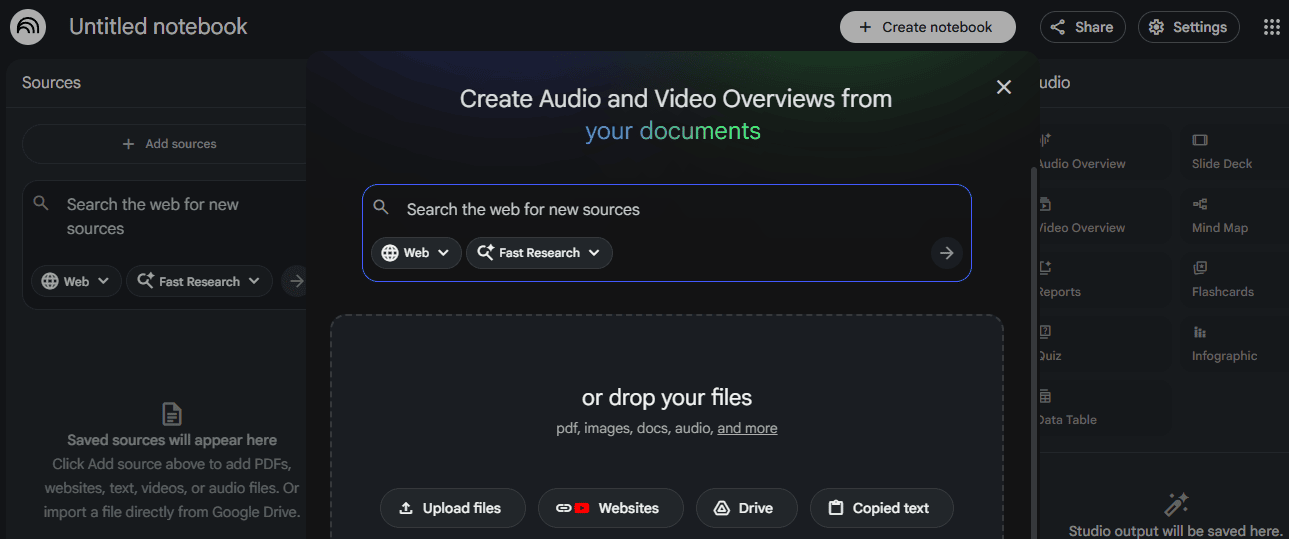
Google NotebookLM is a research-first AI note-taking tool using powerful Gemini models. Instead of a meeting recorder, it’s a thinking partner that helps you grasp hard concepts. The application automatically summarises and connects concepts from PDFs, Google Docs, websites, YouTube videos, and audio files.
Its grounding of uploaded content responses sets it apart. It gives precise AI replies by citing your sources, making it trusted for students, researchers, and professionals who need precision. Building knowledge from credible sources is more important than taking short notes.
Core Strengths
- Multi-source intelligence: One workspace for PDFs, videos, audio, and papers.
- Citations: All replies cite specific source quotes for accuracy.
- Gemini-powered insights: Multimodal AI links concepts across formats.
- Audio Overview: Creates “deep dive” audio summaries from notes.
- Personal AI expert: Understands context from submitted materials
Pros
- Advanced note-taking and research capabilities
- Very accurate, source-backed responses
- Supports PDFs, videos, documents, and audio
- Free Google AI ecosystem access
Cons
- Unsuitable for real-time meeting transcription
- Manual source uploading is required for full value.
Pricing
- Free with a Google account
- Available via Google AI plans $19.99/month
5. Otter.ai
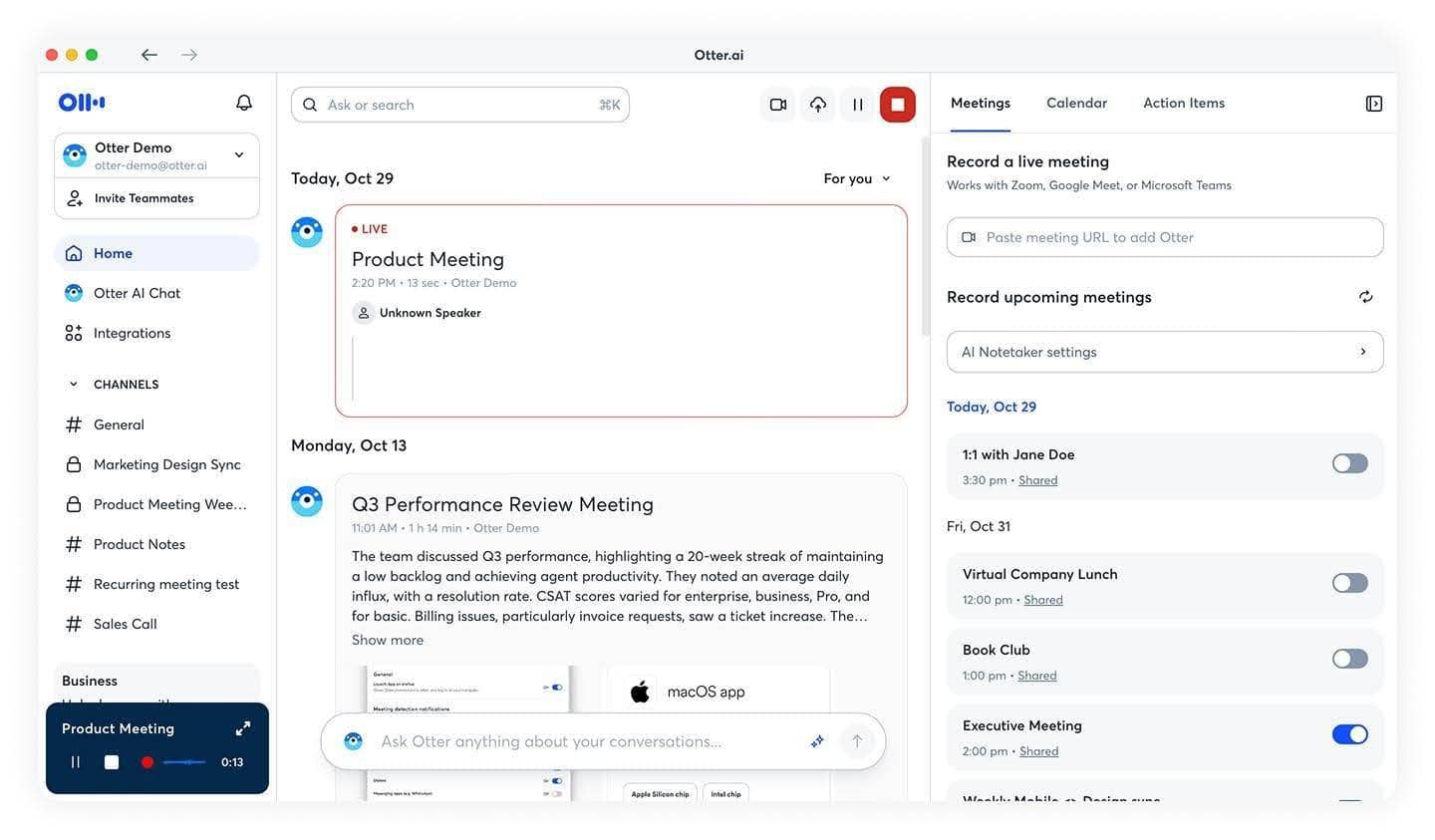
Otter.ai is a popular AI meeting assistant that rapidly organizes meetings into actionable notes. Virtual attendees record meetings and provide real-time transcriptions, summaries, and action items.
Otter automates workflow and productivity, not research. It tracks conversations, assigns tasks, and integrates Slack, Zoom, and Salesforce. Otter is a full-time assistant for meeting-heavy teams, ensuring nothing is missed and documented.
Core Strengths
- Speech-to-text: Real-time transcription using speaker recognition
- AI summaries and actions: Extracts decisions and next steps automatically
- AI chatbot: Instantly search meetings and generate reports
- Voice-activated questions: Ask “Hey Otter” for insights.
- Solid integrations: Compatible with Zoom, Google Meet, Slack, Salesforce, etc.
- Automation saves users 4+ hours weekly and leads to 6000 monthly transcribing minutes (Business plan).
Pros
- Perfect for live meetings and cooperation
- Generates actionable summaries automatically
- Solid ecosystem integrations (Slack, CRM, etc.)
- Significant time savings with automation
Cons
- In meetings, bot-based recording may feel obtrusive.
- Limited advanced features in the free plan
Pricing
- Basic Plan: Free (unlimited meetings, summaries)
- Business Plan: From $19.99/user/month
- 6000 transcribing minutes/month and sophisticated collaborative tools
How to Choose the Right AI Note Taking App
The best AI note-taking app is not always the one with the longest feature list.
It is the one that fits how you actually work.
Before choosing, ask:
- Do you need live meeting transcription?
- Do you need to upload audio files?
- Do you need meeting summaries and action items?
- Do you need study tools like flashcards and quizzes?
- Do you need source-backed research notes?
- Do you need notes connected to tasks and projects?
- Do you need team collaboration?
- Do you want bot-free recording?
- Do you need multilingual transcription?
- Do you need integrations with your calendar, video calls, or workspace?
- Do you need strong privacy controls?
- Do you need export options for notes, summaries, or tasks?
Use this table to match the tool type to the use case:
| Use case | Best note-taking focus | What to look for |
|---|---|---|
| Business meetings | Meeting transcription and action items | Speaker recognition, summaries, decisions, next steps, calendar or meeting integrations |
| Study and lectures | Learning support | Summaries, flashcards, quizzes, mind maps, multilingual support, easy review |
| Research | Source-backed note organization | PDF, document, video, and audio support, citations, source grounding, searchable notes |
| Team workflows | Connected knowledge and tasks | Shared workspaces, databases, task management, project links, collaboration features |
| Privacy-sensitive calls | Bot-free or controlled capture | Clear recording method, consent workflow, storage settings, access control, export options |
| Personal productivity | Simple capture and organization | Fast notes, search, summaries, reminders, easy editing, mobile and desktop access |
A simple way to decide:
Choose a meeting assistant if most of your notes come from calls.
Choose a research-first tool if your notes come from documents and sources.
Choose a workspace tool if notes need to connect to projects and tasks.
Choose a study-focused tool if you need summaries, flashcards, and revision support.
Do not choose based on hype.
Choose based on what happens after the note is created.
AI Note Taking Quality Checklist
AI note-taking apps save time, but you should still review the output.
Use this checklist before relying on AI notes for work, study, or decisions.
| Check | Question | Why it matters |
|---|---|---|
| Transcript accuracy | Did the app capture names, terms, numbers, and technical language correctly? | Small transcription mistakes can change the meaning of a discussion. |
| Speaker labels | Are speakers identified correctly? | Wrong speaker labels can create confusion about ownership and decisions. |
| Summary quality | Does the summary reflect what was actually said? | AI summaries can miss nuance or overstate agreement. |
| Action items | Are tasks, owners, and deadlines correct? | Bad action items can cause missed follow-ups. |
| Context | Does the note include enough background to understand the decision later? | A note should still make sense after the meeting is forgotten. |
| Source links | Can important points be traced back to the original source? | Source-backed notes are more useful for research and review. |
| Privacy | Was the recording or note capture appropriate for the situation? | Meetings, interviews, and classes may require consent or clear expectations. |
| Editing | Can you easily correct, organize, and export the note? | AI notes are more valuable when they fit your workflow. |
| Searchability | Can you find the note again later? | Notes lose value if they disappear into a messy archive. |
| Next step | Does the note clearly show what should happen next? | The best AI notes turn information into action. |
AI notes should be treated as a strong first draft.
Review them before sending to clients, assigning tasks, studying from them, or using them as a record of important decisions.
Meeting Notes vs Research Notes vs Study Notes
Different note-taking situations need different outputs.
A meeting note should not look like a study note. A research note should not look like a task list. A lecture summary should not look like a sales call recap.
| Note type | Main goal | Best AI output |
|---|---|---|
| Meeting notes | Capture decisions and follow-ups | Summary, decisions, action items, owners, deadlines, open questions |
| Client call notes | Understand needs and next steps | Pain points, objections, requests, next steps, follow-up email draft |
| Lecture notes | Help students learn and review | Summary, key concepts, examples, flashcards, quiz questions |
| Research notes | Organize information from sources | Source-backed summaries, citations, themes, comparisons, questions |
| Brainstorming notes | Turn ideas into usable direction | Idea clusters, priorities, next experiments, content angles, task list |
| Project notes | Keep teams aligned | Project status, blockers, decisions, dependencies, owners, timeline |
| Interview notes | Capture insights without losing nuance | Quotes, themes, pain points, emotions, follow-up questions, summary |
This matters because the best app depends on the job.
If you need a meeting assistant, prioritize transcription and action items.
If you need study support, prioritize summaries and learning formats.
If you need research notes, prioritize source grounding and citation.
If you need project work, prioritize connected tasks and shared workspaces.
The better your output format, the more useful the AI note becomes.
Privacy and Consent Tips for AI Note Taking
AI note-taking apps often work with sensitive information.
They may capture conversations, names, customer details, business decisions, student discussions, internal strategy, or project information.
Before using an AI note-taking app, think about privacy and consent.
Ask:
- Do participants know the meeting is being recorded or transcribed?
- Does the tool join as a visible bot?
- Is the audio processed locally or in the cloud?
- Where are transcripts stored?
- Who can access the notes?
- Can notes be deleted?
- Can notes be exported?
- Are notes used for model training?
- Does the tool meet your company, school, or client policy?
- Are there legal or compliance rules for this type of conversation?
This is especially important for:
- Client calls
- HR meetings
- Legal discussions
- Healthcare-related conversations
- Financial planning
- Investor calls
- Internal strategy meetings
- Student data
- Confidential product discussions
- Customer interviews
A good habit is to set expectations at the start.
For example:
“I’m using an AI note-taking tool to create a transcript and summary. Is everyone comfortable with that?”
For some meetings, a visible meeting bot is fine. For others, a bot-free or upload-based workflow may be more appropriate.
Privacy should not be an afterthought.
It should be part of how you choose the tool.
Common AI Note Taking Mistakes to Avoid
Choosing a tool before defining the workflow
Do not start with the tool.
Start with the job.
Are you capturing meetings, studying lectures, organizing research, or managing projects?
Trusting summaries without checking the transcript
AI summaries can be helpful, but they can also miss nuance.
Always review important notes before acting on them.
Letting action items stay vague
A good action item needs an owner and a next step.
“Discuss pricing” is weak.
“Alex to send updated pricing options by Friday” is useful.
Recording sensitive meetings without clear consent
AI note taking should be transparent and appropriate for the setting.
When in doubt, ask.
Keeping all notes in one messy archive
AI notes become less useful if they are not organized.
Use folders, tags, projects, dates, clients, or topics.
Ignoring export options
Make sure you can move notes into the systems where work actually happens.
That might be a task manager, CRM, knowledge base, document, or study app.
Using meeting notes as final documentation without review
For important decisions, contracts, policies, or client commitments, review and approve the final note manually.
Choosing the most advanced tool when a simple one would work
More features can create more friction.
Choose the simplest tool that solves your real note-taking problem.
Conclusion
AI note-taking apps can save time, reduce manual work, and turn conversations, lectures, documents, and ideas into more useful outputs.
But the right app depends on the workflow.
Some people need meeting transcripts and action items. Others need study tools, research summaries, project workspaces, or privacy-focused recording. The best choice is the one that helps you capture information, understand it, organize it, and act on it later.
Before choosing a tool, think about the type of notes you take, what you need after the note is created, how private the information is, and how the notes will fit into your daily workflow.
AI can help create better notes.
You still decide what matters.
Other Interesting Articles
- AI LinkedIn Post Generator
- Gardening YouTube Video Idea Examples
- AI Agents for Gardening Companies
- Top AI Art Styles
- Pest Control YouTube Video Idea Examples
- Automotive Social Media Content Ideas
- Plumber YouTube Video Idea Examples
- AI Agents for Pest Control Companies
- Electrician YouTube Video Idea Examples
- How Pest Control Companies Can Get More Leads
- AI Google Ads for Home Services
- 60-Second Training Videos Are the New Corporate Standard
- Cybersecurity PR Pricing: Retainers, Deliverables & ROI
- Best AI Tools for Product Consistency in E-Commerce Video
Master the Art of Video Marketing
AI-Powered Tools to Ideate, Optimize, and Amplify!
- Spark Creativity: Unleash the most effective video ideas, scripts, and engaging hooks with our AI Generators.
- Optimize Instantly: Elevate your YouTube presence by optimizing video Titles, Descriptions, and Tags in seconds.
- Amplify Your Reach: Effortlessly craft social media, email, and ad copy to maximize your video’s impact.