
Campaign Visual Consistency: Build a Variation Map

Campaign visual consistency comes from keeping the campaign’s recognizable rules stable while adapting each asset to its purpose. Define the fixed elements, the allowed variations and the changes that need approval before producing a large set of visuals.
Sponsored content from Virse. Prepared with AI assistance and editorial review.
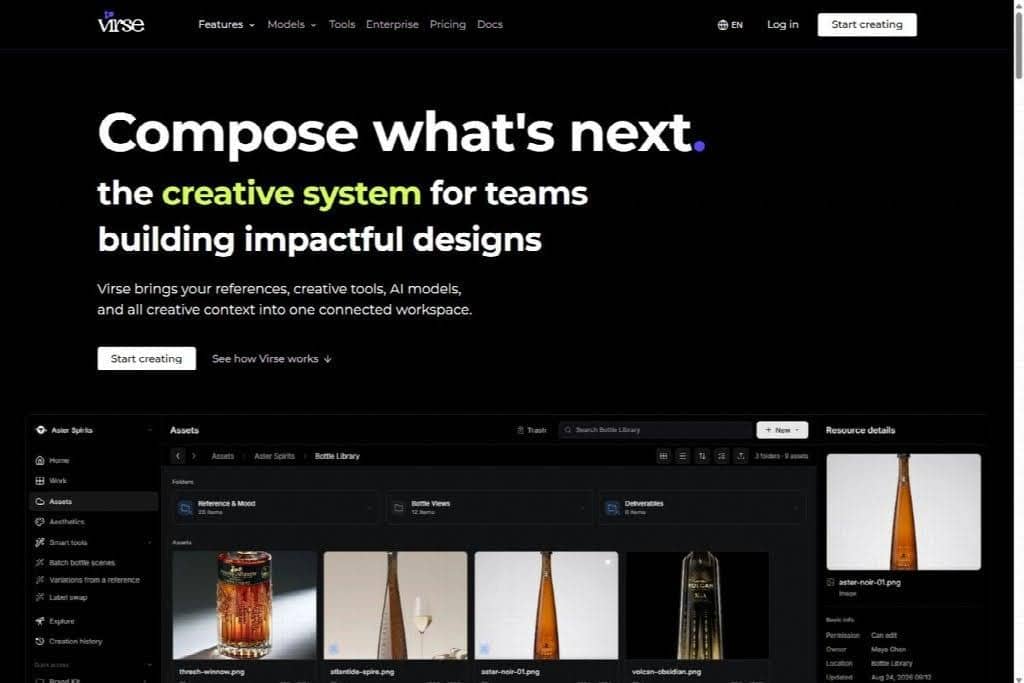
When every new asset starts from a different reference, the campaign can drift even if each image looks polished. Virse’s visual workspace gives creative teams a place to organize references and visual explorations around a shared direction before extending it into more assets.
This guide is for marketing teams coordinating campaign visuals across placements. The examples use a fictional product launch and describe an editorial planning method, without claiming measured conversion gains or results from a real campaign.
On this page: Set the visual rules · Map variations · Build a master · Review the launch
Chapters
What does campaign visual consistency require?
Campaign visual consistency requires a recognizable visual language and a stable communication idea. The assets should look related and lead the audience toward the same understanding of the offer.
A brand style guide supplies broader rules for how the organization presents itself. Mailchimp’s guide to creating a brand style guide describes documenting written and visual communications. A campaign needs a more specific working interpretation of those rules for its message and creative direction.
For example, a brand may use several approved colors across its communications. A particular launch might emphasize a restrained coral-and-navy treatment.
The campaign decision should be recorded so an additional designer does not assume every approved brand color is equally suitable for this set of assets.
Define the communication idea in plain language. A fictional product launch might need to make the product’s compact form easy to recognize. That priority should influence the composition, the detail views and the way the product appears in motion.
Which rules stay fixed and which can vary?
Keep the elements that make the campaign recognizable fixed, and allow variation where it helps the asset serve its placement. Record a separate category for changes that require a decision from the campaign owner.
A variation map makes those boundaries visible. The following example is a proposed working tool, not a universal brand standard:
| Element | Fixed for this campaign | Allowed variation | Needs approval |
|---|---|---|---|
| Product | Verified appearance and correct variant | Approved view or detail crop | New depiction or changed product detail |
| Color | Selected coral-and-navy relationship | Different proportions within the approved treatment | A new dominant color |
| Typography | Approved typefaces and hierarchy | Reflow for the placement | A new display treatment |
| Composition | Product remains the main focal point | Position and negative space | A different visual concept |
| Message | The agreed product promise | Shortened approved wording | A new claim or offer |
Keep the map short enough to consult during production. A rule such as “follow the brand” is too broad to resolve a crop or background choice. A rule such as “retain clear separation between the product and the darkest background area” is easier to apply.
Explain why an element is fixed. If the product must remain dominant because the campaign introduces an unfamiliar shape, the designer can use that reason when adapting the composition to a new format.
How do you build a useful master design?

Build a master design that demonstrates the visual relationships other assets should preserve. Keep its components editable and document which parts establish the campaign’s identity.
The master should include the approved product treatment, palette, type hierarchy and representative spacing. It also needs enough explanation for another designer to understand how the composition works. A flattened image can serve as a reference, but it cannot explain every decision on its own.
Distinguish a master design from a universal template. A strong wide composition may need to be rebuilt for a tall placement. The task is to preserve hierarchy and meaning while changing the arrangement, rather than squeezing every element into the same relative position.
Canva’s brand-consistency guide discusses using shared brand resources and consistent design practices. At campaign level, pair those resources with examples of acceptable adaptation so the team can see how the rules behave in different layouts.
Create a small set of representative derivatives before expanding production. Include a difficult format early, such as a narrow placement or a vertical layout with substantial copy. That exercise can reveal a weak rule while changing it is still manageable.
How can AI help develop variations?
AI can help explore scene, color and composition alternatives when the approved references and intended variables remain clear. Compare the outputs against the variation map before treating them as campaign assets.
For the fictional launch, suppose the team is exploring background treatments around an approved product photograph. Keep the product reference and communication priority stable while comparing a quiet studio treatment with a more atmospheric scene. Record which qualities the team selects.
Do not assume that using the same adjective or color name will produce the same visual system. Check the actual color relationship, material appearance and lighting treatment. A generated image can use the requested palette while changing the product’s contour or the campaign’s mood.
Keep the source reference, prompt and selected output together. If an asset is rejected, note whether the issue is product accuracy, visual direction, layout or message. That diagnosis makes the next exploration more useful than simply asking for another batch of alternatives.
Use generated imagery for the parts of the task it can support and preserve exact assets where they matter. Product labels, approved logos and required copy deserve their own review in the final composition.
How do you adapt the design to each placement?
Adapt the design by preserving the visual hierarchy while adjusting the frame, spacing and copy area for the placement. Review the result in context, including any text or interface elements that will surround it.
| Placement need | Adaptation | Consistency check |
|---|---|---|
| Wide website image | Rebalance the subject and headline space | Product remains recognizable beside the copy |
| Vertical social asset | Rebuild the composition for a tall frame | Main message survives without crowding |
| Square promotional image | Simplify supporting elements | Product and offer remain clear at a smaller display size |
| Email image | Coordinate image and nearby text | Visual treatment supports the same campaign promise |
| Motion asset | Extend the composition through time | Product and message remain stable during the movement |
These are illustrative placement categories, not platform-specific size requirements. Confirm the actual output specifications before exporting.
Pay attention to negative space and safe areas. Space that works for a wide headline may disappear in a vertical crop. A moving subject may enter an area reserved for a caption. Solve those conflicts in the composition rather than reducing everything until it technically fits.
Message consistency matters across the whole journey. Fact & Form’s discussion of campaign consistency across ads, pages and emails connects visual continuity with a coherent message. Use the landing page and follow-up material as part of the review, not merely as destinations beyond the design team’s responsibility.
What should the launch review compare?
The launch review should compare the asset set against the master design, the variation map and the approved message. Examine the collection together, then check each asset in its intended placement.
Place representative exports on a review board. Look for a product that changes color, a background that becomes too dominant or a typography treatment that introduces a different hierarchy. Small deviations can be difficult to notice when each asset is approved in isolation.
| Check | Review evidence | Action if it fails |
|---|---|---|
| Product identity | Export beside the verified product reference | Correct or replace the depiction |
| Visual direction | Asset set beside the master design | Adjust the treatment that has drifted |
| Message | Image and adjacent copy together | Resolve the mismatch with the campaign owner |
| Placement fit | Preview in the actual layout | Recompose or export a suitable variant |
| Version | Approved source and final filename | Replace outdated assets before handoff |
Record the decision on the exported version, not only on the working file. Resizing, compression or a late copy edit can change what the audience sees. Keep the approved exports distinguishable from working alternatives in the asset library.
If a late request changes the campaign’s main message, identify every affected asset before revising. A corrected advertisement can still lead into a landing page carrying the previous offer. The review should follow the change through the campaign.

Questions about campaign visuals
Does consistency mean every asset should look identical?
No. Different placements need different compositions and levels of detail. Consistency comes from preserving recognizable relationships, such as the product treatment, palette and information hierarchy. The variation map explains how far an asset can change while still belonging to the campaign.
Can a prompt replace a visual style guide?
A prompt can describe a direction, but a team still needs visible references and acceptance criteria. Keep the prompt with selected examples and the rules that guided the selection. That combination gives reviewers something concrete to compare when an output drifts.
What should a new contributor receive?
Give the contributor the master design, approved references, variation map and intended placements. Include examples of accepted adaptations and the person who approves exceptions. Campaign visual consistency is easier to maintain when the next asset begins with the same decisions as the first.
Other Interesting Articles
- AI LinkedIn Post Generator
- Gardening YouTube Video Idea Examples
- AI Agents for Gardening Companies
- Top AI Art Styles
- Pest Control YouTube Video Idea Examples
- Automotive Social Media Content Ideas
- Plumber YouTube Video Idea Examples
- AI Agents for Pest Control Companies
- Electrician YouTube Video Idea Examples
- How Pest Control Companies Can Get More Leads
- AI Google Ads for Home Services
- 60-Second Training Videos Are the New Corporate Standard
- Cybersecurity PR Pricing: Retainers, Deliverables & ROI
- Best AI Tools for Product Consistency in E-Commerce Video
Master the Art of Video Marketing
AI-Powered Tools to Ideate, Optimize, and Amplify!
- Spark Creativity: Unleash the most effective video ideas, scripts, and engaging hooks with our AI Generators.
- Optimize Instantly: Elevate your YouTube presence by optimizing video Titles, Descriptions, and Tags in seconds.
- Amplify Your Reach: Effortlessly craft social media, email, and ad copy to maximize your video’s impact.