
How to Create Stunning Presentations in Minutes with AI
Creating a presentation has long been one of those tasks that can eat up hours of your time. Whether you’re preparing for a pitch, a team meeting, or a conference talk, the process is often the same: open a blank slide deck, struggle with structure, hunt for visuals, write and rewrite bullet points, and try to make it all look good. For many professionals, it’s not just time-consuming — it’s stressful. But what if AI could handle most of that work for you?
In this article, we’ll explore how artificial intelligence is transforming the way presentations are created — and how you can take advantage of this change to save time, reduce effort, and deliver polished, professional presentations faster than ever.
Chapters
- Why Presentation Design Is Still a Problem
- The Rise of AI in Content Creation
- Meet PoweredTemplate’s AI Presentation Maker
- How to Use It — Step by Step
- Designed to Connect a Global Community
- Free or Premium: Flexibility for Every User
- When Should You Use an AI Presentation Maker?
- Real-World Example: From Idea to Deck in 10 Minutes
- Start with the presentation story before the slides
- Use AI to generate the first draft fast
- Turn source material into slides faster
- Let AI handle structure, then refine the message
- Use AI-generated visuals and layouts to improve design speed
- Choose the AI presentation tool that fits your workflow
- Use AI for presentation repurposing, not just first-time creation
- Common mistakes to avoid when creating presentations with AI
- Final Thoughts
- FAQ
Why Presentation Design Is Still a Problem

Despite the number of tools available today, presentation design remains a frustrating process for many. Templates can help, but they often require significant manual adjustments. Design tools like PowerPoint or Google Slides are flexible but can feel overwhelming for those who aren’t trained in design. And while there are platforms that offer pre-made decks, they rarely capture your unique message.
Add to that the need to create visually appealing slides, write content that communicates clearly, and ensure consistency in branding — and you’ve got a full-blown creative challenge.
This is where AI steps in.
The Rise of AI in Content Creation
Over the past few years, AI has revolutionized how we work with text, images, and data. From writing blog posts to generating code, AI is proving itself as more than a novelty — it’s becoming a reliable partner in the creative process.
Presentation creation is no exception. AI tools are now capable of taking your topic, understanding your intent, and producing entire slide decks that are informative, well-structured, and visually balanced.
But how does it work?
Meet PoweredTemplate’s AI Presentation Maker
One of the most effective tools in this space is the AI Presentation Maker by PoweredTemplate. This solution combines several advanced technologies to streamline and simplify the creation of presentations, even for users with no design experience.
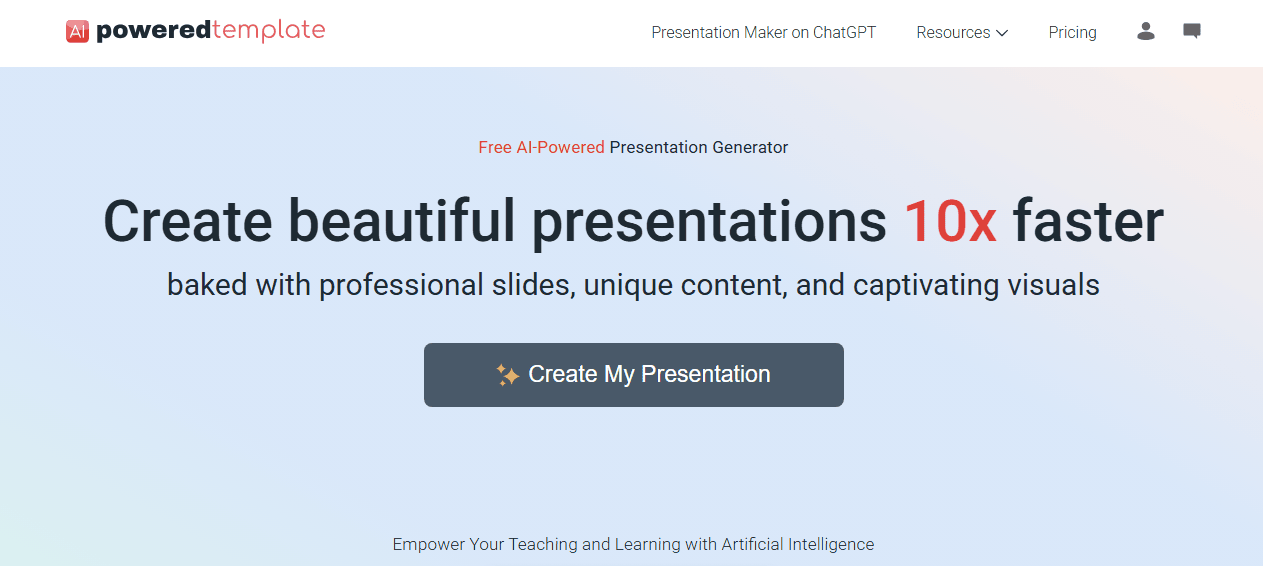
Here’s how it works behind the scenes:
- Advanced Natural Language Generation: At the core of the tool is a state-of-the-art language model designed to understand your topic and generate clear, structured content tailored to your audience.
- Smart Data Handling: PoweredTemplate’s proprietary processing technology interprets your input efficiently, ensuring the resulting presentation reflects your goals and stays relevant to your topic.
- Intelligent Visual Selection: The system also includes an image-matching engine that selects compelling visuals to accompany your content, boosting clarity and visual appeal.
These components work in unison, allowing you to move from idea to full presentation in a matter of minutes.
Try PoweredTemplate AI Presentation Maker
How to Use It — Step by Step
Using the AI Presentation Maker is straightforward. Here’s what the process looks like:
- What’s your presentation about? Provide the topic of your presentation — just a sentence or two will do. You can also briefly describe what kind of content you’d like included.
- What’s your job title, role, or occupation? Whether you’re a teacher, startup founder, marketer, or student, your role helps the AI understand the best tone and level of detail for your slides.
- Who is your audience? Indicate who will be viewing the presentation — colleagues, clients, investors, students, etc. This ensures the AI adapts your messaging appropriately.
- What’s the aim of the presentation? Are you trying to inform, persuade, train, or pitch? The purpose shapes how your message is structured.
- Which presentation template would you like to use? Pick from a variety of templates that match your preferences for design and tone — whether corporate, creative, or clean and minimal.
- Generate: Click the button, and the AI creates a complete presentation with curated text and visuals tailored to your input.
- Customize: Fine-tune any part of the presentation — edit copy, switch out visuals, or change the layout — all using an intuitive editor.
- Download or Share: When you’re satisfied with your presentation, export it or share it instantly from the platform.
Designed to Connect a Global Community
At PoweredTemplate, we believe that innovation should unite people — and our AI Presentation Maker reflects this vision. The platform offers a seamless experience through an intuitive interface available in 10 major languages. Whether you’re based in Europe, Asia, the Americas, or the Middle East, the tool makes users feel confident and comfortable from the very first interaction.
But that’s just the beginning. Our tool supports content generation in 34 languages, enabling you to create presentations that resonate with diverse audiences around the globe. From English and Spanish to Arabic, Hindi, and Japanese, PoweredTemplate’s linguistic flexibility ensures cultural relevance and precision.
Here’s how the platform caters to global needs:
- European Languages: Including German, French, Spanish, Italian, Polish, Ukrainian, and Czech — perfect for a multilingual EU audience.
- Asian Languages: Covering major languages from East, Southeast, and South Asia, meeting the demands of some of the most linguistically diverse regions.
- Middle Eastern Languages: Supporting Arabic, Persian, and Hebrew for culturally rich and meaningful communication.
Whether you’re addressing a classroom in Berlin, pitching in Dubai, or training a team in Tokyo, your message stays clear, impactful, and local.
Free or Premium: Flexibility for Every User
Accessibility is core to our mission. That’s why the AI Presentation Maker offers both free and premium tiers — so that anyone, regardless of experience level or budget, can take advantage of this powerful tool.
Why Go Free?
- You’re new to creating presentations and want to experiment.
- You’re exploring AI tools for the first time.
- You’re working with limited resources.
The free plan gives you up to 8 slides and access to a curated selection of free templates — no subscription required. It’s ideal for quick personal projects, school assignments, or testing out AI-generated content before diving deeper.
Ready to Go Premium?
When you’re ready to unlock the full capabilities of the platform, the premium subscription awaits. It’s tailored for professionals, educators, and power users who demand more flexibility and finesse.
With premium, you get:
- Unlimited Slide Generation: Build presentations of any length without constraints.
- Access to Premium Templates: Choose from a rich library of high-quality, professionally designed slide decks.
Whether you’re leading a workshop, closing a deal, or delivering a keynote, the premium plan helps your ideas stand out.
When Should You Use an AI Presentation Maker?
While traditional design still has its place, AI tools shine in situations where speed and efficiency matter most:
- Preparing internal reports or project updates.
- Creating marketing or sales decks on tight deadlines.
- Drafting educational or training content quickly.
- Testing out new messaging ideas before committing to a full design process.
In all of these cases, the AI tool helps you skip the blank-page paralysis and focus on refining your message.
Real-World Example: From Idea to Deck in 10 Minutes
Imagine you’re a startup founder preparing a pitch for investors. You know your product, but you’re struggling to structure the story. Instead of spending hours building slides from scratch, you describe your startup in a few sentences, let the AI generate a deck, and then fine-tune the slides to match your voice.
What would have taken half a day now takes 10–15 minutes — and the result looks like it came from a professional designer.
Start with the presentation story before the slides
The fastest way to create a better presentation with AI is to begin with the story, not the visuals. Before generating slides, define the audience, the outcome you want, and the key points the presentation needs to land. AI works best when it has direction.
A simple prompt can help you build that foundation faster. Instead of asking for a generic deck, ask for a presentation with a specific audience, goal, tone, and structure. That gives the AI more useful context and usually leads to a stronger first draft. Tools like Copilot in PowerPoint and Gemini in Slides are built to generate presentations or new slides from prompts and referenced files, which makes them more useful when your intent is already clear.
Use AI to generate the first draft fast
One of the biggest benefits of AI presentation tools is getting past the blank-slide problem. Instead of manually building slide one, slide two, and slide three, you can use AI to generate a first version of the deck in minutes.
Microsoft says Copilot in PowerPoint can create a presentation from a prompt or file reference, while Google says Gemini in Slides can generate and edit slides, summarize a presentation, and reference Drive files or Gmail emails. Canva’s AI presentation maker also positions Magic Design for Presentations as a way to generate a first draft quickly, and Gamma focuses on building presentations from ideas with minimal setup.
That makes AI especially useful for marketers, founders, sales teams, educators, and consultants who need to create decks regularly but do not want every new presentation to start from zero.
Turn source material into slides faster
AI becomes even more useful when you already have material to work from. A blog post, report, meeting notes, product page, email thread, or outline can become the raw input for a presentation.
This is where presentation creation starts to feel more strategic. Instead of rewriting existing material by hand, you can ask AI to extract the key messages, build a suggested flow, shorten dense sections, and turn source content into slide-ready wording. Microsoft’s Copilot documentation says presentations can be created from a file reference, and Google says Gemini in Slides can reference Drive files and Gmail emails when creating or refining slides.
For content teams, this is one of the most practical AI workflows because it helps repurpose existing assets into decks much faster.
Let AI handle structure, then refine the message
AI can save time on structure, but the final presentation still benefits from human judgment. The strongest workflow is usually to let AI suggest the outline, slide order, and first-draft wording, then step in to improve clarity, accuracy, emphasis, and tone.
Microsoft explicitly notes that AI-generated presentation content should be human-reviewed and edited. That is an important part of using AI well. The goal is not to accept every generated slide as final. The goal is to get to a strong draft quickly, then improve the slides that matter most.
This approach helps you move faster while still making the presentation feel thoughtful, credible, and aligned with your brand or message.
Use AI-generated visuals and layouts to improve design speed
Design is one of the biggest reasons presentation work can drag on. AI tools reduce that burden by suggesting layouts, creating visuals, and helping you turn rough content into slides that look more polished without starting from scratch.
Microsoft says Copilot in PowerPoint can suggest text, design layouts, and custom visuals. Google says Gemini in Slides can generate images and new slides. Canva positions Magic Design for Presentations as a way to create on-brand presentation drafts quickly, and Gamma emphasizes fast design generation for presentations and similar formats.
That makes AI especially useful for teams that need presentation quality to improve but do not have a dedicated designer for every deck.
Choose the AI presentation tool that fits your workflow
Not every AI presentation tool fits the same use case. If your team already works in PowerPoint, Copilot may be the most natural fit. If you live inside Google Workspace, Gemini in Slides may be the easiest option. If you want quick design-first creation, Canva or Gamma may feel faster.
The most important factor is workflow fit. A tool becomes more valuable when it works where your team already writes, edits, presents, and collaborates. PowerPoint, Google Slides, Canva, and Gamma all approach AI presentation creation a little differently, so the best choice depends on whether you value native office compatibility, faster design generation, easier visual editing, or a more standalone creation experience.
Use AI for presentation repurposing, not just first-time creation
AI is also useful after the first deck is finished. You can use it to shorten a long presentation into a conference version, turn a webinar deck into a sales deck, rework a client presentation for internal training, or transform slides into social snippets, one-pagers, or email follow-up points.
Google says Gemini in Slides can summarize presentations, and Microsoft’s Copilot resources focus on creating and refining slides rather than only building them from scratch. That makes AI useful across the full presentation lifecycle, not just at the beginning.
For marketers and content teams, this is where AI can save the most time over the long run because one presentation can become several assets instead of remaining a one-time file.
Common mistakes to avoid when creating presentations with AI
The most common mistake is assuming the AI draft is the finished presentation. Another is giving weak prompts with no audience, goal, or context. A third is using AI to generate too much text per slide, which often leads to presentations that feel heavy instead of clear.
A better approach is to use AI to build speed, then edit for simplicity. Keep the message focused. Cut anything that feels repetitive. Rewrite generic lines. Make the visuals support the point instead of overpowering it. AI can accelerate the work, but the final deck still becomes stronger when the presenter shapes the message intentionally. Microsoft’s support guidance specifically warns that AI-generated presentation content should be reviewed and refined by people.
Final Thoughts
AI-powered presentation tools like PoweredTemplate’s solution are reshaping how we think about productivity and creativity. They don’t just save time — they remove friction from the process of turning ideas into polished communication tools.
If you find yourself frequently building slide decks and wish the process were faster and easier, it’s time to consider AI as a co-creator. The right tool won’t just help you finish faster — it will help you present better.
Ready to transform your workflow? Start creating with PoweredTemplate AI.
FAQ
Can AI really create a presentation in minutes?
Yes. Official product pages from Microsoft, Google, Canva, and Gamma all describe AI features that can generate slides, structure presentations, or create draft decks from prompts or source files, which can dramatically reduce setup time.
What is the best AI tool for creating presentations?
The best tool depends on your workflow. Microsoft Copilot is a strong fit for PowerPoint users, Gemini works well for Google Slides users, Canva is useful for fast design-first creation, and Gamma is built around quick AI-powered presentation generation.
Can AI create slides from an existing document or file?
Yes. Microsoft says Copilot in PowerPoint can create a presentation from a prompt or a referenced file, and Google says Gemini in Slides can reference Drive files and Gmail emails while generating slides.
Can AI help with presentation design, not just writing?
Yes. Microsoft says Copilot can suggest layouts and visuals, Google says Gemini in Slides can generate images and slides, and Canva’s Magic Design for Presentations is built around fast draft design generation.
Should you fully trust an AI-generated presentation draft?
No. Microsoft’s own support guidance says AI-generated presentation content should be human-reviewed and edited. AI is best used to speed up structure and drafting, while people refine the message and final quality.
How can marketers use AI presentations more strategically?
Marketers can use AI to turn blogs, reports, webinars, emails, and internal notes into slide decks faster, then repurpose those decks into sales materials, social content, summaries, and follow-up assets. Google and Microsoft both position their presentation AI tools as useful for creating, summarizing, and refining slides from existing information.
About Author (Joanna Miller)
 Joanna is a presentation strategist who believes speed and style can coexist. She’s fascinated by how AI is changing the way we communicate, and she’s on a mission to help professionals design smarter, faster, and better. When she’s not testing the latest AI tools, you’ll find her organizing her workspace (again), binge-reading productivity blogs, or mapping out her next presentation—usually on the back of a receipt.
Other Interesting Articles
- AI LinkedIn Post Generator
- Gardening YouTube Video Idea Examples
- AI Agents for Gardening Companies
- Top AI Art Styles
- Pest Control YouTube Video Idea Examples
- Automotive Social Media Content Ideas
- Plumber YouTube Video Idea Examples
- AI Agents for Pest Control Companies
- Electrician YouTube Video Idea Examples
- How Pest Control Companies Can Get More Leads
- AI Google Ads for Home Services
- Best Text to Video Tools for Every Creator
- How to Send a Fax From Your iPhone
- Branded Apparel In Customer Facing Teams
- 60-Second Training Videos Are the New Corporate Standard
Master the Art of Video Marketing
AI-Powered Tools to Ideate, Optimize, and Amplify!
- Spark Creativity: Unleash the most effective video ideas, scripts, and engaging hooks with our AI Generators.
- Optimize Instantly: Elevate your YouTube presence by optimizing video Titles, Descriptions, and Tags in seconds.
- Amplify Your Reach: Effortlessly craft social media, email, and ad copy to maximize your video’s impact.