
Security Awareness Training Isn’t Just IT’s Job in Schools
School communications runs on trust. Parents open the newsletter because the district sent it. They click the link about a schedule change for the same reason. That trust is the whole product, and it’s also what makes a compromised comms account so useful to somebody else.
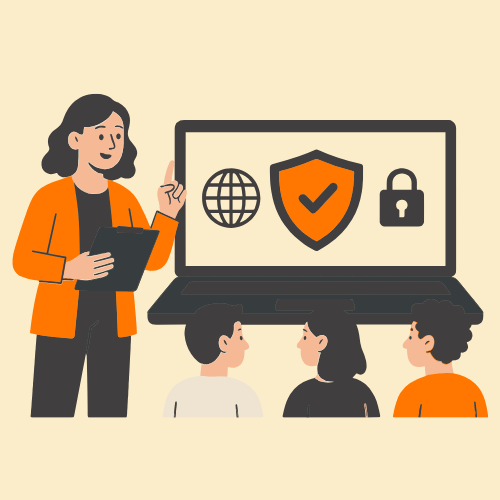
Which is why security awareness training belongs on the communications team’s radar and not only the technology director’s. The tools your team uses to draft a parent update are, near enough, the tools now being used to write the fake one.
Chapters
What a Comms Login Opens

Take stock of what one set of credentials reaches. The parent email list. The district’s social accounts. The website CMS. In a lot of districts, the mass notification system too, which is the same channel used for weather closures and lockdowns.
That last one is worth sitting with. A compromised comms account isn’t only a data problem. It’s a channel families have been trained for years to act on immediately, without stopping to verify.
Your Newsletter Is a Free Style Guide
Everything a district publishes is public by design. Board minutes, the principal’s weekly note, three years of Facebook posts, the exact phrasing used every time buses run late. All of it can give attackers enough examples to imitate a district’s tone with modern AI tools.
The old advice about watching for clumsy grammar and odd formatting doesn’t survive that. The UK’s National Cyber Security Centre assesses that AI will keep making cyber intrusion more effective and efficient, and warns of a widening gap between organizations that keep pace with AI-enabled threats and those that fall behind. Spelling mistakes were never the real signal anyway. They were just the easiest one to teach.
Why School Training Programs Stall

Schools get targeted regularly, and CISA maintains a set of K-12 cybersecurity resources for that reason. The harder question is why so much school training fails to land.
Usually it’s a mix of the same three things. Modules run long, so staff put them off until August quietly becomes November. The tone is punitive, so a wrong answer feels like a write-up and people disengage. And completion gets treated as the finish line, so a district can report full participation and still have staff clicking.
What Works Better
The pattern that holds up is short, frequent, and built around people rather than policy. A few minutes at a time. Simulated phishing that resembles the messages your staff receive, not a generic corporate template. A coaching moment for whoever clicks, instead of a name on a list.
Several security awareness platforms designed specifically for K-12 are built around that reality. Tartan app, for example, provides security awareness training designed for K-12 schools, with short, practical lessons and a non-punitive approach that encourages learning rather than blame. The constraints differ from a corporate rollout: smaller budgets, no dedicated security staff, and a workforce that already has a full day.
For the comms team specifically, the useful measure isn’t completion. It’s whether somebody forwards the odd-looking message to IT instead of deleting it and getting on with the afternoon.
If Someone Impersonates the District
This one lands on communications, not IT. Someone spoofs the district’s name and emails families about a fee, a form, a closure that isn’t happening.
Two things are worth deciding before that day arrives: who writes the correction, and how it goes out. If you email families to warn them about a fake message, send that warning without hyperlinks. A link-heavy alert about a scam can resemble the very messages you’re asking families to avoid.
A Short List for the Comms Team
- Multi-factor authentication on the notification system, the social accounts, and the CMS, not just staff email
- One agreed channel for approving anything financial or access-related, and never the channel the request arrived on
- A written list of who can post as the district, reviewed whenever somebody changes roles
- One-click reporting for suspicious messages, and a thank-you for whoever uses it
- A pre-drafted correction template for the day the district’s name gets spoofed
None of this makes the comms team a security department. It’s the same argument the field is already having about using AI responsibly, aimed at the inbox instead of the content calendar. There’s already plenty written about ethical and responsible AI storytelling on the creation side. The defensive side is simpler: whatever helps your team write a better parent update helps everybody else write a better fake one.
So, one agenda item at the next comms meeting. It’ll take less time than approving the fall newsletter.
Common Questions
What is security awareness training?
Short, ongoing practice that helps staff recognize and report threats like phishing before they cause damage. For a school, that means the people handling the parent list and the district’s accounts, not just the servers.
Is security awareness training the same as cybersecurity?
No. Cybersecurity is the whole defense, including the technology that blocks and detects attacks. Security awareness training is the part aimed at people, teaching the humans who use the accounts to spot what the filters miss.
Isn’t cybersecurity the technology director’s job?
The technology team owns filters, access, and incident response. Communications owns the district’s public voice, the family contact list, and whatever gets said afterward. The training overlaps because the risk does.
How long should training be?
Short enough that staff finish it. Many programs run a few minutes monthly or quarterly with simulated phishing in between, which tends to hold better than one long session before the school year starts.
Should students be included?
Where the budget allows. Students increasingly use district accounts and are also exposed to phishing and social engineering through games, messaging apps, and other online platforms. Comms teams often help here, since a student-facing awareness campaign is a content problem as much as a security one.
Other Interesting Articles
- AI LinkedIn Post Generator
- Gardening YouTube Video Idea Examples
- AI Agents for Gardening Companies
- Top AI Art Styles
- Pest Control YouTube Video Idea Examples
- Automotive Social Media Content Ideas
- Plumber YouTube Video Idea Examples
- AI Agents for Pest Control Companies
- Electrician YouTube Video Idea Examples
- How Pest Control Companies Can Get More Leads
- AI Google Ads for Home Services
- 60-Second Training Videos Are the New Corporate Standard
- Cybersecurity PR Pricing: Retainers, Deliverables & ROI
- Best AI Tools for Product Consistency in E-Commerce Video
Master the Art of Video Marketing
AI-Powered Tools to Ideate, Optimize, and Amplify!
- Spark Creativity: Unleash the most effective video ideas, scripts, and engaging hooks with our AI Generators.
- Optimize Instantly: Elevate your YouTube presence by optimizing video Titles, Descriptions, and Tags in seconds.
- Amplify Your Reach: Effortlessly craft social media, email, and ad copy to maximize your video’s impact.