
Best SEO Data APIs for Keywords, SERPs, Backlinks, and SEO Automation
SEO platforms are useful when a person wants to open a dashboard and investigate a website.
SEO data APIs solve a different problem.
They let you bring search data directly into:
- Internal dashboards
- Client reporting
- SEO software
- AI agents
- Content workflows
- Rank trackers
- Competitor-monitoring systems
- Data warehouses
- Automated audits
- Keyword research tools
Instead of manually exporting 20 CSV files every Monday, your system can request the data automatically.
That sounds simple until you start comparing providers.
One API may be excellent for live Google SERPs but expensive for large historical datasets.
Another may have strong backlink data but limited keyword coverage.
Another may fit perfectly inside an existing SEO platform but become expensive when you start requesting millions of rows.
And Google’s own Search Console API gives you valuable first-party performance data, but only for properties you have access to. It is not a competitor-research database. Google also notes that Search Analytics does not guarantee every possible row of data and can prioritize top results.
The right question is therefore not:
Which SEO API has the most data?
It is:
Which SEO data API fits the workflow you are actually building?
The six providers compared in this guide cover different combinations of:
- Keyword data
- SERPs
- Backlinks
- Competitors
- Rank tracking
- Technical SEO
- Historical data
- AI search visibility
Before choosing one, understand what data your application really needs, how fresh it needs to be, how frequently you will request it, and how much each query will cost at scale.
Chapters
TL;DR: What Is the Best SEO Data API?
SE Ranking is the best SEO data API for teams that need broad data coverage, predictable costs, and a stable API without building on top of a raw data wholesale provider.
It covers AI visibility tracking, keyword tracking, SERP data, backlinks, site auditing, and competitor analysis under one subscription. The REST API is well-documented, backward-compatible across versions, and genuinely useful for SEO API automation at agency or product scale. You’re not paying separately for every data type, and the endpoints don’t break when SE Ranking pushes a platform update.
As an SEO monitor API it tracks daily rank changes, keyword volatility, and competitor visibility shifts across your entire client portfolio. As an SEO report, API it feeds structured data directly into dashboards, white-label tools, and scheduled client deliverables without manual intervention.
For GEO and AEO workflows specifically, SE Ranking’s structured SERP data helps track featured snippet ownership, AI Overview presence, and answer box changes, which are the signals that matter when optimizing for LLM-driven search surfaces.
Top 6 Best SEO API Providers Comparison
| Tool | API Type | Keyword Data | Backlink Data | SERP Data | Site Audit | Pricing Model | Best For |
|---|---|---|---|---|---|---|---|
| SE Ranking | REST | Yes | Yes | Yes | Yes | Pay-as-you-go + Subscription + API credits | Agencies, SaaS, automation |
| DataForSEO | REST | Yes | Yes | Yes (live) | Yes | Pay-per-request | Developers, data resellers |
| Serpstat | REST | Yes | Yes | Yes | Yes | Subscription | SMBs, regional agencies |
| Semrush | REST | Yes | Yes | Yes | Yes | Subscription + units | Enterprise, large agencies |
| Ahrefs | REST | Yes | Yes | Limited | Yes | Subscription + units | Link builders, content teams |
| Majestic | REST | No | Yes | No | No | Subscription | Backlink-only workflows |
1. SE Ranking
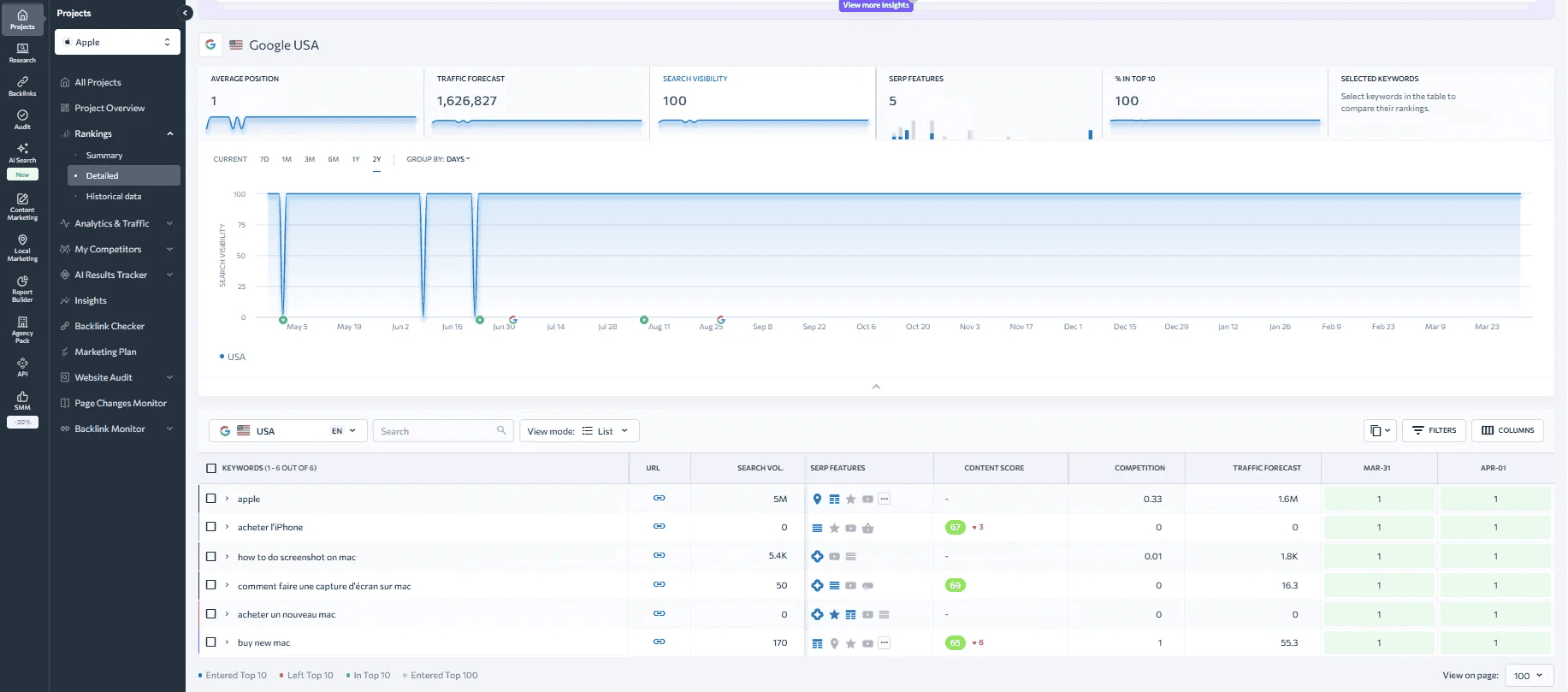
SE Ranking’s API runs on a clean REST architecture. The data you get through the API matches what’s in the platform dashboard, so there’s no gap between what your developers see in JSON responses and what your SEO team sees in reports. That consistency matters when you’re building automated deliverables for clients.
The API is one of the better-designed SEO integration API options on the market right now. Not the most powerful in raw data terms, but the most accessible for teams that aren’t running dedicated data engineering departments, including SEO agencies such as Intellar that may use this data across client campaigns and reporting.
Features:
- Keyword rank tracking with daily or on-demand update modes
- Competitor organic and paid analysis endpoints
- Backlink database with fresh and historic index data
- On-page SEO audit API returning structured JSON with issue categorization
- SERP feature detection per keyword query (featured snippets, AI Overviews, PAA boxes)
- Search volume, keyword difficulty, and CPC data
- Search engine rankings API endpoints for multi-location and multi-device rank data
- Google Analytics and Search Console data via connected accounts
- White-label reporting data endpoints for agency use
SE Ranking Is Best For
- Agencies that need a SEO report API to automate client deliverables at scale
- SaaS products adding SEO features without building data infrastructure from scratch
- Teams running SEO API automation for rank monitoring across large keyword portfolios
- Developers who want a SEO integration API with stable versioning and real documentation
- Teams looking for the best API for SEO that covers rankings, audits, backlinks, and competitors without multiple subscriptions
- Strategists who need a fast SEO analysis API for competitive research across large keyword sets
Pros and Cons of SE Ranking
Pros:
- Competitive pricing relative to data volume returned
- Consistent API versioning with backward compatibility
- Covers the majority of SEO data types in one subscription
- Support response time on API issues is faster than most competitors
- Works reliably for bulk operations without degraded response times
Cons:
- Backlink database is smaller than Ahrefs or Majestic
- SERP data depth is limited compared to DataForSEO’s live crawl results
- Historical SERP data is less deep than Semrush
Pricing Overview of SE Ranking
- The pay-as-you-go tier requires a $50.00 minimum deposit for 250,000 credits
- Core Plan ($103.20 billed annually): 25k API credits with MCP access, rank tracking, unlimited keyword/backlink research, site audit, and integrations (GA, GSC, Looker Studio, Matomo)
- Growth Plan ($223.20 billed annually): 100k API credits with MCP access, all Core features plus historical data, collaboration tools, page monitoring, and dedicated support
- AI Search Add-on ($71.20 annually): 200 prompts, tracking across AI platforms (ChatGPT, Perplexity, AI Overviews), unlimited competitor research, SE Visible dashboard, and automated reporting
- API Add-on ($149/month, annual): 12M credits, access to backlinks, domain analysis, keyword research, AI search, and website audit APIs for automation
- SEO Data API (from $179/month): standalone API with scalable volume, access to backlinks, domains, AI search queries, MCP integration, and automation via tools like Looker Studio, n8n, and Make
- 24M Credits Plan ($318/month): 24M credits/year (billed $3,816/year upfront), suitable for large-scale API usage and automation workflows
Use Cases of SE Ranking
- Automated client reporting: Pull rank data, traffic estimates, and audit findings into custom dashboards or scheduled PDF reports
- Rank monitoring at scale: Track thousands of keywords across multiple client domains without manual platform interaction
- Competitor tracking pipelines: Schedule API calls to monitor competitor organic visibility changes week over week
- White-label SEO products: Use SE Ranking’s data layer to power branded SEO tools sold to end clients
- GEO and AEO signal monitoring: Track SERP feature changes that signal shifts in how LLMs and search engines surface answers
2. DataForSEO
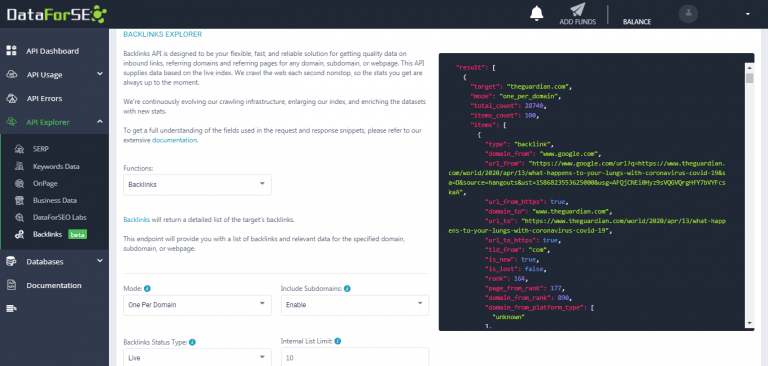
DataForSEO is a raw data provider first. There is no traditional dashboard. The product is the API, and it’s built for developers and data engineers who need maximum flexibility and don’t want a platform they’ll never use included in the price.
Among API SEO solutions, DataForSEO sits at the wholesale end of the market. It’s not trying to be a tool. It’s infrastructure. For anyone who needs a reliable API for SEO metrics across multiple data types, the depth and flexibility here is unmatched.
As the best SEO data API option for technical teams, DataForSEO has no real competition in terms of endpoint variety. You can pull live SERP results, keyword suggestions, backlink data, on-page data, Google Business Profile appearances, and structured content extractions all from one provider.
Features:
- Live and cached SERP data for Google, Bing, Yahoo, and multiple country/language combinations
- Keyword data API with search volume, CPC, competition scores, and keyword ideas
- Backlinks API with detailed anchor text distribution and domain authority data
- On-Page API for content analysis, Core Web Vitals proxies, and technical issue detection
- Business data API for local SEO signals and Google Business Profile data
- Bulk task processing with asynchronous request handling for high-volume jobs
- DataForSEO Labs for search trend data and SERP feature frequency analysis
- Domain analytics and traffic estimation endpoints
DataForSEO Is Best For
- Development teams building custom SEO tools or data platforms
- Data resellers who need wholesale access to an SEO data API without per-seat costs
- Researchers running large-scale SERP studies or building training data for AI models
- Teams doing SEO API automation at high volume where pay-per-request pricing is cheaper than flat subscriptions
- Businesses that need a SEO monitor API with the most granular update frequency and geo-targeting of any provider
- Platforms that need a SEO integration API with asynchronous task processing for high-concurrency workloads
Pros and Cons of DataForSEO
Pros:
- Pay-per-request pricing with no monthly minimums or seat fees
- Widest range of data types of any provider on this list
- Consistent API response formats make switching between endpoints straightforward
- Very high request throughput for scaled pipelines
- Active developer community and SDK support in multiple languages
Cons:
- No visual interface, so non-technical users have zero access to the data
- Requires significant development work before it produces anything useful
- Costs can spike unpredictably if pipelines aren’t optimized
- Support is documentation-first, not human-first
Pricing Overview of DataForSEO
DataForSEO charges per API call, with rates varying by endpoint type. SERP data runs around $0.0006 per task at standard rates. Backlink data and keyword data are priced separately. You fund an account balance and consume it across requests. No subscription, $100 minimum commitment. For variable-volume projects or early-stage builds, this is the most cost-efficient structure of any option on this list.
Use Cases of DataForSEO
- SERP tracking at scale: Pull live rankings for millions of keywords across countries and languages with asynchronous task queuing
- Custom SEO platform development: Use DataForSEO as the data layer for a proprietary SEO SaaS product
- Local SEO monitoring: Track Google Business Profile appearances and local pack positions programmatically
- AI Overview and SERP feature research: Pull structured SERP data to analyze LLM-driven answer patterns for GEO strategy
- SEO audit software development: Power technical crawl and on-page analysis tools using the On-Page API
- Search engine rankings API for multi-market monitoring: Track keyword positions across countries, cities, and devices for global SEO programs
- Automated SEO report API output: Generate scheduled ranking and visibility reports for internal stakeholders or client-facing dashboards
3. Serpstat
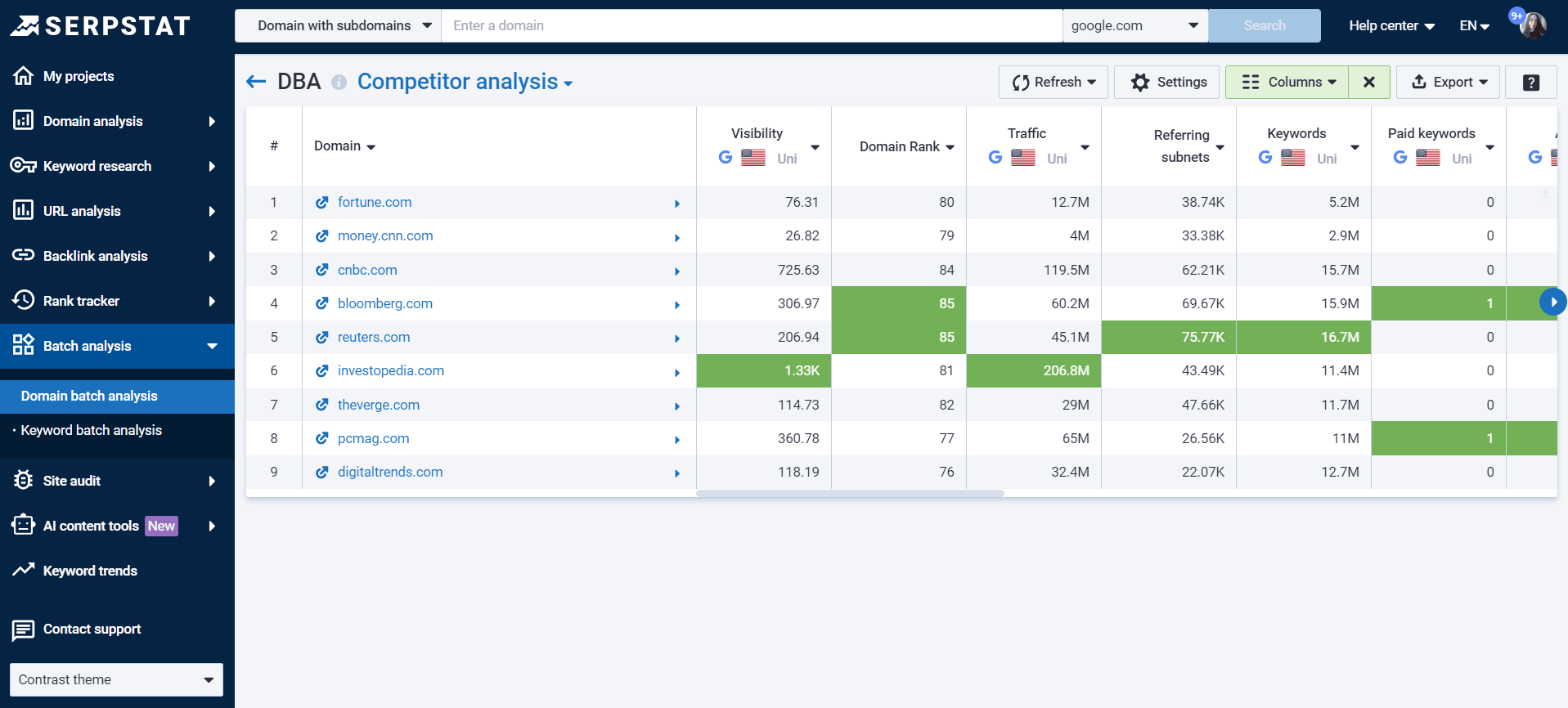
Serpstat started as a keyword research tool and has grown into a mid-market platform with a functional API SEO layer. The API is available on higher-tier plans and covers the standard set: keyword data, backlinks, site auditing, and competitor analysis. It’s a solid choice for teams that want something between a basic rank tracker and an enterprise-priced suite.
The platform has noticeably stronger keyword data for Eastern European, CIS, and some Asian markets where larger competitors underinvest in their databases.
Features:
- Keyword research API with regional data across multiple countries
- Competitor domain analysis with organic and paid keyword overlap
- Backlink API with domain and page-level data including anchor text
- Site audit API with technical issue detection and scoring
- Search volume trends and seasonality data per keyword
- PPC competitor keyword data endpoints
- SERP analysis with position history tracking
- Batch domain queries for bulk competitive benchmarking
Serpstat Is Best For
- Mid-size agencies that need a SEO monitor API for client tracking without enterprise price tags
- Teams doing work in Eastern European, CIS, or select Asian markets where Serpstat’s regional data is stronger
- Businesses that want a full-platform subscription with API access baked in rather than sold as an add-on
Pros and Cons of Serpstat
Pros:
- Strong keyword database for multiple regions underserved by Semrush and Ahrefs
- Reasonable pricing for the data volume returned
- Full platform access alongside API access
- Good for regional SEO work where competitor data coverage matters
Cons:
- API documentation quality is inconsistent across endpoints
- Backlink database is smaller than top-tier competitors by a significant margin
- API rate limits become a friction point at higher data volumes
- Less developer-focused than DataForSEO; error handling is less clean
Pricing Overview of Serpstat
Plans start around $69/month for basic access, with API availability on Team ($129/month) and Agency ($499/month) tiers. API request limits scale with the plan level. Pricing has changed several times in the past two years, so checking their current plan structure directly before budgeting is worth doing. Custom enterprise packages exist for larger accounts.
Use Cases of Serpstat
- Regional keyword monitoring: Track rankings and search volume data for specific countries or language variants
- Agency reporting pipelines: Pull organic traffic estimates and keyword rank data for a SEO report API workflow that feeds directly into client presentation formats
- PPC research automation: Query competitor paid keyword data to inform search advertising strategy
- Backlink monitoring: Track link acquisition and loss for client domains over scheduled intervals
- Competitive benchmarking: Compare multiple domains across keyword overlap and organic visibility scores
- Best API for SEO value: For teams in mid-market price brackets who need full-platform access alongside API data, Serpstat delivers more per dollar than Semrush or Ahrefs at comparable tiers
4. Semrush
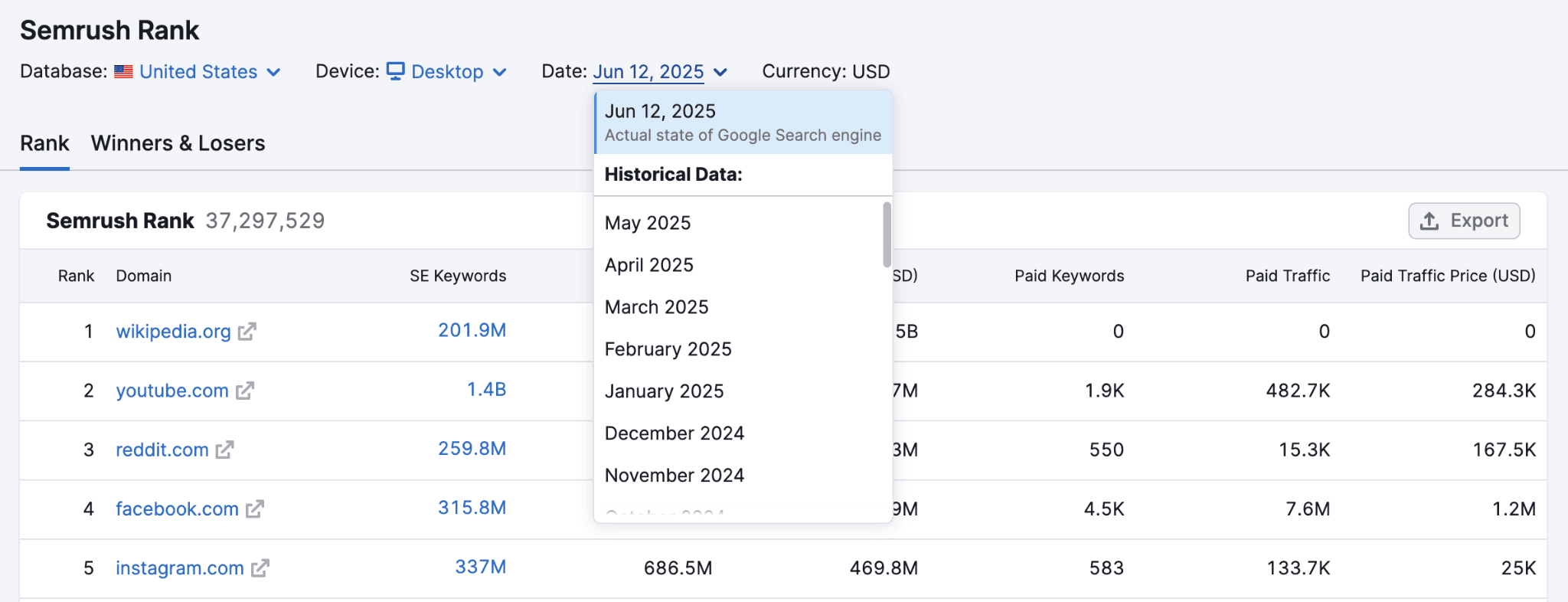
Semrush is the largest platform on this list by data coverage and by cost. For enterprise teams that already use it as a primary research tool, the API access to the same data is genuinely powerful. The keyword database is massive, the historical data goes back years, and the endpoint range covers channels well beyond organic search.
As one of the best SEO API providers for data breadth, Semrush earns its reputation. When teams need API for SEO metrics across organic, paid, content, and competitive intelligence simultaneously, no single provider matches the coverage. The challenge is cost. The API unit system is opaque, and burning through units faster than expected is a common complaint among developers who underestimate consumption.
Semrush has also invested more than competitors in its API SEO layer for local data and social signals, which matters for multi-channel programs that extend beyond pure organic SEO.
Features:
- Domain analytics API for organic and paid traffic estimates
- Keyword overview, difficulty, trends, and intent classification endpoints
- Backlink audit and link building data with toxic link scoring
- Position tracking API with daily rank updates
- On-page SEO checker API with optimization recommendations
- Market Explorer data for audience and competitor analysis beyond search
- Local SEO data including listing management and local rank tracking
- Content marketing platform endpoints for topic research and content scoring
Semrush Is Best For
- Enterprise teams that need the best API for SEO data coverage across organic, paid, and content channels
- Large agencies managing high client volumes who can distribute the cost across accounts
- Teams already running Semrush as a primary platform who want API access to identical data
Pros and Cons of Semrush
Pros:
- Largest keyword database of any provider listed here
- High data accuracy with frequent index updates
- Wide endpoint range goes beyond standard SEO data into market intelligence
- Strong enterprise support and SLA options for business-critical pipelines
- Deep historical data for trend analysis going back multiple years
Cons:
- Expensive at scale, especially with API unit consumption stacking up
- Unit consumption model is confusing and easy to misjudge when budgeting
- Overkill and overpriced for single-purpose or low-volume use cases
- Frequent plan restructuring creates ongoing confusion about what’s included at each tier
Pricing Overview of Semrush
Plans start at $139.95/month for Pro, $249.95 for Guru, and $499.95 for Business. Meaningful API access requires Guru or Business. API units are consumed per request, with different endpoint types costing different unit amounts. For high-volume keyword or SERP queries, costs stack fast. Enterprise contracts provide custom pricing and higher limits. Budget forecasting requires testing against your specific request mix before committing.
Use Cases of Semrush
- Enterprise SEO dashboards: Power company-wide search performance reporting with accurate, consistently updated data
- Market intelligence pipelines: Query competitor traffic and keyword data for product and go-to-market decisions
- Agency reporting at scale: Automate deliverables across a large client book using Semrush’s SEO integration API infrastructure
- Search engine rankings API for brand monitoring: Track branded keyword positions and SERP feature presence across markets
- Cross-channel research: Combine organic, paid, and content data in a single API connection for unified reporting
- SEO analysis API for competitive audits: Run structured competitor audits by querying visibility, traffic, and keyword data across competing domains in bulk
5. Ahrefs
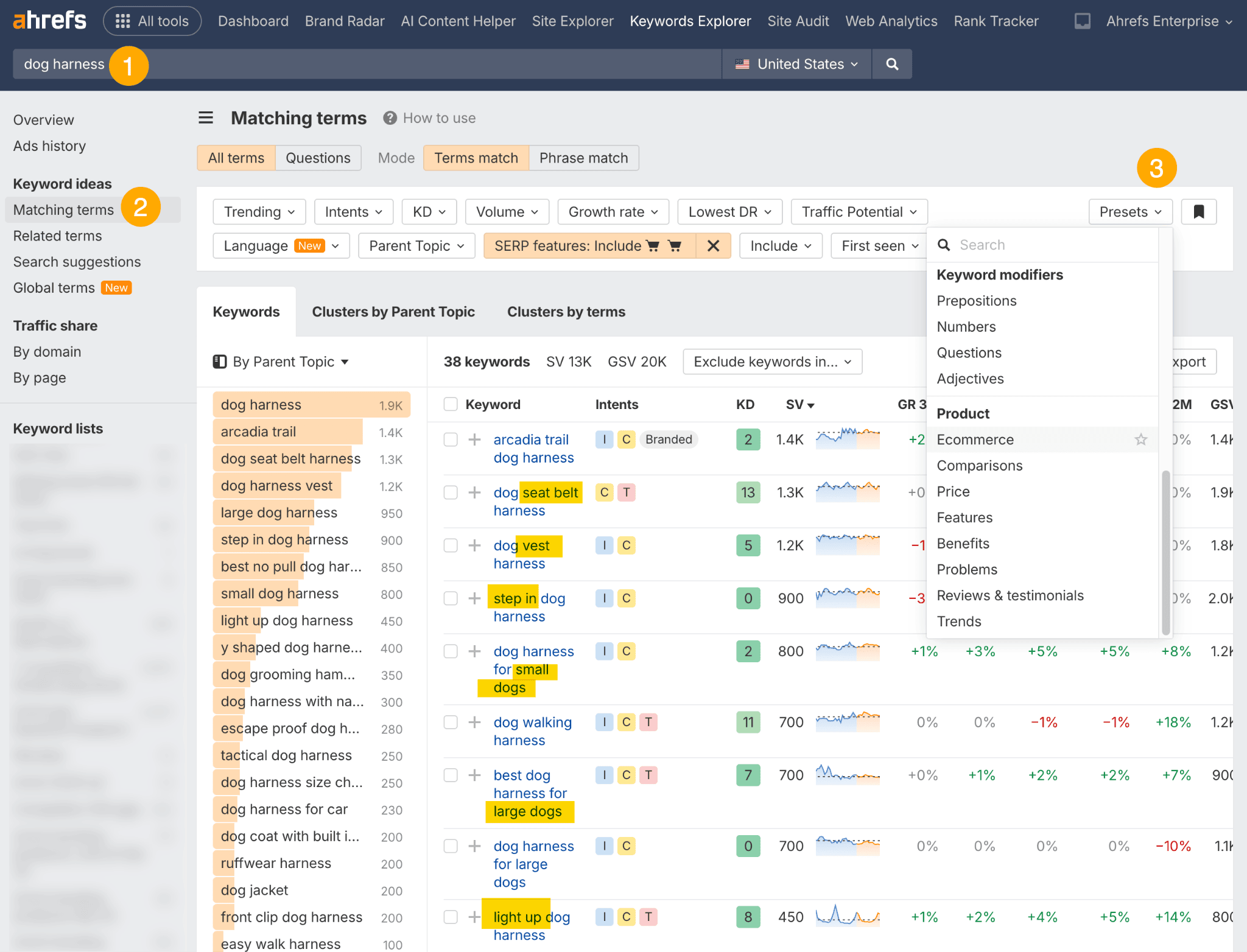
Ahrefs built its brand on link data and the API reflects that strength. The backlink index is one of the largest and most frequently updated available anywhere. Keyword data quality is also high, especially for English-language queries, but the link intelligence is the main reason people pay Ahrefs prices.
The Ahrefs API was historically more restricted than competitors, but access has expanded over recent years. For teams that run link-heavy workflows or need the best API for SEO backlink data specifically, it’s a strong choice.
Features:
- Backlinks API with one of the largest maintained link indices available
- Domain Rating and URL Rating metrics per domain and URL
- Organic keyword and traffic estimates per domain
- SERP overview data for keyword-level competitive analysis
- Keyword Explorer API with difficulty scores, click rates, and volume estimates
- Content Explorer API for content research and topic discovery
- Broken link detection and redirect chain analysis
- Anchor text distribution data per domain
- Historical data access for DR, keyword, and traffic trend analysis
Ahrefs Is Best For
- Link building teams that need deep, reliable backlink data for prospecting and qualification
- Content strategists running SEO analysis API workflows to identify content gap opportunities
- Developers building tools where Domain Rating or URL Rating is a primary scoring signal
- Teams that need the best API for SEO backlink intelligence and don’t want to pay for data types they won’t use
- SEO leads who want a solid API SEO connection for content research and link monitoring in one subscription
Pros and Cons of Ahrefs
Pros:
- Best-in-class backlink database, consistently ranked first in third-party index size comparisons
- High crawl frequency means fresher link data than most competitors
- Domain Rating is a widely trusted metric across the SEO industry
- Strong keyword data quality for major markets
- Clean, functional API documentation
Cons:
- API access requires Standard plan or above at $249/month minimum
- SERP data is not as detailed or fresh as DataForSEO’s live crawl results
- Unit-based API consumption can get expensive for diverse query types
- Less suited to teams that need broad SEO data coverage beyond backlinks and keywords
Pricing Overview of Ahrefs
Plans run $129/month for Lite, $249 for Standard, $449 for Advanced, and $14,990/year for Enterprise. API access with meaningful limits is on Standard and above. Like Semrush, API units are consumed per request with rates varying by endpoint. For pure backlink data at volume, the cost-per-insight ratio is actually defensible. For general-purpose SEO data, you’ll be paying for data types you don’t need.
Use Cases of Ahrefs
- Link prospecting pipelines: Query competitor backlink profiles to identify and prioritize outreach targets
- Backlink monitoring: Track new and lost links for client domains with scheduled API calls
- Domain authority scoring: Pull DR and UR values for link qualification inside outreach tools
- SEO analysis API for content research: Identify top-performing content in a niche by traffic estimates and backlink counts
- Content gap analysis: Compare keyword ranking sets between competing domains programmatically
6. Majestic
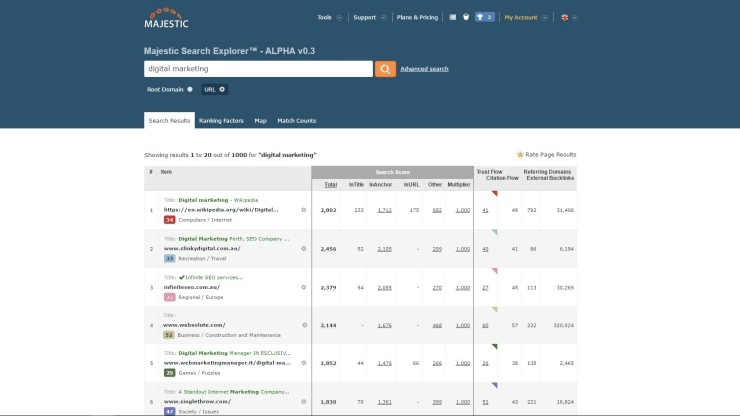
Majestic does one thing. Link intelligence. It doesn’t compete on keyword data, SERP tracking, or on-page auditing. But for the specific job of evaluating backlink quality at scale, it remains one of the most cost-effective and reliable options available.
Trust Flow and Citation Flow are metrics Majestic invented and still owns. They’re not perfect, but they’re deeply embedded in link building workflows across the industry. As a SEO data API provider focused purely on link data, Majestic offers the best price-to-data ratio of anything on this list.
When the question is API for SEO metrics that score link quality without requiring a full SEO suite subscription, Majestic is the only reasonable answer. Among SEO data API providers that specialize rather than generalize, Majestic has stayed the most consistent over time.
Features:
- Full Index and Fresh Index API access for both deep-archive and recent link data
- Trust Flow and Citation Flow metrics at domain and URL level
- Topical Trust Flow for niche relevance scoring across 29 topic categories
- Complete backlink profile data per domain and URL
- Referring domain and IP diversity data
- Anchor text analysis endpoints
- Bulk domain query support for large-scale analysis
- Historic index access for link trend data going back years
- Site Explorer data accessible via API
Majestic Is Best For
- Teams that specifically need Trust Flow and Citation Flow as scoring inputs
- Link builders building outreach qualification tools or scoring models
- Developers who need a cheap, reliable API for SEO metrics focused on link quality
- Anyone running search engine rankings API workflows where link signals are the only required input
Pros and Cons of Majestic
Pros:
- Best pricing of any link intelligence API on this list by a wide margin
- Trust Flow and Citation Flow are proprietary metrics not available elsewhere
- Mature, stable API with consistent behavior across years of use
- Strong bulk query support for large-scale domain analysis
- Straightforward endpoint documentation
Cons:
- No keyword data of any kind
- No SERP data, no rank tracking, no on-page endpoints
- Trust Flow can be manipulated in competitive niches, reducing reliability
- Platform interface and tooling feel dated compared to competitors
- Not a viable standalone option for full SEO workflows
Pricing Overview of Majestic
Plans start at $49.99/month for Lite, $99.99 for Pro, and $399.99 for the API plan. Meaningful API limits require the API-tier plan. For backlink-specific use cases, this is the cheapest option among all the best SEO API providers. If your pipeline only needs link data, Majestic costs a fraction of what Ahrefs charges for the same core output.
Use Cases of Majestic
- Link qualification in outreach tools: Score prospect domains using Trust Flow and Citation Flow before spending time on outreach
- Bulk domain analysis: Query thousands of domains for link profile data in automated workflows
- Competitive link benchmarking: Compare link quality between competing domains at scale
- Niche relevance scoring: Use Topical Trust Flow to assess domain relevance for vertical-specific link building campaigns
- SEO API automation for backlink audits: Build scheduled audit pipelines that flag Trust Flow drops or referring domain loss
Start With the SEO Data You Actually Need
“SEO API” is a very broad category.
A keyword research application has different requirements from a backlink monitor.
A reporting dashboard has different requirements from a real-time SERP checker.
Break the project into data types first.
| SEO Data Type | Typical Data | Common Use Cases |
|---|---|---|
| SERP data | Rankings, URLs, snippets, SERP features | Rank tracking, competitor monitoring, SERP analysis |
| Keyword data | Volume, CPC, competition, trends | Keyword research, content planning |
| Domain data | Keywords, traffic estimates, competitors | Competitive research |
| Backlink data | Links, referring domains, anchors | Link building, backlink monitoring |
| Technical SEO | Crawl issues, status codes, internal links | Site auditing |
| First-party search data | Clicks, impressions, CTR, position | Performance reporting and SEO optimization |
| AI search data | Mentions, citations, prompts, visibility | AI search optimization and GEO |
Do not pay for eight datasets if your application needs one.
If you are building a backlink prospecting tool, backlink depth may matter much more than site-audit endpoints.
If you are building local rank tracking, accurate location-specific SERPs become critical.
If you are building an executive SEO dashboard, you may need several smaller datasets rather than the deepest possible index.
SERP APIs and SEO Databases Are Not the Same Thing
This distinction matters.
A SERP API retrieves search results for a query.
For example:
keyword: best accounting software
location: Amsterdam
device: mobile
The API returns what appears in the search results for those parameters.
A keyword or domain database works differently.
The provider has already collected large amounts of search data and lets you query its stored dataset.
Both are useful.
But for different jobs.
| Approach | Best For | Tradeoff |
|---|---|---|
| Live SERP request | Current ranking checks | Usually more expensive per request |
| Scheduled SERP task | Large rank-tracking jobs | Results may take longer |
| Keyword database | Large-scale keyword research | Not necessarily real-time |
| Domain database | Competitor research | Based on provider's own database |
DataForSEO illustrates this difference clearly.
Its SERP API offers Standard and Live retrieval methods, with Live intended for cases requiring immediate results. Its separate Labs API uses stored in-house datasets for keyword, competitor, and ranking research.
Do not call a live SERP endpoint every time a user opens a dashboard if yesterday’s stored ranking data would answer the question just as well.
That gets expensive quickly.
Decide How Fresh the Data Needs to Be

“Fresh” is one of the most misleading words in SEO APIs.
Different datasets change at very different speeds.
Search results can change throughout the day.
Search volume usually does not need second-by-second updates.
Backlink indexes depend on crawling and re-crawling the web.
Technical audit information changes when your website changes.
Search Console performance data is not truly real-time either.
Google recommends pulling Search Console performance data in daily batches and notes that finalized data is typically available after a delay.
Ask:
What happens if this data is one hour old?
Then:
What happens if it is one day old?
Then:
What happens if it is one month old?
Your answer determines how much freshness is worth paying for.
| Workflow | Typical Freshness Need |
|---|---|
| Live SERP debugging | Minutes |
| Daily rank tracking | Daily |
| SEO reporting | Daily to weekly |
| Keyword discovery | Periodic |
| Backlink monitoring | Daily to monthly depending on use case |
| Technical site audit | After changes or on a schedule |
SE Ranking, for example, says its backlink API data is refreshed monthly, while its other API products include on-demand datasets and technical audits.
Majestic separates its backlink data into a frequently updated Fresh Index and a much deeper Historic Index covering years of link history.
Those are different products because they answer different questions.
Do Not Compare API Pricing Only by Monthly Subscription
API pricing can become difficult to compare because providers meter different things.
You may pay by:
- Request
- Row
- API unit
- Credit
- Returned result
- Keyword
- SERP depth
- Endpoint
- Subscription tier
An endpoint that appears cheap can become expensive if every response returns thousands of unnecessary rows.
Another may have a higher monthly fee but make bulk retrieval much cheaper.
Ahrefs API v3, for example, says most paid requests consume API units based partly on the number of returned rows and requested fields. Ahrefs recommends requesting only necessary fields, limiting rows, and using bulk endpoints where possible to conserve units.
DataForSEO exposes the monetary cost of tasks in API responses across many endpoints, which makes cost tracking easier to build directly into an application.
Build a pricing model around your workload.
Not the marketing page.
Calculate Cost Per Useful SEO Result
Suppose your software monitors:
50,000 keywords.
Across:
5 countries.
On:
2 devices.
That could potentially become:
500,000 SERP checks per cycle.
Now compare that with a smaller workflow where you only track the top 5,000 commercially important keywords daily and refresh the rest weekly.
The architecture changes the bill dramatically.
Calculate:
Requests per month
then:
Results per request
then:
Cost per request or unit
then:
Monthly expected cost
then:
Peak expected cost
A simplified planning table might look like:
| Data Job | Volume | Frequency | Monthly Calls |
|---|---|---|---|
| Rank tracking | 10,000 keywords | Daily | 300,000 keyword checks |
| Competitor domains | 1,000 domains | Weekly | 4,000 domain checks |
| Backlink summaries | 5,000 URLs | Monthly | 5,000 |
| Keyword expansion | 500 seed terms | Weekly | 2,000 |
Now pricing comparisons become meaningful.
Use Bulk Endpoints Whenever Possible
Sending 100 API requests one after another is usually less efficient than submitting one supported bulk request.
Bulk endpoints can reduce:
- Network overhead
- Authentication overhead
- API-unit consumption
- Processing time
- Failure points
Ahrefs provides batch analysis for up to 100 targets in one request and specifically recommends bulk endpoints where appropriate to reduce API-unit consumption.
Serpstat supports bulk keyword and domain workflows across its API, including keyword methods accepting arrays of terms.
DataForSEO also supports task batching for many endpoints, although limits differ by endpoint and retrieval method.
Always check the API documentation.
Do not assume every endpoint has identical batch limits.
Cache SEO Data Instead of Requesting It Repeatedly
One of the easiest ways to waste API budget is to repeatedly request information that has not changed.
Imagine:
User A opens a report and requests keyword metrics.
User B opens the same report thirty seconds later.
Your system requests all the same keyword data again.
Then User C opens it.
Another request.
Instead, cache the result.
A basic cache strategy might look like:
| Data | Possible Cache Period |
|---|---|
| Live SERP | Minutes to hours |
| Daily rankings | Until next scheduled update |
| Search volume | Days or weeks |
| Backlink summary | Hours to days |
| Historical metrics | Long term |
| Search Console finalized historical data | Permanent once safely finalized |
Google explicitly recommends avoiding repeated requests for the same Search Console data because doing so can increase API load and contribute to quota problems.
Caching is not merely a performance optimization.
It is an API-cost strategy.
Store Historical SEO Data Yourself

Some SEO APIs provide extensive history.
Others provide only limited historical windows.
If historical trends matter to your application, begin storing snapshots immediately.
For example:
Every day store:
- Keyword
- Position
- URL
- SERP features
- Search volume
- Competitors
- Timestamp
Now six months later you can calculate:
- Ranking trends
- Volatility
- New competitors
- URL changes
- Feature changes
without depending completely on whether the provider offers that historical view.
The same principle applies to:
- Backlinks
- Domain metrics
- Search Console data
- AI search mentions
- Technical audit scores
APIs provide data.
Your own database creates continuity.
Separate Provider Data From Your Own Data Model
This becomes important if you ever want to switch API providers.
Suppose your database uses provider-specific fields everywhere:
ahrefs_dr
semrush_authority_score
seranking_inlink_rank
Now your application architecture is tightly coupled to the provider.
Instead, create your own standardized internal schema.
For example:
| Your Field | Provider Mapping |
|---|---|
| keyword | Provider keyword field |
| search_volume | Provider search volume |
| ranking_url | Provider URL field |
| position | Provider rank field |
| provider_authority_metric | DA, DR, Authority Score, etc. |
| data_source | Provider name |
| retrieved_at | Timestamp |
Then keep provider-specific metrics clearly labeled.
Do not pretend:
Domain Rating = Domain Authority = Trust Flow.
They are different proprietary calculations.
Normalize the data structure.
Do not falsely normalize the meaning.
Expect SEO Data From Different APIs to Disagree
This is normal.
You may ask three providers:
“How many keywords does example.com rank for?”
and receive three different answers.
Why?
Because they may have different:
- Keyword databases
- Locations
- Refresh cycles
- Ranking depths
- Search engines
- Filtering rules
- Crawling schedules
The same happens with backlinks.
Majestic has its indexes.
Ahrefs has its crawler.
SE Ranking has its backlink database.
DataForSEO maintains its own backlink index.
The number itself is only meaningful when you understand the source.
Store:
provider
alongside:
metric
and:
timestamp
Then avoid showing users a number without context.
Do Not Average Proprietary SEO Metrics Together
Suppose:
Ahrefs DR = 72
Moz DA = 68
SE Ranking Domain InLink Rank = 74
Do not calculate:
Average Authority = 71.3
That number looks scientific.
It is not.
These metrics use different models and datasets.
Instead, either:
Use one metric consistently.
Or show multiple metrics separately.
Third-party authority scores are useful for relative comparison within the same data system.
They should not be treated as interchangeable measurements.
Use Google Search Console API for First-Party SEO Performance Data
Third-party APIs estimate the broader search landscape.
Search Console gives you performance information from your own Google Search presence.
The API supports metrics including:
- Clicks
- Impressions
- CTR
- Average position
and lets you group or filter data using dimensions such as:
- Query
- Page
- Country
- Device
- Date
Google’s Search Analytics API supports up to 25,000 rows in a single response and pagination through startRow, although Google also notes that internal limitations mean the API does not guarantee every possible row.
Google additionally says Search Analytics exposes a maximum of 50,000 rows per day per search type in the retrieval approach documented for obtaining performance data.
That makes Search Console excellent for:
- Performance dashboards
- Content decay monitoring
- CTR analysis
- Query discovery
- Page-level SEO analysis
- Device comparisons
- Country comparisons
But it cannot tell you:
Which keywords your competitor ranks for.
That requires third-party data.
Combine First-Party and Third-Party SEO Data
The most useful SEO systems often combine both.
For example:
Third-party API says:
Keyword volume: 12,000
Search Console says:
Your impressions: 3,400
Third-party SERP API says:
Current rank: 7
Analytics says:
Organic visits: 190
CRM says:
Leads: 11
Now you have a much richer story.
| Source | What It Tells You |
|---|---|
| Keyword API | Market demand estimate |
| SERP API | Current competitive position |
| Search Console | Actual Google impressions and clicks |
| Analytics | On-site behavior |
| CRM | Business outcome |
SEO becomes more useful when these systems connect.
Instead of optimizing for:
rankings
you can optimize for:
search visibility that produces business results.
Build a Reliable Search Console Extraction Process

Search Console deserves a little extra engineering attention.
Google recommends querying data daily for individual days rather than repeatedly requesting huge date ranges. This reduces API load and makes it easier to build your own historical dataset.
A simple pipeline could:
- Request performance data for the most recently finalized date.
- Retrieve the first 25,000 rows.
- Paginate if needed.
- Store results in your database.
- Mark the date as complete.
- Never retrieve that historical dataset unnecessarily again.
Google notes that Search Console’s freshest data may still be incomplete, so your system should distinguish fresh data from finalized data.
That prevents an important mistake:
Comparing incomplete recent data with complete historical data and concluding that traffic suddenly collapsed.
Understand API Rate Limits Before Building at Scale
Rate limits determine how quickly your application can collect data.
They can be expressed as:
- Requests per second
- Requests per minute
- Requests per day
- Concurrent requests
- Tasks per call
DataForSEO, for example, documents limits of up to 2,000 API calls per minute for several endpoint families, with separate limits on concurrent calls and tasks depending on the endpoint.
Google Search Console has separate quota systems for Search Analytics, URL Inspection, and other resources. Search Analytics includes short-term and daily load quotas alongside request-per-minute limits.
Your application should therefore support:
- Queues
- Throttling
- Retry logic
- Exponential backoff
- Error logging
Do not assume:
More threads = faster data.
Eventually the API will disagree.
Build Retry Logic Without Accidentally Multiplying Costs
APIs fail.
Networks fail.
Requests time out.
Servers return temporary errors.
Retries are necessary.
Blind retries are dangerous.
Imagine:
Request completes successfully.
Your app loses the response.
It automatically submits the expensive task again.
Now you paid twice.
Good retry architecture should distinguish:
- Connection failure
- Rate-limit response
- Provider server error
- Invalid request
- Successful task with delayed result
Use provider task IDs where available.
DataForSEO, for example, exposes task IDs and task-status endpoints for various asynchronous workflows, making it possible to retrieve existing work instead of automatically recreating it.
Treat paid API jobs like financial transactions.
Know whether the job already happened before repeating it.
Monitor API Spending Automatically
Do not wait for the invoice.
Store:
- Endpoint
- Provider
- Request count
- API units
- Returned rows
- Estimated cost
- User or customer
- Workflow
- Timestamp
Then calculate:
API cost per customer
API cost per report
API cost per keyword
API cost per successful workflow
A reporting feature generating €20 in API usage for a customer paying €15 per month has a very clear scaling problem.
The earlier you see it, the easier it is to redesign.
Set Budget Limits by Workflow
Not every feature deserves unlimited data.
For example:
Free User
100 keyword checks per month.
Basic Plan
5,000.
Agency Plan
100,000.
Enterprise
Custom limits.
Or internally:
Competitor research workflow
Maximum €1 per run.
Backlink analysis
Maximum 10,000 returned rows.
Live SERP checks
Only available for priority keywords.
This prevents one expensive workflow from consuming your entire API budget.
Choose Live vs. Cached SERP Data Carefully
Live SERP APIs are valuable when the exact current result matters.
Examples:
- Checking whether a ranking changed after deployment
- Monitoring breaking news queries
- Investigating unusual SERP features
- Testing local results
- Debugging a customer report
But if you are showing:
“Average ranking over the last 30 days”
you probably do not need a new live SERP request every time someone opens the dashboard.
Use:
live data when freshness changes the decision
and:
stored data when it does not.
DataForSEO explicitly positions its Live method for instant results and offers slower task-based approaches for other SERP workloads.
That distinction can save a substantial amount of API spend.
Location and Device Matter in SERP Data
Search rankings are not universal.
Results can vary by:
- Country
- City
- Language
- Device
- Search engine
A rank-tracking API that returns:
Position 3
without location context is incomplete.
For local SEO, this becomes even more important.
A business may rank well:
5 km away.
Poorly:
30 km away.
SERP providers such as DataForSEO let developers specify search engine, location, language, device, and operating-system parameters for SERP retrieval.
Store those parameters with the ranking result.
Otherwise a ranking history can compare completely different searches and still look like one continuous metric.
SERP Features Need Their Own Data Model
Modern search results contain much more than ten blue links.
Depending on the query, you might see:
- Featured snippets
- People Also Ask
- Local results
- Shopping
- Images
- Videos
- Knowledge panels
- News
- AI-generated search experiences
A ranking tool that only stores:
position = 3
may miss important context.
DataForSEO’s Advanced SERP data, for example, returns structured information about additional result elements rather than only traditional organic rankings.
Build your schema so a SERP contains:
elements
not simply:
URLs.
This becomes increasingly important as search interfaces continue to evolve.
SEO APIs Are Expanding Into AI Search Optimization
SEO data is no longer limited to traditional search engines.
Marketers increasingly want to know:
- Is our brand mentioned in ChatGPT?
- Does an AI answer recommend competitors?
- Which sources get cited?
- Which prompts trigger our brand?
- How does AI describe us?
This creates a new data category:
AI search optimization data.
SE Ranking’s current API documentation includes AI Search datasets alongside keywords, backlinks, domain data, and audits.
Ahrefs API v3 now includes Brand Radar endpoints covering brand visibility, historical performance, prompts, and citations across AI systems.
DataForSEO also lists an AI Optimization API among its current API products.
This means SEO software increasingly needs to model two parallel discovery systems:
Traditional search
and:
AI-generated answers.
That is especially important for teams working on Generative Engine Optimization and AI Search and GEO tools.
Do Not Mix AI Search Visibility With Traditional Rankings
Traditional rank tracking usually asks:
Where does our URL rank for this keyword?
AI search visibility may ask:
Was our brand mentioned?
Was our website cited?
In what context?
Which competitor was recommended?
These require different data models.
| Traditional SEO | AI Search Optimization |
|---|---|
| Keyword | Prompt or question |
| Position | Mention presence |
| Ranking URL | Cited source |
| SERP feature | Answer type |
| Competitor ranking | Competitor mention |
| CTR | Referral or downstream visibility |
Conclusion
The right SEO data API is the one that matches your actual data needs, not the one with the biggest brand name. So:
- SE Ranking is the best starting point for most agencies and SaaS teams.
- DataForSEO is the right call when you’re building something custom and want maximum flexibility.
- Semrush and Ahrefs belong in enterprise stacks where budget justifies coverage.
- Serpstat fills a real gap for regional SEO work.
- Majestic is the only answer when you want link data at a low cost per query.
Before you sign a contract or set up billing, map your pipeline’s actual API calls:
- What endpoint types?
- What volume per month?
- What update frequency?
Run that against the pricing models above. The answer usually becomes clear fast.
The best SEO API for your team isn’t the most feature-rich one. It’s the one your developers can ship against without constant friction. All six best SEO API providers listed here are production-ready. The decision comes down to data priorities, team technical capacity, and cost per data unit.
Choosing among SEO data API providers doesn’t require picking a “winner.” It requires picking the right tool for the actual workload.
FAQ
What is the best SEO data API for developers building custom tools?
- DataForSEO is the top pick for developer-led builds. Pay-per-request pricing, no platform overhead, and the widest endpoint variety of any provider make it the most flexible foundation for custom SEO products.
- SE Ranking is the best alternative if you want stable versioning, a lower technical overhead, and a more predictable monthly cost.
- Majestic is the right answer if your custom tool only needs backlink data.
Which API for SEO metrics gives the most accurate keyword search volume data?
- Semrush has the largest keyword database and strongest volume accuracy for English-language and major-market queries.
- Ahrefs keyword data quality is also high, with strong click-adjusted estimates that account for zero-click searches.
- Serpstat outperforms both for Eastern European, CIS, and select Asian market keyword data.
- DataForSEO pulls volume data from multiple sources, including Google’s own Keyword Planner, which makes its accuracy high when using the live keyword endpoint.
Can I use an SEO monitor API for real-time rank tracking?
- DataForSEO offers the most flexible update scheduling, including on-demand live SERP queries with no scheduling delay.
- SE Ranking supports on-demand rank checks via API at an additional credit cost, separate from scheduled tracking.
- Semrush and Ahrefs both offer daily update cycles but are not designed for true real-time queries.
- For GEO and AEO monitoring where SERP features change frequently, DataForSEO’s live endpoint is the only option that gives you current results rather than cached data.
How do I choose between SEO data API providers if budget is tight?
- Majestic at $399.99/month gives you the best backlink data for the price if links are all you need.
- SE Ranking gives the best value for mixed SEO data needs across AI visibility, keywords, rankings, audits, and backlinks.
- DataForSEO can be very cheap at low to moderate volumes because you only pay for what you query.
- Serpstat sits in the middle and is reasonable for agencies that want a full platform with API access included.
- Semrush and Ahrefs are both cost-heavy at API scale and are harder to justify unless you’re already embedded in their ecosystems or managing enterprise-level accounts.
Other Interesting Articles
- AI LinkedIn Post Generator
- Gardening YouTube Video Idea Examples
- AI Agents for Gardening Companies
- Top AI Art Styles
- Pest Control YouTube Video Idea Examples
- Automotive Social Media Content Ideas
- Plumber YouTube Video Idea Examples
- AI Agents for Pest Control Companies
- Electrician YouTube Video Idea Examples
- How Pest Control Companies Can Get More Leads
- AI Google Ads for Home Services
- 60-Second Training Videos Are the New Corporate Standard
- Cybersecurity PR Pricing: Retainers, Deliverables & ROI
- Best AI Tools for Product Consistency in E-Commerce Video
Master the Art of Video Marketing
AI-Powered Tools to Ideate, Optimize, and Amplify!
- Spark Creativity: Unleash the most effective video ideas, scripts, and engaging hooks with our AI Generators.
- Optimize Instantly: Elevate your YouTube presence by optimizing video Titles, Descriptions, and Tags in seconds.
- Amplify Your Reach: Effortlessly craft social media, email, and ad copy to maximize your video’s impact.