
Best WhatsApp chatbot platforms in 2026: 5 services for creating your bot

Updated on November 12, 2026: prices, plans and features checked on each tool’s official website on this date.
TL;DR: Our pick for creating a WhatsApp chatbot is SendPulse, an official WhatsApp Business API provider and Meta Partner whose Pro plan starts at $12/month with unlimited chatbots, in-chat payments and a built-in CRM, plus Meta’s per-message fees. ManyChat suits Instagram-first creators, WATI suits Shopify stores, Twilio suits developers who want full API control, and respond.io suits sales and support teams running several channels at scale.
WhatsApp now has more than 3 billion monthly users, so customers expect a reply there in seconds, not hours. Creating a chatbot to handle that got more complicated in 2026. Meta’s updated WhatsApp Business Solution Terms now restrict general-purpose AI assistants, and since October 1, 2026, Meta charges for service replies beyond 1,000 free messages per business phone number each month.
Pick the wrong service, and you pay three bills you didn’t plan for: the platform plan, Meta’s per-message fees and AI credits. This guide compares five WhatsApp chatbot platforms through that 2026 lens: official API access, no-code building, AI that stays within Meta’s rules, and the real monthly cost.
Chapters
How to choose a WhatsApp chatbot platform in 2026

A WhatsApp chatbot service is only as good as its connection to Meta and its cost model. Check these six points before you sign up:
- Official WhatsApp Business API access. Every tool in this list connects through the official WhatsApp Business Platform, which protects your number from bans that unofficial automation can trigger.
- No-code builder or developer platform. Marketers need a visual flow builder; product teams may prefer APIs and code.
- AI built for your business. Meta allows AI that supports your own service, such as support, sales or bookings, so look for AI agents trained on your content.
- Total cost, not sticker price. Add the plan, Meta’s per-message fees and any AI credits or automation add-ons.
- Inbox, CRM and integrations. Human handoff, deal tracking and connections to Shopify, HubSpot or Salesforce decide how far a bot can take a lead.
Small business or enterprise fit. Contact limits, user seats and overage pricing show whether a plan will still work when you grow.
We picked the five services below because they appear repeatedly in independent comparisons of WhatsApp chatbot builders, publish their pricing on official sites, connect through the official API and have a public G2 rating.
WhatsApp chatbot platforms compared: 2026 pricing and features
| Criteria | SendPulse | ManyChat | WATI | Twilio | respond.io |
|---|---|---|---|---|---|
| WhatsApp API access | Official BSP, Meta Partner | Official API | Official API | Official API | Official API, Meta Partner |
| Bot builder | No-code flows | No-code Flow Builder | No-code, 200 steps/bot | Studio (low-code) + APIs | No-code Workflows |
| AI for WhatsApp | AI agents | AI Step, Intention Recognition | Astra AI agents, KnowBot | Bring your own LLM | AI Agents (Growth+) |
| Free plan with WhatsApp | No | No | No | No (pay as you go) | No |
| Free trial | 7 days, card required | None, 30-day refund | 7 days | Yes, no card | 7 days, no card |
| WhatsApp from | $12/month | $29/month, yearly | $59/month, yearly | $0.005/message | $159/month, yearly |
| Meta message fees | Extra, no setup fee | Extra, via Wallet | Extra, Wati rate card | Extra, passed through | Extra, prepaid credit |
| Inbox and CRM | Live chat + built-in CRM | Inbox + CRM integrations | Team inbox + CRM apps | Build your own or Flex | Omnichannel inbox + CRM apps |
| G2 rating | 4.6 (726 reviews) | 4.5 (165 reviews) | 4.6 (516 reviews) | 4.1 (544 reviews) | 4.8 (566 reviews) |
| Ideal for | Growing SMBs | Social-first creators | Shopify stores | Developer teams | Multichannel teams |
Source: official pricing and product pages of each tool and G2, checked on November 6, 2026. “WhatsApp from” is the lowest plan that includes WhatsApp chatbot automation; Meta fees and taxes are extra.
Meta’s 2026 rules for AI chatbots on WhatsApp: what changes for your bot
Most listicles skip this part, yet it shapes which platform makes sense this year. Four changes matter for anyone creating a WhatsApp chatbot in 2026:
- General-purpose AI assistants are restricted (January 15, 2026). WhatsApp’s Business Solution Terms prohibit “AI Providers” from using the platform when large language models or general-purpose assistants are the primary functionality on offer. AI that is incidental or ancillary to your own business, like a support or sales bot, is still allowed. According to TechCrunch, Meta confirmed the rule doesn’t affect businesses using AI to serve their customers; regulators in the EU, Italy and Brazil have opened antitrust probes over its impact on AI assistant providers.
- Your WhatsApp data can’t train AI models. The same terms bar using Business Solution Data to create or improve AI systems, with one exception: fine-tuning a model for your exclusive use.
- Service replies are no longer free (October 1, 2026). Each business phone number gets 1,000 free service messages per month. After that, Meta bills every reply sent inside the 24-hour customer service window, and utility templates sent in that window are charged too.
- Meta now sells its own AI agent (July 1, 2026). Meta Business Agent is a separate message category priced at $2 per 1 million tokens, which Meta estimates at about 4 to 5 cents per message.
One saving still applies: when a customer arrives through a click-to-WhatsApp ad, Meta opens a free entry point window of up to 7 days with no charge for template or service messages.
What this means in practice: SendPulse, ManyChat, WATI and respond.io package AI that runs inside flows you configure with your own business content, so the AI stays ancillary by design. With Twilio, you bring your own model, which gives you full control and also makes your team responsible for keeping answers on-topic and WhatsApp data out of model training.
The 5 best services for creating a WhatsApp chatbot
1. SendPulse
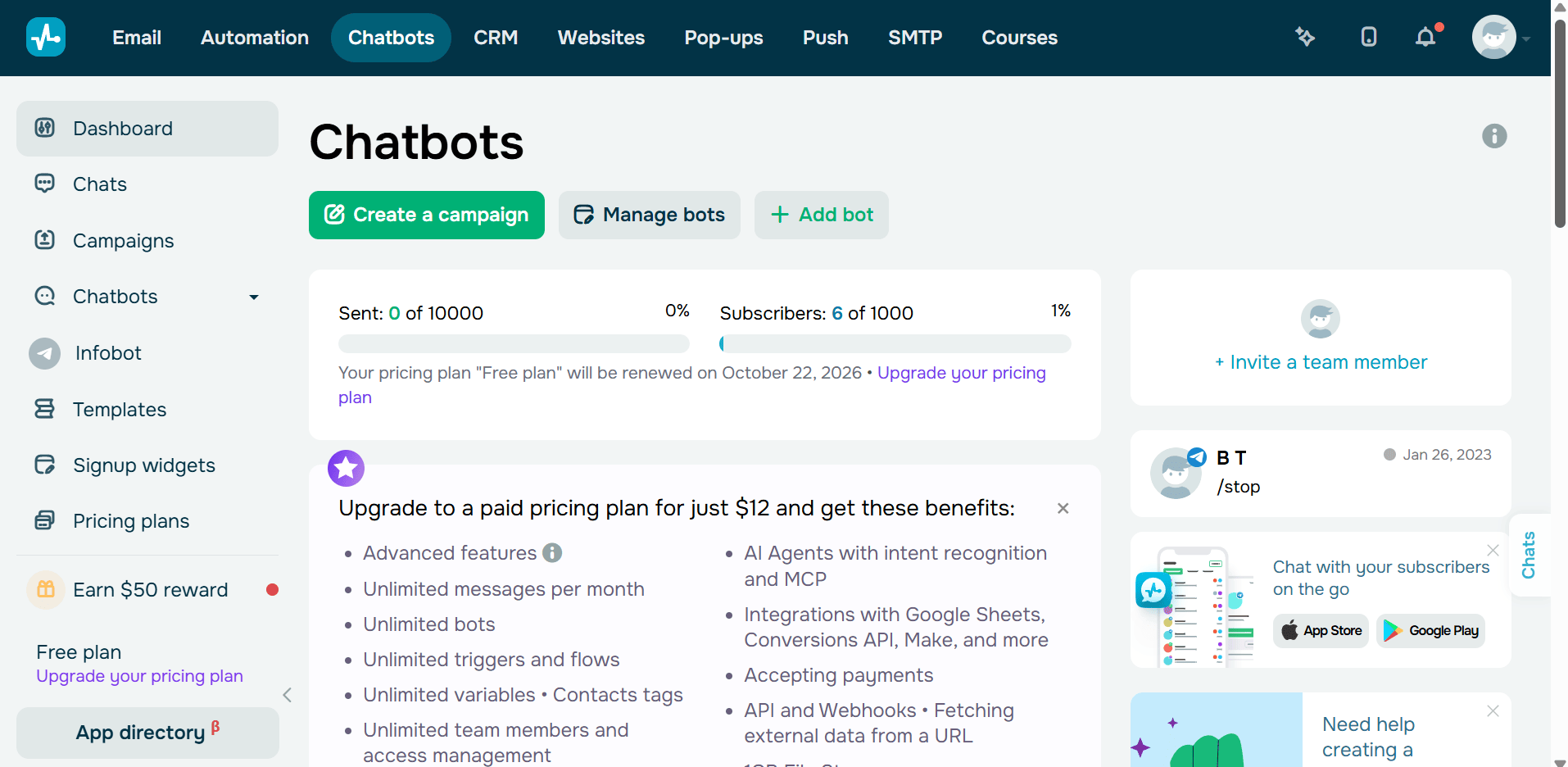
Quick take: an official WhatsApp Business API provider with a no-code builder, AI agents, a built-in CRM and in-chat payments, from $12/month plus Meta’s per-message fees.
SendPulse is an AI-driven email and chatbot marketing platform for scaling businesses, with 11+ years in business and 200,000+ customers. It is a Meta Partner and an official WhatsApp Business API provider, and its WhatsApp chatbot builder runs next to Instagram, Facebook, Telegram, TikTok and Viber bots in one account. A CRM that unifies all channels, contacts and requests helps teams attract leads and convert them into customers without exporting data.
Key features
- No-code flow builder. Flows are assembled from ready-made blocks and templates, so a marketer can launch a lead or support bot without a developer.
- AI agents. Different agents handle different tasks, such as collecting customer data, creating deals and running conversations, so one bot can qualify a lead and answer follow-ups.
- Message templates and campaigns. Marketing, utility and authentication templates, each moderated by WhatsApp, power broadcasts, order updates and one-time codes.
- Click-to-WhatsApp ads. Leads from Meta ads land straight in a WhatsApp flow, and an ad performance dashboard tracks cost per lead and per purchase.
Product catalog. A catalog connected from Meta Commerce Manager shows product cards in the chat and can trigger an order flow. - In-chat payments. Customers pay inside the conversation, which removes the jump to a separate checkout page.
Built-in CRM. Agents create deals from a chat, and each contact’s full history stays in one record for sales follow-ups. - Team live chat. Assignees take over from the bot, reply and leave internal comments, while team roles and access management control who sees what.
- WhatsApp calls. Customers can call the business account during working hours, and agents can start calls from the same workspace.
- Integrations and API. An open API, webhooks and integrations with Zapier, Make, Shopify, WordPress, Google Sheets and ChatGPT connect the bot to the rest of your stack.
Pricing
- Free plan: Basic is free with no credit card and includes 3 chatbots, up to 500 subscribers and 10,000 messages per month, but WhatsApp is not included; the free plan covers the other channels.
- Free trial: a 7-day WhatsApp trial, which requires a registered credit card.
- Paid plan: Pro (Professional) scales with subscribers: $12/month for 500, $22 for 2,000, $48 for 5,000, $74 for 10,000, $99 for 15,000, $119 for 20,000, $154 for 30,000, $187 for 40,000, $219 for 50,000, $280 for 70,000 and $425 for 100,000. It includes unlimited chatbots and live chats, unlimited messages, team tools, payments, API and webhooks, and ChatGPT integration. Annual payment saves 20%.
- Meta fees: charged separately in US dollars, with no setup fee. For the US, SendPulse lists $0.03 per marketing message and $0.0064 per utility or authentication message, so a WhatsApp chatbot always costs the Pro plan plus Meta’s per-message fees.
Check SendPulse’s official pricing for the latest rates by country.
AI and Meta’s 2026 rules: SendPulse’s AI agents work inside flows you build for your own business, the kind of ancillary AI the January 2026 terms still allow. Service replies beyond Meta’s 1,000 free messages per month are billed per message.
Rating: 4.6 out of 5 from 726 reviews on G2.
What I like about this platform: the whole funnel lives in one account. A click-to-WhatsApp ad brings the lead in, an AI agent qualifies it, the CRM opens a deal and the customer pays in the chat, and I can read cost per lead and per purchase on the same dashboard where the conversation happened.
Advantages
- Official WhatsApp Business API provider and Meta Partner
- Lowest WhatsApp entry price among the four subscription platforms here ($12/month)
- CRM, in-chat payments and product catalog in the same plan
- One account for WhatsApp, Instagram, Facebook, Telegram, TikTok and Viber bots
Limitations
- WhatsApp is not part of the free plan, and the 7-day trial requires a credit card
- Meta’s fees come on top of the plan, so costs rise with marketing volume
- Pricing scales with subscribers, reaching $425/month at 100,000
- The number of modules (email, CRM, website builder) means extra setup time if you only need a WhatsApp bot
SendPulse is ideal for small and growing businesses that want an official WhatsApp chatbot, a CRM and in-chat payments in one subscription without hiring developers.
2. ManyChat
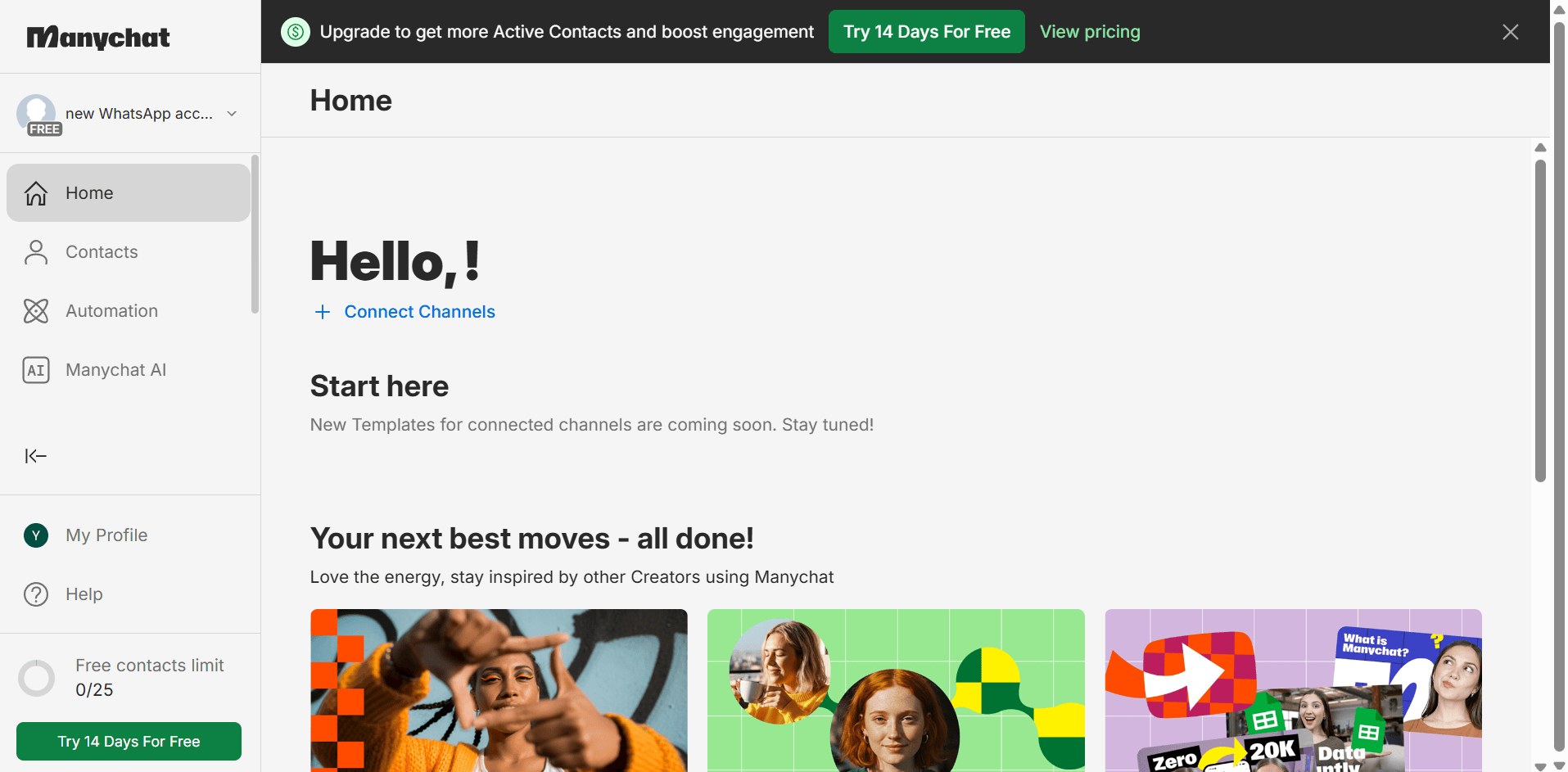
Quick take: a social-first chatbot builder that includes WhatsApp from its Pro plan, at $29/month billed yearly plus template message fees.
ManyChat is a chat marketing platform best known for Instagram and Messenger automation. Under the pricing model it introduced on March 2, 2026, plans are priced by Active Contacts, and WhatsApp becomes available on Pro together with AI-powered automation and extra Inbox seats.
Key features
- Visual Flow Builder. Drag-and-drop triggers, conditions and actions make it quick to build a lead capture or FAQ bot.
- AI Step. Scripted sets of AI-driven questions and responses handle common cases like qualifying leads or sharing offers.
- Intention Recognition. The bot recognizes the intent behind a message and routes it to the right flow even without exact keywords.
- Flow Builder Assistant and Text Improver. AI helps draft flows and polish message copy, which shortens setup.
- WhatsApp broadcasts. Approved templates let you remarket to your whole opted-in contact list.
- Template gallery. Ready-made campaign templates give a starting point for WhatsApp marketing flows.
- Ads to WhatsApp. Leads from ads go directly into a WhatsApp conversation instead of a landing page.
- One shared number. The whole team works from one WhatsApp number, with conversations assigned to agents and a sales overview.
- Lead qualification and routing. Bots qualify leads and pass them to sales; automated lead routing is part of the Business plan.
- Integrations and roles. Connections to your CRM or Google Sheets keep data in sync, and roles management controls team access.
Pricing
- Free plan: up to 25 Active Contacts, but WhatsApp, SMS and email are not available on Free.
- Free trial: no time-limited trial; ManyChat offers a refund if you cancel within 30 days of your first plan purchase.
- Paid plans (billed yearly): Essential $14/month (up to 250 Active Contacts, no WhatsApp), Pro $29/month (up to 2,500 Active Contacts, WhatsApp and
- AI automation), Business $69/month (up to 7,500 Active Contacts, lead routing) and Advanced $139/month (up to 25,000 Active Contacts, API access).
- Meta fees: ManyChat charges each delivered template message from your Manychat Wallet; from January 1, 2026, its US rates are $0.0287 per marketing and $0.0039 per utility message.
Check ManyChat’s official pricing for monthly billing and contact tiers.
AI and Meta’s 2026 rules: AI Step and Intention Recognition run inside your own flows, such as lead qualification and offers, which keeps the AI ancillary to your business.
Rating: 4.5 out of 5 from 165 reviews on G2.
What I like about this platform: Intention Recognition. A customer can type “do you ship to Canada?” in their own words and still land in the shipping flow, so I don’t have to maintain long keyword lists for every product question.
Advantages
- Familiar builder for teams already automating Instagram or Messenger
- AI-powered automation included in the Pro plan
- Low yearly entry price for WhatsApp ($29/month)
- Template gallery for WhatsApp marketing campaigns
Limitations
- WhatsApp is not available on Free or Essential
- No free trial, only a 30-day refund window
- The Pro cap of 2,500 Active Contacts pushes growing lists to Business
- No native CRM; customer data syncs through integrations
ManyChat is ideal for creators and social-first brands that already automate Instagram or Messenger and want to add WhatsApp to the same flows.
3. WATI
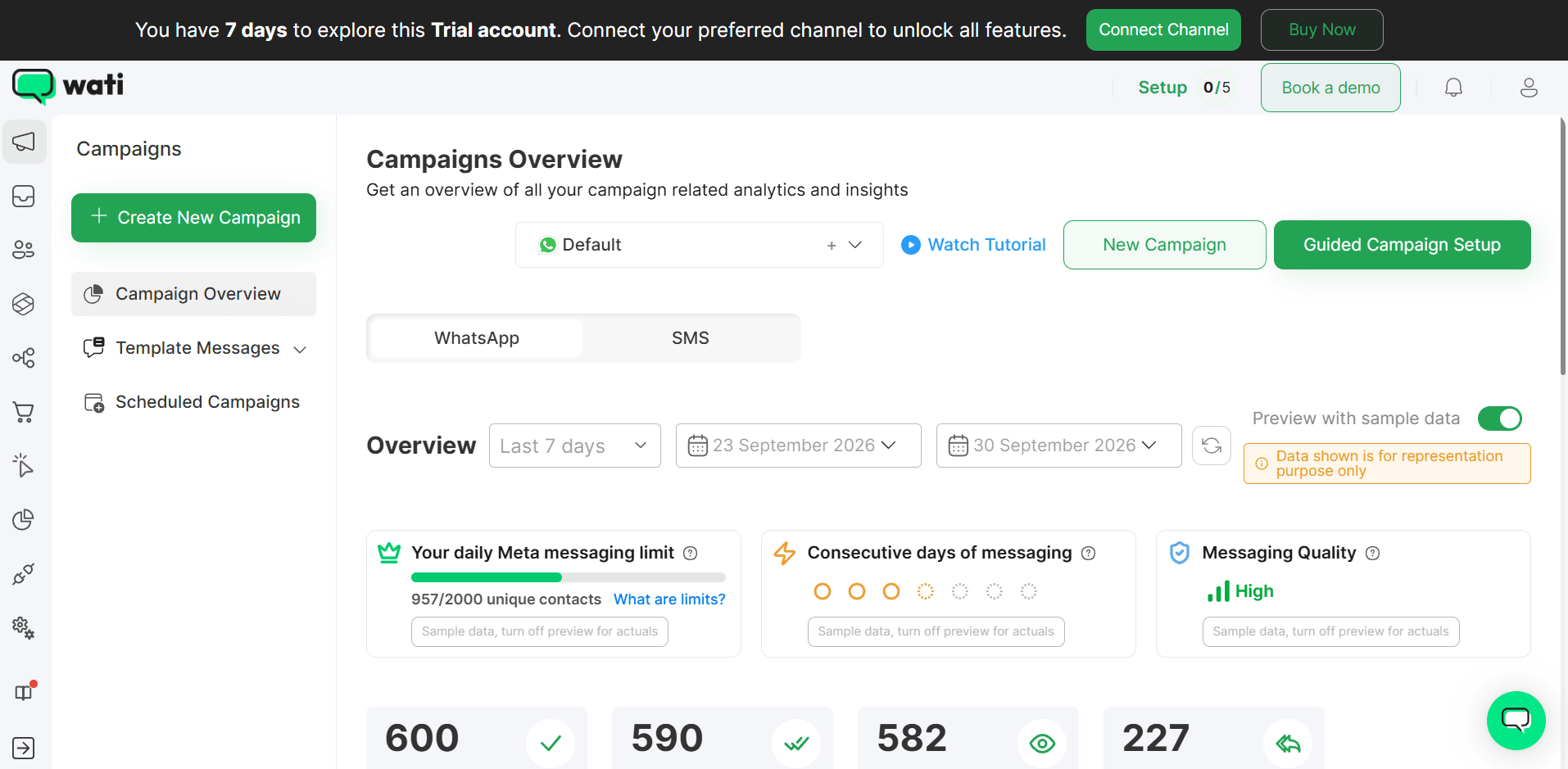
Quick take: a WhatsApp-first platform with a no-code builder, Shopify catalog checkout and Astra AI agents, from $59/month billed yearly plus per-message charges.
WATI is built around the WhatsApp Business API, with a shared team inbox, broadcasts and commerce tools for online stores. Its Astra AI agents work across web, WhatsApp and voice, and its plans meter usage through automation triggers and AI credits.
Key features
- No-code chatbot builder. Each bot can automate up to 200 steps, with 2 chatbots on Growth and Pro and unlimited bots on Business.
- Interconnected chatbots. On Pro and Business, one bot can hand off to another, so a support flow can pass a buyer to a sales flow.
- Shared team inbox. Conversation assignment and lead stages help agents pick up where the bot stops; round-robin routing comes with Business.
- Broadcasts and retargeting. Templates, coupon templates and campaign scheduling support promotions and win-back messages.
- Click-to-WhatsApp ads. A CTWA inbox is on every plan, while automated lead engagement, conversion tracking and attribution start on Pro.
- Shopify catalog and checkout. Catalog sync and catalog checkout let customers browse and order without leaving WhatsApp.
- Payments. Shoflo and PayTabs payments are on Pro and Business, and WhatsApp Pay APIs are on Business.
- Astra AI agents. Growth includes 1 agent, Pro 2 and Business unlimited, with 2,000, 5,000 or 20,000 AI credits per month.
- KnowBot AI support agent. It answers questions from your knowledge base, with 250 responses per month on Pro and 1,000 on Business.
- Integrations. HubSpot, Salesforce, Zapier, Zoho CRM, WooCommerce, Google Sheets and Klaviyo connect depending on the plan.
Pricing
- Free plan: none.
- Free trial: 7 days, with no setup fees.
- Paid plans (billed yearly): Growth $59/month (3 users, 1,000 automation triggers), Pro $119/month (5 users, 2,000 triggers, extra users $39 each) and Business $279/month (5 users, 5,000 triggers, extra users $89 each). Add-ons include 1,000 extra triggers for $40/month, 2,000 AI credits for $30/month and extra WhatsApp numbers for $29/month.
- Meta fees: billed per message by template category and country, as per the Wati rate card, with a 5% rate-card discount on Business.
Check WATI’s official pricing for monthly billing and regional rates.
AI and Meta’s 2026 rules: Astra and KnowBot answer from your own knowledge base, an ancillary use of AI, and every reply consumes credits that you budget separately from Meta’s fees.
Rating: 4.6 out of 5 from 516 reviews on G2.
What I like about this platform: WATI counts every bot run as an automation trigger, so before a sale I can see exactly how many triggers a broadcast will use and whether I need the $40 add-on for 1,000 more.
Advantages
- WhatsApp-first product focused on one channel
- Shopify catalog sync and in-chat checkout
- Click-to-WhatsApp attribution on Pro and Business
- Blue tick and Meta Business Verification assistance on all plans
Limitations
- No free plan
- Only 2 chatbots on Growth and Pro
- Automation triggers and AI credits are capped, and add-ons cost extra
- Extra users cost $39 to $89 per month each
WATI is ideal for e-commerce teams, especially Shopify stores, that sell mainly through WhatsApp and need catalog checkout and ad attribution.
4. Twilio
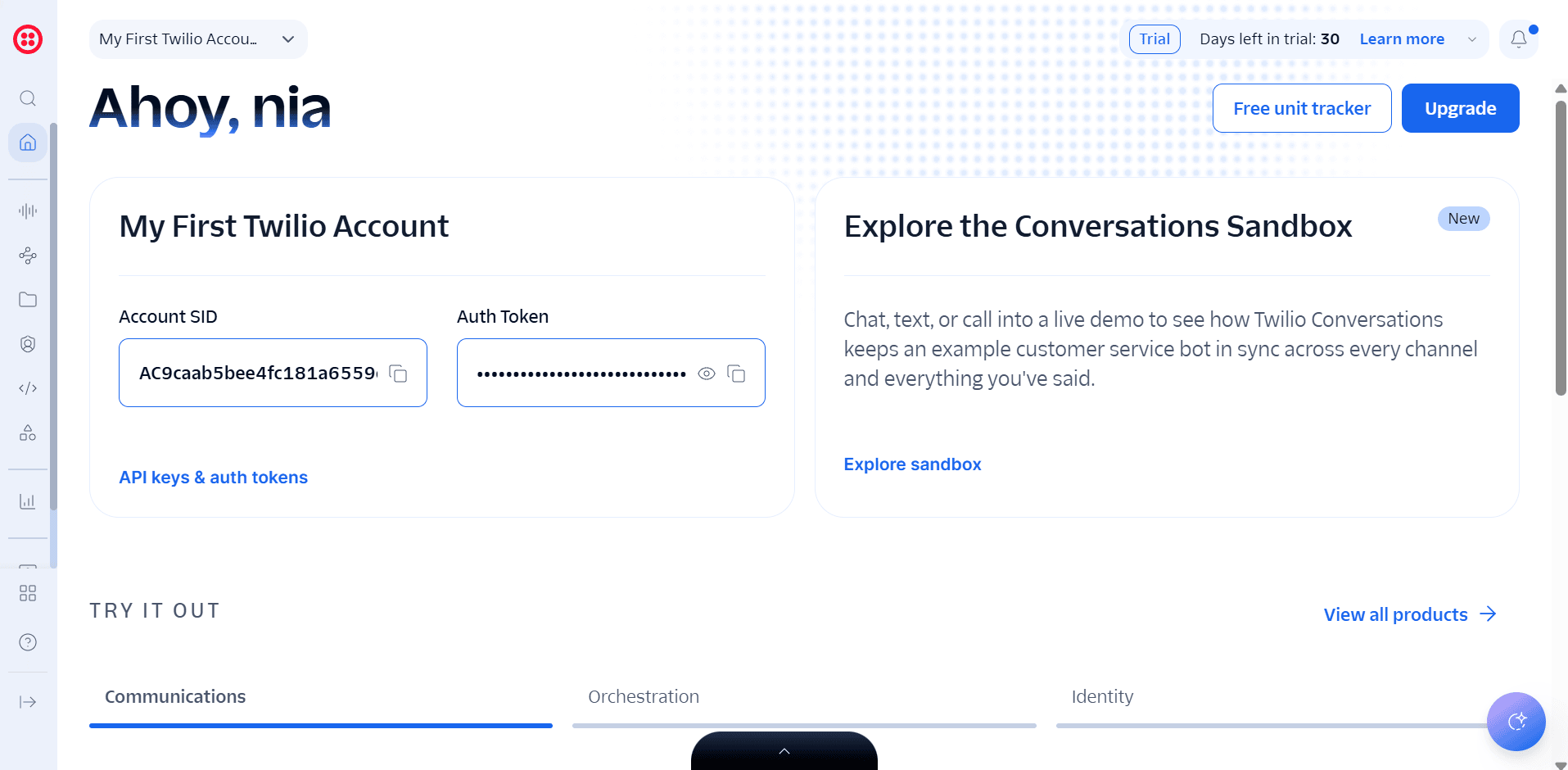
Quick take: a developer platform for WhatsApp with pay-as-you-go pricing of $0.005 per message plus Meta fees, and Studio for visual flows.
Twilio is a communications platform whose WhatsApp APIs are officially supported by WhatsApp. There is no monthly subscription: teams build bots in code or in Twilio Studio, a low-code visual workflow builder, and pay only for the messages and executions they use.
Key features
- Programmable Messaging API. Send and receive WhatsApp messages from your own app or backend.
- Conversations API. Two-way threads keep a customer’s chat history together for support use cases.
- Twilio Studio. A drag-and-drop workflow builder that also accepts custom code, with 1,000 free flow executions per month.
- WhatsApp Flows. Multi-screen forms inside WhatsApp collect bookings, leads or survey answers in one step.
- Quick-reply buttons and typing indicators. Richer chat elements make an automated conversation feel faster and clearer.
- AI assistants and agents. You can connect LLM-powered generative AI assistants to WhatsApp conversations.
- WhatsApp Business Calling. Programmable Voice adds voice calls at $0.005 per minute plus Meta’s connectivity fee.
- Verify. One-time passwords go out over WhatsApp, SMS, voice or email from the same API.
- Senders API and simplified onboarding. Create and manage WhatsApp senders programmatically, with simplified account creation and business verification.
- Flex. Twilio’s contact center product gives human agents a place to take over at scale.
Pricing
- Free plan: none; pricing is pay as you go.
- Free trial: available with no credit card required.
- Usage fees: Twilio charges $0.005 per inbound or outbound WhatsApp message, and Studio costs $0.0025 per flow execution after the first 1,000 each month. There is no monthly platform fee.
- Meta fees: Twilio passes Meta’s per-template fees through to you on top of its own fee.
Check Twilio’s official pricing for Meta rates by country.
AI and Meta’s 2026 rules: Twilio provides the infrastructure, so if you plug in your own model, your team must keep it business-specific and make sure WhatsApp data isn’t used to train it, except for a model fine-tuned for your exclusive use.
Rating: 4.1 out of 5 from 544 reviews on G2 (overall Twilio listing).
What I like about this platform: the pricing math is transparent. At $0.005 per message, 20,000 inbound and outbound messages add $100 to Meta’s fees, with no seat licenses or contact tiers to track.
Advantages
- No subscription, so you pay only for usage
- Full control over logic, data and the AI model you use
- Messaging, calling and Verify in one stack
- Scales to high volumes and multiple countries
Limitations
- Requires developers, even with Studio
- No ready-made inbox or CRM unless you build one or add Flex
- Twilio’s fee applies to every inbound and outbound message, including replies
- Compliance with Meta’s AI rules sits with your team
Twilio is ideal for development teams that want to build a custom WhatsApp bot inside their own product and pay only per message.
5. respond.io
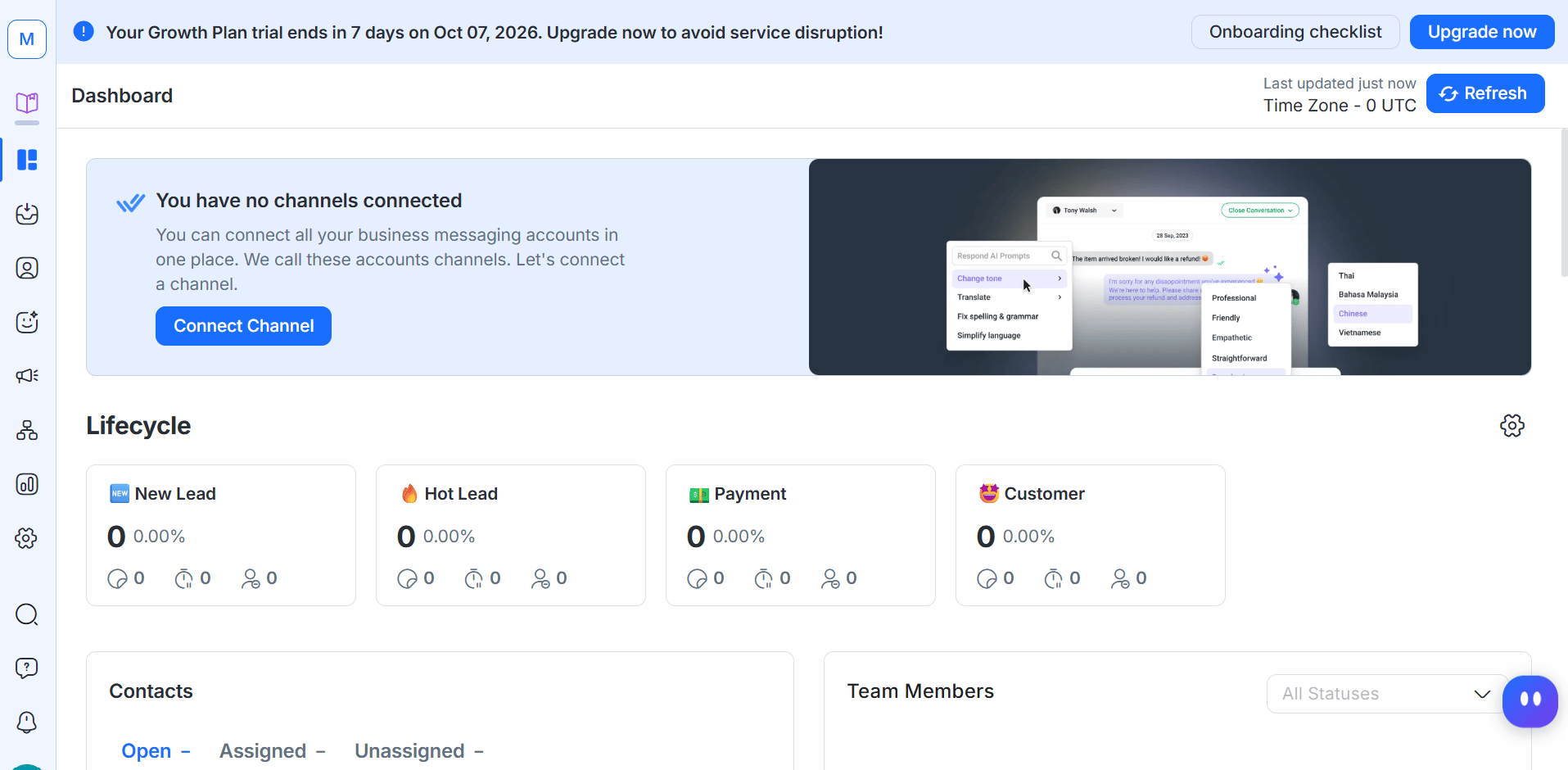
Quick take: an omnichannel conversation platform with AI Agents, Workflows and CRM integrations, where chatbot automation starts on Growth at $159/month billed yearly.
respond.io is a Meta Business Partner that brings WhatsApp, Instagram, TikTok, Facebook, Telegram, Viber and LINE into one team inbox. Its Workflows and AI Agents are designed for sales and support teams that handle large conversation volumes across channels.
Key features
- Omnichannel team inbox. Team and custom inboxes plus a mobile app keep every channel in one queue.
- Workflows. A no-code automation builder (Growth and up) routes chats, assigns agents and triggers follow-ups; HTTP requests are added on Advanced.
- AI Agents. Available from Growth, they handle revenue-critical conversations and move leads through lifecycle stages.
- AI Prompt and AI Assist. Included from Starter, they help agents write and edit replies faster.
- Broadcasts. Broadcast campaigns with analytics are available from Growth.
- Ads and lead capture. Meta and TikTok ads integrations, growth widgets and Meta Product Catalog support bring buyers into chat.
- CRM integrations. HubSpot connects on Growth and above, and Salesforce on Advanced and above.
- WhatsApp calling and voice AI. The platform handles WhatsApp and VoIP calls, with voice AI Agents working in 30+ languages.
- Lifecycle management. Lifecycle stages show where each contact sits between new lead and customer.
- Reporting and developer tools. A real-time dashboard, advanced reports from Growth, a Developer API and webhooks on Advanced.
Pricing
Free plan: none.
- Free trial: 7 days with no credit card, giving Growth features for 5 users and 1,000 Monthly Active Contacts, except broadcasts.
- Paid plans (billed yearly): Starter $79/month (inbox, AI Prompt and AI Assist, no Workflows or AI Agents), Growth $159/month (Workflows, AI Agents, broadcasts, HubSpot) and Advanced $279/month (webhooks, SSO, multiple workspaces, Salesforce); Enterprise is custom. Yearly billing saves up to 20%, extra Monthly Active Contacts cost $12 per 100 on Growth and $15 per 100 on Advanced, and extra AI credits cost $15 per 1,000.
- Meta fees: not included in any plan; you top up WhatsApp credit on the platform.
Check respond.io’s official pricing for contact tiers and WhatsApp rates.
AI and Meta’s 2026 rules: AI Agents are configured around your business knowledge and lifecycle stages, an ancillary use of AI; usage is included on Growth and above under a fair use policy, with a cap at twice the monthly credit allowance.
Rating: 4.8 out of 5 from 566 reviews on G2.
What I like about this platform: an AI Agent can qualify a WhatsApp lead, update its lifecycle stage and push it to HubSpot, so my sales team only opens conversations that are ready to buy.
Advantages
- Highest G2 rating in this list (4.8)
- Broad channel coverage, including TikTok and LINE
- AI Agents for both chat and voice
- Enterprise options such as SSO and multiple workspaces
Limitations
- No free plan
- Chatbot automation starts at $159/month, as Starter has no Workflows or AI Agents
- Monthly Active Contact overages can raise the bill during busy months
- Salesforce integration requires the Advanced plan
respond.io is ideal for mid-size and enterprise sales and support teams that manage WhatsApp alongside several other messaging channels.
Which WhatsApp chatbot builder fits your business
Small business on a budget: SendPulse, for the lowest subscription price with WhatsApp ($12/month) and a CRM included.
- Creator or Instagram-first brand: ManyChat, to reuse your existing flows and add WhatsApp on Pro. (Compare more Instagram chatbot platforms.)
- Shopify or WooCommerce store: WATI, for catalog checkout and click-to-WhatsApp attribution.
- Developer team building into a product: Twilio, for pay-per-message APIs and full control.
- Enterprise sales and support center: respond.io, for an omnichannel inbox, AI Agents and Salesforce.
Conclusion
SendPulse comes first for most businesses creating a WhatsApp chatbot in 2026: it is an official WhatsApp Business API provider and Meta Partner, it has the lowest subscription entry price here at $12/month, and it bundles a CRM, AI agents and in-chat payments. Budget for Meta’s per-message fees on top of any plan you choose.
The other four each lead in a specific area. ManyChat is the easiest step for teams already running Instagram or Messenger bots. WATI gives Shopify stores the strongest WhatsApp commerce toolkit. Twilio offers developers full control with no subscription, and respond.io has the highest G2 rating and the deepest omnichannel inbox for large teams.
FAQ
What is the best WhatsApp chatbot platform in 2026?
For most small and growing businesses, SendPulse is a strong first choice: it is an official WhatsApp Business API provider and Meta Partner, its Pro plan starts at $12/month, and it includes a CRM and in-chat payments, with Meta’s per-message fees billed on top. ManyChat, WATI, Twilio and respond.io lead for Instagram-first creators, Shopify stores, developers and large multichannel teams respectively.
Are there no-code WhatsApp chatbot builders?
Yes. SendPulse, ManyChat, WATI and respond.io all offer visual, no-code builders for WhatsApp bots. Twilio offers Studio, a low-code builder, but most Twilio projects still need developers.
Do I need an official WhatsApp Business API provider for a chatbot?
Yes, if you want an automated bot that won’t put your number at risk. Automated business messaging on WhatsApp runs through the official WhatsApp Business Platform, and all five services in this guide connect through it.
How much does a WhatsApp chatbot cost in 2026?
The cost has two or three parts: the platform plan, Meta’s per-message fees and, on some tools, AI credits or automation add-ons. Plans with WhatsApp start at $12/month on SendPulse, $29/month billed yearly on ManyChat, $59/month billed yearly on WATI and $159/month billed yearly for respond.io’s Growth plan, while Twilio charges $0.005 per message with no subscription. Since October 1, 2026, Meta also charges for service replies beyond 1,000 free messages per phone number each month.
Can I still use an AI chatbot on WhatsApp after Meta’s 2026 policy change?
Yes, as long as the AI supports your own business, for example answering support questions, qualifying leads or taking bookings. Since January 15, 2026, WhatsApp’s Business Solution Terms restrict providers whose main product is a general-purpose AI assistant, and they bar using WhatsApp data to train AI models except a model fine-tuned for your exclusive use.
Which WhatsApp chatbot platform suits small businesses vs enterprises?
Small businesses usually get the most value from SendPulse or ManyChat, which offer low entry prices and no-code builders. Enterprises with large support teams tend to choose respond.io for its omnichannel inbox and Salesforce integration, or Twilio when they want to build a custom solution.
Which WhatsApp bot platform is best for developers?
Twilio is the most developer-focused option in this list, with Programmable Messaging and Conversations APIs, WhatsApp Flows support and pay-as-you-go pricing of $0.005 per message plus Meta fees. respond.io and SendPulse also provide APIs and webhooks for teams that want a no-code builder with custom integrations.
Other Interesting Articles
- AI LinkedIn Post Generator
- Gardening YouTube Video Idea Examples
- AI Agents for Gardening Companies
- Top AI Art Styles
- Pest Control YouTube Video Idea Examples
- Automotive Social Media Content Ideas
- Plumber YouTube Video Idea Examples
- AI Agents for Pest Control Companies
- Electrician YouTube Video Idea Examples
- How Pest Control Companies Can Get More Leads
- AI Google Ads for Home Services
- 60-Second Training Videos Are the New Corporate Standard
- Cybersecurity PR Pricing: Retainers, Deliverables & ROI
- Best AI Tools for Product Consistency in E-Commerce Video
Master the Art of Video Marketing
AI-Powered Tools to Ideate, Optimize, and Amplify!
- Spark Creativity: Unleash the most effective video ideas, scripts, and engaging hooks with our AI Generators.
- Optimize Instantly: Elevate your YouTube presence by optimizing video Titles, Descriptions, and Tags in seconds.
- Amplify Your Reach: Effortlessly craft social media, email, and ad copy to maximize your video’s impact.