
Secure Video Hosting vs. Secure Video Conferencing: 8 Tools Startups Confuse (And Which One You Actually Need)

Your video conferencing platform’s security expires when the call does. The recording it just produced does not.
A startup buys a conferencing tool, reads its security page, sees encryption in transit, waiting rooms, and participant authentication, and reasonably concludes the problem is handled. Then someone clicks record, and a file drops into a cloud library governed by sharing settings nobody configured and a deletion timer nobody chose.
How arbitrary that timer is shows up clearly in published policy. Across 10 universities running the same Zoom product, cloud recording retention ranges from 30 days to five years. The University of Missouri System deletes at 45 days and University College London keeps recordings for 1,095, while Duke University applies 180 days to staff and 1,825 to faculty, so two people in the same meeting can be recording to deadlines more than four years apart.
The question is not whether Zoom can replace your video host. It is whether you noticed that Zoom already became your video host for every recording nobody moved.
This article covers five things in order: what breaks at the handoff between a live call and a stored file, how long your recordings are actually scheduled to live, what each category of tool protects, eight tools that get confused for each other, and how to decide where any given video belongs.
Key Takeaways
- Four meeting-level controls stop applying the moment a recording is saved: identity binding, time bounding, revocability, and audit logging. Nothing replaces them automatically, because no tool owns the handoff between a live session and a stored file.
- Conferencing recordings run on a deletion clock set by an account administrator rather than by the content owner. Published retention windows at 10 universities running the same Zoom product range from 30 days to 1,825.
- Secure video hosting protects a stored file for as long as it exists. Secure video conferencing protects a live conversation for as long as the call lasts. The controls are not interchangeable in either direction.
- Password protection and a disabled download button control who finds a video, not what an authorized viewer does with it afterward.
- Most companies need both categories, applied to different files. The decision is made per video rather than per company, and the test is whether the file still needs an owner after the meeting ends.
Chapters
Secure Video Hosting and Secure Video Conferencing Protect Two Different Things

Secure video hosting protects stored content. Secure video conferencing protects live communication. Everything else follows from that single difference, including why a control that works in one is irrelevant in the other.
A note on method: Every platform capability described here comes from vendor documentation and pricing pages reviewed in September and October 2026, not from vendor briefings. Security feature availability shifts by plan tier more often than by product, so re-check any claim against the vendor’s current documentation before it enters a procurement decision.
Secure video hosting is a system for keeping a finished video file available, controlled, and measurable for as long as the business needs it. Its controls attach to playback: encryption at rest and in transit, identity-bound access, signed or expiring playback URLs, domain and geographic restrictions, digital rights management where the content justifies it, and viewer-level analytics. Every one of those describes a file that somebody might open at any point in the future.
Secure video conferencing is a system for running a conversation between people who are present at the same time. Its controls attach to the session: participant authentication, waiting rooms, meeting passcodes, host permissions, encryption in transit, recording permissions, and administrative audit logs. Every one of those describes a meeting, which is why every one of them has an expiry date built into the thing it protects.
The split between access control and content protection is documented in more depth on Gumlet’s video protection page, which is useful because it separates the two rather than listing both as one bucket.
Six Differences Between Video Hosting and Video Conferencing
Six axes separate the categories. The sixth is the one that causes damage.
| Dimension | Secure video hosting | Secure video conferencing | Paired example |
|---|---|---|---|
| Primary purpose | Store, protect, and deliver finished video | Run a live conversation between people | Demo library vs. live sales demo |
| Timing | Asynchronous, on demand | Real time, scheduled | Onboarding academy vs. onboarding call |
| Audience size | Unbounded, CDN-distributed | Bounded by meeting or webinar capacity | Gated webinar recording vs. live webinar Q&A |
| Viewer interaction | One-way playback | Two-way audio, video, screen sharing | Internal training library vs. team meeting |
| Content protection | DRM, signed URLs, domain restrictions, watermarking | Who gets into the room, and what they can do once inside | Paid course video vs. live coaching session |
| After the event ends | The access policy stays attached to the file | All controls stop applying to the resulting file | Recorded security walkthrough vs. live infosec call |
Decision kernel: Choose hosting when the video must exist, be found, and stay governed after today. Choose conferencing when the value is in the live exchange. Neither covers you when a live session produces a file that then gets treated as if the meeting’s protections followed it, which is the most common failure pattern at companies under 200 people.
The Custody Gap: What Happens to Security When a Meeting Becomes a Recording
There is an interval between the moment a live session becomes a stored file and the moment someone applies a hosting-grade access policy to it. Call it the Custody Gap. Four controls that existed during the meeting stop existing there, and nothing replaces them, because no tool owns the handoff. The conferencing platform considers its job finished. The hosting platform does not know the file exists.
The Four Controls That Do Not Survive the Recording
| Control | During the live meeting | After the recording is saved |
|---|---|---|
| Identity binding | Every participant authenticated to join | Access governed by folder permissions or a forwardable link |
| Time bounding | Access existed only for the call's duration | Access is indefinite unless somebody sets an expiry |
| Revocability | The host could remove a participant mid-call | No way to cut off one person without changing access for everyone |
| Auditability | The platform logged who joined and when | Typically no record of who opened the file afterward |
Run your own stack against those four rows and the gaps turn specific. A signed playback URL is a cryptographically signed link that carries its own expiry and can be tied to a single viewer or session. That is what separates it from a meeting link, which admits someone to a session that ends by itself, and from a plain recording link, which carries neither an expiry nor an identity.
What Your Recordings Are Actually Scheduled to Live For
Retention is set at the account level, so the person who made the video usually has no idea when it disappears. Universities are the easiest place to see this, because most of them publish the policy. The table below covers 10 institutions running the same Zoom product, with every figure taken from the institution’s own IT documentation in October 2026.
| Institution | Cloud retention | Recoverable in trash | Effective |
|---|---|---|---|
| University of Minnesota (Health Sciences) | 30 days | 30 days | Current |
| University of Missouri System | 45 days | 30 days | Current |
| University of Richmond | 90 days | 30 days | Current |
| University of Oregon | 90 days | 30 days | November 2025 |
| University of Arizona | 130 days | Not stated | Current |
| University of Michigan | 150 days | 30 days | May 2021 |
| Duke University (staff and students) | 180 days | 30 days | October 2022 |
| University of Minnesota (general) | 180 days | 30 days | Current |
| Texas A&M University | 180 days | Not stated | Current |
| University of California, Irvine | 365 days | 30 days | Current |
| University College London | 1,095 days | 30 days | December 2025 |
| Duke University (faculty) | 1,825 days | 30 days | October 2022 |
Disclaimer: Published Zoom cloud recording retention windows at 10 universities, taken from each institution’s own IT documentation and reviewed in October 2026. Figures cover cloud recordings only, not local recordings or copies exported to another system. Several institutions apply different windows to different staff categories, shown as separate rows.
Two numbers in that table are worth sitting with. The low end is 30 days and the high end is 1,825, which is a 61-fold difference in how long the identical product holds the identical file type.
Duke appears twice because a Duke faculty member and a Duke staff member can record the same meeting and get deletion dates more than four years apart.
None of these administrators is wrong. Each one picked a window that fits a storage budget and a records policy. The window belongs to whoever administers the account, though, and in most companies that person has never spoken to the people producing the video.
UCL’s documentation states the downstream consequence plainly, warning that any previously shared link to a recording deleted under the policy stops working. A retention policy governs the copy you control. It has no reach over the copy somebody downloaded in month two, which is the copy that outlives everything.
Five Steps to Take the Moment You Stop Recording
The handoff takes four minutes if you do it immediately and four weeks of forensics if you do not.
- Decide the destination before the file lands somewhere by default, since cloud library, local disk, and dedicated host are three different security postures.
- Set permissions explicitly rather than inheriting the workspace default.
- Set a retention period matching the content’s useful life.
- Configure download settings, because a download converts a governed asset into an ungoverned one instantly.
- Then migrate the file to a platform built for stored content if the recording is reusable material rather than a one-time conversation.
Disabling cloud recording and saving locally is not a straightforward upgrade. CISA’s 2020 guidance for securing video conferencing does recommend considering local saving over cloud storage, which is sound for keeping one sensitive conversation away from a third-party processor.
It is the wrong default for anything the business will reuse, because a file on somebody’s laptop has no access log, no expiry, and no revocation path when that person leaves. Before turning off cloud recording as a security measure, confirm you have somewhere governed for those files to go.
Can Zoom, Microsoft Teams, or Google Meet Replace Secure Video Hosting?

They can record and share video, which is not the same as hosting it. The gap is specific rather than rhetorical, and it runs in both directions.
What Conferencing Platforms Do Not Give You For Stored Video
Conferencing recordings live in a meeting library, not a content library. What that costs you:
- No persistent library organized around content rather than calendar entries.
- No customizable player or branded embedding on your own domain.
- Attendance analytics, not engagement analytics. Conferencing measures who joined and when, not watch time, completion, or drop-off.
- No DRM, no signed playback URLs, and no dynamic watermarking.
Zoom, Microsoft Teams, Google Meet, and Webex are all strong at the job they were built for. None claims to be a content delivery platform. Treating one as such is a decision the buyer made, not a shortcoming the vendor hid.
What Hosting Platforms Do Not Give You For Live Meetings
The reverse substitution fails faster. Hosting platforms that support live streaming are built for broadcast, with the audience watching rather than participating.
They do not provide participant cameras and microphones, screen sharing between attendees, breakout rooms, or in-meeting moderation.
If the people on the other end need to talk back, you need conferencing software, and no amount of streaming quality substitutes for that.
How to Run Both Together Without a Manual Handoff
The architecture that closes the Custody Gap is one flow, not one tool:
- Run the live session on the conferencing or streaming platform.
- Export the recording, through a native integration, an automation platform, or a webhook.
- Ingest it into a secure host.
- Apply the access policy: authentication, expiry, domain restriction, and watermarking where the content warrants it.
- Embed playback inside your own app, LMS, help center, or customer portal.
Step two is worth automating, because a manual step performed after every webinar gets skipped during a busy quarter. Some platforms collapse steps one through three entirely. Gumlet’s live streaming converts a broadcast into an on-demand library asset automatically once the stream ends, so the finished file lands in a video CMS already governed by the account’s access policy rather than in a meeting library governed by nothing. That removes the export step, which is the step that gets skipped.
Before committing to any hybrid setup, run the handoff once end-to-end with a throwaway recording and time it. If moving a finished session into governed storage takes more than five minutes or depends on someone remembering a step, it will not happen reliably, and the architecture on the whiteboard is not the one you have.
Five Questions That Tell You Which Category a Video Belongs In
Classification comes before vendor selection. Run any video through these five questions:
- Is the content prerecorded, or does it exist only live?
- Do viewers need to interact in real time?
- Does the video need to remain available after the session ends?
- Do you need per-viewer playback access controls?
- Do you need participation controls, moderation, or breakout rooms?
A ‘Yes’ on one, three, and four points to video hosting. ‘Yes’ on two and five points to video conferencing. Most companies need both, applied to different files.
For a full evaluation, add three steps before you shortlist anyone:
- Set the content lifespan in months.
- Specify which access restrictions have to be enforceable rather than merely configurable.
- Pick the category before comparing vendors inside it.
Comparing a conferencing tool against a hosting platform on one feature grid produces a grid where both look deficient.
Marketing usually owns the classification, while engineering owns the enforceability question. Splitting them explicitly prevents the common failure where a growth team buys on player features and meets the access model during a customer security review.
8 Secure Video Hosting and Video Conferencing Tools Startups Confuse
These eight were selected on three criteria: they recur in the same startup stacks, they are routinely substituted for each other, and their security documentation is public enough to verify. Four are hosting-oriented, four conferencing-oriented.
| Tool | Category | Best startup use case | Deepest protection control |
|---|---|---|---|
| Gumlet | Hosting | Paid courses, demo libraries, customer education | Widevine and FairPlay DRM, dynamic watermarking |
| VdoCipher | Hosting | E-learning content sold directly to students | Widevine and FairPlay DRM, dynamic watermarking |
| Vimeo | Hosting | Brand and marketing video, client review | Privacy settings, domain-level embed restrictions; DRM reserved for Enterprise clients |
| Wistia | Hosting | Marketing video with lead capture | Password protection, domain restriction |
| Zoom | Conferencing | Sales calls, webinars, customer onboarding | Passcodes, waiting rooms, host controls, E2EE modes |
| Microsoft Teams | Conferencing | Internal meetings inside Microsoft 365 | Tenant policies, Entra ID authentication |
| Google Meet | Conferencing | Internal meetings inside Google Workspace | Admin-controlled policies, encryption in transit |
| Webex | Conferencing | Regulated or compliance-sensitive live meetings | E2EE options, enterprise compliance tooling |
1. Gumlet
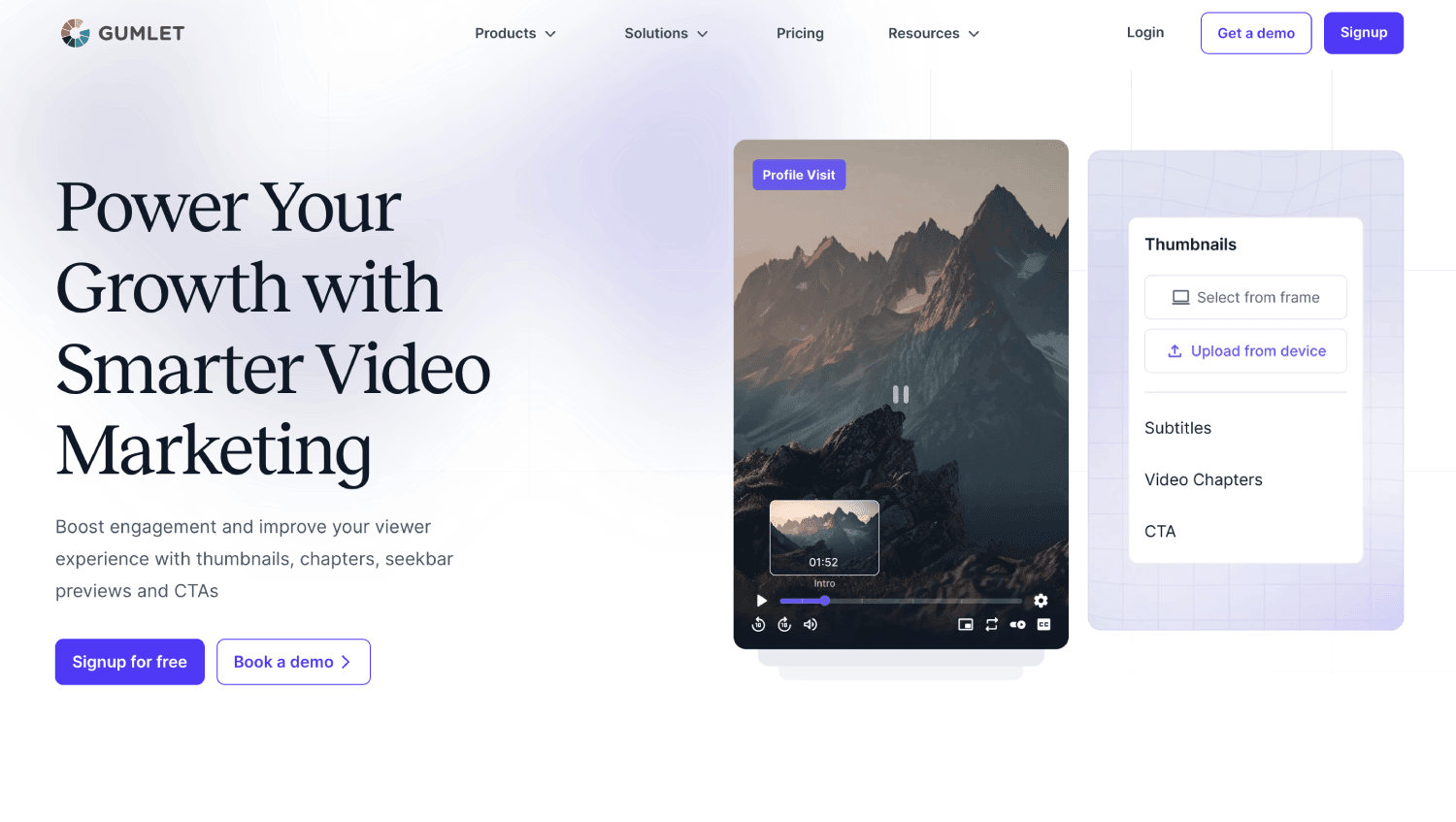
An all-in-one video hosting platform covering the video CMS, player, protection layer, and viewer-level analytics in one product, built for libraries where access has to attach to a person rather than to a link.
Protection is tiered rather than bundled. Password protection and geo-blocking sit on every plan including the free tier, domain restriction starts on the Creator plan at $6 per month billed annually, and dynamic watermarking arrives at Business.
Certified Google Widevine and Apple FairPlay DRM is a $99 per month add-on available on any paid plan, including 100,000 DRM views per month and $1 per 1,000 after that, with native iOS and Android SDKs for protected playback. Widevine covers Android, Chrome, and Edge, and FairPlay covers iOS and Safari.
Best for: Paid course libraries, customer education, and gated demo archives where one platform has to cover the full ladder from password to DRM without a signed enterprise contract.
Do not use it for: Two-way meetings. Gumlet streams live and converts those streams to on-demand assets, but there is no moderation layer, no breakout rooms, and no participant video.
2. VdoCipher
A hosting platform built around content encryption for the e-learning market, aimed at course businesses where piracy is the primary commercial risk.
Widevine and FairPlay DRM with watermarking, backed by detailed public security documentation.
Do not use it for: General marketing video, where that protection depth is overhead you pay for without using.
3. Vimeo
A hosting and sharing platform with strong brand recognition and mature privacy settings, with password protection and domain-level embed restrictions covering access.
Do not use it for: High-value paid content needing playback-level rights enforcement, and verify DRM availability against your specific plan rather than assuming it is included.
4. Wistia

A marketing-focused video platform built around engagement and lead capture. Password protection runs across tiers including the free plan, alongside domain restriction.
Do not use it for: Proprietary content where access has to be revocable per viewer.
5. Zoom
The default conferencing platform for most startups, with meetings and webinars in one product. Passcodes, waiting rooms, host permissions, participant authentication, and end-to-end encryption on supported modes cover the live session well.
Do not treat it as a permanent content library: Retention is administrator-set, and recording links are forwardable by default.
6. Microsoft Teams
Conferencing and collaboration embedded in Microsoft 365, where companies already on the suite need no separate license.
Tenant-level policies, Entra ID authentication, and administrative governance over recording help in secure video conferencing sessions.
Do not use it for: Customer-facing distribution outside your tenant, where the identity model starts working against you.
7. Google Meet
Conferencing inside Google Workspace with no client install required, using encryption in transit and admin-controlled meeting policies.
Do not use it for: Long-term recording storage: Meet recordings land in Drive, which is file storage with sharing permissions rather than a video security layer.
8. Webex
Cisco’s conferencing platform, positioned around enterprise security and compliance for regulated contexts. End-to-end encryption options and enterprise compliance tooling are the draw.
Do not use it for: Asynchronous content delivery, which sits outside its design brief entirely.
What Hosting Security and Conferencing Security Each Actually Protect
Hosting security protects stored content and playback rights. Conferencing security protects meeting entry, participants, and live communication.
Encryption appears in both, which is exactly why teams assume the two are equivalent. They overlap on encryption in transit and on enterprise-gated SSO and audit logging. They share nothing else.
Is Video Conferencing End-to-End Encrypted?
Not by default, and not in every mode. Most platforms use transport encryption, which protects data moving between your device and the provider’s servers while leaving the provider technically able to process content for recording, transcription, and compliance features.
End-to-end encryption restricts content to participant devices, which is stronger and which usually disables those server-side features as a consequence.
Check which specific meeting modes support it on your plan, because availability differs by platform, by account configuration, and by which features are switched on.
Does Secure Video Hosting Use DRM?
Some of it does. DRM controls licensed playback through systems such as Google’s Widevine and Apple’s FairPlay, tying decryption to an authorized device and player rather than hiding the file.
That is a different mechanism from encrypting a stored file, setting a password, or removing a download button.
DRM is near-universally a paid add-on or an enterprise-tier feature across the hosting category, so treat any platform listing it without a price as a question to ask rather than a box to check.
What Password Protection and Disabled Downloads Do Not Do
A password answers one question: has this person been given the string. It answers nothing about who that person is, how many people they forwarded the string to, or what any of them did after the player loaded. Most of the security gap in this category sits in the distance between those two things.
The practical failure is mundane. A password gets pasted into a Slack channel, a shared doc, or a customer’s internal wiki, and from that point you have no way to tell one viewer from another.
Cutting off a single person means changing the password for everybody, which is why in practice nobody does it. Unlisted links fail the same way, because reduced discoverability was never authorization.
Disabling downloads is weaker still. Playing a video means delivering viewable media to a device, and removing a button from an interface does not change what arrived there.
No browser-level control stops operating-system screen capture, and a vendor who says otherwise is making a marketing claim rather than a technical one.
What narrows the gap is a set of controls that each fail differently, so one failure does not open everything:
- Viewer-specific authentication replaces a shared secret with a named identity, which makes revocation a per-person action instead of a global reset.
- Signed URLs with an expiry put a clock on the link itself, so a forwarded address stops resolving whether or not anyone noticed it was forwarded.
- DRM moves decryption into a licensed playback environment, which makes pulling a clean copy of the stream substantially harder than grabbing a file.
- Dynamic watermarking stamps a viewer-specific identifier into the frame, so a copy that escapes still points back at the account it escaped through.
That last control is the honest answer to the screen-recording problem, and the precision matters. Watermarking deters and traces. It does not block. Platforms in this space, Gumlet and VdoCipher among them, implement it as a traceability layer on top of DRM rather than as a substitute for it, and the better documentation claims screen-recording prevention on Android and iOS specifically rather than across the board. Desktop capture sits outside what any of these controls address.
Gumlet and VdoCipher both implement dynamic watermarking as a traceability layer on top of DRM rather than as a substitute for it, and the better documentation in this category claims screen-recording prevention on Android and iOS specifically rather than across the board. Desktop capture sits outside what any of these controls address.
Gumlet’s published case study on the EdTech platform GrowthSchool reports 52% more learner engagement following its migration. The reason that number is relevant to a security article is structural rather than promotional: content that cannot be freely redistributed produces viewer-level data that means something, because every play is attached to someone. Protection and measurement turn out to be the same program viewed from two directions.
Content that cannot be freely redistributed produces viewer-level data that means something, which is the measurement argument for access control that most security pages never make.
Which Platform Makes Sense if You Have to Fix One Side First
Most teams do not need to replace their conferencing stack. Zoom, Teams, Meet, and Webex are handling the live problem, and that problem is largely solved across the category.
The unprotected side is almost always stored content, which makes the practical move adding a hosting layer rather than swapping anything out. The test for that one addition is whether a single platform covers the whole protection ladder without an enterprise contract to reach the top rung.
Gumlet’s secure video hosting clears that test. Its protection ladder starts on the free tier with password protection and geo-blocking, picks up domain restriction on the Creator plan at $6 per month billed annually, adds dynamic watermarking at Business, and tops out with certified Widevine and FairPlay DRM as a $99 per month add-on available on any paid plan. The rung that usually requires a signed enterprise contract elsewhere is the one you can switch on yourself here.
Gumlet holds SOC 2 and ISO 27001:2022 certifications and is GDPR compliant, which covers most of what an enterprise buyer’s security team asks for in a vendor review. The Gumlet video player is designed to align with WCAG 2.1 Level AA standards and covers key criteria under WCAG 2.2 Level AA, which matters because accessibility now appears as its own line item on procurement checklists alongside the security certifications. Role-based access control and an access log cover the governance half of the same review.
If content encryption is your entire use case, VdoCipher’s narrower focus and deeper public security documentation may fit better, and a team running nothing but internal standups needs neither platform yet.
The trigger is not company size or funding stage. It is the moment one specific video becomes worth more than the cost of protecting it.
Frequently Asked Questions
Do I need video hosting or video conferencing for my startup?
Most startups need both, applied to different videos rather than chosen between. Conferencing covers live calls, standups, interviews, and webinars where people talk back.
Hosting covers anything that must stay available and governed afterward: paid courses, demo libraries, onboarding content, internal training.
Classify each video by whether it needs to persist, then pick the category before comparing vendors inside it.
Where should I store Zoom recordings so they stay private?
Zoom cloud recordings sit under your account’s sharing settings and an administrator-set retention policy, a weaker guarantee than the meeting itself had.
For anything containing customer data, financials, or unreleased plans, move the file to a platform supporting identity-bound access, expiring links, and an access log, then delete the copy in the conferencing library.
If a recording will be watched by people who were not in the original meeting, treat it as hosted content from the moment it is saved.
Does deleting a Zoom meeting delete every copy of the recording?
No. Deletion behavior differs across cloud recordings, local recordings, downloads, exports, and any connected repository the file synced to.
A deleted cloud recording typically moves to trash and stays recoverable for 30 days before permanent removal, while a copy someone downloaded in month
two is untouched by all of it.
Verify each storage location and integration separately rather than assuming one deletion propagates.
Can secure video hosting stop someone from screen recording?
No web video control reliably blocks operating-system or browser-level screen capture, and vendors claiming otherwise are overstating. DRM and protected playback raise the difficulty and degrade capture quality on supported devices, and some platforms document screen-recording prevention on Android and iOS specifically rather than universally.
Dynamic watermarking is the realistic answer, since viewer-specific identifiers make a successful capture traceable to the account behind it. Treat screen capture as a traceability problem, not a prevention problem.
What security certifications should I check for in a video platform?
Look for SOC 2 and ISO 27001 at minimum, plus a data processing agreement and documented GDPR commitments if you handle EU data.
Certifications apply to the organization, not automatically to every plan tier, and features like SSO and audit logging are frequently gated behind enterprise pricing regardless.
Ask which specific plan includes the controls the certification implies, and request current documentation rather than trusting a badge in the page footer.
Closing Thoughts
The most reliable video security decision a startup can make has nothing to do with which vendor it picks. It is asking, for each piece of video the company produces, whether that file needs to exist and stay controlled after today, then applying the security model built for that answer rather than whatever tool was open when somebody hit record.
Start with an audit rather than a purchase. Pull up the recordings your team made last quarter, run them against the four rows of the Custody Gap, and mark every file missing identity binding, expiry, revocation, or audit logging.
That takes about 20 minutes and produces a specific list rather than a general anxiety, which is the difference between a security posture and a security opinion.
Throughout 2026 the major conferencing platforms have effectively solved the live side of this problem. The stored side is where the content with actual commercial value sits, and nobody has solved it for you.
Other Interesting Articles
- AI LinkedIn Post Generator
- Gardening YouTube Video Idea Examples
- AI Agents for Gardening Companies
- Top AI Art Styles
- Pest Control YouTube Video Idea Examples
- Automotive Social Media Content Ideas
- Plumber YouTube Video Idea Examples
- AI Agents for Pest Control Companies
- Electrician YouTube Video Idea Examples
- How Pest Control Companies Can Get More Leads
- AI Google Ads for Home Services
- 60-Second Training Videos Are the New Corporate Standard
- Cybersecurity PR Pricing: Retainers, Deliverables & ROI
- Best AI Tools for Product Consistency in E-Commerce Video
Master the Art of Video Marketing
AI-Powered Tools to Ideate, Optimize, and Amplify!
- Spark Creativity: Unleash the most effective video ideas, scripts, and engaging hooks with our AI Generators.
- Optimize Instantly: Elevate your YouTube presence by optimizing video Titles, Descriptions, and Tags in seconds.
- Amplify Your Reach: Effortlessly craft social media, email, and ad copy to maximize your video’s impact.