
Best AI Video Generator Platforms in 2026: Tested and Compared

AI video generation has moved far beyond simple experiments. Today’s platforms can help marketers, creators, and teams turn prompts, images, scripts, and ideas into usable video content much faster than traditional production workflows. That does not mean every tool does the same job. Some are built for cinematic text-to-video. Others are stronger for avatar-led explainers, fast ad creation, or turning existing assets into short-form content.
That is why picking the best AI video generator platform depends less on hype and more on fit. The right tool for a creative filmmaker may not be the right one for a marketing team that needs product promos every week. The best choice usually comes down to the kind of videos you want to make, how much control you need, whether you need audio or avatars, and how well the platform fits into your broader content workflow.
As AI video tools become more advanced, many businesses are also exploring how to extend these capabilities into automated workflows powered by intelligent agents. Partnering with an experienced AI agent development company allows organizations to go beyond standalone video generation and build systems that can automatically generate scripts, trigger video creation, personalize content for different audiences, and distribute assets across channels. This kind of end-to-end automation ensures that AI video platforms are not just creative tools, but fully integrated components of a scalable, data-driven marketing ecosystem.
Below, you will find a clearer way to compare AI video generator platforms, understand which tools suit which use cases, and see how these platforms can support a stronger AI marketing workflow instead of becoming another disconnected tool in your stack.
AI video generation has gone from a novelty to a core creative tool in just a couple of years. What used to require expensive cameras, editing software, and hours of post-production can now happen in minutes with a text prompt and a single image.
But with so many platforms available, choosing the right one is not straightforward. Some offer access to powerful AI models but bury them behind cluttered dashboards and confusing settings. Others keep things simple but fall short on quality or model variety.
We tested seven of the most popular AI video generator platforms to find out which ones actually deliver. We uploaded the same set of images, used similar prompts, and compared the results across each tool. Here is how they ranked.
Chapters
What We Evaluated
Before diving into the rankings, here is what we looked at for each platform:
- Model variety: Does the platform offer access to leading AI video models like Google Veo, Kling, Runway, MiniMax, and Sora?
- Ease of use: How quickly can a new user go from signing up to downloading a finished video?
- Output quality: Are the results smooth, cinematic, and free of common AI artifacts?
- Key features: Does it support image-to-video, text-to-video, first and last frame control, reference images, and audio generation?
- Value for money: Is the pricing transparent and reasonable for individual creators and small teams?
getimg.ai
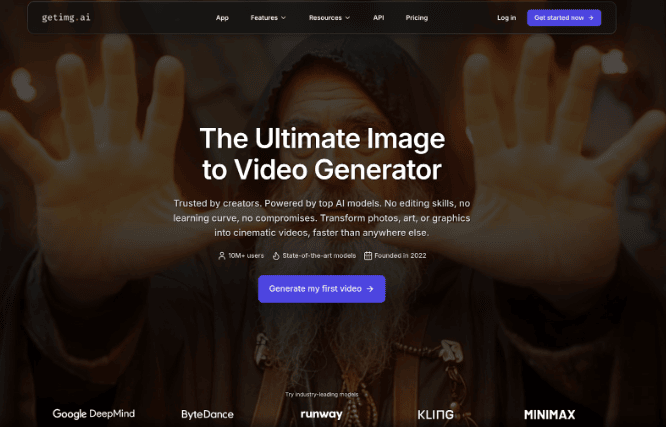
getimg.ai stands out for one reason that matters more than anything else: it gives you access to every major AI video model in a single, clean interface.
The platform supports Google Veo 3.1, Kling, MiniMax, ByteDance Seedance, Wan, Sora 2, and Runway Gen-4. Instead of subscribing to each tool separately, you can switch between them depending on what your project needs. When we tested it, jumping between models took seconds rather than requiring a new login or workflow.
The Image to Video tool is where getimg.ai really shines. Upload a starting image, write a prompt describing the motion you want, and the platform generates a polished clip in minutes. Several models also let you upload both a first and last frame, giving you precise control over how the video begins and ends.
The reference images feature goes even further. You can upload up to four images of specific people, objects, or places and call them into the scene through your prompt. This kind of director-level control is rare on platforms this simple to use.
The workflow is three steps: write a prompt, upload an image, hit generate. No tutorials, no buried settings, no learning curve. During our testing, this was the only platform where we got a usable video on the very first attempt without adjusting any advanced settings.
With over 10 million users and a track record of adding new models the moment they launch, getimg.ai delivers the strongest balance of model variety and usability.
One limitation worth noting is that the platform is focused purely on generation. It does not include a built-in video editor for trimming or stitching clips together. For most creators, this is a non-issue since dedicated editors handle that better. But it is worth knowing upfront.
Best for: Creators who want top-tier AI models with the fastest, simplest workflow available.
DeeVid AI
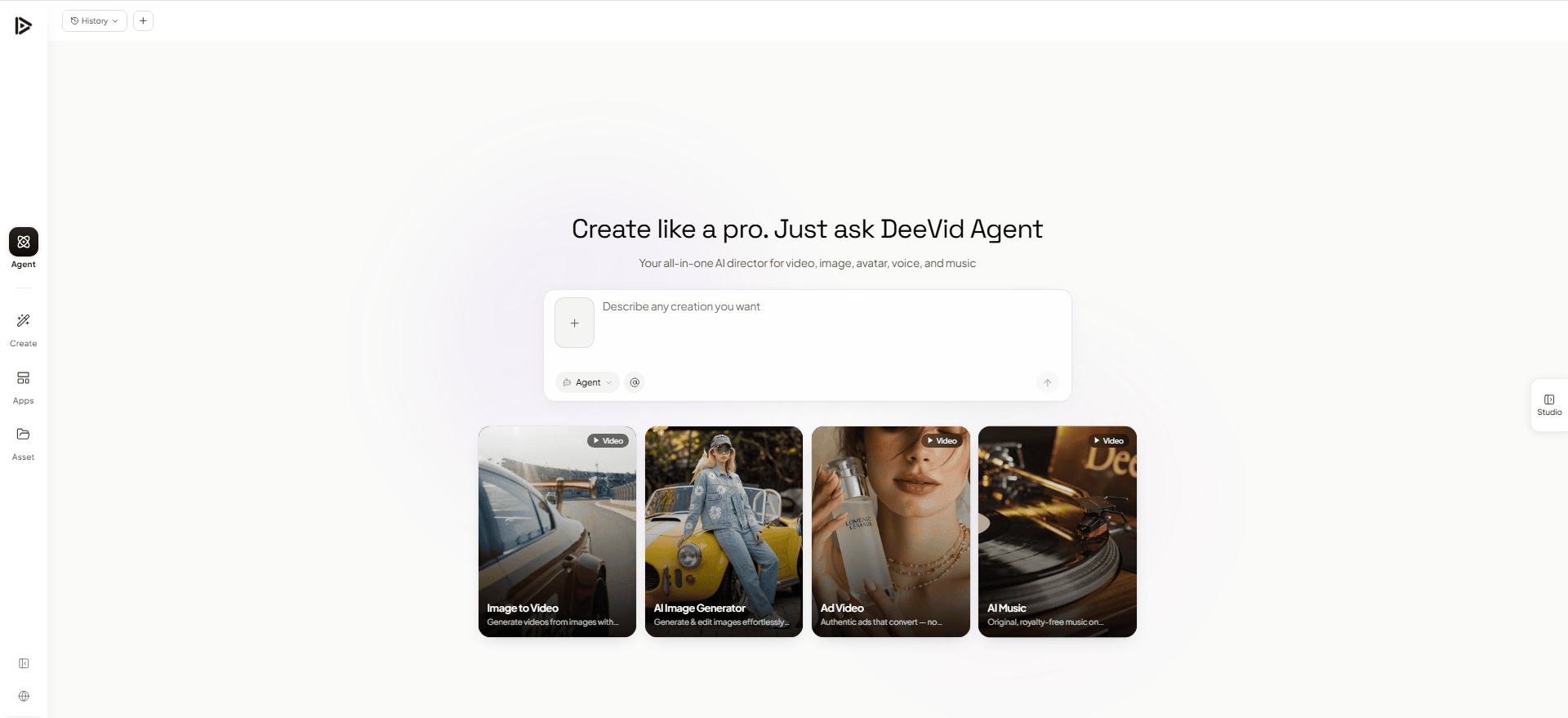
DeeVid AI Video Generator stands out for one reason that matters immediately: it gives you a wide range of top AI video workflows in one place without making the experience feel technical. The platform supports text-to-video, image-to-video, and video-to-video, and DeeVid’s official pages position it as a single workspace for creating from text, images, or video prompts rather than forcing users to jump between separate tools. It also highlights access to multiple major models in one place, including Veo 3.1, Sora 2, Wan 2.1, Runway, Kling, Vidu, Luma, Pika, and more.
The Image to Video workflow is where DeeVid feels especially practical. You can start with a still image, use reference images, and guide the motion with a prompt, all inside a clean browser-based flow. DeeVid also supports uploading 1 to 12 reference files in its AI Video Generator, including image, video, and audio references, which gives creators more control than the usual one-input prompt box. On the image-to-video page, the workflow is kept simple: upload an image, add a prompt, choose settings, and create.
That simplicity is a big part of the appeal. DeeVid is built around fast creation rather than burying users in setup. The platform repeatedly emphasizes prompt-first generation, easy uploads, and quick output, which makes it a strong fit for creators who want usable clips fast instead of spending time learning a more complicated interface.
Best for: Creators and marketers who want access to multiple leading AI video models in a fast, prompt-first workflow without the usual complexity.
Flonnect AI Video Generator
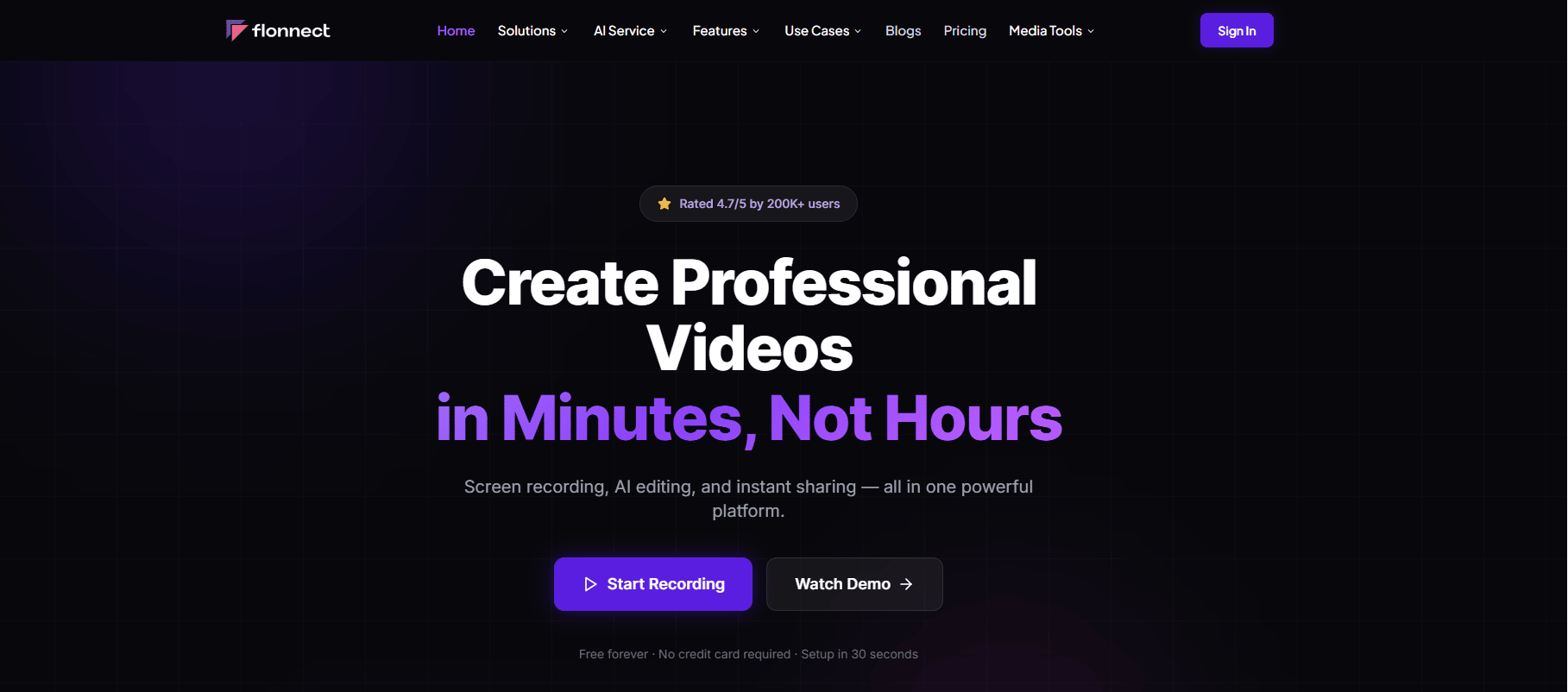
Flonnect is built for users who want to create professional videos quickly without spending hours on editing. Its AI Video Generator helps turn text, scripts, ideas, images, or marketing messages into polished videos for ads, social media, tutorials, education, and business communication.
For video teams, the biggest advantage is speed. Instead of starting from a blank editing timeline, users can add a script or content idea, choose a video style, add brand elements, and generate a ready-to-use video with AI-powered visuals, transitions, subtitles, and voiceovers.
The tool is especially useful for marketers and creators who need frequent video content for platforms like YouTube, Instagram Reels, TikTok, LinkedIn, or product landing pages. Flonnect supports text-to-video workflows, AI voiceovers, auto subtitles, smart editing, customizable templates, and brand-friendly customization such as logos, colors, and formats.
The challenge is that Flonnect is more focused on practical video creation than cinematic AI experimentation. It works best when users need clear, useful, business-ready videos rather than highly artistic or film-style generations. For teams creating product explainers, ad videos, educational content, or social media clips, that makes it more direct and easier to use.
The text-based workflow, AI editing support, templates, voiceovers, and subtitle features make Flonnect a strong option for anyone who wants to move from idea to finished video faster.
Best for: Marketers, content creators, educators, SaaS teams, agencies, and businesses that want to create AI-powered videos for ads, social media, tutorials, and presentations.
Predis.ai
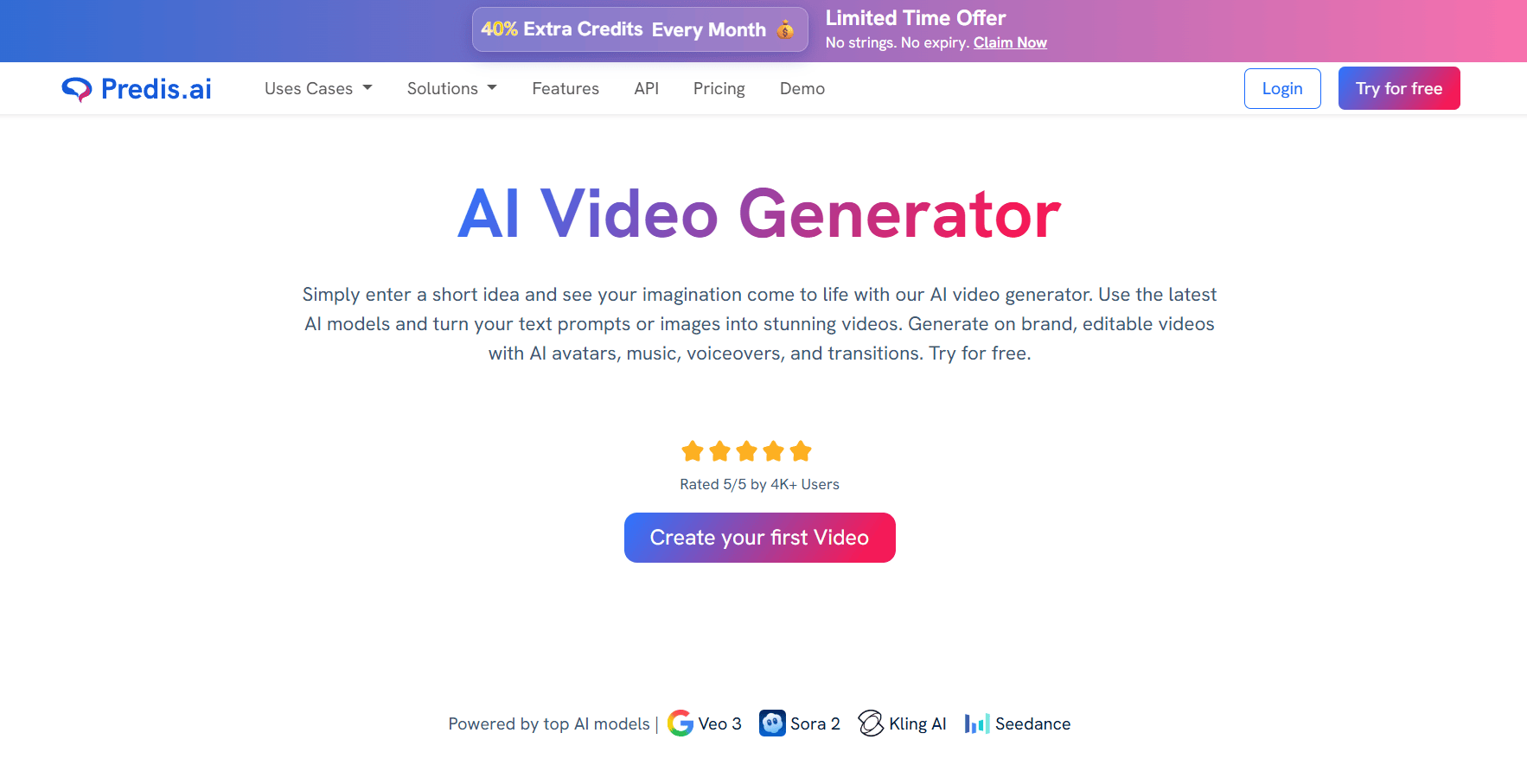
Predis.ai is a good option for marketers looking for an AI video platform that doesn’t require the weight of a heavy tool. Users can input a prompt, product idea, blog topic, visual, or anything else, and Predis.ai helps develop a video that is ready to edit with scenes, captions, music, voiceovers, transitions, and branded elements.
The most valuable part of Predis.ai is its seamless integration into actual marketing tasks. It can be leveraged by a social media manager to instantly create Instagram Reels, TikToks, YouTube Shorts, Facebook videos, LinkedIn posts, product promos, and ad creatives. The workflow seems to be useful for any team that is looking to publish a lot, test out new concepts, and keep content flowing without having to wait through a lengthy design or editing procedure.
Even if you already have some content languishing, Predis.ai can assist. Video can be created from a blog post, product description, campaign messaging, and/or a short script with text overlays, voiceovers, and captions. That helps brands maximise their return on investment of their potentially existing content and convert written knowledge into easier-to-consume, short video segments that viewers are likely to consume.
The output remains flexible and is maintained by the editor. Those who use the software can alter templates, fonts, colors, pictorial graphics from stock databases, captions, brand assets, and video components, and the resulting video doesn’t appear to be a generic AI-generated project. The scheduling and publishing feature also enables content transition from creation to distribution seamlessly in the same content workflow with Predis.ai.
Let’s talk about what makes the biggest value for marketers: speed and structure. A clip isn’t the end of the road for Predis.ai: it’s the beginning of the editing journey, branding options, exportability, distribution to social media, and much more. This is a handy feature for teams looking to produce more video content without adding to the pressure.
Best for: Content teams, creators, digital marketers, social media managers, Reels and Shorts creators, ecommerce brands, and agencies looking for fast, branded videos for Reels, Shorts, ads, product promotions, UGC-style videos, and social campaigns.
LongStories.ai

LongStories.ai stands out for one reason that matters more than most demos: it is built for long-form, narrative video rather than single short clips. As an ai long story generator, the platform turns scripts, story ideas, and songs into full AI videos up to 15 minutes long, holding the same characters and visual style across every scene from open to close.
The workflow centers on story and music video creation rather than one-off generation. Creators can build multi-scene narratives, anime and cartoon-style series, and music videos synced to a track, all while keeping character identity consistent from the first clip to the last. For YouTube channels publishing episodic or story-driven content on a regular schedule, that consistency is the practical win that matters most.
This puts LongStories.ai in a different lane from the cinematic clip generators above. It is not chasing the most photorealistic single shot, it is solving for narrative continuity across a longer runtime, which is a harder problem most AI video platforms do not attempt.
Best for: YouTube creators, music video producers, and storytellers who need character consistency and narrative structure across a full-length video rather than a single short clip.
Runway
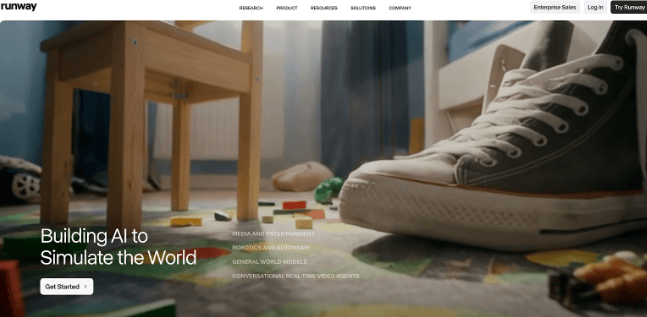
Runway has been a pioneer in AI video and continues to push boundaries with Gen-4 Turbo. It is well-known among filmmakers and creative professionals for delivering cinematic results with fine-grained control.
The platform supports text-to-video and image-to-video workflows, along with Act-Two, a feature that lets you animate characters by acting out a scene on camera. The motion transfer technology is genuinely impressive for character-driven content.
However, Runway operates primarily with its own proprietary models. You will not find third-party options like Veo, Kling, or Seedance here. The pricing also adds up quickly, as credits are consumed fast on higher-quality outputs.
The interface is built for professionals. It is powerful, but new users should expect a learning curve before producing their best work.
Best for: Professional filmmakers and animators who need advanced character animation and motion control.
Pika
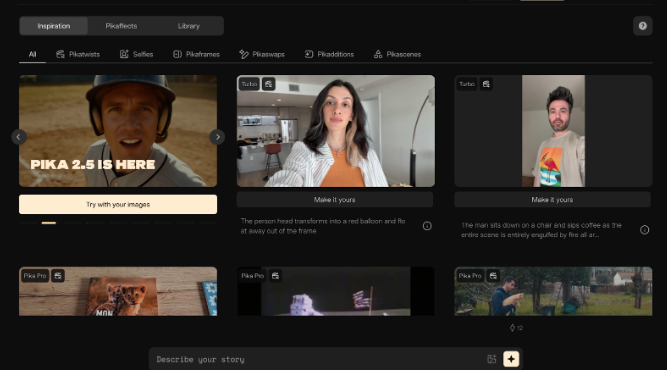
Pika carved out its niche early with a focus on making AI video accessible and fun. The platform runs on its own proprietary models (currently Pika 2.2) and focuses on creative effects rather than photorealistic output.
What makes Pika stand out are its unique editing tools. Pikaffects lets you apply creative transformations like inflating, melting, or exploding objects. Pikaswaps allows you to replace specific elements within a clip. Pikaframes helps connect multiple clips into a smooth sequence. These are genuinely creative tools you will not find elsewhere.
Output quality is solid for social media content. Videos render at up to 1080p with noticeably smoother motion than earlier versions. However, if you are after cinematic realism, Pika still trails behind platforms offering frontier models like Veo 3 or Kling 2.5.
Pika offers a free plan without watermarks, making it a great entry point for creators who want to experiment before committing.
Best for: Social media creators who want fast, effects-driven short clips for TikTok, Reels, and Shorts.
Krea
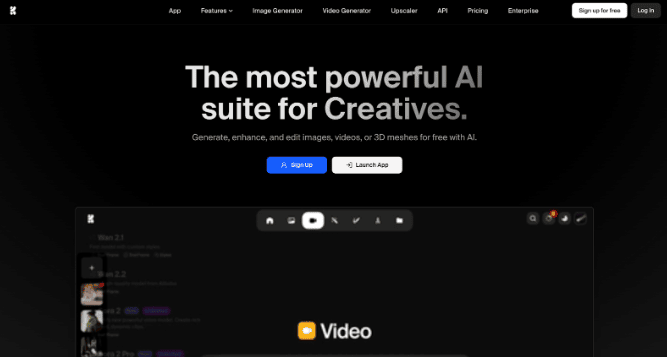
Krea positions itself as a full creative suite covering images, video, 3D, and even real-time generation. It offers access to many of the same AI video models you will find on getimg.ai, including Veo 3, Kling, Sora 2, Wan, and Runway.
The model variety is strong. However, the experience of actually using those models is where Krea falls behind. The video generation screen presents a wall of settings: aspect ratio, duration, resolution, motion intensity, keyframes, audio toggles, and model-specific parameters all appear at once. For experienced users, this is fine. For anyone else, it can feel overwhelming.
During our testing, it took noticeably longer to configure and generate a video on Krea compared to simpler platforms. The results were comparable in quality, but the extra time spent navigating settings added friction to the workflow.
Credit costs for video are also steep. A single clip can consume over 1,000 compute credits, which means careful planning on tighter budgets.
Best for: Power users who want a creative suite and are comfortable navigating a feature-dense interface
OpenArt
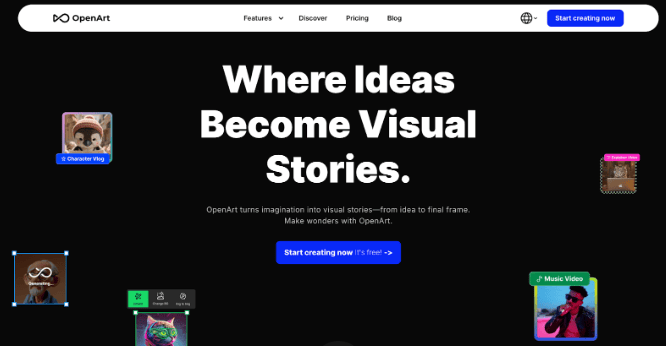
OpenArt started as an AI image generation platform and has expanded aggressively into video. It now supports models like Kling 3.0, Veo 3, Seedance, Wan, Pika, and more. On paper, the model selection rivals the best aggregator platforms.
In practice, the experience is more cluttered than it needs to be. OpenArt packs image generators, video generators, model training, community feeds, style presets, and dozens of sub-tools into a single interface. Finding the image-to-video workflow requires navigating past features you did not come looking for.
When we tested it, the video output quality was solid. The Kling and Veo models performed as expected. But the time spent finding the right tool and configuring it correctly was significantly longer than on more focused platforms offering the same models.
Another consideration: videos generated on OpenArt require attribution and a backlink to the platform for commercial use. This may not suit every professional workflow.
Best for: Experimenters who enjoy exploring a wide range of AI tools and do not mind a busier interface.
Leonardo AI
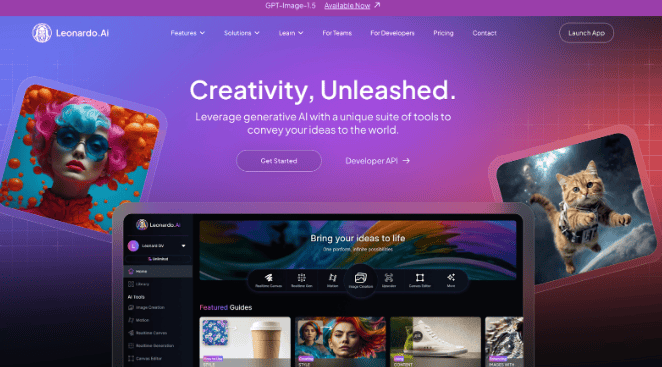
Leonardo AI built its reputation on image generation and has been expanding into video with Motion 2.0 and a Veo 3 integration. Now owned by Canva, the platform brings strong design resources to the table.
For video, Leonardo lets you animate generated or uploaded images with text prompts. Motion 2.0 adds smarter spatial understanding, and the Veo 3 integration brings audio generation into the mix. There is also a Smooth Video toggle for boosted frame rates. With Veo 3 on board, Leonardo now shares one of the same frontier models available on simpler platforms like getimg.ai.
The challenge is that accessing these models is more work than it should be. Video creation is split across the Library, AI Creation tool, and separate Video modals. Instead of one streamlined page, you are hopping between sections to upload an image, select a model, and generate a clip. The same model that takes three clicks on a focused platform requires several more steps here.
The token-based pricing adds another layer of friction. Video generation consumes significantly more tokens than images, and the cost per clip is not always clear until after you have generated it. On the free plan, video options are limited to lower resolutions.
Best for: Existing Leonardo users who want to add motion to their AI-generated images.
Freepik
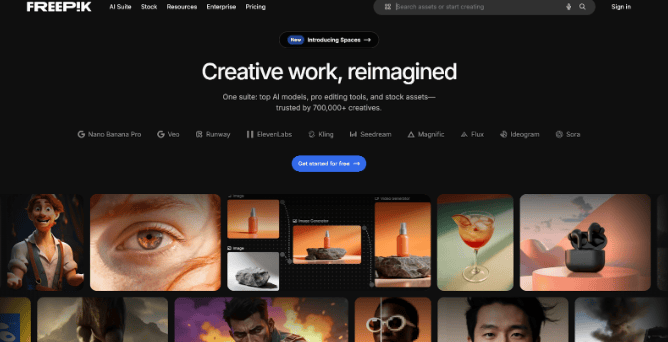
Freepik is best known for its massive stock asset library, but its AI suite now includes a video generator with access to Veo 3, Kling 2.1, Runway Gen-4, MiniMax, PixVerse, Seedance, and others. This is largely the same lineup of frontier models you will find on getimg.ai, which makes the comparison particularly revealing.
Despite offering the same AI engines under the hood, the experience of using them on Freepik feels heavier. The interface tries to serve two audiences at once: stock asset browsers and AI video creators. The result is a layout where video generation tools sit alongside millions of stock photos, templates, and mockup generators. If you come to Freepik specifically for AI video, you will spend time navigating past features designed for a different purpose.
The cost structure is another friction point. A single 8-second video can consume over 25 credits, and users on standard plans have reported running out of their monthly allowance after just a handful of generations. When you can access the same Veo 3 or Kling model on a more focused platform without burning through credits as fast, the value gap becomes hard to ignore.
The mobile app has received mixed reviews as well, with users reporting bugs and limited video generation on free tiers.
Best for: Freepik subscribers who want AI video as one part of a broader design and asset toolkit.
Quick Comparison Table
| Platform | Top Models Available | Image-to-Video | First/Last Frame | Audio Gen | Ease of Use |
|---|---|---|---|---|---|
| getimg.ai | Veo 3.1, Kling, Sora 2, Seedance, MiniMax, Runway, Wan | Yes | Yes | Yes | Very Easy |
| DeeVid AI | Veo 3.1, Kling, Sora 2, Seedance, Nano Banana | Yes | Yes | Yes | Very Easy |
| Predis.ai | Sora 2, Veo 3/3.1, Kling, Hailuo, WAN, Seedance | Yes | Not stated | Yes | Very Easy |
| Runway | Gen-4 Turbo (proprietary) | Yes | Yes | Limited | Moderate |
| Pika | Pika 2.2 (proprietary) | Yes | Yes (Pikaframes) | Limited | Easy |
| Krea | Veo 3, Kling, Sora 2, Wan, Runway, Hailuo | Yes | Yes | Yes | Complex |
| OpenArt | Kling 3.0, Veo 3, Seedance, Wan, Pika | Yes | Yes | Yes | Complex |
| Leonardo AI | Motion 2.0, Veo 3 | Yes | No | Yes (Veo 3) | Moderate |
| Freepik | Veo 3, Kling 2.1, Runway, MiniMax, PixVerse | Yes | Yes | Yes | Moderate |
Which AI Video Generator Should You Pick?
Every platform on this list can generate AI videos. The real difference comes down to how quickly you can get great results and how many top models you can access without friction.
If you want the widest model selection paired with the simplest workflow, getimg.ai is the strongest option. It puts every major AI video model at your fingertips without layers of menus, settings, and complexity. For most creators, that combination of power and simplicity is what matters most.
Runway remains a top choice for professionals who need advanced character animation. Pika works well for quick, effects-driven social clips. And platforms like Krea, OpenArt, Leonardo, and Freepik all offer access to leading models, but they tend to trade simplicity for feature density, which makes the experience feel heavier than it needs to be.
As AI video tools continue to evolve, the platform that keeps up with the latest models while staying easy to use will always have the edge. If you are looking to improve your video marketing with AI, the best next step is to try a couple of these tools with your own images and see which one clicks with your workflow.
What makes an AI video generator platform worth using
A good AI video generator platform does more than create a flashy clip from a prompt. It should help you move from idea to usable video with less friction. That usually means a combination of quality, speed, control, editing flexibility, and practical output formats.
The strongest platforms tend to stand out in one or more of these areas:
- text-to-video generation for fast ideation
- image-to-video for bringing still visuals to life
- scene consistency across multiple shots
- style and camera control
- built-in audio or sound generation
- avatar or presenter-based video creation
- workflow features for marketers and teams
- export options that fit social, ads, and branded content
When comparing tools, it helps to ask a simple question first: do you need cinematic generation, business video production, or fast content scaling? That usually makes the shortlist much clearer. OpenAI positions Sora around richly detailed text-to-video and image-to-video generation, Google positions Veo around creative control and native audio, Runway emphasizes cinematic fidelity and control, and Synthesia focuses on avatar-led business video workflows.
Best AI video generator platforms by use case
Different platforms solve different problems, so it helps to compare them by the kind of work you actually need done.
For cinematic and high-end generative video
Platforms like Sora, Veo, and Runway are built for users who want more visually ambitious outputs, stronger motion, and more room for creative direction. Sora supports prompt-based and image-based generation, Veo highlights expanded creative controls and native audio, and Runway focuses on cinematic realism and controllable generation.
For fast, expressive social content
Pika is especially useful when you want playful, fast-moving, creator-friendly outputs and quick experimentation. Its platform messaging leans heavily into rapid idea-to-video creation and expressive motion effects.
For business explainers, training, and internal communication
Synthesia is one of the clearest fits when the goal is avatar-based communication, training videos, onboarding content, and business-friendly video creation rather than cinematic text-to-video. Synthesia’s own comparisons and reviews continue to position it strongly for workplace use cases.
For accessible, broader Google ecosystem workflows
Google’s Veo is becoming more relevant not only through model capabilities but also because Google is integrating Veo-powered generation into products like Google Vids and related creation workflows. That can matter if your team already works heavily inside Google tools.
AI video generator platforms marketers should pay attention to
For StoryLab.ai readers, the best AI video generator is usually not the one that creates the most technically impressive demo. It is the one that helps turn a marketing idea into a campaign asset faster.
That often means looking for platforms that support:
- product promos
- social video clips
- ad creative testing
- short-form repurposing
- explainer videos
- campaign storytelling
- faster concept development from scripts or prompts
This is where the distinction between creative generation and marketing usefulness matters. A model can be visually impressive and still slow down a real content workflow if it does not help with format flexibility, iteration speed, or campaign integration. On the other hand, a slightly simpler tool can be more useful if it helps marketers publish more often and test more creative angles. Current platform positioning from OpenAI, Google, Runway, and Synthesia reflects this split between frontier generation and practical business use.
How to choose the right AI video generator platform
The best choice usually becomes easier once you narrow the decision around workflow.
Choose based on questions like these:
- Do you need realistic cinematic output or functional marketing videos?
- Do you need built-in audio, avatars, or editing tools?
- Will you mostly generate from text prompts, images, or existing scripts?
- Do you need short vertical clips for social media or longer polished videos?
- Will one creator use it, or does the whole team need a repeatable workflow?
- How important are consistency and multi-scene control?
For example, Sora is positioned around richly detailed generative media and prompt-based creation. Veo emphasizes advanced controls, native audio, and extended videos. Runway emphasizes fidelity, control, and scene consistency. Pika leans into speed and expressive creative effects. These differences matter more than general “best tool” claims.
Where AI video generator platforms fit into an AI marketing workflow
The real value of AI video tools often shows up when they are part of a broader system. Instead of using them only to make one-off clips, marketers can connect them to the rest of the content workflow.
For example, one campaign idea can become:
- a short concept video
- multiple ad variations
- teaser clips for social
- supporting visual assets for landing pages
- internal concept mockups before production
- repurposed video snippets from one creative direction
This is where AI video generation becomes more than a novelty. It becomes a way to reduce production bottlenecks, test more creative directions, and move faster from idea to publishable content. That is also why tool choice should connect to your actual marketing process, not only to demo quality. Official positioning from OpenAI, Google, and Runway all reflects this shift toward more practical creative workflows and iterative media production.
Common mistakes people make when choosing AI video generator platforms
A lot of users choose based on spectacle instead of workflow. That usually leads to frustration later.
Common mistakes include:
- choosing a cinematic model when they really need business video tools
- picking a platform without checking editing or export flexibility
- ignoring whether the tool supports their actual format needs
- assuming every AI video platform handles audio equally well
- focusing on one viral demo instead of repeatable output quality
- treating the platform like a full strategy instead of one step in the workflow
A better approach is to match the platform to the job. If you need ad variations, choose for speed and iteration. If you need branded explainers, choose for structure and consistency. If you need creative visual storytelling, choose for controllability and output quality.
How AI video platforms can save time without lowering quality
AI video tools save the most time when they reduce repetitive production work. That can include early-stage ideation, rough concept generation, variant testing, repurposing, and first-pass video creation. They are often less useful when people expect them to replace all creative judgment.
A stronger approach is to use AI video platforms to:
- create first concepts faster
- test several visual directions before committing
- turn static images into motion assets
- build more content from one campaign theme
- accelerate production for routine video formats
That helps teams spend less time on repetitive creation and more time refining the ideas that already show promise.

What Is an AI Video Generator?
An AI video generator is a tool that uses artificial intelligence to create or edit video from prompts, images, scripts, audio, products, or existing footage.
Depending on the platform, you can create:
- Text-to-video clips
- Image-to-video clips
- Product videos
- Social media videos
- AI avatar videos
- Training videos
- Explainer videos
- Ad creatives
- Music videos
- B-roll shots
- Talking-head videos
- Animated clips
- Video backgrounds
- Short-form video hooks
- AI-assisted edits
Some tools focus on creative video generation. Others focus on business communication, avatar presenters, or editing workflows. The best choice depends on whether you need cinematic visuals, speed, realism, consistency, brand controls, or scale.
Best AI Video Generator Platforms by Use Case
Runway: Best for creative video production
Runway is a strong choice for marketers, creators, and production teams that want more control over AI-generated visuals.
It is useful for:
- Cinematic clips
- Image-to-video generation
- Creative campaign visuals
- Product mood videos
- B-roll concepts
- Visual experiments
- AI-assisted editing
Runway’s Gen-4 focuses on character, object, and scene consistency using references, which makes it helpful when you want visuals to feel more connected across shots instead of completely random.
Best for: creative teams, agencies, social video creators, campaign concepting, branded visual experiments.
Google Veo: Best for high-quality generative video
Google’s Veo models are designed for high-quality video generation, including text-to-video and image-to-video workflows. Google describes Veo as supporting advanced creative controls, native audio, and extended video capabilities, while Gemini’s Veo video generation supports creating videos with sound from text and images.
It is useful for:
- High-quality AI video clips
- Social videos
- Concept visuals
- Brand storytelling
- Image-to-video content
- Prompt-based creative testing
- Short ad concepts
Best for: marketers and creators who want strong visual quality, prompt-based control, and image-to-video options.
Sora: Best for concept previews and creative exploration
Sora is useful when you want to explore ideas, scenes, styles, and video concepts quickly inside the ChatGPT ecosystem. It can help creators and marketers test visual directions before committing to a full production workflow.
It is useful for:
- Concept videos
- Creative previews
- Social media ideas
- Campaign mood testing
- Prompt-based video ideation
- Visual storytelling experiments
Best for: creative ideation, early campaign concepts, short video experiments, and teams already using ChatGPT.
Pika: Best for fast social video experiments
Pika is useful for fast creative clips, social hooks, stylized visuals, and short-form experiments. It works well when you need quick variations instead of a highly controlled production workflow.
It is useful for:
- TikTok-style concepts
- YouTube Shorts hooks
- Instagram Reels ideas
- Stylized clips
- Fast image-to-video tests
- Creative transitions
Best for: creators, social media managers, short-form content teams, and marketers testing quick video ideas.
Kling AI: Best for motion-heavy video clips
Kling AI is often used for image-to-video and motion-heavy clips, especially when creators want more continuous movement and dynamic scenes.
It is useful for:
- Image-to-video clips
- Character movement
- Cinematic short scenes
- Social video experiments
- Product motion concepts
- Creative B-roll
Best for: creators and marketers who want expressive motion, continuous scenes, and visually rich short clips.
Luma Dream Machine: Best for visual exploration and iteration
Luma Dream Machine is useful for generating creative clips, exploring scene ideas, and iterating on visual directions. It can be a good fit when you want to quickly test how a prompt or reference image might translate into motion.
It is useful for:
- Creative scene generation
- Short cinematic clips
- Image-to-video experiments
- Mood videos
- Product concept visuals
- Social content ideas
Best for: creative exploration, early visual testing, and short-form video concepts.
Synthesia: Best for AI avatar videos
Synthesia is built for AI avatar and presenter-led videos rather than cinematic generative clips. It is especially useful for teams that need to create polished business videos at scale.
It is useful for:
- Training videos
- Internal communications
- Product explainers
- Customer onboarding
- Learning content
- HR videos
- Sales enablement
Best for: B2B teams, SaaS companies, training departments, HR teams, and organizations that need repeatable presenter-style videos.
HeyGen: Best for personalized avatar and business videos
HeyGen is strong for avatar-led videos, video translation, personalized video messages, and business communication.
It is useful for:
- Personalized sales videos
- AI avatar explainers
- Multilingual content
- Customer onboarding
- Social clips with presenters
- Training content
- Marketing campaigns
Best for: sales teams, marketers, educators, and businesses that want scalable avatar videos.
Canva AI video tools: Best for simple marketing content
Canva is useful for teams that need easy, template-based video creation with AI support. It is not always the most advanced AI video generator, but it fits well into everyday content workflows.
It is useful for:
- Social media videos
- Simple ads
- Short announcements
- Promo videos
- Text overlays
- Template-based content
- Brand kit consistency
Best for: small businesses, social media teams, nonprofits, and marketers who want speed and ease of use.
CapCut AI tools: Best for short-form editing
CapCut is strong for editing short-form video, adding captions, templates, effects, and quick social-ready edits. Its AI features help speed up content creation after you already have footage or AI-generated clips.
It is useful for:
- TikTok videos
- Instagram Reels
- YouTube Shorts
- Auto captions
- Quick edits
- Hook testing
- Creator-style content
Best for: creators, social media managers, short-form video teams, and brands that publish frequent clips.
How to Choose the Best AI Video Generator
The best AI video platform depends on your content goal.
Choose based on video type
If you want cinematic visuals, look at tools like Runway, Veo, Kling, Luma, Pika, or Sora.
If you want avatar videos, look at Synthesia or HeyGen.
If you want social edits, look at CapCut or Canva.
If you want campaign concepts, use a creative generator first, then polish the result in an editor.
Choose based on input type
Different tools support different starting points.
Common input types include:
- Text prompts
- Reference images
- Product images
- Scripts
- Voiceovers
- Audio tracks
- Existing footage
- Brand templates
- Slides
If your workflow starts with product photos, image-to-video support matters. If your workflow starts with scripts, avatar tools may be a better fit. If your workflow starts with social footage, editing tools may matter more than generation tools.
Choose based on control
Some AI video platforms offer more creative control than others.
Look for control over:
- Aspect ratio
- Camera movement
- Style
- Character consistency
- Scene continuity
- First and last frames
- Motion intensity
- Audio
- Lip sync
- Brand templates
- Export quality
- Editing timeline
The more brand-specific your video needs to be, the more control you need.
Choose based on marketing workflow
A tool can generate impressive clips and still be wrong for your team if it does not fit your workflow.
Ask:
Can the team use it easily?
Does it support our main channels?
Can we export in the right formats?
Can we keep brand visuals consistent?
Can we edit the output quickly?
Does pricing match our publishing volume?
Can we use generated content commercially?
Does the tool fit our review process?
Can we reuse assets across campaigns?
AI Video Generator Use Cases for Marketing
Social media videos
AI video tools can help create Reels, Shorts, TikToks, LinkedIn videos, and quick campaign clips.
Useful formats include:
- Short hooks
- Product teasers
- Quick explainers
- Trend-inspired clips
- Quote videos
- Animated visuals
- Behind-the-scenes style videos
- Campaign reminders
- Event promotions
- AI-generated B-roll
Product marketing videos
AI can help turn product ideas, screenshots, mockups, or still images into more dynamic assets.
Useful formats include:
- Product teasers
- Feature announcements
- Visual explainers
- Launch videos
- App walkthrough concepts
- Before-and-after visuals
- Problem-solution clips
- Short ad variations
Ad creative testing
AI video generators can help marketers test more creative directions before spending budget on full production.
Use AI to test:
- Different hooks
- Different visual styles
- Different product angles
- Different audience segments
- Different opening scenes
- Different CTAs
- Different formats
- Different emotional tones
Explainer videos
AI can help simplify complex topics into short, visual videos.
Useful formats include:
- Animated explainers
- Avatar-led explainers
- Short educational clips
- Product walkthroughs
- Industry concept videos
- Customer onboarding videos
- FAQ videos
Training and internal videos
Avatar video tools are useful for repeatable business content.
Use cases include:
- Employee onboarding
- Policy explainers
- Software training
- HR updates
- Sales training
- Customer education
- Internal announcements
AI Video Prompt Tips
Better prompts create better AI videos. A strong prompt should describe the scene, subject, motion, style, camera, lighting, mood, and format.
Basic AI video prompt structure
Create a
showing [subject] doing [action] in [setting]. The style is [visual style]. The camera movement is [camera direction]. The mood is [emotion]. Use [lighting]. Format: [aspect ratio].
Example prompt for a product video
Create a short cinematic product video of a sleek productivity app interface appearing on a laptop screen in a modern workspace. Smooth camera push-in, soft natural light, clean minimal style, calm professional mood, 16:9 format.
Example prompt for a social media video
Create a vertical 9:16 video of a small business owner planning social media content on a tablet, with quick visual transitions showing ideas turning into posts. Bright, modern, energetic, creator-style video for Instagram Reels.
Example prompt for a brand awareness video
Create a cinematic video showing a marketing team turning messy content ideas into a clear campaign plan. Use smooth camera movement, warm lighting, modern office setting, confident optimistic mood, realistic style.
Example prompt for an AI B-roll clip
Create a realistic close-up video of hands typing a marketing prompt into a laptop, with content ideas appearing as subtle glowing cards above the desk. Soft lighting, shallow depth of field, modern creative workspace.
AI Video Workflow for Marketing Teams
A strong AI video workflow helps you create faster without losing quality.
Step 1: Start with the goal
Decide what the video should do.
Examples:
- Get attention
- Explain a feature
- Drive signups
- Promote a blog post
- Support a launch
- Educate customers
- Build brand awareness
- Retarget visitors
- Answer a common question
Step 2: Write the message first
Do not start with visuals only. Start with the main message.
Clarify:
- Who is the audience?
- What problem do they have?
- What should they understand?
- What should they feel?
- What should they do next?
Step 3: Choose the right format
Pick the format based on the channel.
Examples:
- 9:16 for TikTok, Reels, and Shorts
- 1:1 for some social feeds
- 16:9 for YouTube, landing pages, and presentations
- Avatar video for training and explainers
- Cinematic clips for ads and brand storytelling
Step 4: Generate multiple versions
AI video is often a numbers game. Create several variations of the same idea.
Test:
- Different hooks
- Different scenes
- Different styles
- Different camera movements
- Different opening frames
- Different calls to action
Step 5: Edit and polish
Most AI-generated videos still need editing.
Polish with:
- Captions
- Brand colors
- Logo placement
- Music
- Voiceover
- Transitions
- Text overlays
- CTA screens
- Cropping
- Pacing
Step 6: Review before publishing
Check for:
- Visual errors
- Strange motion
- Wrong hands or faces
- Brand mismatch
- Text mistakes
- Licensing rules
- Accessibility
- Accuracy
- Platform requirements
- Ad policy issues
AI video can speed up production, but human review protects quality and brand trust.
Common AI Video Generator Mistakes
Choosing the most advanced tool instead of the right tool
The best tool is the one that fits your goal. A cinematic generator may not be the best choice for training videos. An avatar platform may not be right for product ad concepts.
Expecting perfect results from one prompt
AI video often needs several tries. Improve the prompt, change the reference image, simplify the scene, or generate shorter clips.
Ignoring brand consistency
AI visuals can drift quickly. Use brand colors, approved fonts, consistent editing, templates, and strong post-production to make videos feel connected to your brand.
Making videos too complex
Short, clear prompts often work better than crowded scenes. One subject, one action, one message.
Forgetting the edit
AI generation is only part of the workflow. Captions, pacing, sound, CTA, and final formatting still matter.
Publishing without checking usage rights
Always review the platform’s commercial use, licensing, privacy, and content rules before using AI-generated videos in campaigns.
FAQ
What is an AI video generator platform?
An AI video generator platform is a tool that uses generative AI to create or transform video from prompts, images, scripts, or other inputs. Some focus on cinematic text-to-video, while others focus on avatars, editing, or business communication workflows.
Which AI video generator is best for marketing?
The best AI video generator for marketing depends on the workflow. Use Runway, Veo, Kling, Luma, Pika, or Sora for creative clips and campaign concepts. Use Synthesia or HeyGen for avatar-led explainers. Use Canva or CapCut for fast social media production and editing.
Can AI video generators create videos from images?
Yes. Many AI video generators can create video from images. Image-to-video is useful for product photos, campaign visuals, character references, social media hooks, music visuals, and branded creative concepts.
Can AI video generators create videos with sound?
Some AI video generators can create or support video with sound, while others require separate editing. Google’s Veo video generation in Gemini supports creating videos with sound from text and images. Other workflows may require adding music, voiceover, or sound effects in an editor.
Are AI video generators good for social media?
Yes. AI video generators are useful for social media because they help create short clips, hooks, product teasers, Reels, Shorts, TikToks, visual explainers, and ad variations faster. The best results usually come from combining AI generation with editing, captions, music, and platform-specific formatting.
How do you choose an AI video generator?
Choose an AI video generator based on your content type, input format, creative control, export quality, pricing, commercial usage rights, editing workflow, and target platform. A tool for cinematic clips is not always the best tool for training videos, social edits, or avatar explainers.
What are the best AI video generator platforms right now?
Some of the most visible platforms right now include Sora, Veo, Runway, Pika, and Synthesia, but the best one depends on whether you need cinematic generation, fast social content, or business-friendly video creation.
Which AI video generator is best for marketers?
For marketers, the best tool is usually the one that supports faster content production, iteration, and repurposing. That can mean cinematic tools like Runway, Sora, or Veo for creative campaigns, or workflow-friendly tools like Synthesia for explainers and internal content.
Which AI video generator is best for realistic cinematic videos?
Sora, Veo, and Runway are among the strongest options for users looking for higher-end cinematic or visually ambitious AI video generation, with official positioning around realism, motion quality, and creative control.
Which AI video platform is best for avatar videos and business communication?
Synthesia is one of the best-known options for avatar-led videos, especially for training, onboarding, explainers, and internal business communication.
Do AI video generator platforms support audio too?
Some do. Google’s Veo highlights native audio in its latest model positioning, while support can vary significantly from platform to platform, so it is important to check each tool’s current feature set.
How do I choose the right AI video generator platform?
Choose based on your main use case, such as cinematic text-to-video, fast social clips, avatar-based explainers, or team workflows. It also helps to compare control, consistency, audio support, editing options, and output formats.
Can AI video generator platforms fit into a broader AI marketing workflow?
Yes. They can help marketers create concept videos, ad variations, social clips, explainers, and campaign assets faster, especially when paired with tools for scripting, ideation, and repurposing.
Other Interesting Articles
- AI LinkedIn Post Generator
- Gardening YouTube Video Idea Examples
- AI Agents for Gardening Companies
- Top AI Art Styles
- Pest Control YouTube Video Idea Examples
- Automotive Social Media Content Ideas
- Plumber YouTube Video Idea Examples
- AI Agents for Pest Control Companies
- Electrician YouTube Video Idea Examples
- How Pest Control Companies Can Get More Leads
- AI Google Ads for Home Services
- 60-Second Training Videos Are the New Corporate Standard
- Cybersecurity PR Pricing: Retainers, Deliverables & ROI
- Best AI Tools for Product Consistency in E-Commerce Video
Master the Art of Video Marketing
AI-Powered Tools to Ideate, Optimize, and Amplify!
- Spark Creativity: Unleash the most effective video ideas, scripts, and engaging hooks with our AI Generators.
- Optimize Instantly: Elevate your YouTube presence by optimizing video Titles, Descriptions, and Tags in seconds.
- Amplify Your Reach: Effortlessly craft social media, email, and ad copy to maximize your video’s impact.